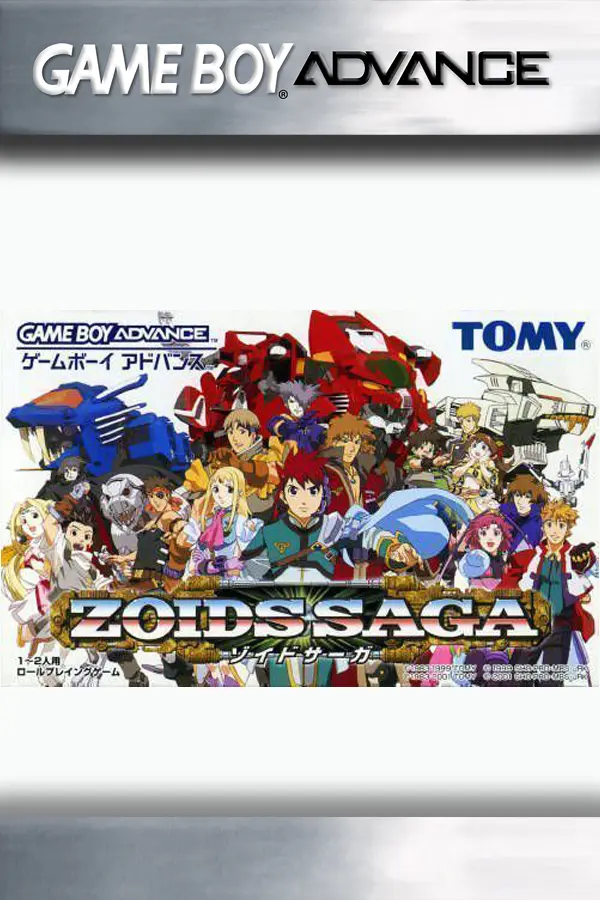
Zoids Saga (re-zoids-saga)
Port nativo de Zoids Saga (re-zoids-saga) para PC.
Zoids Saga (re-zoids-saga)
Port nativo basado en su ficha de origen.
README del repositorio
re-zoids-saga
A FOSS native runtime for preserving Zoids Saga (Game Boy Advance, Japan), written in Rust.
The game is reimplemented, hence the Re: in its name, as a native, cross-platform application (Windows, macOS, Linux, Android and web browsers) with a modern localization layer (Japanese, English, Spanish), while preserving the original gameplay behavior.
This is not an emulator and not a ROM hack. The original ROM is never modified or redistributed: it is used exclusively as a data source. You must provide your own legally obtained copy of the game.
Status
The whole of Zoids Saga can be played: from the title through its ten chapters and the staff credits to the last story battle, with the towns, their shops and Zoid labs, battles against roaming and story enemies, the pause menu, the title's Zoid and character guides, and saves compatible with the original. Both releases of the cartridge play (see Supported ROMs).
The title's two link-cable options, the battle and the Zi data exchange, are not available. What each version brought is in the changelog.
Features
- Two ways to play. Classic, the default, plays exactly as the original.
Enhanced adds conveniences the original never had, most of them turned on or off
one by one:
- a fast forward (2x to 4x) while its button is held;
- an autosave on each change of map, in a place of its own;
- 31 achievements and the records of what was played;
- battles without their attack scenes, damage shown as numbers, text boxes that go on by themselves, and the reach of each weapon drawn on the battle's grid.
- Saves. Four slots where the original has one, each a save in the original's format, exported for an emulator, RetroArch or a flash cart and imported from them.
- Translations. English and Spanish, downloaded from the launcher or the web page, or any PO file of your own. What a translation does not cover stays in Japanese.
- Display. Presets that show the game as a GBA, a GBA SP, a Game Boy Micro, a Nintendo DS or a Game Boy Player did, with their LCD grid, colors and trail, or sharp on a modern screen; and Scale2x and Scale3x for rounder pixels.
- Controls. Keyboard, gamepads and, on touch screens, an on-screen pad; the launcher lets every key and gamepad button be changed.
Play
In your browser
Open re-zoids-saga.serivt.com, choose your Zoids Saga ROM (Japan) and press Play. Nothing to install and no security warnings: it runs on computers, phones and tablets (Android, iPhone and iPad) alike.
- Phones and tablets get an on-screen pad; keyboards and gamepads work too.
- The ROM is checked and kept in the browser alone, never uploaded; the translation, the options and the saves stay there too, so the next visit needs nothing chosen.
- Once loaded it plays offline, and the browser can install it as an app.
- The Saves tab exports each save for an emulator, RetroArch or a flash cart and imports theirs; signing in by email (optional, no password) keeps the saves in the cloud for any browser.
See docs/web.md for how it works.
On your computer or Android
- Download the package for your system from the
Releases page: a disk image for
macOS (11 or later, Apple Silicon and Intel), a zip for Windows, an archive for Linux
(x86-64, glibc 2.34 or later), an APK for Android (5.0 or later). Nothing else needs
installing. Each package has a
.sha256file beside it with its SHA-256 checksum, to check the download (shasum -a 256 -c <file>.sha256, orGet-FileHash <file>in PowerShell). The release also carries the web version as a zip, for anyone who wants to serve it themselves. - Start it:
- macOS: drag Re Zoids Saga to Applications and open it. The app is not signed, so the first time right-click it and choose Open (on recent versions, System Settings › Privacy & Security › Open Anyway).
- Windows: unzip the folder anywhere and run
re-zoids-saga.exe. If SmartScreen warns, choose More info › Run anyway. If Microsoft Defender removes the download as a threat, it is a false alarm about a new unsigned program: in Windows Security › Virus & threat protection › Protection history, choose Allow on device. You can check the download on VirusTotal: every engine but Defender's machine-learning heuristic finds it clean. We are working on it (signing the program and reporting the false alarm to Microsoft); meanwhile you can also build the program yourself from the source, see Build and run. - Linux: unpack the folder anywhere and run
./re-zoids-saga. - Android: open the
.apkon the phone and allow installing it (it is not in any store); an on-screen pad surrounds the game. See docs/android.md.
- Choose your Zoids Saga ROM (Japan) and, optionally, a translation: the
Translation line downloads a language from
re-zoids-saga-translations or
opens a
.pofile you already have. Game mode chooses between Classic and Enhanced. Then Play.
Saves are in the original's .sav format: next to the ROM on a computer, in the app's
own folder on Android. The enhanced mode's autosave and achievements are files of their
own beside them. Options › Saves exports each save for an emulator, RetroArch or a flash
cart, and imports theirs.
Default keys: arrows move, X = A, Z = B, Return = START, Backspace = SELECT, A = L, S = R, holding Space fast-forwards in the enhanced mode, M mutes the sound and turns it back on, Esc (or Android's back button) asks whether to quit. Gamepads work too; keys and buttons can be changed in Options.
When a newer version is out, the launcher shows an Update available line that opens the releases page.
Translate
Translations are kept in their own repository,
re-zoids-saga-translations, as
gettext PO files; its README covers correcting a line and translating with the
Japanese alongside. The game's Japanese text is never published: a translator exports
it from their own ROM as a template, with the launcher's --export-template. See
docs/translation.md.
Build and run
Requirements: Rust stable (see rust-toolchain.toml) and the SDL3 development library
(brew install sdl3 on macOS, libsdl3-dev on Debian/Ubuntu, SDL3's development
package on the library path on Windows).
cargo run -p launcher                       # the launcher's screen
cargo run -p launcher -- path/to/rom.gba    # straight into the game
The web version builds with tools/package/web.sh into dist/web, a folder any static
web server can serve; it needs the wasm32-unknown-unknown target and
wasm-bindgen-cli (see docs/web.md). The Android app builds with
tools/package/android.sh, which needs the Android SDK and NDK (see
docs/android.md).
Before submitting a change:
cargo fmt --check
cargo clippy --all-targets -- -D warnings
cargo test
The launcher's options, controls and command line are in docs/launcher.md, the web version in docs/web.md, the Android app in docs/android.md, the achievements in docs/achievements.md, the packages in docs/packaging.md, and the architecture, rules and project structure in AGENTS.md.
Supported ROMs
| Title | Region | Game code | SHA-1 |
|---|---|---|---|
| Zoids Saga (Rev 1) | Japan | ATZJ | 70bb546a7d00126d452c1d2c1ccddafb2cb91b37 |
| Zoids Saga | Japan | ATZJ | 75d8c15ac281ea93c8ac7cc7641c490799557081 |
Both releases play: the first one, Zoids Saga (Japan) without "Rev 1", keeps its data at other addresses, which the port follows, and shows its own text and records (docs/formats/revisions.md). One translation serves both, and a save made with one loads with the other. The launcher refuses any other dump or game.
License
GPL-3.0-only. See LICENSE. The game's ROM, BIOS images, saves and any content extracted from them remain the property of their respective owners and are never part of this repository.
Comentarios (0)
Inicia sesión para dejar un comentario.
Sé el primero en comentar sobre este juego.