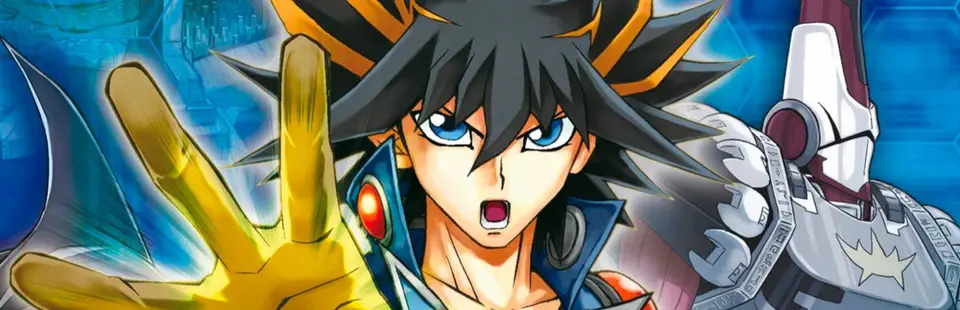

Yu-Gi-Oh! GX Tag Force (Tag Force Recomp)
Port nativo de Yu-Gi-Oh! GX Tag Force (Tag Force Recomp) para PC.
Yu-Gi-Oh! GX Tag Force (Tag Force Recomp)
Port nativo basado en su ficha de origen.
README del repositorio
Tag Force Recomp
Static recompilation of Yu-Gi-Oh! GX Tag Force (PSP, European release ULES00600 v1.01) to native Windows. The game's MIPS (Allegrex) code is translated to C and runs on a custom runtime: HLE PSP kernel, GE (graphics chip) in software and on the GPU, audio, video, I/O and windowing. The goal is a real PC version and a foundation for mods, including mods that change how the game's AI plays and which decks the duelists use.
Legal notice. This project is not affiliated with Konami and contains no game data: no code, textures, audio or video from the game. You need your own legitimate copy of the game (the ISO). It is read once to install the files into a local folder; everything derived from it (installed data, generated C code, executable, saves, logs) stays on your machine, outside Git. Yu-Gi-Oh! is a trademark of Konami and its licensors. See also
THIRD_PARTY.md.
Preview release. This is an early public preview, not a finished product. It plays the game from start to finish in our testing, but it has had limited testing (mostly one machine, one game version and one save), some features are marked experimental, and APIs, file formats, settings and folder names may still change without notice. A ready-to-run zip is on the Releases page (see Download and play); developers can also build from source. Expect rough edges and please report them. See
docs/PREVIEW.mdfor what is and is not covered.
What works
The game runs end to end as far as it has been tested: title, New Game/Continue, Story Mode (3D field, island map, dialogue, days, autosaves, story duels), full duels, Free Duel, Deck Edit, shop, Database, Options and Save Data. Full audio (SAS and ATRAC3/3+) and H.264 movies through FFmpeg. Network/ad-hoc modes are not supported.
Built as a PC game, not an imitation of the PSP UI:
- Resizable window, fullscreen (F11 or Alt+Enter), dark theme, XInput controller, keyboard, native text box instead of the virtual keyboard.
- Renderers: Software (CPU), Direct3D 11 or Vulkan, with internal resolution from 1x to 8x, configurable filter and aspect ratio.
- High-resolution textures (PPSSPP-format packs, compressed to BC7 on the GPU for a quarter of the memory), a high-resolution font and redrawn menu/dialog boxes in the Enhanced Textures pack. F5 switches Original / Enhanced.
- 60 or 120 FPS by interpolation (game logic stays at 30; the runtime creates the in-between frames) with a dedicated presentation thread (Vulkan), precise frame pacing and stable audio. Experimental.
- Configurable sync mode (default, VSync or lowest latency).
- Atomic saves, a log plus input recording of every session so problems can be replayed, and an optional
graphics diagnostic mode that records screenshots during play (see
docs/TESTING.md).
Mods
The main download has no mods: it is as close to the original game as possible. Mods come separately: every one is a folder in mods/
(next to the exe), switched on or off on the launcher's Mods page (applies on restart). Every mod ships switched off.
Each release has four downloads. Small updates may ship only the runtime and the mods: the Enhanced Textures pack and the Full pack are attached to the release that changed them, currently v0.5.1 and still valid for newer versions (use the newer runtime and mods with them).
| File | What it is |
|---|---|
TagForceRecomp-<version>-win64.zip | the plain runtime, no mods, no textures |
TagForceRecomp-Mods-<version>.zip | all behavior mods below; copy its mods folder next to the exe |
TagForceRecomp-EnhancedTextures-<version>-partNofM.zip | the Enhanced Textures pack (HD menus, opening movie, EU cards), cut into parts below 2 GB; extract all of them next to the exe, then set Textures to Enhanced on the launcher |
TagForceRecomp-Full-<version>-partNofM.zip | everything above in one set of parts (extract all of them into the same folder); mods and textures start switched off |
| There are three kinds of mod: |
| Kind | What it does |
|---|---|
| Files | replaces files from the disc (text, data, movies) |
| Textures | replacement texture packs (PPSSPP format) |
| Behavior (plugins) | a plugin.dll that hooks game functions by address; stable, versioned API in plugins/sdk/tfmod.h |
Behavior mods in this repository (sources in plugins/src/):
| Mod | What it does |
|---|---|
Better AI (BetterAI) | experimental: makes CPU duelists play better: adaptive posture, smarter summons/attacks/Dark Hole, and an optional small language model (bundled llama.cpp server) that picks among legal moves. See docs/AI.md |
Better Decks (BetterDecks) | experimental: replaces the decks of duelists with edited ones, without touching the game files. See docs/DECKS.md |
CPU vs CPU (CPUvsCPU) | experimental: lets the CPU play your side too; also the engine of the AI/deck test arena |
Booster box (BoosterBox) | buy all remaining packs of a booster at once in the shop |
Card Randomizer (CardRandomizer) | every deck of every duel is refilled with random cards from the whole card pool |
Player / Opponent Deck Randomizer (PlayerDeckRandomizer, OpponentDeckRandomizer) | every duel, your / the opponent's deck becomes a random whole recipe of the game, with its own deck name; use one or both |
Story Duel LP (StoryLP) | story duels start with the LP set in config.ini (default 8000, any value 100..99999) |
Monsters on the field (MonstersOnField) | experimental prototype: shows your face-up monsters larger over their zone |
Mouse Menus (MouseMenus) | experimental: hover a row of the game's menu lists to move the cursor, click to confirm |
TF3 Cards (TF3Cards) | experimental: adds the cards that exist only in Tag Force 3 (art and texts in five languages); some already have their effect. See its README |
Only the randomizers, Booster box and Story Duel LP are considered reasonably stable; everything marked experimental may misbehave.
The Enhanced Textures pack (HD menus, HD opening movie, EU cards, Xbox buttons) is a release download, not part of the repository.
The plugin API can read and write PSP memory and registers, call game functions, show message boxes over the screen and register
slider settings in the menu. See docs/MODS.md to build your own.
Download and play
- Download
TagForceRecomp-<version>-win64.zip(or the Full pack, see Mods) from the Releases page (the Enhanced Textures pack and the Full pack are on v0.5.1) and extract it anywhere (not insideProgram Files). - Run
TagForceRecomp.exe, click Select ISO... and pick your own copy of the game (European release, ULES-00600). - Click Install and play. The first run copies the game files and translates the game's code on your machine (a few minutes, only once; the ISO is not needed afterwards). From then on just click Play.
Nothing needs to be installed: the zip carries the runtime, FFmpeg, a small C compiler (TinyCC) and the translator. It contains no
game data and no game code: the game's code is translated from your copy on your computer (gen/), compiled once (a few seconds,
kept in gen/jitcache/) and loaded in memory each time the game starts.
Controllers. XInput and generic DirectInput controllers are supported. Generic buttons can be assigned by pressing them in the launcher; numbered buttons appear as Button 1, Button 2, etc. The left stick and D-pad provide movement. Default generic button order is 1-4 for face buttons, 5-6 for shoulders and 7-8 for Select/Start; remap it if your controller differs.
Running. The game runs while Cancel / Circle is held. The Run controller field shows that same button (for example, Hold B). Remapping either Run or Cancel updates both. The keyboard Run shortcut remains separately assignable.
Remapping. Open Controls in the launcher. Click a keyboard slot and press a key, or click a controller slot and press a controller button (including LT/RT). Each action has one keyboard field and one controller field. Remapping a keyboard field replaces its default aliases. Escape cancels capture; Delete clears a slot; Restore defaults resets the layout. Settings save automatically and apply after restarting the game. Stick movement, card-text scrolling and mouse buttons keep their defaults.
Controls. Keyboard and mouse (default PC layout): WASD or arrows; Space, E or left click = ✕; Backspace, C or right click = ○; F = □; R = △; Q / Tab = L / R; Enter = START; Ctrl = SELECT; Shift = run; mouse wheel = up/down (over the card text box in duels it scrolls the text); PageUp / PageDown or the right stick also scroll the card text. The classic layout (arrows, Z = ✕, X = ○, A = □, S = △, Q/W = L/R, Shift = SELECT) is used when View > PC keyboard and mouse is off. XInput controllers work too. F11 / Alt+Enter: fullscreen · F3: FPS counter · F4: frame rate 30 / 60 / 120 · F5: textures Original / Enhanced · F9: graphics diagnostic capture on/off · F8 (or F7): report a problem (asks for a note, then saves full-size screenshots, the last ~1.5 s of frames and the duel state; Esc or an empty note discards it) · controller quick marks (no note): L3 = graphics glitch, R3 = performance, Start + Select = audio (saves the last 8 s as a WAV) · Esc: leave fullscreen / asks before closing. The launcher's Game page lists the options; the window has no menu bar.
Saves live in ms0/ next to the executable. Each run writes a log, the key presses and a copy of the save to logs/; any session can be
replayed with tools/test/replay.sh (developers). tools/test/tf.py plays the game by itself (buttons, screenshots, memory peek) for automated tests.
Build from source (developers)
Requirements: Windows 10/11, MSYS2 UCRT64 (gcc, g++, windres, glslc, FFmpeg and Vulkan headers),
Python 3 with Pillow and numpy, Git Bash. No Ghidra or any decompiler is needed.
sh tools/build.sh                                     # the one build: incremental, into gen/pkg/TagForceRecomp/ (same layout as the release zip)
sh tools/install_dev.sh "D:/path/to/Tag Force.iso"    # first time only: installs the game data from your ISO (the code is translated on first run)
python tools/package_release.py                       # builds the release zip described above (gen/release/)
.\gen\pkg\TagForceRecomp\TagForceRecomp.exe # launcher: "Install and play" the first time (ISO); afterwards just "Play" (the ISO is no longer needed)
To check that the documented build works on a clean Windows, there is a one-click test in Windows Sandbox.
TagForceRecomp.exe can also install by itself (TagForceRecomp.exe --install <iso>) and verify the copy (--verify <iso>). What the project
translates is the code of your copy, on your machine; none of it is distributed.
How it works
tools/translator/reads the game's modules and translates each Allegrex function to C (recomp.py,allegrex.py,pspmod.py).- The generated code, the runtime (
runtime/) and FFmpeg are built intoTagForceRecomp.exe. - The runtime implements in HLE what the PSP firmware would do (threads, files, audio, graphics, fonts) and presents the frames.
- Plugins and mods connect through hooks on the recompiled functions and through file and texture replacement.
More detail in docs/ARCHITECTURE.md.
Repository layout
Full map with every subfolder: docs/STRUCTURE.md.
| Folder | Contents |
|---|---|
tools/ | build, test and analysis scripts, plus the translator (Allegrex → C) in tools/translator/ |
runtime/ | C++ runtime: HLE kernel, GE, GPU backends, audio, video, window, mods |
decomp/ | hand-written readable C++ replacing translated game functions one by one: title, story mode, map, duel result screen and more (see docs/DECOMP.md) |
plugins/ | sources of behavior mods (src/) and their API header (sdk/tfmod.h) |
assets/ | branding images and the icon generator |
docs/ | documentation (preview status, mods, AI, decks, testing, architecture, repository layout, game versions) |
gen/ | everything that comes from your ISO (not in Git) |
Contributing
Contributions are welcome: bug reports (with the log from gen/logs/), mods, fixes and ideas. See CONTRIBUTING.md.
The most important rule: no game data in the repository.
Credits
- HD texture pack used by many players: MikeyMK and Filipe Ramos (PT-BR). The Enhanced Textures pack in the releases builds on their work, with the character sprites by Artknightt, 2x versions made with Real-ESRGAN, and menus redrawn by the contributors. Thank you!
- PPSSPP: reference for hardware behavior and the texture pack format (read-only reference, no code copied).
- FFmpeg: video and ATRAC audio.
- llama.cpp: runs the small language model of the Better AI mod.
License
MIT — you can use, fork, modify and redistribute this project freely, including for your own mods. The license covers the code and
documentation in this repository only; it does not cover the game, its data, or the third-party components listed in THIRD_PARTY.md.
Comentarios (0)
Inicia sesión para dejar un comentario.
Sé el primero en comentar sobre este juego.