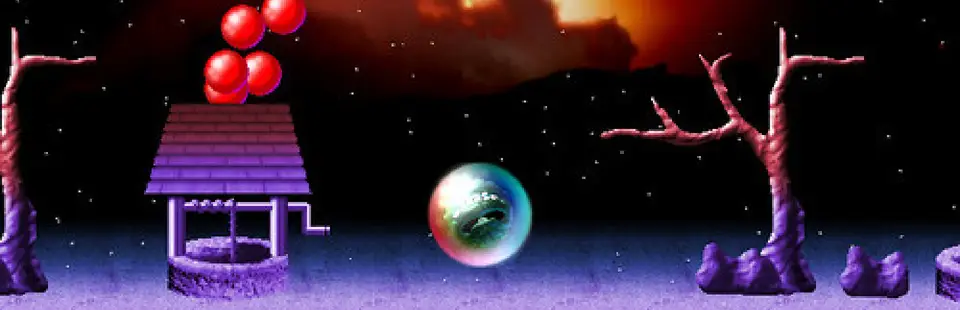
Wizball (Retrospec remake)
Port nativo de Wizball (Retrospec remake) para PC.
Wizball (Retrospec remake)
Port nativo basado en su ficha de origen.
README del repositorio
WizBall (Retrospec remake source archive)
A preserved source release of the 2007 Wizball PC/Mac remake by Graham Goring and collaborators, now updated to build and run on modern Linux and to package cleanly for PortMaster handhelds.
Why this repository exists
In February 2026, I reached out to Graham Goring to ask whether the source still existed so I could:
- get the remake running cleanly on Linux
- prepare a PortMaster-friendly build for handheld devices
At first, the code appeared to be lost. Graham did "have a shufty on a few dusty old drives" and came up empty, but as a last-ditch resort he emailed the Mac porter. Then, in Graham's words: "happy days" - Peter Hull still had a copy (with some Mac-specific bits).
This repository is that recovered codebase.
Current runtime status
The active branch uses SDL2 for platform, input, audio, and image loading, and supports two renderer targets:
SDLfor the standard desktop buildGLES2for the current PortMaster packaging path and local handheld-style testing
The old Allegro + AllegroGL + desktop OpenGL runtime is no longer the supported path on this branch.
If you want the earlier Linux restoration branch that still used the old Allegro/OpenGL path, use:
git checkout original-linux-build
A short history
- 1987: The original Wizball (Sensible Software) released, designed by Jon Hare and Chris Yates.
- Early 2006 -> 2007: Graham Goring and team built the Retrospec/Smila remake for Windows and Mac.
- 2007 onward: The remake shipped publicly and kept the spirit of the C64 version while modernizing controls and presentation.
- 2026: Source recovered from backups and revived for Linux/PortMaster work.
Relevant original project page:
Background on the original game:
Credits
Original 1987 game
- Design: Jon Hare, Chris Yates
- Programming: Chris Yates
- Graphics: Jon Hare
- Music: Martin Galway
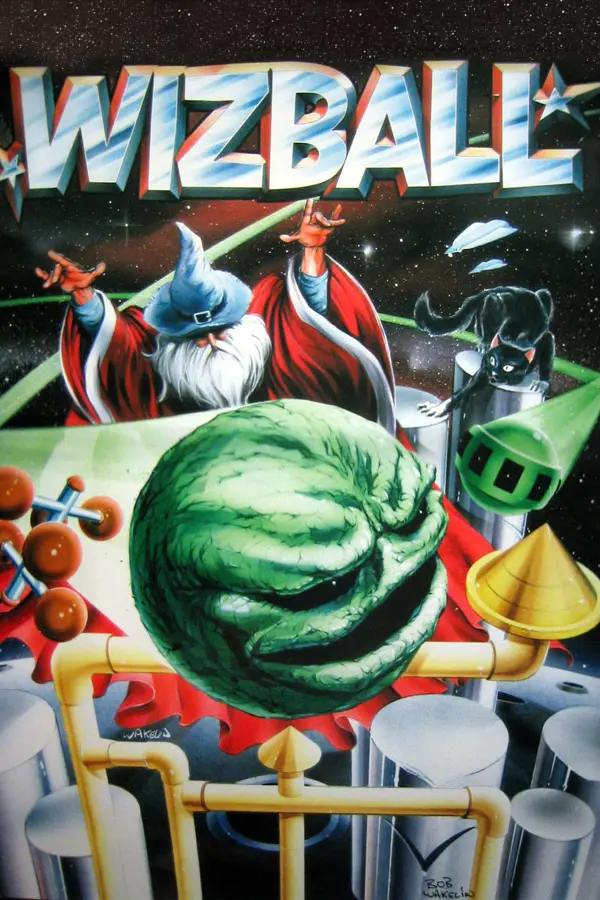
- Cover illustration: Bob Wakelin
2007 Retrospec remake
- Remake programming: Graham Goring
- Remake graphics: Trevor "Smila" Storey
- Remake music/arrangements: Infamous (Chris Nunn)
- Mac conversion: Peter Hull
- Linux conversion (original effort): Scott Wightman
- Linux revival (2026): Craig Chandler
Additional acknowledgements from the original remake readme
- Peter Hanratty (beta testing)
- Muttley (joypad feedback and bug reports)
- Richard Jordan
- Neil Walker
- Tomaz Kac
- Marticus (Wizball Shrine / gameplay reference)
- Carleton Handley
- Tim W
- Oddbob
- Paul Pridham
- Retro Remakes community
- TIGforums community
If I've missed anyone, open an issue or PR and I'll fix it.
Status
- Tested on modern Arch Linux.
Project goals (2026 revival)
- preserve and document the recovered source
- keep original attribution intact
- maintain playable Linux builds
- package for PortMaster without changing the core feel of the remake
- Not yet tested on Windows or macOS (TODO).
- Publish release packages/installable builds (TODO).
2026 Bring-Up Changes (Summary)
The recovered codebase was not originally in a state that built and ran cleanly on a modern Linux desktop toolchain. Notable 2026 revival changes:
- Runtime/platform: migrated the active Linux build away from the old Allegro/OpenGL path to an SDL2-based runtime more suitable for current desktops and PortMaster targets.
- Build system: added a CMake-based build and Linux compile path, while keeping the original codebase constraints intact.
- Audio: migrated off the legacy FMOD path onto the SDL2 audio stack, using
SDL_mixerfor sound effects and streamed audio. - Frame pacing/input: stabilized the main loop so simulation/input handling is less coupled to render refresh rate, and added optional safeguards for timer/refresh stalls during compositor/display transitions.
- Data/asset loading: hardened resource loading for Linux (case sensitivity and path assumptions) and added runtime diagnostics/validation to fail fast on bad or partial loads.
- Asset packaging: the active packaging path now vendors and statically links PhysFS, mounts a single
data.zip, and keeps already-compressed media stored in the zip without extra compression. - Safety hardening: added guard rails around collision/map/tile-set handling to avoid crashes from malformed or missing data during bring-up.
- Packaging workflow: moved the active Linux/PortMaster path to direct on-disk assets and stopped tracking generated runtime artifacts in git.
Build
Dependencies
The project uses pkg-config for dependency discovery.
- C++ compiler with C++11 support
- CMake 3.16+
- pkg-config
- SDL2
- SDL2_mixer
- SDL2_image
- Python 3 for generating
data.zipduring the build - OpenGLESv2 or GLESv2 development library if you want a
GLES2build
PhysFS is vendored in third_party/physfs and built statically as part of the project; you do not need a system PhysFS package.
Linux desktop build
Recommended development build:
cmake -S . -B build -DWIZBALL_PORTMASTER=OFF -DWIZBALL_RENDER_BACKEND=SDL
cmake --build build -j
Release build (recommended for playtesting):
cmake -S . -B build_release -DCMAKE_BUILD_TYPE=Release -DWIZBALL_PORTMASTER=OFF -DWIZBALL_RENDER_BACKEND=SDL
cmake --build build_release -j
AddressSanitizer build:
cmake -S . -B build_asan -DWIZBALL_PORTMASTER=OFF -DWIZBALL_ENABLE_ASAN=ON -DWIZBALL_RENDER_BACKEND=SDL
cmake --build build_asan -j
Local GLES2 build
If you want to test the GLES2 renderer locally on Linux:
cmake -S . -B build-gles2-local -DCMAKE_BUILD_TYPE=Release -DWIZBALL_PORTMASTER=OFF -DWIZBALL_RENDER_BACKEND=GLES2
cmake --build build-gles2-local -j
Run
Run from the wizball/ data directory:
cd wizball
../build/wizball
Release build:
cd wizball
../build_release/wizball
Local GLES2 build:
cd wizball
../build-gles2-local/wizball
Useful flags:
-debugenables extra logging.-datenables the compiled data mode used by the PortMaster launcher.-rebuildscripts wizballrebuilds the compiled script output.-rebuildtilesets wizballrebuildstilesets.datfrom the source tileset files.-rebuildtilemaps wizballrebuildstilemaps.datfrom the source tilemap files.
At runtime, the SDL/PhysFS asset layer will look for data.zip in the working directory first and fall back to the unpacked project directory for local development. Runtime-generated user files such as config, hiscores, and reports are written beside the binary in the game root and do not need to be shipped as package assets.
Rebuild generated data
Generated .dat artifacts are rebuilt by running the wizball binary with its rebuild command-line options. They are no longer produced through a separate Allegro packfile workflow.
Direct commands from the wizball/ data directory:
cd wizball
../build/wizball -rebuildscripts wizball
../build/wizball -rebuildtilesets wizball
../build/wizball -rebuildtilemaps wizball
If you prefer, CMake exposes thin wrapper targets for the same binary commands.
If you changed scripts or text/global parameter content:
cmake --build build --target rebuild_wizball_scripts
If you changed tileset source files:
cmake --build build --target rebuild_wizball_tilesets
If you changed tilemap source files:
cmake --build build --target rebuild_wizball_tilemaps
PortMaster package build
The PortMaster packaging path currently builds a GLES2-targeted binary inside the builder container and packages the output into a distributable zip.
Prerequisites:
- Docker
- Docker Compose
Build the package from the repository root:
./scripts/build_portmaster.sh
That script will:
- pull the
ghcr.io/monkeyx-net/portmaster-build-templates/portmaster-builder:aarch64-latestimage throughdocker compose - start the
qemu-user-statichelper - configure and build
build-aarch64with-DWIZBALL_RENDER_BACKEND=GLES2 - install into
staging/ - assemble the final PortMaster directory in
wizball/ - write the distributable archive to
WizBall.zip
If you just want an interactive builder shell instead of a full package build:
./setup_docker.sh
The PortMaster launcher and package metadata live in portmaster/, while the CMake install step stages the game data and binary into the layout expected by the packaging script.
The staging install excludes generated .dat files, so if you need fresh compiled data you should rebuild it explicitly with the binary commands above before packaging or local -dat testing.
Legal and licensing notes
- This repository preserves a remake of IP originally created by Sensible Software.
- Graham Goring explicitly gave permission in email for the source to be made public (apparently it's "a salient lesson in how not to code a game").
- This repository is licensed under the MIT License (see
LICENSE): effectively "do what you want, but no warranty."
Preservation note
This project matters because it captures a specific era of fan remakes: skilled, funny, deeply obsessive, and built with love for 8-bit originals.
If you played this version back in the day, welcome home.
Bonus
There is actual code here that will also make an Exolon remake!! I'll get to that one
Comentarios (0)
Inicia sesión para dejar un comentario.
Sé el primero en comentar sobre este juego.