
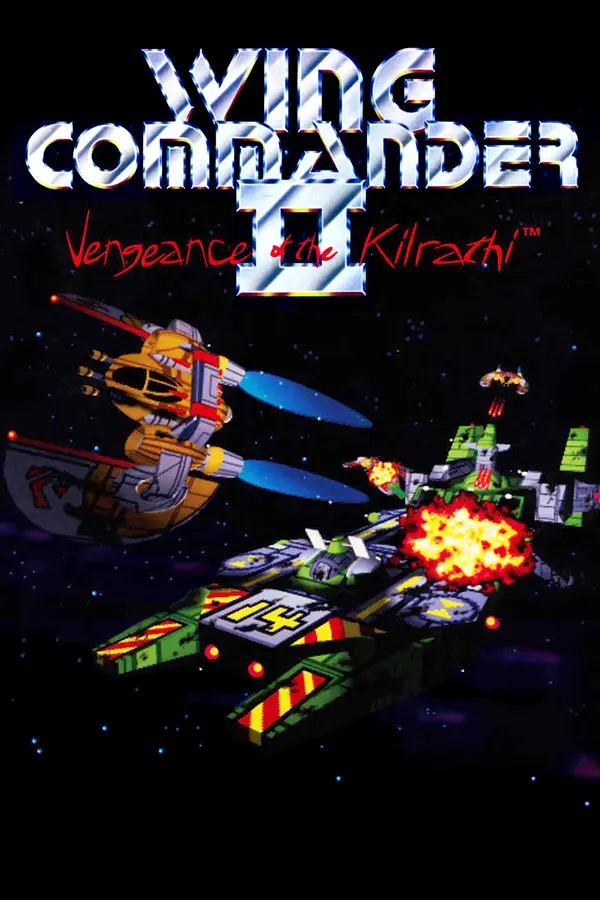
Wing Commander II: Vengeance of the Kilrathi (wc2-re)
Port nativo de Wing Commander II: Vengeance of the Kilrathi (wc2-re) para PC.
Wing Commander II: Vengeance of the Kilrathi (wc2-re)
Port nativo basado en su ficha de origen.
README del repositorio
Wing Commander II source reconstruction and SDL2 port
This project recreates the source of Wing Commander II as shipped in Wing
Commander: The Kilrathi Saga (1996). The C game core and C++ ix audio
library rebuild with Microsoft Visual C++ 4.1 into a byte-identical
WC2.EXE: all 714,752 bytes match the retail executable.
A native SDL2 port and optional graphical launcher are available for Windows, Linux, and macOS. They support Kilrathi Saga data and have partial support for the original DOS game data.
No retail game data files are included.
Browse the reconstructed Win32 source, including assembly listings and searchable references.
If you find this project useful, you can support its development through GitHub Sponsors.
Screenshots
The game captures were taken through DREAMM at the original 320x200 resolution.
| Title menu | Opening sequence |
|---|---|
 |  |
| Cockpit navigation | External flight sequence |
|---|---|
 |  |
Download and run the SDL2 port
Download the archive for your platform from
GitHub Releases, extract it,
and keep the bundled runtime libraries beside wc2-modern (wc2-modern.exe
on Windows). Starting without arguments opens the graphical launcher. It
detects common WC2 installations, including Heroic, GOG, and Steam libraries;
use Add path… for another directory containing GAMEDAT. Choose an
installation and select Start game. The launcher remembers your settings.
Enable Start in fullscreen under Graphics to open the game in desktop
fullscreen mode.
Command-line arguments start the game directly from the working directory;
add --gui to open the launcher first:
cd /path/to/WC2
/path/to/wc2-modern --enhanced --joystick-rumble
Use --fullscreen or --windowed to choose the startup display mode. With
--gui, these also override the saved fullscreen setting in the launcher.
WC2 automatically saves a Continue checkpoint. Starting a new campaign asks Overwrite Continue save? (Y/N) if that checkpoint is occupied. Press Y to proceed, or N or Esc to keep it and return to the title menu.
Fixes and features
The port includes resizable, aspect-correct display, gamepad hot-plug support, mouse-wheel throttle, cinematic captions, corrected planet scaling, and static on damaged cockpit displays. DOS data uses AdLib music and synthesized OriginFX sound effects. Optional features can be combined:
| Fix or feature | Enable with |
|---|---|
| Start in fullscreen | Launcher checkbox or --fullscreen |
| Neutral adaptive difficulty and half-size asteroid collision radii | --balanced-difficulty |
| Cheat mode: invulnerability and no collisions | Launcher checkbox or --cheats |
| OpenGL space objects rendered at output resolution | --enhanced |
| Authentic 16-colour EGA dithering from the DOS installer | --ega |
| Heavy-weapon, damage, collision, and afterburner rumble | --joystick-rumble |
| WCAT-style four-button joystick layouts | --joystick-mode=4button-2axis or 4button-4axis |
| Twin-stick, HOTAS, throttle, and rudder layouts | --joystick-axes=<layout> |
| Joystick diagnostics on stderr | --joystick-debug |
| Frame-rate counter | -f |
| Cockpitless view | -c |
The enhanced renderer keeps the original artwork, palettes, cockpit, and HUD;
only space objects are redrawn at output resolution. Combining it with --ega
uses the original-resolution scene so dithering applies consistently.
| Cockpit flight | External flight sequence |
|---|---|
 |  |
Controls
| Shortcut | Action |
|---|---|
Cmd+Enter (macOS), Alt+Enter (Windows and Linux) | Toggle fullscreen |
Cmd+Q (macOS) | Quit the game |
| Mouse wheel (spaceflight) | Increase or decrease speed |
Esc (spaceflight) | Close communications, or pause |
| Gamepad Start (spaceflight) | Pause or resume |
| Gamepad Back | Escape/back |
Gamepad Y (Y/N prompts) | Confirm Yes |
The default joystick mode retains the original two-axis, two-button controls.
When several devices are connected, the launcher's Device selector chooses
the primary joystick for that session; Automatic keeps the existing order.
An explicit choice overrides legacy j.cal calibration. If it disconnects,
another device can take over until the selected joystick reconnects.
The optional four-button modes add afterburner, targeting, weapons, navigation,
autopilot, communications, and speed controls. Axis layouts are
twin-stick-roll, twin-stick-yaw, hotas-yaw, hotas-roll,
linear-throttle, rudder-yaw, and rudder-roll.
Build from source
Clone the submodules first:
git submodule update --init --recursive
SDL2 port
Install a C/C++ compiler plus the SDL2 and LZO2 development packages, then run
make -j modern. The executable is written to out-modern/wc2-modern (.exe
on Windows). make run-modern uses Kilrathi Saga data in data/wc2-full;
make run-modern-dos uses DOS data in data/dos.
The graphical launcher (make -j modern-gui) also needs CMake 3.21+, Rust
1.92+, and a C++20 compiler. Linux builds need the D-Bus and Fontconfig
development packages. It produces out-modern/wc2-modern-gui, which release
archives ship as wc2-modern.
For installer builds, see the macOS packaging instructions or Windows packaging instructions.
Reconstructed Win32 build
With Python 3.10+ installed, run:
python3 -m venv .venv
. .venv/bin/activate
python3 -m pip install -r requirements-build.txt
make -j
The build downloads the MSVC 4.1 toolchain and runs it under
wibo. It verifies WC2.EXE against
the retail SHA-256 and fails on any mismatch, even for an up-to-date build.
The original executable is not needed to compile it.
To run it, provide a Kilrathi Saga disc image. The Makefile substitutes the reconstructed executable and launches it under DREAMM:
make run ISO=/path/to/kilrathi-saga.iso
Use make run-original for the retail executable in the same environment, and
make debug to start DREAMM's debugger.
Source browser
The source browser shows the matching
Win32 sources with SDL-only branches removed. To build it locally, install
Doxygen 1.18.0, unifdef, and Pygments, run make site, and open
out/site/html/index.html.
Reconstruction workflow
binary-comp also provides
comparison and verification commands. Install its optional analysis dependencies:
python3 -m pip install -r requirements-build.txt "capstone>=5" "tree-sitter>=0.20" "tree-sitter-cpp>=0.20"
make compare-func FUNC=WinMain
make compare-bytes
make verify
These look for the retail executable at ../releases/win32/WC2.EXE; set
ORIGINAL_SRC to point elsewhere.
Acknowledgements
Special thanks to:
- Origin Systems, who created Wing Commander II and developed its Kilrathi Saga port;
- Electronic Arts for publishing Wing Commander: The Kilrathi Saga;
- GOG for keeping Wing Commander 1 + 2 readily available;
- AllTinker for the W.C.A.T. overhaul, whose fixes and analysis of the DOS release have been valuable references;
- the WCDX project for its pioneering compatibility work on the Kilrathi Saga release;
- Aaron Giles for the DREAMM emulator, used to run and study the original release, and ymfm, which powers the SDL2 port's AdLib emulation; and
- DaisenryakuFan for providing very advanced source reconstructions for the DOS releases of several Wing Commander titles.
License
See LICENSE. OpenAI Codex and Anthropic Claude were used during the reconstruction.
Comentarios (0)
Inicia sesión para dejar un comentario.
Sé el primero en comentar sobre este juego.