
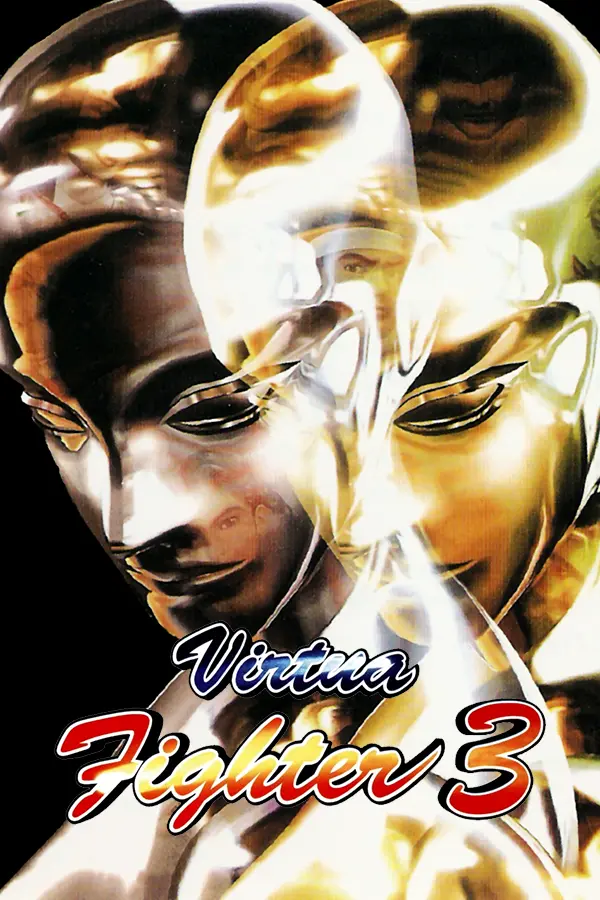
Virtua Fighter 3
Port nativo de Virtua Fighter 3 para PC.
Virtua Fighter 3
Port nativo basado en su ficha de origen.
README del repositorio
[!IMPORTANT] No game files are included: no ROMs and nothing made from them. You need your own dump of the game as MAME's
vf3set (vf3.zip, Revision D). It is read on your computer, and the game's program is recompiled there each time it starts. An unofficial fan project, not made, approved or supported by SEGA, and not affiliated with it.
About
Virtua Fighter 3 Recomp runs the game's own program, for the board's PowerPC 603e, recompiled to native code (ARM64 or x86-64) from your ROM each time it starts, and checked frame for frame against its own interpreter, which is itself frame-identical to the Supermodel reference on every scripted run (the attract mode, all twelve fighters, a versus match and the test menu: 173,000 frames). The rest of the Model 3 board is this port's own code: the board itself (memory map, IRQs, the 53C810 SCSI controller's DMA, the JTAG chain, EEPROM, inputs), the tile generator and the Real3D Pro-1000 (a scene builder and two renderers: on the CPU, and on the GPU with SDL_GPU, the same picture, checked against each other when the game starts); the sound board's 68000 and two SCSPs run on MAME's code as Virtua Fighter 2 Recomp has it. Supermodel's source, GPL, was read for its documentation of the hardware; none of its code is in this one.
Status
| Area | State |
|---|---|
| The PowerPC program, recompiled to native code | Working: identical to the interpreter on every frame checked |
| Board, tile generator, Real3D (CPU renderer) | Working: the pictures match the reference's, but for the differences below |
| The 3D on the GPU (Display > 3D renderer: Auto, GPU or CPU) | Working on Metal (Apple M4 Max: 120 pictures a second at 4x and 6x) and Vulkan (checked against the CPU's picture as the game starts); Direct3D 12 (an RTX 3070 Laptop, #4). On Windows the GPU renderer starts on Vulkan for every card (Direct3D 12 was far slower on some AMD and NVIDIA cards), Direct3D 12 if Vulkan fails or as chosen in Display > Graphics driver. Direct3D 12 that draws nothing falls back to Vulkan, and any difference or error to the CPU |
| Sound board (68000, two SCSPs) | Working: against the reference's on the same inputs, every song of the sound test within 0.2 dB of it in each band over the song (MAME's SCSP, with the reference's VF3 tunings: its timers, FM depth and pitch LFO depth), the voices bit-identical |
| Render scale up to 6x, antialiasing, widescreen and ultrawide, smooth motion | Working. Widescreen: the fights see more to the sides, and the stages' backgrounds carry on from the game's own panoramas |
| Menu, keyboard and gamepads, two players, the arcade's settings, screen filters | Working |
| Portable mode, your own ROM folder | Working |
| macOS, Windows, Linux / Steam Deck | macOS (Apple silicon) and the Steam Deck: the downloads working, a steady 60 pictures a second on the Deck; Windows tested under Wine; Intel Macs not yet tried (the Mac build is universal) |
| Online play | Experimental: rollback netplay with room codes, no setup (see Online play) |
Virtua Fighter 3 Team Battle (vf3tb) | Working, online too (see Team Battle) |
This is an alpha. Please report anything that looks or plays differently from the arcade in
Issues, with the log.txt from the game's data folder.
Known issues: Shun's stage water is the game's own low-resolution 2D art up close.
Known differences from the reference's pictures: textures far away are softer (the Real3D's own mipmap level choice, as Supermodel's New3D documents it, where the reference build used OpenGL's).
Play
| System | Download |
|---|---|
| macOS 11+ (Apple silicon and Intel) | VirtuaFighter3Recomp-mac.zip |
| Windows 10 or 11 (64-bit) | VirtuaFighter3Recomp-windows.zip |
| Linux / Steam Deck (x86-64) | VirtuaFighter3Recomp-deck.tar.gz |
| Linux on ARM (ARM64: a Raspberry Pi 5; Ubuntu 22.04, Debian 12, Raspberry Pi OS bookworm or newer), unpacked and run as the x86-64 Linux one | VirtuaFighter3Recomp-linux-arm64.tar.gz |
Mac and Windows
- Unzip it (Mac: move Virtua Fighter 3 Recomp to Applications; Windows: the VirtuaFighter3 folder anywhere, not inside Program Files).
- Open it (Windows:
VirtuaFighter3.exe). - Choose your
vf3.zipwhen it asks. A copy is kept, so you only do this once.
Steam Deck
- Copy the download to the Deck (e.g. Downloads) and unpack it there: in Desktop Mode, right-click it in the file manager > Extract > Extract archive here. (Unpacking on Windows, or copying the folder through a USB stick, can lose the files' permissions, and then nothing launches.)
- Put your
vf3.zipin theVirtuaFighter3/romsfolder. - Desktop Mode: Steam > Games > Add a Non-Steam Game to My Library > Browse, set the file type filter to "All
files", pick the
vf3file in the VirtuaFighter3 folder, Add Selected Programs. In its Properties, set Start In to the VirtuaFighter3 folder (e.g./home/deck/Downloads/VirtuaFighter3/), and under Compatibility leave "Force the use of a specific Steam Play compatibility tool" off: it's a native Linux game, and Proton stops it launching. - Back in Game Mode, launch it from your Library with the default Gamepad layout.
The Windows download also runs on the Deck under Proton (add VirtuaFighter3.exe instead, with Proton forced on),
but the native Linux build above is the one to use. The Deck package also keeps a copy of your vf3.zip in your
user data folder, so an update unpacked into a new folder doesn't ask for it again.
On another x86-64 Linux PC: unpack it anywhere, put vf3.zip in its roms folder and run VirtuaFighter3.sh.
Portable mode: put a file named portable.txt next to the program (Windows: beside VirtuaFighter3.exe; Mac:
beside the app, in the same folder), or in the folder above it, and the game keeps everything in that folder: settings, saves, screenshots,
log.txt and the copy of your vf3.zip (in its roms folder), with nothing in your user data folder (%APPDATA%,
~/Library/Application Support). The Linux / Steam Deck build keeps everything in its folder already.
Your own ROM folder (e.g. Batocera's /userdata/roms/ports/vf3, or any folder an update won't touch): start the
game with --roms <folder> (or --roms=<folder>), set the environment variable VF3_ROMS, or add
roms_folder = <folder> to settings.ini; the command line wins, then VF3_ROMS, then settings.ini. ~ is your
home folder, and a relative path in settings.ini is from its folder. The game looks there first for vf3.zip and
only reads it (no copy is kept anywhere else); log.txt names the folder it used. If the zip isn't there, the log
says where it looked and the game carries on as without the option; a zip you then choose with the file picker is
copied into your ROM folder, so the next start finds it there. Examples: Windows VirtuaFighter3.exe --roms "D:\ROMs\vf3";
Mac open "Virtua Fighter 3 Recomp.app" --args --roms ~/ROMs/vf3; Linux / Batocera
./VirtuaFighter3.sh --roms /userdata/roms/ports/vf3.
[!NOTE] The Mac and Windows builds aren't signed. On macOS, open it once, close the message, then System Settings > Privacy & Security > Open Anyway. On Windows, if SmartScreen warns, choose More info > Run anyway.
Controls
Change them in the menu (Esc, or View / Select on a pad).
| Key | Does |
|---|---|
| ↑ ↓ ← → | Player 1: move |
| Z X C V | Player 1: guard, punch, kick, escape |
| 1 | Player 1: start |
| I J K L | Player 2: move |
| B N M , | Player 2: guard, punch, kick, escape |
| 2 | Player 2: start |
| 5 6 | Coins (Arcade play style) |
| Esc | The menu (a pad: View, L3 + R3, or the touchpad's click) |
| P / F3 | Pause / reset |
| F5 / F6 | Render scale / picture shape |
| F11, F or Alt+Enter | Fullscreen |
| F9 | The frame rate and timings in the title bar |
| F12 | A screenshot of the picture (in the Screenshots folder) |
| Tab (held) | As fast as it goes |
| F2 / 9 | The arcade's test and service buttons (in its test menu, Down and Start do too) |
Gamepads: d-pad or left stick, X guard, A punch, B kick, Y escape, LT guard + punch, RB punch + kick, LB guard + kick, RT all three, Start. The menu: View (tapped), L3 + R3, or the touchpad's click (View + Start too). View + LB: render scale; View + RB: picture shape. For Arcade play on a pad, set a Coin button in Controls.
Arcade sticks the game doesn't know (DirectInput sticks such as HORI's Virtua Stick High Grade or the Astro City
Mini) get a fighting stick's layout; Controls > Player 1 (or 2) > Set up buttons sets theirs by pressing each in turn. A
gamecontrollerdb.txt (SDL's mappings) in the data folder or beside the program is read too.
Menu
- Resume and Quit.
- Display: render scale (up to 6x), antialiasing (2x, 3x), the 3D renderer, picture shape (fit the window, 4:3,
16:10, 16:9, 21:9), background filter, distant textures (sharp, or as the arcade's), smooth motion, screen filter (scanlines, CRT), CRT colours (an arcade monitor's, as Supermodel's presets), Show FPS, window size, fullscreen and (on Windows) fullscreen mode.
Window size makes the window a whole multiple of the arcade's 384 lines (1x 512 x 384 for the 4:3 picture,
2x 1024 x 768, up to 4x: as many as your screen holds; a wider picture shape makes it as wide as the shape), each
arcade line that many of your screen's: Render scale 1x with Window size 1x shows the arcade's 384 lines one to one,
Window size 2x with Render scale 1x doubles each of them. It's for playing in a window (fullscreen keeps it for
when you're back in one), sized in the window's pixels on a Mac's Retina screen too, and resizing the window by hand
sets it back to Free. The window's size, place, maximised and fullscreen are remembered from one start to the
next (handy for capturing it in OBS).
On Windows, fullscreen is a borderless window over the screen (a line taller than it, so no graphics driver takes
it for a game's own fullscreen): switching to fullscreen froze on AMD cards in the driver's exclusive fullscreen
(issue #7). Fullscreen mode (Windows only) switches to Standard, the old way, as does
fullscreen_exclusive = 1in settings.ini. A Mac (its green button too), Linux and the Steam Deck keep the system's own fullscreen (fullscreen_window = 1gives them the borderless window). - Sound: volume, and the music's and the effects' own volumes.
- Game: play style (PC: no boot screen, always free play; Arcade: the boot, coins and credits, its coin settings kept for it), reset, and Version: Virtua Fighter 3 or Team Battle (it asks first: the game restarts), or Add Team Battle while it has only one.
- Arcade settings: difficulty, rounds to win, energy, stage select between two players, demo sound, country, and the arcade's own service menu (its other settings, sound test, bookkeeping). A change restarts the game. Online matches are always first to 3, whatever the rounds to win (vs player) here. Stage select has the arcade's own options by name: Off (each two-player match on the game's next stage, starting from a random one) or Challenger (the challenger picks the stage, so on every rematch the loser picks, as Japanese arcades had it; the stage's Dural version is easiest with Menu > Cheats > Dural's stage). Team Battle also lists Variable and Full, the arcade's own, not yet known (no stage screen seen between two players). Debug mode (issue #37, offline only): the arcade's hidden debug mode without its code: the CPU load, polygons, hits and damage on the screen; in a fight, P2 Guard held and P2 Start pause the game, P1 Start then runs a frame at a time, P1 Start with P2 Start held goes on.
- Controls: each player's pad, keys and buttons.
- Online: a random opponent, host a match, join one, play by address, your name, input delay, the connection display (see below).
- Cheats: Dural on the select and Dural's stage (see Dural).
The settings stay as you set them, as in Virtua Fighter 1 and 2 Recomp: if the computer can't keep up at a render scale, choose a lower one (F5).
Team Battle
Virtua Fighter 3 Team Battle (MAME's vf3tb, 1997), three fighters a side, plays too. Either zip works:
- Have both? Put
vf3tb.zipbeside yourvf3.zip. Menu > Game > Version switches between them (it asks first: the game saves and starts again in the other). Each keeps its own rankings and arcade settings. - From a command line or a launcher:
--game vf3or--game tbstarts Revision D or Team Battle for that run, whatever Menu > Game > Version remembers (it isn't saved: the next start without it plays the remembered one). - Only
vf3.zip? Menu > Game > Add Team Battle asks for yourvf3tb.zip, copies it besidevf3.zipand starts Team Battle. A splitvf3tb.zip(only Team Battle's own ROMs) works besidevf3.zip; MAME's full one works on its own. - Press Start in a fight to change the camera: the normal view, close behind your opponent, high behind you, and from above (Team Battle's own feature).
- Online: Team Battle plays only Team Battle (and Virtua Fighter 3 only Virtua Fighter 3).
- The CPU's teams are new each time you play: the game's random numbers start somewhere new at each launch, as on a cabinet that's been on all day.
Dural
Menu > Cheats > Dural on the select: the boss, in a 13th spot past Kage, for either player (right from Kage, or left from Akira; Start held for her other colours). Her own picture on the grid and her profile, in both games. The arcade froze with her on Akira's stage: fixed here. Changing it restarts the game.
Online, Dural is on the select for both players when either of them has her on (the other just sees her spot and needn't pick her; said as the match starts: Dural on, yours, theirs or both), so it no longer splits players. Against an older version, the match plays that version's choice (Revision D's from before v0.1.15-alpha's 2 Nov update, with her older patches, still only meets the same version). Against v0.1.16-alpha she's on too, played that version's way on both sides (said as "Dural on (older version's)"): two Durals' reflection as it was there, the gold 1P / chrome 2P glitch fixed in v0.1.17-alpha (issue #23) only between two players of v0.1.17-alpha or later.
Menu > Cheats > Dural's stage (issue #22; Off or Guard: Start stays the game's own, so in Team Battle holding Start and picking with Punch or Kick still gives a stage's VF3 version, issue #36): on the stage screen (Stage select: Challenger), confirm a stage with that button for its Dural version. The arcade gives it only to the picker holding Start at the right second of the screen's timer (a count kept since power-on decides which), so holding Start till the timer runs out yourself, the arcade's own trick, works only about 1 time in 17 after the first match. The cheat holds Start for you and makes the pick at that second, at once or up to about 12 s later. Offline it always works. Online it's only your inputs, so your opponent needs nothing and sees the same stage, but about a third of the picks have no second left for it: the stage is then the plain one (a notice says so). Two stages have no Dural version.
Online play (experimental)
Rollback netplay, as modern fighting games have it: your own inputs show at once (after the input delay), and the
game quietly corrects the moment your opponent's arrive. Both players need the same online version (every release
from v0.1.7-online-preview on plays the others, until one changes the game: its notes will say; a build of your own
between releases plays only the same build) and the same
vf3.zip; it tells you if not. Matches always play the PC way, free play, with the
host's arcade settings (rounds, difficulty, energy). The stage is the game's own next one, as on an arcade cabinet
that's been on all day: a random one for the first match, the game's order after it (or picked: Stage select,
below). Each player uses their own Player 1 controls.
Stage select (Online > Settings): On (the default) plays the arcade's stage screen (Challenger): the challenger picks the stage, so on every rematch the loser does. Off plays as above. This version turns it on once for everyone, at its first start; turned off after that, it stays off. It no longer splits players: a match plays the host's choice, and so does Team Battle's 1 vs 1 or 3 vs 3 (Dural: on when either player has her on; each player is told the match's settings as it starts). Random and room codes meet everyone on this version whatever their settings, and older versions' players this one can play their way. Against an older version the match plays that version's settings, when this one has them. It can't change while you're hosting, joining or playing.
Online matches are always first to 3, as SEGA's tournaments and Japan's arcades play, whatever either player's Menu > Arcade settings > Rounds to win (vs player), which is for playing offline. The host's game sets it for the match, so it's first to 3 against an older download of v0.1.15-alpha too when this one hosts.
A random opponent: Menu > Online > RANDOM. It finds whoever else is looking, the nearest first (the best connection), and widens the search the longer you wait; Stop gives up. Play solo while you wait: the match takes over once it's found. After the match, New opponent looks again.
With a friend, by room code (anywhere: no setup, nothing to forward):
- Both: Menu > Online. The first time, it asks your name (up to 10 letters, shown under your energy bar, with your country's flag).
- One player: HOST. It shows a room code like
FR7-W25(Copy code puts it on the clipboard): send it to the other player. - The other: JOIN, and type the code (or paste it). It joins by itself at the 6th letter; the steps on the screen show how far it's got. Once you're both in, the game starts at its title screen: both press Start.
On a controller the code and name screens show letters to pick with A (X deletes, Y pastes); on a keyboard just type. In a match, whoever loses is told to press Start for a rematch (as in the arcade, the winner plays on against the computer until they do). After leaving a match, Play again keeps the same code: the host opens it again and the other player joins it by itself.
The games connect to each other directly whenever they can; when a network won't let them (phones' 5G, some office, school and hotel networks), the match goes through a relay (Cloudflare's) instead, automatically. The connection display says RELAY then (DIRECT otherwise). The room code only finds the other player: no game data goes through the lobby. The flags are the countries Cloudflare places each player's connection in (a VPN shows its own).
Play by address (the same network, or a VPN like Tailscale: no online service): Menu > Online, then Play by
address beside Settings. One player picks Host by address (it shows the address to give the other), the other
Join by address and types it. Port sets the port (7700 unless you change it). From a command line or a
launcher: --host (and --port N), or --join ADDRESS (with :PORT if not 7700), starts it as the game opens.
If it won't connect
- The Online screen says what went wrong in plain words, under Couldn't connect, and which step it got to: check the code, and that the host is still hosting (a room closes when the host stops). Try again goes again.
- Firewalls: the first time you host, allow the game when asked. Windows: if you dismissed it, Windows Security > Firewall > Allow an app, tick Virtua Fighter 3 Recomp for Private and Public. Mac: System Settings > Network > Firewall > Options: allow it; each new version of the (unsigned) Mac app may need allowing again. Also System Settings > Privacy & Security > Local Network: on.
- Hotel, school and public Wi-Fi often keep devices on the same network from seeing each other: the match goes through the relay instead, by itself.
For the smoothest match
- A cable beats Wi-Fi. Steam Deck: turn off Wi-Fi power management (Settings > System > Developer Mode on, then Settings > Developer > Enable Wi-Fi power management off): it holds packets back in bursts.
- Input delay (Online > Settings): Auto uses as little as it can (none on a LAN, 1 frame almost anywhere else) and accounts for slower machines: each side tells the other how much rollback it can run without a hitch (a Steam Deck in a fight: none), and the other side's delay covers the rest, so neither side stutters. It keeps the game at full speed against a far opponent with more delay instead (up to 15 frames). A short burst of ping is left to rollback; a delay raised for a longer spell comes back down a frame a second once it's over. Or set 0 to 10 yourself: higher means fewer corrections, lower a quicker response.
- Connection display: On shows the other player, the ping, the input delay, the rollback and DIRECT or RELAY at the bottom of the screen (the game's own bars and time are at the top), each in a cell of its own that doesn't move as the numbers change (the dot green, yellow or red); Detailed adds a row: the jitter, the average rollback, how far ahead your side runs and each frame's cost. Under about 100 ms ping plays well; past ~250 ms the delay rises to keep the game at its full speed.
- Random: max ping: Any, or 80 to 250 ms. A random opponent's ping is measured as you connect, before the match starts; over your limit, the game leaves and looks for someone else (and the two of you aren't matched again for 10 minutes). Room codes and addresses play whatever the ping.
- Match found chime: On (the default) plays a chime when an online match is found, and the game's window flashes in the taskbar or the Dock if it isn't the one in front, so you can wait for an opponent in another window.
Good to know
- The menu doesn't pause a match (it goes on behind it, your inputs off). Leaving a match tells the other player.
- Your opponent can see your IP address, as in any direct peer-to-peer game (and a friend by code your local network's, in case you share one; a random opponent never gets that). Hide my IP address (Menu > Online > Settings) sends matches through the relay instead, so they see only Cloudflare's: it adds a little ping (more on the same network), so it's off unless you want it.
- Not yet: spectating, replays, rematch without reconnecting.
Reporting a problem: please include both players' log.txt (and log.1.txt if the game's been opened again
since: the last 3 runs' logs are kept as log.1.txt to log.3.txt; the game's data folder: Windows %APPDATA%\Virtua Fighter 3 Recomp, Mac ~/Library/Application Support/Virtua Fighter 3 Recomp, Steam Deck / Linux the game's own
folder or ~/.local/share/Virtua Fighter 3 Recomp), what each is playing on, Wi-Fi or cable, and the ping shown.
How it works
The recompiler (src/rec) finds the PowerPC program's code with an address map (src/rec: where the functions
start and where the indirect jumps lead, addresses only, no bytes from the ROM), made from coverage runs of the
reference, and turns it into native code with SLJIT as the game starts; the interpreter (src/ppc) is kept for
checking and for any code the map missed. Around it, this port's own code runs the rest of the Model 3 board (the
memory map, IRQs, the SCSI controller's DMA, the tile generator, the Real3D's scene builder and its CPU
rasteriser), and MAME's code the sound board's 68000 and SCSPs. The SDL 3 host puts the picture together, scales
and shapes it, and fills in the pictures between the arcade's 57.5 frames a second for smooth motion, by blending
the 3D models between frames.
The 3D can also be drawn on the GPU (src/gpu, SDL_GPU: Metal on a Mac, Direct3D 12 or Vulkan on Windows and
Linux): the CPU's polygons, prepared as for its own rasteriser, are drawn by the GPU with the CPU's shading in the
same layers and passes, put together with the 2D on the GPU and never read back. As the game starts it compares the
GPU's picture of the game's own scene with the CPU's, and keeps the GPU only if they match; any error later, and it
uses the CPU for that run. Auto (the default) uses the GPU once it has passed, unless the GPU is itself drawn by the
CPU (a machine with no graphics driver), where the CPU's own renderer is faster.
Repository layout
| Path | Contents |
|---|---|
src/ppc | the PowerPC 603e interpreter |
src/rec | the recompiler (SLJIT) and the address map it starts from (addresses only) |
src/core | the shim MAME's CPU cores and disassemblers compile against |
src/machine | Model 3 Step 1.0: memory map, IRQs, the 53C810's DMA, JTAG, EEPROM, inputs, the ROM set |
src/video | the tile generator, the Real3D's scene builder, smooth motion's in-betweens and the CPU rasteriser |
src/gpu | the Real3D on the GPU (SDL_GPU), its HLSL shaders (r3d.hlsl) and their compiled forms (r3d_shaders.h) |
src/sound | the sound board: MAME's SCSP and its DSP, with MAME's 68000 in third_party/mame |
src/host | the SDL 3 game: window, input, pacing, the GPU compositing, settings, the RmlUi menu |
assets/ | the app icon, the menu (ui/) and its font |
third_party/ | MAME's 68000 and SCSP, SLJIT, RmlUi (third_party/README.md) |
tools/recomp | the address map's maker (from coverage runs) |
tools/ref | the instrumented reference build (Supermodel with coverage, input scripts and state dumps) |
tools/gpu/shaders.sh | compiles r3d.hlsl into r3d_shaders.h (DXC and SPIRV-Cross) |
tools/*.cpp, tools/*.py | the headless runner (vf3run), the lockstep checker (vf3lock), the state comparison |
tools/mac, tools/win, tools/deck, tools/release | the release packages and their licence notices |
tools/site | the download page |
Run it yourself
Needs a C++20 compiler, zlib, SDL 3.4 and FreeType (Mac: brew install sdl3 freetype; Linux: from source or your
distribution). The tools need only a C++20 compiler and zlib.
make                    # build/bin/vf3 (the game), vf3run and vf3lock (the tools)
build/bin/vf3 path/to/vf3.zip
The release packages: tools/mac/package.sh (Mac), tools/win/build.sh (Windows, cross-compiled with MinGW-w64),
tools/deck/build.sh (Linux / Steam Deck: x86-64, in Valve's Steam Runtime container).
tools/release/licenses.sh gathers the third-party notices they carry. The GPU's shaders are compiled into
src/gpu/r3d_shaders.h (committed) by tools/gpu/shaders.sh.
vf3run <vf3.zip> --script FILE [--rec] [--state FILE] [--shots DIR] [--wav FILE]: the game headless, with an input script (the reference build's format,src/host/input_script.h), writing the CPU's state after every frame (fortools/statecmp.py), screenshots and the sound.vf3lock <vf3.zip> --script FILE: the interpreter and the recompiled code side by side, compared after every frame.tools/ref/: the instrumented reference build, run hidden.docs/has each step's record.- The game itself:
VF3_HIDDEN=1 VF3_QUIT_AFTER=Nand the otherVF3_*variables listed at the top ofsrc/host/main.cpp.
How it's made
Made with the help of AI coding tools. Every build is checked: the recompiled PowerPC program runs side by side with the interpreter, which matches the Supermodel reference frame for frame, and the pictures and sound are compared with the reference's.
The whole story, with how the AI-assisted work was organised and checked: docs/HOW-IT-WAS-MADE.md.
Other games on this port
Fighting Vipers 2 (Model 3 Step 2.0, 1998) runs on a fork of this port, with Virtua Fighter 3 kept identical:
penpenlovesrei-dotcom/vf3-recomp (its
docs/step2-fvipers2.md has what Step 2.x needed; #4).
Credits
Built on MAME's work: the 68000 core (Olivier Galibert), the SCSP and its DSP (ElSemi, R. Belmont) and the Model 3
sound board's design (R. Belmont, Ville Linde), as Virtua Fighter 2 Recomp has them (third_party/mame/README.md
lists the files), all BSD-3-Clause. Supermodel (Bart Trzynadlowski, Ian Curtis, Nik Henson and others) was read as
documentation of the Model 3 and its Real3D, and was the reference everything was checked against; none of its code
is in this one, but its settings for Virtua Fighter 3's sound (the SCSP's timers counted at the samples, its FM and
pitch LFO depths) and its CRT colours (Dan Mons' colour_matrix_adaptations) are followed. Also SLJIT (Zoltan Herczeg, BSD-2-Clause), RmlUi (MIT), SDL 3 (zlib), FreeType (FreeType License),
zlib, and the Barlow Condensed font (SIL Open Font License).
Virtua Fighter 3 is SEGA's. This project is not affiliated with or endorsed by SEGA.
Licence
MIT for this project's own code: see LICENSE. Code from MAME keeps its BSD-3-Clause licence and notices;
the rest of third_party/ keeps its own (third_party/README.md), and the Barlow Condensed font the SIL Open Font
License. The app icon (assets/icon/, drawn by tools/release/make_icon.py) is by Mr Finster under
CC BY 4.0.
Support
If you enjoy it, you can buy me a coffee.
Comentarios (0)
Inicia sesión para dejar un comentario.
Sé el primero en comentar sobre este juego.