
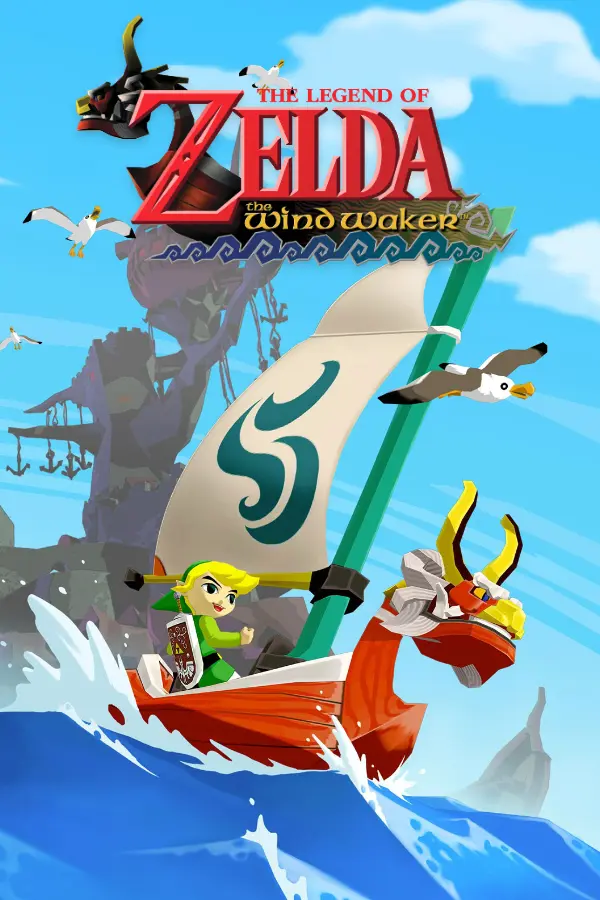
The Legend of Zelda: The Wind Waker
Port nativo de The Legend of Zelda: The Wind Waker para PC.
The Legend of Zelda: The Wind Waker
Port nativo basado en zeldaret/tww.
README del repositorio
SwitchWaker (Windows & High Framerate / 4K Fork)
⚠️ Important Notice:
This repository is a community fork of centollOS/SwitchWaker.
This fork is dedicated exclusively to Windows PC. macOS, Linux, and Nintendo Switch builds from upstream have not been tested here and are not maintained in this fork. If you are playing on macOS, Linux, or a Nintendo Switch console, please use the official upstream repository: centollOS/SwitchWaker.
🎬 Gameplay Showcase (1080p 60 FPS)
What it is
SwitchWaker is an unofficial native PC port of the 2002 GameCube classic The Legend of Zelda: The Wind Waker (disc ID GZLE01, USA, revision 0). The game is compiled directly from the community C++ decompilation (game/) and rendered natively with Aurora (WebGPU / Dawn); there is no CPU emulation.
Highlights of this Fork
-
Native Windows PC Support:
- Built for Windows 10/11 using MSVC / Clang-cl and CMake.
- Native rendering backends via Dawn (DirectX 12 and Vulkan).
- Full audio playback via Dolphin's DSP HLE, controller support (XInput, DualSense, Switch Pro, etc. via SDL), and native screenshot capture.
- Includes a simple
run.cmdlauncher.
-
True High Framerate (60 FPS, 120 FPS & Uncapped):
- Simulation/Render Decoupling: Simulation logic, GameCube physics, collision checks, enemy state machines, and timers strictly tick at 30 Hz (
fapGm_Execute), preserving 100% gameplay, event, and physics stability without breaking anything. - Full Matrix & Skeletal Interpolation (
pc_interp): Sub-frame presentation runs at 60 Hz, 120 Hz, or your display's max refresh rate (COS_TARGET_FPS=60,COS_TARGET_FPS=120). - Link animations, camera motions, actors, the King of Red Lions boat body (hardware GPU skinned), and the sail are smoothly interpolated with zero jitter or desynchronization.
- Simulation/Render Decoupling: Simulation logic, GameCube physics, collision checks, enemy state machines, and timers strictly tick at 30 Hz (
-
4K & High Resolution Support:
- Scalable framebuffer resolution via
COS_FB_SCALE(e.g.,COS_FB_SCALE=3.0for pristine 4K 2160p, or higher). - Native 16:9 widescreen presentation (
COS_ASPECT=16:9). - Support for custom Dolphin-format HD texture packs (
COS_HD_TEXTURES=1). - Anisotropic filtering (
COS_ANISO=1) and bloom effects.
- Scalable framebuffer resolution via
AI Disclosure & Community Contributions
- AI Co-Development: Portions of the Windows adaptation, high framerate (60/120 FPS) interpolation system, and rendering pipelines were built and debugged with the assistance of AI coding assistants. The code has been thoroughly tested and verified during gameplay.
- Contributions & PRs Welcome: If you'd like to improve the port, fix edge cases, optimize performance, or add quality-of-life enhancements, Pull Requests (PR) and issues are very welcome! Feel free to fork, test, and contribute.
Standing on the Shoulders of Others
This project builds upon the foundational work of:
- centollOS/SwitchWaker: The original Switch and macOS native port.
- zeldaret/tww: The community decompilation of the game.
- snrubrm/tww: The personal decompilation completion fork.
- encounter/aurora: The WebGPU-based GameCube SDK reimplementation.
- Dusklight (TwilitRealm): Native Twilight Princess port on Aurora.
- Dolphin: DSP HLE audio emulator.
- elliotttate/Wind-Waker-Recomp: Static recompilation research and DSP adapter.
What You Need
- Your own legally obtained GameCube disc image:
GZLE01revision 0 (USA), as an uncompressed.iso(1.4 GB). - No game assets, copyrighted textures, audio, or game executables are hosted in this repository. The build pipeline extracts code definitions and asset headers directly from your disc.
Build & Run Guide (Windows)
Requirements
- Visual Studio 2022 (Community or higher) with the Desktop development with C++ workload.
- CMake 3.28 or newer.
- Python 3.10 or newer.
- Git.
1. Extract Disc Assets & Audio
Open PowerShell in the root directory:
# Set path to your legally dumped GameCube ISO
$env:COS_DISC = "C:\Path\To\Legend of Zelda, The - The Wind Waker (USA).iso"

# Fetch DSP audio backend
python native/tools/fetch_recompcore.py

# Generate game asset headers from your disc
python native/tools/gen_assets.py --disc $env:COS_DISC --out build/native-win/assets/GZLE01
2. Configure CMake
cmake -S native -B build/native-win -G "Visual Studio 17 2022" -A x64
3. Build the Game
cmake --build build/native-win --config Release --target switchwaker
The executable is generated at build\native-win\Release\switchwaker.exe (or build\native-win\switchwaker.exe).
4. Configuration & Launch
Create or edit user/settings.ini:
COS_TARGET_FPS=120
COS_FB_SCALE=3.0
COS_ASPECT=16:9
COS_FPS_OVERLAY=1
COS_FULLSCREEN=0
COS_ANISO=1

[dev]
COS_DISC=C:/Path/To/Legend of Zelda, The - The Wind Waker (USA).iso
Start the game with:
.\run.cmd
(or run .\build\native-win\switchwaker.exe directly).
Controls & Options Menu
- Options Menu: Press F1 or L + R + Z on your controller to open the in-game options menu.
- Settings file: Saved automatically to
user/settings.ini. - Target Framerate: Toggle between 30, 60, or 120 FPS directly via
COS_TARGET_FPS. - Resolution: Adjust
COS_FB_SCALE(1.0 = native 480p, 2.0 = 1080p/1440p, 3.0 = 4K 2160p).
License & Legal
- Codebase: MIT (LICENSE).
- Decompilation (
game/): CC0-1.0 (game/LICENSE). - DSP Audio (
native/dsp_hle/): GPL-2.0-or-later (native/dsp_hle/LICENSE). - Disclaimer: Independent open-source project. Not affiliated with, authorized, or endorsed by Nintendo. All trademarks and copyrighted content belong to their respective owners.
Comentarios (0)
Inicia sesión para dejar un comentario.
Sé el primero en comentar sobre este juego.