
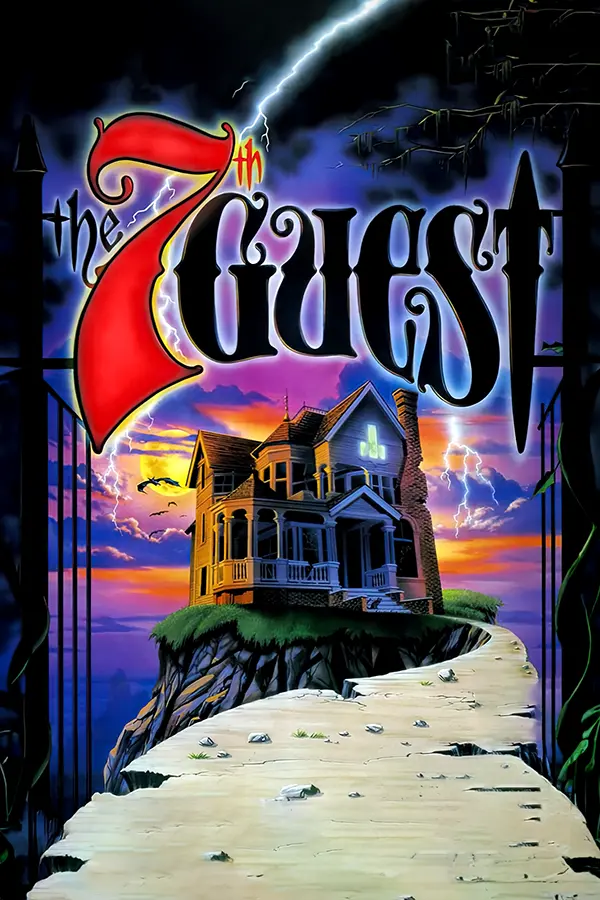
The 7th Guest (v64tng)
Port nativo de The 7th Guest (v64tng) para PC.
The 7th Guest (v64tng)
Port nativo basado en su ficha de origen.
README del repositorio
v64tng
Current release: 1.0.20261025.5




v64tng.exe is a Windows x86_64 executable that is an attempt at re-creating the complete 7th Guest game engine from scratch. It is written in C++23 and uses Vulkan or DirectX for graphics, WASAPI for PCM and software-synthesized audio, WinMM for General MIDI output, and Win32 input handling. The game engine is designed to work placed into the original game directory (regardless of where you purchased it/what version you have), and it is required to be used with the original game data files.
Semantic Disassembly Progress
Current source inventory: DOS 283/283 (100.0% entry-role coverage), Windows 174/336 (51.8%), and Mac 55/80 (68.8%) jump-table entries, with 207 verified Mac records including internal routines. The DOS total includes all 22 entries recovered beyond the analyzer seed, including indirect bank handlers, interrupts and callbacks. Newly discovered entries will be added to the denominator. Entry-role coverage does not establish complete code/data ownership, original symbols, external-driver internals, or full gameplay correctness. All executable source changes preserve the canonical artifact hashes.
| Original executable | Verified semantic roles | Provisional roles remaining | Verified entry-role coverage | Lossless source-byte coverage |
|---|---|---|---|---|
V.EXE 1.30 | 283 / 283 | 0 | 100.0% | 101,624 / 101,624 bytes (100%) |
v32tng.exe 1.02b1 | 174 / 336 | 162 | 51.8% | 144,896 / 144,896 bytes (100%) |
T7GMac 1.0 (Classic Mac) | 55 / 80 table-backed entries | 25 | 68.8% role coverage | 1,830,912 / 1,830,912 bytes (100%; byte-identical) |
The DOS inventory includes recovered interrupt/callback entries and grows when new entries are found. The current data pass identifies cursor pointer tables, palette/stream state, XMS descriptors and control pointer, embedded DIGPAK command/state data, cache controls and 200 entries, microscope fields, and the encoded empty-save caption. Seventeen additional video-bank/probe entries are now included in DOS coverage. Data is organized by subsystem; mixed regions and unproven gap ownership remain explicitly unresolved.
v64tng defaults to recovered DOS logical hotspot geometry and cursor values
(grvHotspotPolicy: "dos"), feeding the existing responsive window-coordinate
transform. "windows" retains the previous logical geometry independently of
save format and grvMicroscopePolicy.
Window sizing, coordinate scaling, the intentional 640×320 crop without the
original top/bottom bars, and the top-bar shortcut remain in place. Original logical hotspot accuracy and modern responsive scaling are separate
steps; recovery does not override the presentation choices. Full gameplay and
platform equivalence remain human review work.
The grooviev1 modding guide documents media, archives,
fonts, Mac resources and the new shared-decoder GRV listing/assembly commands.
Auxiliary automated test harnesses have been removed at the maintainer's
request. Each original disassembly retains one build.sh containing its
canonical byte-identity gate. Builds are permitted; engine/toolkit testing is
performed by the maintainer.
Quick Navigation:
- Want to play the new version? → Running the Game
- Building
v64tng.exesource? → Quick Start Guide - Build
V.EXEfrom source → DOSV.EXE1.30 NASM project - Build
v32tng.exefrom source → Win32v32tng.exe1.02b1 NASM project - Mac disassembly and reconstruction → Classic Mac
T7GMacsource project - CD-i disassembly and reconstruction → Philips CD-i source project
Table-of-Contents
- v64tng
- Disclaimer
- Usage
- Game Engine Architecture
- RL
- GJD
- GRV
- VDX
- Header
- Chunk Header
- Chunk Types
- 0x20 Bitmap
- 0x25 Delta Bitmap
- Opcodes
- Tile Alteration Using Predefined Map (0x00 - 0x5F)
- Tile Fill Using Individual Palette Entries (0x60)
- Line Skip and Tile Reset (0x61)
- Tile Skipping within a Line (0x62 - 0x6B)
- Solid Tile Filling with a Single Color (0x6C - 0x75)
- Multiple Tile Filling with Different Colors (0x76 - 0x7F)
- Variable Palette Tile Coloring (0x80 - 0xFF)
- Encoder Preference Profile
- Original-player
25hpath
- Opcodes
- 0x80 Raw WAV data
- 0x00 Frame Duplication
- Notes
- XMI
- SPHINX.FNT
- Cursors
- LZSS
- Historical Development / Technology
- Developers
Disclaimer
This project is an academic endeavor, created as a technical study and homage to the original software The 7th Guest. It is important to clarify that this project is not officially affiliated with, connected to, or endorsed by the original creators or any of its subsidiaries or its affiliates. This project's primary aim is to serve as an educational resource and a platform for learning and research. It seeks to explore the underlying technology, software architecture, and design principles that informed the creation of The 7th Guest. In replicating the engine, it pays tribute to the groundbreaking work of the original developers and aspires to provide a springboard for further study, innovation, and appreciation within the realms of game development and computer science. This project does not intend to compete with or infringe upon the intellectual property rights of the original software or its creators. Its use, modification, and distribution are intended strictly for non-profit, educational purposes. All trademarks and registered trademarks mentioned herein are acknowledged as the property of their respective owners.
Usage
Running the Game
Running v64tng.exe with no arguments opens the launcher, where the essential
video and audio settings can be changed before selecting PLAY. The command
line can still bypass the launcher and start the game directly with an
exclamation mark:
v64tng.exe !
The engine must be placed in the original 7th Guest game directory alongside the game's data files (.GJD, .RL, etc.). It is compatible with all known releases of The 7th Guest, regardless of where purchased (Steam, GOG, original CD-ROM).
During gameplay, Escape opens the in-game menu; from its main page, Escape
resumes the game. This also applies after entering the cheat room selector or
foyer through SCRIPT.GRV. The title screen retains its own New/Load/Quit
controls. Gameplay uses an 80% music mix, reduced to 35% while PCM dialogue or
effects play; menu music remains at 100%. These levels multiply the configured
MIDI volume and do not change PCM volume.
Win32 Asset Browser and GRV Editor
The native Win32 application exposes a top-level Tools menu. Asset Browser
tab scans every matching T7G .RL/.GJD pair in a selected folder, combines
them into one sortable and filterable catalog, and displays the archive,
resource type, offset, and size. Double-click a .VDX entry to open it in the
existing VDX Info tab, where its bitmap, palette, delta frames, and audio
chunks can be inspected and played with Previous, Play/Pause, Stop, and Next.
Right-click any catalog row and choose Save VDX As... (or Save Resource
As...) to copy exactly that RL-indexed byte range from its GJD archive to a
chosen file. Export does not decode, normalize, or re-encode the resource.
The Tools window supports edge/corner resizing and maximize. The fullscreen button has been removed; F11 remains available to fill the current monitor. Escape exits Tools fullscreen and restores its previous placement. In VDX Info, drag the dividers to size the preview, bitmap details, palette/delta area, and audio table. Double-click a divider to reset it. The preview scales with its aspect ratio preserved, and all tabs use compact 9-point Segoe UI with DPI scaling. Table columns remain manually resizable; Tab/Shift+Tab navigate the controls.
Alpha Mode in the VDX preview keeps only pixels written by the selected frame. The square beside it selects transparent, magenta (#FF00FF), blue (#0000FF), or green (#00FF00). Transparency appears as a checkerboard in the preview and is saved as actual PNG alpha. This extracts encoded delta writes, with no automatic actor segmentation: rewritten background tiles remain, still frames are fully opaque, and duplicate or palette-only frames are empty in Alpha Mode.
Brush beside Alpha Mode enables alpha and pauses playback. Click or hold
left-drag over missing areas to reveal the fully decoded frame's original RGB.
The size button selects a square brush of 1, 4, 8, 16, or 32 source pixels.
Right-click/drag marks pixels as background; Shift-right-drag restores the
original delta mask at the brush location;
Reset Brush clears all corrections on the current frame. Corrections stay
with their individual frames while navigating the clip and are included in
both PNG export actions when Alpha Mode is on. Masks autosave after each stroke,
after Reset Brush, and once per second during painting. Reopening the same clip
reloads its edits, including when opened from a GJD archive. Projects live in
.\ActorMasks\<content-key>\: a source VDX snapshot plus
versioned .vdxmask files containing complete masks and editable overrides.
The status bar shows the save location. A save failure retains edits in memory
and blocks changing clips or closing Tools until saving succeeds.
See mask project format and actor recovery design.
Choose the transparent background for RGBA samples. Brushing restores opacity;
it does not remove background colour already blended into the source actor.
Save Frame... exports the displayed frame at its native resolution.
With Alpha Mode off, indexed VDX frames are saved as indexed PNGs preserving
all 256 palette entries and the exact pixel indices. Transparent RGBA exports
preserve original RGB beneath transparent pixels as well. PNG writing performs
no quantization, gamma conversion, resizing, or alpha premultiplication.
Dump PNGs... asks for a parent folder and creates a folder named after the
VDX, containing 00000.png, 00001.png, and so on, including duplicate frames
to preserve sequence timing. Choose a new destination if that folder already
exists. With Alpha Mode off, both actions export the complete composited frames.
Previous/Next and chunk-row selection stop playback at the selected frame;
Play/Pause uses the VDX timing and resumes audio from that frame. Stop returns
to frame zero; reaching the end holds the final frame.
Tools -> GRV Editor scans the same asset root for .GRV files, sorts them
alphabetically, selects SCRIPT.GRV by default, and decompiles the selected
file directly from its real bytes into an editable in-memory assembly listing.
Its scene pane resolves the input loop's packed RL/GJD VDX reference, decodes
the animation, and draws the real GRV hotspot rectangles over the original
640x320 frame on a 640x480 coordinate canvas. Because one loop can serve
several views, a separate scene selector exposes the statically reachable VDX
candidates rather than asserting a false one-loop/one-scene mapping. Input
loops, scene candidates, and frames can be selected or played without
launching the game.
Right-click a script and choose Decompile... to save a .grv.asm listing,
or use Assemble As... to reconstruct a .GRV from the listing's raw-byte
column. The current assembler is deliberately lossless rather than symbolic:
editing raw instruction bytes is authoritative; changing only mnemonic text
does not yet relocate branches or rewrite operands.
When SCRIPT.GRV exists beside the executable, that directory is cataloged
automatically. A development checkout also recognizes a local T7G
subdirectory. The browser uses only the T7G RL/GJD and VDX decoders; the
Clandestiny code supplied for UI study did not introduce Groovie 2 resource or
playback behavior.
Command Line Utilities
The engine includes several command-line utilities for extracting, analyzing, and debugging game assets. These tools are invaluable for developers and researchers studying the game's data formats.
-c <FILE>
Extracts all cursor animations from the ROB.GJD file. Each cursor is written as a sequence of numbered PNG images, one per animation frame. This is useful for examining the game's cursor artwork or creating custom cursor graphics.
v64tng.exe -c CURSORS.ROB
Output: Creates a directory structure containing PNG files for each cursor type and frame.
-g <RL_FILE>
Extracts every .VDX file referenced by the given .RL index file. The matching .GJD archive must be located alongside the .RL file. This batch extraction tool is useful for analyzing entire rooms or asset collections.
v64tng.exe -g DR.RL
Output: Extracts all VDX files listed in the RL index, preserving their original filenames.
-p <VDX_FILE> [raw] [alpha] [video]
Extracts frames from a VDX file with various output options:
- Default: Saves frames as PNG images with proper color mapping
raw: Dumps raw pixel data without conversion (useful for analysis)alpha: Enables a visible magenta transparency key for development/debuggingvideo: Generates an MKV movie file from the extracted frames at 15 FPS
v64tng.exe -p f_1bb.vdx raw alpha video
Output: Frame images and/or video file depending on options specified.
-r <RL_FILE>
Displays the contents of an RL index file in human-readable format, listing each entry's filename, byte offset, and length within the associated GJD archive. Useful for understanding archive structure and locating specific assets.
v64tng.exe -r DR.RL
Output: Console output showing the complete RL index table.
-v <FILE>
Shows detailed information about a VDX resource or GJD archive:
- For VDX files: Header details, chunk types, dimensions, frame count, compression info
- For GJD files (when used with an RL file): Complete archive structure analysis
v64tng.exe -v f_1bc.vdx
Output: Comprehensive technical information about the file's internal structure.
-x <SONG> [play|extract]
Looks up a song by name inside XMI.RL and either plays it using OPL emulation or extracts the raw XMI file to disk. The song name should be given without the .XMI extension.
v64tng.exe -x agu50 play     # Play "Tad's Theme"
v64tng.exe -x gu39 extract   # Extract title screen music
Output: Real-time playback or extracted XMI file depending on mode.
-raycast
Starts the engine in development raycasting mode. This is a debug mode used for testing the 3D navigation system and render pipeline independently from game logic.
v64tng.exe -raycast
Output: Opens a window with real-time raycasting renderer for development testing.
Game Engine Architecture
The 7th Guest uses a sophisticated data packaging system designed by Rob Landeros (RL files) and Graeme J Devine (GJD files). The game's assets—video sequences, still images, music, and cursors—are stored in compressed archive formats indexed by external metadata files. Understanding this architecture is essential for extracting, viewing, or modifying game content.
RL
The RL (Rob Landeros) file is an index file that contains information about VDX file locations inside the corresponding *.GJD file. The RL file format consists of a list of records, each representing a VDX file entry. Each entry in the RL file is exactly 20 bytes long with no header or trailer:
- The first 12 bytes correspond to the filename (null-terminated, but may use all 12 bytes for long names).
- The next 4 bytes correspond to the byte offset within the GJD file (little-endian).
- The final 4 bytes correspond to the length in bytes of the VDX data (little-endian).
| Name | Type | Description |
|---|---|---|
| Filename | char[12] | Filename (null-padded or null-terminated string) |
| Offset | uint32_t (4 bytes) | Little-endian unsigned integer (VDX byte offset) |
| Length | uint32_t (4 bytes) | Little-endian unsigned integer (VDX data length) |
The total file size divided by 20 gives the number of entries. The engine reads RL files sequentially, parsing 20-byte blocks until EOF. Each filename typically includes a file extension (e.g., .VDX) but the engine may strip this extension during lookup operations.
For write-side tooling, a canonical generated RL should preserve that exact 20-byte record layout with no per-entry padding, no file header, and no trailer. grooviev1 now mirrors this directly when producing .RL/.GJD pairs from loose files.
GJD
The GJD (Graeme J Devine) file is an archive file format that is essentially a collection of VDX data blobs concatenated together, with their structure and location determined by the corresponding *.RL index file.
It doesn't have a fixed header structure, footer, or internal metadata—it is simply a flat binary concatenation of VDX files. The *.RL file acts as the external index that maps filenames to byte ranges within the GJD archive. Using the offset and length from each *.RL entry, the VDX data is read directly from the GJD file.
For write-side tooling, a canonical generated GJD is therefore just the raw bytewise concatenation of the referenced payloads in RL order. grooviev1 now packs archives that way and emits the matching RL offsets and lengths directly from the concatenated stream.
| Component | Type | Description |
|---|---|---|
| VDX Data | uint8_t[length] | VDX file data blob, length and offset determined by corresponding RL file entry |
| ... | ... | Additional VDX data blobs, concatenated without delimiters or padding |
The engine uses memory-mapped I/O (on both Windows and Unix systems) for zero-copy access to GJD files, as they can be quite large. Each VDX blob within a GJD file begins with the standard VDX header (identifier 0x9267) followed by chunk data.
GRV
GRV is Trilobyte's bytecode format for the GROOVIE virtual machine. A .GRV
file is the executable game logic: it selects media resources, controls video
composition and music, maintains game variables, defines mouse hotspots,
implements branches and subroutines, invokes hard-coded puzzle logic, and
loads other GRV scripts.
Unlike RL, VDX, and XMI, GRV is not a container format. It has no magic number, header, version field, section table, string table, or relocation records. The first byte of the file is the first instruction and all branch targets are absolute byte offsets from the start of the current file.
This section documents Groovie v1 as used by The 7th Guest. Later games use a related Groovie v2 instruction set with important differences; v2 behavior is mentioned only where it explains a reserved or extended T7G opcode.
GRV Scope and Evidence
The specification below was reconstructed by comparing three independent implementations:
- The unpacked original DOS
V.EXE, GROOVIE Player v1.26 (05/20/93 15:54:08). Its interpreter begins at1000:35B2. - Trilobyte's Windows player
v32tng.exev1.02b1. Its interpreter is the switch in the function at PE address0x004021D1. - A historical cross-check against the upstream ScummVM Groovie implementation. The formerly bundled source snapshot was audited and then removed; it is not a build dependency or a canonical behavioral authority.
Evidence labels used in the opcode tables are:
| Label | Meaning |
|---|---|
| DOS | Directly present in the original DOS v1.26 interpreter |
| Win | Directly present in the original Windows v32tng interpreter |
| ScummVM | Implemented or structurally described by ScummVM |
| Reserved | Consumed but has no externally visible T7G effect |
| V2 | Meaning is known only from a later Groovie v2 interpreter |
Retired ScummVM reference audit
Before removing the bundled snapshot, its T7G-specific script, VDX/LZSS, resource, save, cursor, and music paths were checked against this project's native implementation and the two original-player disassemblies.
| Area | Information retained in this repository | Canonical decision |
|---|---|---|
| GRV dispatch | Operand shapes and working meanings through 0x59, including 0x56 and 0x59 stub shapes | Original DOS/Win dispatchers and the retail corpus define the specification; ScummVM is only historical corroboration |
| Encoded values | Immediate, # indirect, and ` | row,column` access plus string interpolation |
| Input | Local declaration order, persistent edge regions, cursor 5 fallback, and variable 0x91 high-bit behavior | Preserved and checked against the original interpreters |
| VDX | 00h, 20h, 25h, and 80h chunk roles, palette/tile grammar, persistent foreground/background model | Original disassemblies are authoritative |
| Compression | LSB-first flags, zero token terminator, parameterized distance/length split, overlap copying | ScummVM's parameter-byte compression heuristic was explicitly rejected; original coding markers 67h/77h select raw/compressed payloads |
| Resources and saves | Packed RL/GJD references, name lookup, ten slots, and native persistent-state blocks | DOS save.N is 0x523 bytes; Win32 st7g.N is 0x400 bytes; ScummVM wrapper metadata is not treated as an original format |
| Cursors and music | ROB offsets/style mapping, cursor compression/palettes, XMI background state, and delay semantics | Format facts are preserved in this README and native code; host-framework abstractions were not imported |
| Puzzle logic | Opcode 42h consumes one operation byte, operates on variables+0x19, and returns move coordinates in variables 0–3 | Third-party GPL puzzle-AI source was not transplanted; remaining internals must be recovered from the original executable disassemblies |
No ScummVM source is vendored in this repository. References to “ScummVM” in the tables record provenance, agreement, or a known divergence; they do not indicate copied code or a runtime/build dependency.
Working names versus original symbols
The GRV files contain opcode bytes, operands, strings, and branch targets; they
do not contain mnemonic text. Names such as VIDEOREF, PLAYSONG, and
HOTSPOT_RECT are semantic working names in this project, not recovered
Trilobyte assembler labels.
VIDEOREF is the project's compact spelling of the long-established
VIDEOFROMREF/o_videofromref name in the Groovie reverse-engineering
lineage. The name was adopted only after opcode 09h had been matched in the
DOS and Windows dispatchers to the same packed-reference selection and VDX
playback path. Thus:
- the name's provenance is reverse-engineering nomenclature;
- the operation's semantics are independently verified in both original executables;
- no claim is made that Trilobyte's lost source used that exact identifier.
The same policy applies to semantic function names in both mechanical disassemblies. Address names remain until behavior is supported by control flow, cross-version correspondence, runtime capture, or more than one of those sources.
Where the implementations disagree, the table describes each behavior rather
than silently choosing one. The reverse-engineering details and binary hashes
are recorded in
docs/FIRST_PASS_REPORT.md.
Known canonical PC script.grv releases are 16,659 bytes. ScummVM identifies
the common version using MD5 d1b8033b40aa67c076039881eccce90d over its first
5,000 bytes; the full-file MD5 of the supplied retail script is
846878336210a9d3b11995ea9cef35ca.
GRV Retail Corpus Validation
The supplied commercial T7G directory contains 23 GRV files totaling
83,400 bytes. The research disassembler decodes them to 20,592 instructions,
376 input loops, 3,273 video operations, and 1,933 hotspot/action declarations.
Every branch and action target lands on an instruction boundary or the
intentional SCRIPT.GRV end-of-file sentinel.
| Script | Bytes | Instructions | Video operations | Input loops | Hotspot/actions |
|---|---|---|---|---|---|
AT.GRV | 6,725 | 1,387 | 17 | 6 | 98 |
B.GRV | 2,388 | 551 | 86 | 1 | 29 |
CH.GRV | 7,365 | 1,778 | 205 | 29 | 104 |
CR.GRV | 1,654 | 475 | 151 | 1 | 13 |
D.GRV | 2,100 | 482 | 178 | 1 | 16 |
DEMO.GRV | 466 | 169 | 69 | 0 | 0 |
DR.GRV | 5,546 | 1,515 | 293 | 1 | 34 |
EK.GRV | 3,169 | 661 | 56 | 2 | 44 |
F.GRV | 1,349 | 354 | 44 | 9 | 36 |
GA.GRV | 2,442 | 477 | 36 | 1 | 68 |
GRATE.GRV | 1,086 | 277 | 55 | 1 | 10 |
H.GRV | 3,140 | 711 | 48 | 3 | 54 |
HM.GRV | 5,153 | 1,205 | 188 | 4 | 68 |
JH.GRV | 3,224 | 793 | 76 | 1 | 35 |
K.GRV | 1,873 | 318 | 20 | 2 | 70 |
LA.GRV | 5,939 | 1,217 | 29 | 2 | 102 |
LI.GRV | 2,168 | 451 | 73 | 20 | 74 |
MAZE.GRV | 3,652 | 1,432 | 609 | 128 | 256 |
MB.GRV | 3,981 | 833 | 122 | 37 | 124 |
MU.GRV | 1,354 | 370 | 54 | 1 | 29 |
N.GRV | 842 | 210 | 50 | 1 | 16 |
P.GRV | 1,125 | 327 | 42 | 1 | 13 |
SCRIPT.GRV | 16,659 | 4,599 | 772 | 124 | 640 |
The two traced puzzle controllers are now labeled in the byte-accurate GRV sources themselves:
| Controller | Verified semantic entries |
|---|---|
DR.GRV dining-room cake | dining_room_cake_puzzle_entry at 0000h; cake_selection_feedback_and_validation at 0069h; [2,2,1] piece validation at 00A6h; cake_board_cell_input_loop at 00DDh; commit_valid_cake_piece at 105Bh; completion/result publication at 1210h; coordinate-to-state mapping at 12DCh |
K.GRV kitchen soup cans | kitchen_soup_can_puzzle_entry at 0000h; grid initialization at 003Fh; exact solved-order comparison at 0062h; first/second selection loops at 0093h/0256h; dynamic swap animation at 04F7h–0559h; GRID_SWAP commit at 0565h; success exit at 04D7h |
There is no separate native cake solver in either executable: DR.GRV owns
that state machine and the players execute it through generic GRV handlers.
The soup puzzle additionally exercises opcode 39h; its formerly unknown DOS
helper is now grv_grid_swap at 0410Fh, and the corresponding Win32 handler
is grv_opcode_grid_swap at 0040389Bh. Both implement
v[019h + 10*row + column] exchange semantics. Its coordinate-derived can
animations use VIDEO_NAME/VIDEO_TRANSITION_NAME; Win32 resolves those
inline expressions through resolve_interpolated_grv_video_resource at
00401833h, with the opcode handlers labeled at 004025D0h and 004025FDh.
Generated research artifacts are:
include/grv.handsrc/grv.cpp: native C++23 bounded decoder, RL reference resolver, input-loop/hotspot model, lossless assembly listing writer, and raw-column rebuilder;src/grv_editor.cpp: live Win32 GRV editor, VDX scene resolver, hotspot overlay, playback controls, and decompile/assemble dialogs;research/probes/grv/grv_roundtrip.cpp: standalone native regression test for the entire retail corpus;docs/OPCODE_CENSUS.md: every opcode count and every script which uses it;docs/HOTSPOTS.md: all 376 input loops, scene candidates, coordinates, cursors, and action targets;docs/GRV_ROOM_CROSSCHECK.md:F.GRV/DR.GRVpuzzle analysis and the exact comparison with the hand-authoredfh.h/dr.hnavigation data;disassembly/GRV: complete offset-preserving assembly listings.
The raw-byte column in every listing is lossless. The native C++23 toolchain
rebuilds all 23 listings byte-identically to the supplied originals, including
D.GRV. This is already a proven disassembly/reassembly round trip;
a future symbolic assembler still needs mnemonic editing, labels, resource
symbols, and branch relocation for comfortable new-script authoring.
The retail corpus uses no opcode above 0x4E. In particular, none of the
Windows-only candidates 0x4F–0x59, including mask-video opcodes 0x57 and
0x58, occurs in these scripts.
DEMO.GRV resolves the earlier V @ mystery. It is a 466-byte, non-interactive
attract/demo reel containing 69 video operations and no input loop. It selects
music according to variable 0x100, plays logos and a long tour of game
scenes, then jumps back to offset zero. It is unrelated to the earlier
promotional TLC archive except that both are linear presentations.
The first source-controlled replacement is the
SPHINX.FNT diagnostic mod. It assembles a 57-byte
DEMO.GRV that pages through all 37 unique font glyph records using the retail
PRINTSTRING path. Launch it from the game directory with V.EXE @; the @
switch itself selects DEMO.GRV, so no filename argument follows it.
One dialect conflict remains. The corpus produces coherent MAZE.GRV control
flow when opcode 0x1E consumes one byte, as in Windows and ScummVM. Both DOS
1.26 and 1.30 demonstrably consume a word. The research tool defaults to the
corpus/Windows interpretation but supports --reserved-1e-width 2 for exact
DOS decoding. See
docs/V126_V130_COMPARISON.md
for the byte-level evidence.
GRV File Layout
The entire file is one bytecode stream:
| Offset | Type | Field | Description |
|---|---|---|---|
0x0000 | uint8_t[] | Code | First instruction begins immediately at byte zero |
| varies | inline data | Operands | Integers, encoded lists, and strings follow their opcodes |
| EOF | — | End of file | No footer or explicit file-size field |
There is no valid packed C/C++ disk-header structure because no header exists. A loader needs only a bounded byte view:
struct GrvFileView
{
    std::span<const std::uint8_t> code;
};
The original DOS and Windows players allocate a 64 KiB script buffer. Control flow operands and the program counter are 16-bit, so a v1 script is inherently limited to a single 65,536-byte address space.
GRV Interpreter State
The reconstructed T7G virtual machine contains the following state:
| State | Recovered shape | Purpose |
|---|---|---|
| Code | Up to 64 KiB | Current raw GRV file |
| Program counter | uint16_t | Byte offset of the next instruction |
| Variables/persistent state | At least uint8_t variables[0x523] | DOS persists 0x523 bytes from the bank base; Win32 persists the first 0x400 |
| Call stack | 32 × uint16_t | Return offsets for opcode 0x18/0x17 |
| Stack depth | uint8_t/word | Current call-stack entry count |
| Video flags | At least 16 bits | Staged behavior for the next VDX operation |
| Current resource archive | GJD index | Starting context for name-based resource lookup |
| Input-loop address | uint16_t | Start of the active hotspot/input block |
| Subscript backup | One code pointer and PC | Allows one active child GRV |
| Saved subscript variables | 0x180 bytes | Restores variables 0x107–0x286 on return |
Variables are bytes. Arithmetic therefore wraps modulo 256:
0xFF + 1 = 0x00
0x00 - 1 = 0xFF
The original interpreters do not provide type information or bounds checking for variable accesses, stack overflow, branch targets, malformed strings, or division by zero. A modern implementation should validate all of these while preserving valid-script behavior.
GRV Bytecode Encoding
All multi-byte integers are little-endian:
| Notation | Encoding |
|---|---|
U8 | One unsigned byte |
U16 | Two-byte little-endian unsigned value |
S16 | Two-byte little-endian signed value |
U32 | Four-byte little-endian unsigned value |
A16 | Absolute U16 byte offset in the current GRV |
V | Variable index; U8 or U16 selected by opcode bit 7 |
C | One encoded immediate/indirect value |
C...END | Encoded values ending when the final source byte has bit 7 set |
ZSTR | NUL-terminated interpolated string |
Instruction Byte and Short Form
The high bit of every instruction byte is metadata. Dispatch always uses only the low seven bits:
const std::uint8_t raw = readU8();
const std::uint8_t opcode = raw & 0x7F;
const bool shortForm = (raw & 0x80) != 0;
For instructions whose first operand is V, the high bit selects its width:
raw opcode bit 7 = 0  -> V is a little-endian U16
raw opcode bit 7 = 1  -> V is a U8
For example, raw byte 0x14 is long-form RANDOM and raw byte 0x94 is the
same opcode with an 8-bit destination-variable index.
Only the first V uses this width flag. Any later variable index explicitly
listed as U16 remains 16-bit. Opcodes 0x1C and 0x27 reuse the same high
bit as a video-compositing flag instead of a variable-width selector. Most
other instructions ignore it.
Encoded Values and Variable Indirection
GRV uses a compact textual-looking encoding for values and sequences.
Immediate value
An immediate byte value n is stored as 0x30 + n. Thus ASCII '0' encodes
zero, '1' encodes one, and 'A' encodes 0x11.
encoded = 0x30 + value
value   = (encoded & 0x7F) - 0x30
One-dimensional variable lookup (#)
# followed by a selector accesses a low variable:
23 61       -> variables[0x00]
23 62       -> variables[0x01]
23 7A       -> variables[0x19]

index = (selector & 0x7F) - 0x61
Two-dimensional puzzle-grid lookup (|)
| followed by encoded row and column values accesses the common 10-column
puzzle workspace:
index = 0x19 + (10 * row) + column
value = variables[index]
The row and column may themselves be immediate values or # indirections.
Sequence termination
Instructions which consume C...END do not store a count. Bit 7 is set on the
last physical byte belonging to the final encoded value. For an immediate
value, that is the immediate byte. For #, it is normally the selector byte;
for a | expression, it is the final column byte.
Example:
31 B2
decodes as values 1, 2; 0xB2 is 0x32 with its end marker set.
This sequence terminator is independent of the opcode's own bit-7 short-form flag.
Interpolated Resource Strings
ZSTR operands are NUL-terminated byte strings embedded directly in the code.
They use two substitutions:
| Token | Expansion |
|---|---|
#x | variables[x - 0x61] + 0x30 |
| ` | rc` |
Literal uppercase ASCII letters are converted to lowercase by the T7G
interpreter. For video-by-name instructions, the engine appends a period and
performs a prefix lookup against RL filenames. A script string such as door
therefore searches for door. and may match door.vdx.
LOADSCRIPT (0x3F) is different: its operand is a plain NUL-terminated
filename and is not passed through resource-string interpolation.
Resource References
T7G's 16-bit media reference packs a GJD archive index and an RL entry index:
constexpr std::uint16_t makeT7gRef(
    std::uint16_t gjdIndex,
    std::uint16_t resourceIndex)
{
    return static_cast<std::uint16_t>(
        (gjdIndex << 10) | (resourceIndex & 0x03FF));
}
bits 15..10 = GJD index
bits  9..0  = entry number in that archive's RL file
The archive mapping is:
| Index | Archive | Index | Archive | Index | Archive |
|---|---|---|---|---|---|
| 0 | AT.GJD | 7 | HDISK.GJD | 14 | MB.GJD |
| 1 | B.GJD | 8 | HTBD.GJD | 15 | MC.GJD |
| 2 | CH.GJD | 9 | INTRO.GJD | 16 | MU.GJD |
| 3 | D.GJD | 10 | JHEK.GJD | 17 | N.GJD |
| 4 | DR.GJD | 11 | K.GJD | 18 | P.GJD |
| 5 | FH.GJD | 12 | LA.GJD | 19 | XMI.GJD |
| 6 | GA.GJD | 13 | LI.GJD | 20 | GAMWAV.GJD |
Examples:
0x2460 -> GJD 9 (INTRO.GJD), RL entry 0x060
0x4C46 -> GJD 19 (XMI.GJD), RL entry 0x046
Name-based lookup remembers the most recently used room GJD and searches RL names using the interpolated prefix. The Windows player searches outward through all 21 archives if the resource is not in the current archive.
GRV Execution Model
Execution begins at byte offset 0x0000. The engine fetches an opcode,
advances the program counter over its operands, performs the operation, and
continues until a branch changes the PC, an input loop yields, a video remains
in progress, a subscript replaces the code buffer, or ENDSCRIPT terminates
the engine.
The bytecode is cooperative rather than a self-contained CPU. Media and input instructions communicate with subsystems maintained by the host executable. The DOS player may repeat a video instruction at the same PC until playback is complete; modern implementations can model this as an asynchronous/yielding instruction.
Calls and Subscripts
GRV has two independent call mechanisms.
Intra-script subroutines
CALL(0x18) pushes the address immediately after its operand and jumps to an absolute offset in the same file.RET(0x17) writes its result byte tovariables[0x102], pops the call stack, and resumes there.- The recovered stack has 32 entries.
RESTORESTACK(0x38) restores the call-stack depth saved at entry to the current script. In the main DOS script this checkpoint is zero, so it clears the stack.
External GRV subscripts
LOADSCRIPT(0x3F) saves the current code buffer, return PC, stack depth, filename, and variables0x107–0x286, then loads the named GRV at PC zero.- Only one subscript level is supported; a child cannot load a grandchild without overwriting the single saved context.
RETURNSCRIPT(0x43) stores its result invariables[0x102], restores the parent script and stack depth, and restores variables0x107–0x286.- Changes made by a subscript to variables outside that restored range remain visible to the parent.
Input Loops and Hotspots
Interactive regions are declarations evaluated inside an input loop:
INPUTLOOPSTART (0x0B)
    KEYBOARDACTION / HOTSPOT_* / HOTSPOT_RECT ...
INPUTLOOPEND   (0x13)
INPUTLOOPSTART captures the current key/click state, resets the candidate
cursor to style 5, and records the loop address. Each hotspot may update the
cursor and, on a click, branch to its action address. If no action fires,
INPUTLOOPEND applies the persistent edge hotspots, returns to 0x0B, shows
the selected cursor, and yields until new input arrives.
The built-in T7G screen regions are:
| Opcode | Nominal region | Cursor |
|---|---|---|
0x0E | Left side of game area | 1 |
0x0F | Right side of game area | 2 |
0x10, 0x11 | Center, approximately x=200..439 | 0 |
0x12 | Current position / whole screen | 0 |
0x2C | Persistent top bar, y=0..79 | Operand |
0x2D | Persistent bottom bar, y=400..479 | Operand |
0x30 | Immediate bottom bar | 4 |
0x44 | Persistent full-height right edge | 2 |
0x45 | Persistent full-height left edge | 1 |
Coordinates in explicit rectangle instructions are 16-bit pixel values in the 640×480 logical screen. The normal VDX game image occupies y=80..399.
Hotspot Storage and Scene Association
The click-region geometry is in GRV, not VDX, RL, or GJD.
- VDX contains visual/audio chunks and has no scene-hotspot table.
- RL contains only a resource name, GJD offset, and length.
- GJD is only the indexed resource byte store.
- Cursor resources contain the cursor image's own drawing origin/hot point; that is unrelated to the size of a clickable scene region.
- GRV contains the screen rectangles, cursor styles, and action addresses.
The retail opcode counts are direct evidence:
| Opcode | Region form | Retail uses |
|---|---|---|
0x0D | Explicit (left, top, right, bottom) rectangle | 1,150 |
0x0E | Built-in left region | 184 |
0x0F | Built-in right region | 183 |
0x10, 0x11 | Built-in center region | 136 |
0x12 | Whole-screen/current action | 2 |
0x2C, 0x2D | Persistent top/bottom regions | 88 |
0x30 | Bottom region with cursor 4 | 43 |
0x3B | Explicit save-slot rectangle | 20 |
0x44, 0x45 | Persistent right/left edges | 81 |
There is deliberately no fixed one-to-one VDX -> hotspot list record. A GRV
path plays one or more VDX resources, changes variables, and then executes an
INPUTLOOPSTART/INPUTLOOPEND block whose declarations become the active
regions. Edge hotspots may persist from earlier setter instructions, and
different variable/branch states can reach the same input loop after different
videos.
For a modern engine, the authoritative model is a bounded view over the instruction bytes, not a second hand-authored hotspot database:
class GrvHotspotView
{
    std::span<const std::uint8_t> instruction;

public:
    std::uint16_t left() const;
    std::uint16_t top() const;
    std::uint16_t right() const;
    std::uint16_t bottom() const;
    std::uint16_t actionAddress() const;
    std::uint8_t cursor() const;
};
v64tng keeps the mapped SCRIPT.GRV bytes alive and decodes rectangle,
target, and cursor fields on demand. It does not allocate a parallel
ClickArea/Hotspot object per instruction. currentVideoRef remains useful
VM state, but it is not a field read from VDX.
The original GRV coordinate system is 640×480, with the T7G VDX background at
y=80..399. v64tng retains that complete foreground only as internal VM state.
Its presentation surface remains the project's intentional 640×320 cinematic
band: the native 80-row bars are cropped, never used to impose a 4:3 host
window, and bar-only hotspots are not exposed. Pointer input maps the visible
client area back to GRV y=80..399. Rectangle tests are half-open:
left <= x < right, top <= y < bottom.
Video Staging Flags
Several no-operand opcodes configure the next VDX operation. The state is normally cleared after the video completes. These bits are interpreter-to- decoder control state; they are not stored in the VDX header.
| Bit | Set/cleared by | Recovered effect |
|---|---|---|
| 0 | Internal/carry state | Parsed by the retail player; no ordinary T7G 09h setter has been verified |
| 1 | 0x1C, 0x27 | Foreground/transition path; changes which persistent image buffer receives a still |
| 2 | High bit of 0x1C or 0x27 | Selects palette index 0xFF rather than 0x00 as the transparent mask value |
| 3 | Internal state | Present in the decoder state; complete T7G-visible meaning is not yet proven |
| 4 | Win 0x57, 0x58 | Mask/wipe video path |
| 5 | 0x0A | Suppresses the VDX 20h still pixels so following 25h deltas modify the already-held screen |
| 6 | 0x06 | Stages special still/update state; the flag is verified but its complete visual effect remains unresolved |
| 7 | 0x07, cleared by 0x35, also used by 0x40 | Foreground-matte compositing: suppresses the still and applies following delta writes only where the matte is not FFh |
| 8 | 0x05 | Show only the first video frame |
| 9 | 0x03 | Start video with a palette fade-in |
| 15 | Compatibility-player extension; not emitted by the traced Win32 interpreter | Disables the 26 FPS fast-navigation override when supplied externally |
Bit 5 is the direct still-suppression control. Bit 7 selects the separate
foreground-matte compositing path and also suppresses that VDX's 20h still.
For the main menu, sphinx.vdx establishes the persistent image;
sphmen1i.vdx and sphprm1i.vdx are preceded by opcode 0Ah, so their still
chunks are suppressed and their delta tiles alter that held image. Unchanged
tiles are not black or transparent pixels—they are pixels deliberately
inherited from the previous buffer.
VIDEOREF execution contract
Opcode 09h is a blocking state-machine operation:
- Read a little-endian packed resource reference.
- Split it into
archive = ref >> 10andentry = ref & 0x03FF. - Select the matching RL/GJD archive and read that RL entry's name, offset, and length.
- Open/configure one VDX stream with the currently staged video flags.
- Consume its
20h,25h,00h, and80hchunks in stream order. - Present visual frames at the selected timing and queue
80hPCM as unsigned 22,050 Hz mono. - Do not advance the GRV program counter past the operation until the visual stream and queued PCM have completed (unless playback is skipped).
- Preserve the frame actually displayed as the next operation's background
(
FIRSTFRAME_NEXT_VIDEOtherefore persists frame zero and its frame-local palette, not the last frame decoded into the cache), then clear transient video flags.
This ordering is observable. Collapsing consecutive VIDEOREF instructions
to the last reference loses the Ouija-board layers, prompt lettering, and
other delta overlays even though the final hotspot loop remains correct.
VDX timing selected by the GRV player
The header rate is not the only timing input:
- ordinary silent movement VDXes run at the original player's fast navigation rate of 26 FPS;
- while a modern
trackN.oggreplacement is actively standing in for Red Book audio, silent VDXes inherit v32tng's 100 ms / 10 FPS CD-audio cadence; - an externally supplied bit 15 disables that override, but v32tng's traced GRV path does not synthesize it from cursor style;
- encountering an interleaved
80hsound chunk also cancels the override. An audio-bearing FMV normally obeys its VDX header rate, but when the header duration and PCM duration disagree by more than 10%, the PCM duration clocks the visual frames instead (notablyVielogo.vdx: about 15.18 FPS rather than its inconsistent 30 FPS header); - opcode
48hcan override the header rate in DOS when its operand is nonzero; the Windows T7G path consumes it without that effect.
The native VDXFile stores the opcode-48h override separately from both the
header rate and playback flags. It no longer rewrites the parsed header or
sets bit 15 as a surrogate. Audio-bearing playback still pre-collects the
interleaved PCM before presentation, so its current timing choice is
stream-wide; reproducing the exact transition from 26 FPS at the first 80h
chunk remains a trace-guided streaming milestone.
This distinction is why applying the nominal header rate indiscriminately makes walking/turning feel too slow while an FMV can still look and sound correct.
GRV music lifetime
PLAYSONG and SETBACKGROUNDSONG are intentionally different:
PLAYSONG refinterrupts the current sequence and plays the selected XMI once.SETBACKGROUNDSONG refupdates persistent VM state. It does not immediately interrupt the one-shot song. Once the interpreter is waiting for input and no foreground song is active, that background XMI starts and loops.
At boot, SCRIPT.GRV plays XMI[57]=gu61.xmi once, then selects either
XMI[12]=gu16.xmi or XMI[0]=agu16.xmi as the persistent background according
to the MIDI-device branch. Ignoring opcode 08h produces a silent main menu
after gu61 ends.
The names above describe verified behavior, not original Trilobyte symbols.
GRV Opcode Reference
The T7G opcode namespace is the low seven bits of the instruction byte.
V operands use the opcode high bit to choose 8- or 16-bit width. Table sizes
include the opcode byte; V sizes are shown as short/long where useful.
Opcodes 0x00-0x1F
| Op | Working mnemonic | Operands | Size | Semantics and evidence |
|---|---|---|---|---|
00 | NOP | — | 1 | No operation. DOS/Win/ScummVM. |
01 | RESERVED_01 | — | 1 | Win and ScummVM treat it as NOP. DOS writes 1 to an internal word with no reader found, making it externally inert in v1.26. |
02 | PLAYSONG | U16 ref | 3 | Plays the XMI resource reference. 0x4C17 receives special bookkeeping in the original players. DOS/Win/ScummVM. |
03 | FADEIN_NEXT_VIDEO | — | 1 | Sets video flag 9. DOS/Win/ScummVM. |
04 | PALFADEOUT | — | 1 | Fades the current palette to black. DOS/Win/ScummVM. |
05 | FIRSTFRAME_NEXT_VIDEO | — | 1 | Sets video flag 8; next VDX stops after its first visual frame. DOS/Win/ScummVM. |
06 | VIDEOFLAG6_ON | — | 1 | Selects the next VDX's one-shot surface refresh/drawing transaction. GRATE.GRV pairs it with flag 7 (0xC0) for every moving-grate clip; Win32 trace 20260903-225430 confirms the flag reaches both still and delta decoders without replacing the persistent foreground matte. |
07 | VIDEOFLAG7_ON | — | 1 | Sets video/compositing flag 7. DOS/Win/ScummVM. |
08 | SETBACKGROUNDSONG | U16 ref | 3 | Selects the background XMI resource. DOS/Win/ScummVM. |
09 | VIDEOREF | U16 ref | 3 | Plays a VDX by packed resource reference using the currently staged video flags. DOS/Win/ScummVM. |
0A | VIDEOFLAG5_ON | — | 1 | Selects special/skip-still handling for the next VDX. DOS/Win/ScummVM. |
0B | INPUTLOOPSTART | — | 1 | Begins an input/hotspot declaration loop and captures current input. DOS/Win/ScummVM. |
0C | KEYACTION | U8 key, A16 target | 4 | Branches to target when the captured keyboard byte equals key. DOS/Win/ScummVM. |
0D | HOTSPOT_RECT | U16 left, top, right, bottom, A16 target, U8 cursor | 12 | Declares an explicit clickable rectangle. DOS/Win/ScummVM. |
0E | HOTSPOT_LEFT | A16 target | 3 | Declares the built-in left navigation region. DOS 1.30 uses inclusive (0,80)–(63,399) with cursor 2. |
0F | HOTSPOT_RIGHT | A16 target | 3 | Declares the built-in right navigation region. DOS 1.30 uses inclusive (576,80)–(639,399) with cursor 1. |
10 | HOTSPOT_CENTER | A16 target | 3 | Declares the center navigation region. DOS 1.30 uses inclusive (156,80)–(483,399) with cursor 3. |
11 | HOTSPOT_CENTER_2 | A16 target | 3 | Shares the center geometry of 10h; DOS 1.30 selects cursor 0 rather than cursor 3. |
12 | HOTSPOT_CURRENT | A16 target | 3 | DOS 1.30 tests inclusive (0,80)–(639,399) with cursor 0 through the shared rectangle hit test. |
13 | INPUTLOOPEND | — | 1 | Resolves persistent hotspots, loops to 0x0B, updates the cursor, and waits when no action fired. |
14 | RANDOM | V dst, U8 max | 3/4 | Stores a bounded pseudo-random byte in variables[dst]. ScummVM models DOS T7G as inclusive 0..max; Windows appears to use modulo max, producing 0..max-1. |
15 | JMP | A16 target | 3 | Unconditional absolute jump in the current file. |
16 | LOADSTRING | V dst, C...END | variable | Decodes values into consecutive variables beginning at dst. |
17 | RET | U8 result | 2 | Stores result in variable 0x102, pops the intra-script call stack, and returns. |
18 | CALL | A16 target | 3 | Pushes the following PC and jumps to target. |
19 | SLEEP | U16 ticks | 3 | Delays for approximately ticks × 3 ms. |
1A | STRCMP_NE_JMP | V start, C...END, A16 target | variable | Compares consecutive variables with the encoded sequence; jumps if any byte differs. |
1B | XOR_OBFUSCATE | V start, bytes...END | variable | XORs consecutive variables with raw list bytes masked by 0x4F; list bit 7 terminates. |
1C | VIDEO_TRANSITION_REF | U16 ref | 3 | Sets video flag 1, clears flag 7, optionally sets flag 2 from opcode bit 7, then plays the VDX reference. |
1D | SWAP | V a, U16 b | 4/5 | Swaps byte variables a and b. Only the first index has a short form. |
1E | RESERVED_1E | DOS: U16; Win/ScummVM: U8 | 2 or 3 | Consumes and stores/ignores an otherwise unused value. Both DOS 1.26 and 1.30 use a word; all 106 retail occurrences are in MAZE.GRV, whose coherent media flow strongly favors the one-byte Windows form. |
1F | INC | V dst | 2/3 | Increments a byte variable with wraparound. |
Opcodes 0x20-0x3F
| Op | Working mnemonic | Operands | Size | Semantics and evidence |
|---|---|---|---|---|
20 | DEC | V dst | 2/3 | Decrements a byte variable with wraparound. |
21 | STRCMP_NE_JMP_INDIRECT | V selector, C...END, A16 target | variable | Reads n=variables[selector]; if n>9, subtracts 7; reads a start index from variables[0x19+n]; compares there and jumps on mismatch. |
22 | COPY_BG_TO_FG (historical name) | — | 1 | Win32 copies display rows 80–399 into the saved background; the historical name reverses the native direction. |
23 | STRCMP_EQ_JMP | V start, C...END, A16 target | variable | Compares consecutive variables and jumps only when every byte matches. |
24 | MOV | V dst, U16 src | 4/5 | variables[dst] = variables[src]. |
25 | ADD | V dst, U16 src | 4/5 | Adds variables[src] to variables[dst] modulo 256. |
26 | VIDEO_NAME | ZSTR name | variable | Interpolates a resource basename, appends ., resolves it through the RL context, and plays it without transition flag 1. |
27 | VIDEO_TRANSITION_NAME | ZSTR name | variable | Name-based video play with flag 1; opcode bit 7 additionally sets transparency flag 2. |
28 | RESERVED_28 | U16 value | 3 | DOS stores the word in an internal location with no reader found; Win and ScummVM consume it as NOP. |
29 | STOP_OR_WAIT_MIDI | — | 1 | Windows ends the active Miles sequence. DOS polls a Miles state until it changes. ScummVM names it STOPMIDI but currently performs no action. |
2A | ENDSCRIPT | — | 1 | Terminates the complete player/game, not merely the current subroutine. |
2B | NOP_2B | — | 1 | No operation/default dispatch. |
2C | SET_HOTSPOT_TOP | A16 target, U8 cursor | 4 | Installs a persistent top-bar action and cursor used by INPUTLOOPEND. |
2D | SET_HOTSPOT_BOTTOM | A16 target, U8 cursor | 4 | Installs a persistent bottom-bar action and cursor. |
2E | LOADGAME | V slotVar | 2/3 | Loads the native state block from the selected slot: DOS save.N is 0x523 bytes and Win32 st7g.N is 0x400. |
2F | SAVEGAME | V slotVar | 2/3 | Saves that native-size state block. The first 15 variables encode the T7G save description. |
30 | HOTSPOT_BOTTOM_4 | A16 target | 3 | Declares the bottom 80-pixel region with cursor style 4. |
31 | MIDI_CONTROL | U16 value, U16 time | 5 | If value==0, Windows stops MIDI; otherwise applies Miles sequence volume/ramp parameters. |
32 | JNE_INDIRECT | V selector, U16 rhs, A16 target | 6/7 | Jumps if variables[variables[selector]-0x31] != variables[rhs]. |
33 | LOADSTRING_INDIRECT | V pointerVar, C...END | variable | Starts at variables[pointerVar]-0x31 and writes the decoded sequence to consecutive variables. |
34 | CHAR_GREATER_JMP | V start, C...END, A16 target | variable | Jumps if any compared variable byte is greater than its encoded value. |
35 | VIDEOFLAG7_OFF | — | 1 | Clears video/compositing flag 7. |
36 | CHAR_LESS_JMP | V start, C...END, A16 target | variable | Jumps if any compared variable byte is less than its encoded value. |
37 | COPY_RECT_TO_BG | U16 left, top, right, bottom | 9 | Despite the historical mnemonic, both native engines restore the saved background rectangle into the displayed foreground. DOS uses half-open right/bottom bounds; Win32 and v64tng use a right-exclusive width and an inclusive bottom row. |
38 | RESTORESTACK | — | 1 | Restores the call-stack depth checkpoint saved on entry to the current GRV. DOS main-script behavior is an explicit clear to depth zero. |
39 | GRID_SWAP | C row1, C col1, C row2, C col2 | variable | Swaps variables[0x19+10×row1+col1] and variables[0x19+10×row2+col2]; each component may be immediate or # indirect. |
3A | PRINTSTRING | C...END | variable | Converts values back with +0x30, treats $ as the native string terminator, and draws at most 14 SPHINX.FNT characters centered in the top bar. |
3B | HOTSPOT_SAVE_SLOT | U8 slot, U16 left, top, right, bottom, A16 target, U8 cursor | 13 | Save/load-menu hotspot; displays the slot description while hovered and branches on click. |
3C | CHECK_VALID_SAVES | — | 1 | Scans slots 0–9, writes validity flags to variables 0x00–0x09, and count to 0x104. |
3D | RESETVARS | — | 1 | Clears variables 0x000–0x0FF; higher engine/status variables are retained. |
3E | MOD | V dst, U8 divisor | 3/4 | Replaces the byte with its remainder modulo divisor; original code uses repeated subtraction. Divisor zero is invalid. |
3F | LOADSCRIPT | ZSTR filename | variable | Loads one child GRV, saves the parent context, and begins the child at offset zero. The filename is a plain string, not an RL resource name. |
Opcodes 0x40-0x5A
| Op | Working mnemonic | Operands | Size | Semantics and evidence |
|---|---|---|---|---|
40 | SET_VIDEO_ORIGIN | S16 x, S16 y | 5 | Sets flag 7 and changes the origin used when compositing the next VDX. |
41 | SUB | V dst, U16 src | 4/5 | Subtracts variables[src] from variables[dst] modulo 256. |
42 | GAMELOGIC | U8 operation | 2 | Invokes the hard-coded T7G microscope/cell puzzle logic using workspace variables+0x19; writes selected move coordinates to variables 0–3. |
43 | RETURNSCRIPT | U8 result | 2 | Returns from a child GRV, restores parent code/PC/stack/local variables, and stores result in 0x102. |
44 | SET_HOTSPOT_RIGHT | A16 target | 3 | Installs the persistent right-edge input-loop action. |
45 | SET_HOTSPOT_LEFT | A16 target | 3 | Installs the persistent left-edge input-loop action. |
46 | RESOURCE_CONTEXT_SAVE | — | 1 | DOS snapshots an internal archive/media position; Win and ScummVM can treat it as NOP because their resource managers reopen by reference. |
47 | RESOURCE_CONTEXT_RESTORE | — | 1 | DOS synchronizes/reopens the selected resource archive; Win and ScummVM treat it as NOP. |
48 | SET_VDX_RATE_OVERRIDE | U8 rate | 2 | DOS overrides the frame interval read from VDX header offset 6 when nonzero. Win/ScummVM consume it as NOP. |
49 | PALETTE_MERGE_ONCE | — | 1 | DOS enables a one-shot palette-preservation/merge path for the next still frame, then clears it. Win/ScummVM treat it as NOP. |
4A | PCM_DRIVER_PARAM | U16 value | 3 | DOS forwards a changed value through command 81h using the type-2 PCM driver handle. The exact external-driver meaning remains unresolved. Win/ScummVM consume it as NOP. |
4B | SET_VIDEO_MODE | U8 mode | 2 | DOS: zero re-enters the detected SVGA path; nonzero selects BIOS mode 0x13. Win/ScummVM consume the byte as NOP. |
4C | GETCD | — | 1 | Writes media availability to variable 0x106. DOS values: 0=both B.GJD and AT.GJD, 1=B, 2=AT, 3=neither. |
4D | PLAYCD | U8 track/mode | 2 | Stops MIDI and starts the requested CD/Redbook selection. v64tng maps original audio track 2 to modern track1.ogg, track 3 to track2.ogg, and so on. Like v32tng, 62h waits for selection 2 to finish naturally but stops the later selection 3 immediately. An active Ogg track selects the native 100 ms silent-VDX cadence. |
4E | MUSICDELAY | U16 delay | 3 | DOS stores a frame countdown before a background-music action. ScummVM models it as background-song delay; Windows consumes it. |
4F | RESERVED_4F | U16 value | 3 | Windows consumes it; ScummVM T7G uses NOP16. V2 uses this slot to save a screen buffer. Not handled by DOS v1.26. |
50 | RESERVED_50 | U16 value | 3 | Windows/ScummVM T7G consume it. V2 uses this slot to restore a screen buffer. Not handled by DOS. |
51 | SET_VIDEO_SKIP_CANDIDATE | A16 target | 3 | Windows stores the target in otherwise unreferenced state; V2 uses the same slot as SETVIDEOSKIP. ScummVM T7G consumes it. |
52 | COMMIT_OVERLAY | U8 mode | 2 | Windows commits/clears the active mask overlay and consumes mode. ScummVM T7G still marks this opcode invalid. |
53 | HOTSPOT_OUTSIDE_RECT | U16 left, top, right, bottom, A16 target | 11 | Windows branches when the pointer is outside the rectangle. ScummVM implements the same behavior. Not handled by DOS. |
54 | NOP_54 | — | 1 | Default/no operation in Windows and ScummVM; not handled by DOS. |
55 | SET_SCRIPT_END_CANDIDATE | U16 target | 3 | Windows stores the word in otherwise unreferenced state. V2 names the same slot SETSCRIPTEND. ScummVM T7G consumes it. |
56 | RESERVED_SOUND_SHAPE | U32 ref, U8 loops, U8 mode | 7 | T7G Windows consumes the exact later-Groovie sound operand shape without acting. V2 uses it to play/stop background digital sound. |
57 | MASK_VIDEO_REF32 | U32 ref | 5 | Recovered T7G Windows extension: sets mask flag 4, commits the previous overlay, and plays a video by 32-bit reference. ScummVM T7G currently marks it invalid. |
58 | MASK_VIDEO_NAME | ZSTR name | variable | Recovered T7G Windows extension: sets mask flag 4, commits the previous overlay, resolves an interpolated name, and plays the mask/wipe VDX. |
59 | CHECK_SOUND_OVERLAY_SHAPE | V dst, U8 mode | 3/4 | T7G Windows consumes the operands without a visible write. V2 writes whether a background sound or overlay is active. |
5A | UNSUPPORTED_T7G | — | 1 | No DOS or Windows T7G handler. V2 uses 0x5A for preview-loading part of a savegame. |
The DOS v1.26 dispatcher explicitly recognizes only 0x00–0x4E.
Unrecognized low-seven-bit values fall through as one-byte no-ops. The Windows
T7G player additionally recognizes operand layouts through 0x59. ScummVM
allocates a 91-entry namespace (0x00–0x5A) shared between Groovie v1 and
v2, but some of its T7G entries remain invalid or conservatively stubbed.
Known GRV Variables
GRV variable meanings are contextual, and room/puzzle scripts freely reuse large ranges. These locations have stable engine-level roles:
| Index/range | Meaning |
|---|---|
0x000–0x00E | T7G save description bytes (stored value + 0x30 produces display text) |
0x000–0x009 | Overwritten by CHECK_VALID_SAVES with slot-valid flags |
0x000–0x003 | Move origin/destination returned by T7G GAMELOGIC |
0x019 onward | Common puzzle workspace and base of ` |
0x08C, 0x08D | Main-script room/location state used to decide whether direct saving is safe |
0x091 | Input-loop cursor modifier; value 1 selects the high cursor-style bit |
0x100 | MIDI device: 0=AdLib, 1=General MIDI, 2=MT-32 |
0x102 | Return value written by RET and RETURNSCRIPT |
0x103 | Engine timer byte, incremented periodically |
0x104 | Number of valid saves found by opcode 0x3C |
0x106 | CD/data availability result written by opcode 0x4C |
0x107 | Main-script Zaphod Beeblebrox input state; value 240 exposes the hidden whole-house teleport map |
0x107–0x286 | Subscript-local region saved on LOADSCRIPT and restored on RETURNSCRIPT |
The save-game payload begins at the raw GRV variable-bank base. The two native
players persist different extents: DOS V.EXE reads and writes 0x523 bytes,
while v32tng.exe reads and writes 0x400 bytes. The Win32 size is confirmed
by trace 20260809-195435; the DOS size is explicit in both INT 21h paths.
Zaphod Beeblebrox hidden house map
The main-menu cheat is implemented in SCRIPT.GRV, not as an executable
string comparison. It is case-sensitive and requires the exact sequence
Zaphod Beeblebrox, including the space and capital Z and B.
variables[0x107] begins at state 49 and advances once for each matching key.
The final x sets the variable to 240 and plays INTRO[49], groovie.vdx,
whose payload is the spoken word “groovie.”
When the main-menu input loop sees value 240, it installs four otherwise
hidden hotspots that all branch to the house.vdx screen. That screen is a
whole-house teleport map: its hotspot grid jumps directly to room routines.
The cheat therefore exposes the map rather than blindly marking every puzzle
complete. The normal endgame separately writes the progression variables,
creates the encoded OPEN HOUSE save description, and also sets 0x107 to
240 so the same map remains available.
GRV C++23 implementation
The lossless research/disassembly layer is in
include/grv.h, src/grv.cpp, and
src/grv_editor.cpp. The native game runtime is
include/grv_runtime.h and
src/grv_runtime.cpp.
The runtime memory-maps the active GRV, executes directly from a bounded byte
span, owns only mutable VM state, and returns lightweight views into
instructions and archive records. One child script may replace the active
mapping while the parent mapping, return PC, stack checkpoint, and
0x107–0x286 local-variable range remain saved. This is the one-level
contract implemented by both retail T7G players.
enum class GrvOpcode : std::uint8_t
{
    nop                  = 0x00,
    playSong             = 0x02,
    videoRef             = 0x09,
    inputLoopStart       = 0x0B,
    random               = 0x14,
    jump                 = 0x15,
    call                 = 0x18,
    videoTransitionRef   = 0x1C,
    endScript            = 0x2A,
    loadScript           = 0x3F,
    gameLogic            = 0x42,
    returnScript         = 0x43,
    getCd                = 0x4C,
    maskVideoRef32       = 0x57,
    maskVideoName        = 0x58
};

struct GrvVmState
{
    std::span<const std::uint8_t> code;
    std::uint16_t pc{};

    // Large enough for the DOS persistent block; Win32 saves only 0x400.
    std::array<std::uint8_t, 0x523> variables{};
    std::array<std::uint16_t, 0x20> callStack{};
    std::uint8_t stackDepth{};
    std::uint8_t stackCheckpoint{};

    std::uint16_t videoFlags{};
    std::uint16_t inputLoopAddress{};
    std::uint16_t currentGjd{};
};

constexpr std::uint8_t grvOpcode(std::uint8_t raw) noexcept
{
    return raw & 0x7F;
}

constexpr bool grvShortForm(std::uint8_t raw) noexcept
{
    return (raw & 0x80) != 0;
}
The C++23 interpreter implements the verified byte-state and control-flow surface rather than silently advancing over unknown behavior:
| Area | Native runtime status |
|---|---|
| Calls and scripts | CALL, RET, RESTORESTACK, LOADSCRIPT, and RETURNSCRIPT, including the v[0x102] result contract and child-local restoration |
| Encoded values | Immediate, #variable, and ` |
| Byte operations | RANDOM, XOR_OBFUSCATE, SWAP, INC, DEC, MOV, ADD, SUB, MOD, and GRID_SWAP, with byte wraparound |
| Branches | Direct string equality/inequality, indirect grid comparison, indirect JNE, and greater/less sequence branches |
| Media selection | Reference and interpolated-name video operations, including 1Ch/27h transition, transparency, and flag-7 clearing rules |
| Persistence | Automatic native load/save: exact 0x523-byte DOS save.N and 0x400-byte Windows st7g.N files are detected per slot; existing slots retain their format and new slots use the lossless DOS superset |
| Input | Local hotspot declaration order precedes the four persistent edge declarations; the no-hit cursor candidate is style 5 and v[0x91] == 1 preserves the 0x8000 style bit |
The microscope GAMELOGIC operation (42h) now selects moves from the 49
native board bytes at v[0x19..0x49], writing source/destination row and column
to v[0..3]. Scripts commit and animate the move. The recovered implementation
covers neighbor ordering, clone/jump iteration, conversion, signed scoring,
bounded recursive search, ranked moves, and tie selection. DOS policy is the
default; config.json can select "grvMicroscopePolicy": "windows" for the
recovered Windows normalization, search threshold, and deterministic ties.
This selection is independent of save-file conventions. Unknown policy values
are rejected at GRV initialization. Unrecovered Mac strategy initialization is
excluded. Unknown modes fail explicitly.
The selected move persists outside the GRV variable/save block. A search with
no legal move returns the stored coordinates even if the script has changed
v[0..3]. The full recovery-to-engine report, including remaining gaps and
host replacements, is the integration report.
The modern engine and toolkit build successfully; gameplay acceptance remains human work.
RANDOM and DOS puzzle ties share the recovered 24-bit feedback generator.
The modern startup seed comes from the host rather than the DOS timer, so
individual random choices are not asserted to reproduce a historical session.
Malformed cursor backreferences, truncated cursor palettes/frames, and invalid
script instruction/string bounds now fail safely. The source-to-engine mapping
is recorded in the semantic audit.
Presentation commands remain ordered alongside VIDEOREF operations.
Native Win32 opcode 22h snapshots the full 640×320 display band into the saved
background (despite its historical COPY_BG_TO_FG name); the DOS helper
at 02591h similarly snapshots display through conventional scratch into XMS.
v64tng now performs that display-to-background snapshot in playback and
preloading, using the currently displayed indexed and RGB surfaces.
The historically named COPY_RECT_TO_BG (37h) restores an indexed background
rectangle into the foreground, PRINTSTRING (3Ah) draws the real
SPHINX.FNT indexed glyphs in the top band, and retail
PALETTE_MERGE_ONCE (49h) preserves precisely the palette indices used by
the current indexed background for the next still. SLEEP remains in that
ordered stream so preceding text, copies, and video frames are presented
before the native ticks × 3 ms delay. The New Game branch now presents the
complete SCRIPT.GRV transition through its first foyer input loop instead of
advancing and discarding that transition after two hard-coded logos. While the
loose opening logo and its black transition are playing, v64tng asynchronously
loads and decodes the complete ordered intro video sequence. The worker mirrors
the foreground, background, palette, copy, and transition state required by
delta VDX frames; the presentation thread takes ownership only at the first
scripted video and falls back to ordinary on-demand decoding after any preload
error. This bounded preload applies only to New Game, not normal room travel.
Every unimplemented opcode uses the same failure path; there is no
default silent no-op. Operations proven externally inert for this native
target remain explicit cases. PALFADEOUT (04h) is consumed as a known
renderer-owned presentation command so it cannot prevent a following
VIDEOREF or ENDSCRIPT; timed RGB interpolation is still a renderer gap.
Scripted delays retain their exact ticks × 3 ms deadline while pumping window
and console events, rather than suspending the presentation thread.
The kitchen full-clear semantics and exact 33-cell solved comparison are
recorded at K.GRV:0062 in the source listing; the verified swap commit is
K.GRV:0565, backed by the native 39h handlers named above.
Library trace 20260825-223925 verifies the telescope reveal sequence. Each
accepted letter changes exactly one of v[01Ah] through v[02Dh], runs its
station and letter overlays, executes the full-band snapshot 22h, then
uses 37h to reveal only that letter's rectangle. The 22h copy direction was corrected
by executing the native memory-copy helper; opcode trace PCs alone do not
establish source/destination direction. Only the twentieth accepted
letter reaches LI.GRV:082C and sets v[0F5h] to 49. This also fixes the
earlier v64tng behavior where the first T exposed the complete answer.
Grate trace 20260903-225430 verifies all 21 player moves, the final scripted
swap, the v[0F8h] = 31h completion write, and RETURNSCRIPT 02h. The native
basement entry begins with MC/mg_thru.vdx; v64tng preserves that traversal,
fades its final frame to black, and then initializes the replacement raycaster.
The original sequence would next play GAMWAV/8_s_11.vdx followed by
MC/m_ghostb.vdx (the basement ghost lady), but those events are intentionally
left to the raycaster integration instead of appearing as passive maze clips.
The ghost keeps its original cue after Stauf's speech, but now spawns in the
player's rear half-plane, preferably eight map units away (six to twelve units
of separation). At the map's entrance boundary it uses the rear side of the
adjoining corridor. She pursues along walkable corridors at six units per
second with the default controls, so walking can outrun her. Contact within
0.55 units kills the player, plays MC/my.vdx, and restarts the dungeon
chase at the entrance. This demo has no exit yet. The native maze script stays
parked, including during capture; movement characters and mouse clicks cannot
advance it, and SOLVE is blocked in the dungeon. Opening the console pauses
the chase.
Her VDX silhouette is tracked against its initial room plate; isolated codec residue is discarded, and a seven-frame tracking window removes the movie's retreating perspective and crop jitter. The prepared 256×256 frames share a floor anchor and filtered transparent edges. Arrival timing and PCM are kept; a bright section of the animation then plays forward/backward continuously, with interpolation between source frames, until capture. Rendering continues while the player stands still. CPU, Direct3D and Vulkan preserve the actor's aspect ratio and use the same animation and opacity. The basement light has a gradual distance falloff beyond the former six-unit cutoff, and the apparition remains visible beyond the torch's main pool of light.
While the raycaster is parked in the game menu, v64tng saves the exact basement
position and facing angle in a .v64tng companion beside the selected native
save file. On load, it restores that pose only when the companion matches the
native save bytes. V and v32tng continue to use their original save payloads.
The known non-inert gaps are intentionally visible:
| Opcode(s) | Missing native subsystem |
|---|---|
40h | Video-origin presentation state |
4Dh, 4Eh | CD-audio selection and background-music delay |
4Fh–59h except hotspot 53h | Later/reserved Windows and Groovie-v2 extension state |
A safe reader rejects any operand crossing EOF, malformed encoded values,
unterminated strings, call-stack overflow/underflow, indirect-index underflow,
and variable indexes outside 0x000–0x3FF.
GameState::previous_room and previous_view are render-cache sentinels, not
the GRV VM's historical room/view pair. Assigning them after a frame becomes
current suppresses redundant decode/setup work; converting those assignments
to old-value history would change the cache contract. previous_room
currently has no read site. GRV navigation history, if required by a future
opcode, must therefore be introduced as separate VM state rather than inferred
from these presentation fields.
GRV Worked Bytecode Example
This project preserves the following sequence from the canonical script.grv
MIDI initialization path; it was also part of the historical cross-check:
Offset  Bytes                 Decoding
------  --------------------  ---------------------------------------------
0000    1A 00 01 B1 12 00     if variables[0x100] != [1], jump 0x0012
0006    02 46 4C              play XMI reference 0x4C46
0009    03                    fade in the next video
000A    09 60 24              play VDX reference 0x2460
000D    09 60 24              play VDX reference 0x2460 again
0010    04                    palette fade out
0011    29                    stop/wait for MIDI
0012    1A 00 01 B2 21 00     if variables[0x100] != [2], jump 0x0021
0018    02 45 4C              play XMI reference 0x4C45
001B    03                    fade in the next video
001C    09 61 24              play VDX reference 0x2461
001F    04                    palette fade out
0020    29                    stop/wait for MIDI
0021    31 63 00 00 00        MIDI control (99, 0)
0026    3C                    scan valid save slots
0027    43 00                 return from subscript with result 0
This small program demonstrates little-endian references and branch targets,
the 0xB1/0xB2 encoded-list terminators, media staging flags, VM variables,
and subscript return behavior.
GRV Platform Differences and Open Questions
The bytecode is a family, not one perfectly frozen specification:
- DOS v1.26 and v1.30 dispatch through
0x4E; Windowsv32tngdispatches through0x59. - Opcode
0x1Econsumes a word in both DOS 1.26 and 1.30 but a byte in Windows and ScummVM. The suppliedMAZE.GRVstructurally favors the byte form, so this is a real unresolved script/player dialect conflict. - Opcode
0x29polls a Miles state in DOS but explicitly ends the sequence in Windows. - Opcode
0x38is now confirmed as restoring a saved call-stack checkpoint; the DOS main-script checkpoint is zero. - DOS implements hardware-specific behavior for
0x48–0x4Bwhich Windows intentionally consumes or ignores. - Windows implements T7G mask-video opcodes
0x57and0x58, filling two previously invalid T7G slots in ScummVM's table. - DOS
GETCDcan report both discs (0) or neither (3). The Windows beta stops after finding the first usable archive; ScummVM uses its own all-files-present interpretation.
Still unresolved:
- The original names and precise external-driver meaning of opcode
0x4A; its changed-value forwarding through command 81h and PCM handle are identified. - Whether
0x51and0x55, absent from all 23 supplied retail scripts, were active in another shipped T7G revision or merely forward-compatible fields. - The meaning of the
modebyte consumed by Windows opcode0x52. - Which platform/version emitted the divergent
0x1Eoperand width. - Runtime-reachable control-flow coverage and comparison against independently sourced DOS/Windows GRV revisions.
- The exact retail PRNG range difference: DOS/ScummVM evidence is inclusive
0..max, while the recovered Windows path appears to use modulomax. - The exact playback-clock handoff at the first interleaved
80haudio chunk; the native player currently selects header timing for the complete audio-bearing stream.
These uncertainties are isolated: operand consumption is known through
Windows opcode 0x59, and every DOS v1.26 handler through 0x4E has been
accounted for.
VDX
The VDX file format is used to store video sequences and still images in The 7th Guest. The data in a VDX file consists of a dedicated header followed by an arbitrary number of chunks, each with its own header. VDX files can contain a mix of image data (0x20 static bitmaps, 0x25 delta frames, 0x00 frame duplication) and audio data (0x80 raw WAV), allowing synchronized audio-visual playback.
Header
| Offset | Name | Type | Description |
|---|---|---|---|
| 0 | identifier | uint16 | Magic number 0x9267 (little-endian) |
| 2 | unknown | uint8[4] | Four header bytes whose complete purpose remains unresolved |
| 6 | frameRate | uint16 | Nominal frames per second, little-endian |
The VDX header is always 8 bytes total. The identifier value 0x9267 is stored
as bytes 67 92. Bytes 6–7 are not part of one six-byte unknown field: both
retail players consume them as the nominal frame rate. GRV/player state can
override that value as described under
VDX timing selected by the GRV player.
Chunk Header
Each chunk following the VDX header has an 8-byte header followed by the chunk data:
| Offset | Type | Field | Description |
|---|---|---|---|
| 0 | uint8 | ChunkType | Determines the type of data (0x20, 0x25, 0x80, 0x00, etc.) |
| 1 | uint8 | Coding | 0x67 for a raw payload; 0x77 for a parameterized LZSS payload |
| 2-5 | uint32 | DataSize | Size of chunk data in bytes (little-endian, excludes 8-byte header) |
| 6 | uint8 | LengthMask | LZSS parameter: bitmask for isolating length field (0 if uncompressed) |
| 7 | uint8 | LengthBits | LZSS parameter: bits used for length encoding (0 if uncompressed) |
| 8+ | uint8[] | Data | Chunk data payload with length determined by DataSize |
The coding byte, not an inference from the final two fields, is the original
players' compression discriminator. Both DOS visual decoders compare the high
byte of the chunk-type word directly with 0x77; the Win32 stream decoder
accepts 0x67 (raw) and 0x77 (compressed). In the supplied retail corpus,
all raw chunks use 67 00 00, while every compressed chunk uses 77, a
nonzero mask, and a bit count from 3 through 7. Consequently, testing the
parameter fields happens to classify this corpus correctly, but it is not the
historical dispatch rule.
Chunk Types
0x20 Bitmap
This chunk, as processed by getBitmapDataChecked, contains a static bitmap image. The chunk data (after LZSS decompression if necessary) has the following structure:
| Offset | Type | Size (bytes) | Field | Description |
|---|---|---|---|---|
| 0-1 | uint16_t | 2 | numXTiles | Number of 4×4 pixel tiles horizontally (little-endian) |
| 2-3 | uint16_t | 2 | numYTiles | Number of 4×4 pixel tiles vertically (little-endian) |
| 4-5 | uint16_t | 2 | colourDepth | Bits per pixel (always 8 in practice, meaning 256-color palette) |
| 6+ | RGBColor[] | varies | palette | RGB color entries: (1 << colourDepth) * 3 bytes (768 for 8-bit) |
| varies | uint8_t[] | varies | image | Tile data: 4 bytes per tile (colour1, colour0, colourMap[2]) |
The overall bitmap dimensions are derived from these tile counts. Width is numXTiles * 4 pixels and height is numYTiles * 4 pixels. Groovie v1 output is 640 pixels wide and supports heights through 480. Most assets measure 640×320 pixels (160×80 tiles), but Vielogo.vdx from the Windows release uses 640×480 pixels (160×120 tiles). The top and bottom black bars seen around ordinary game media are display composition and are not rows in those 640×320 bitmap payloads.
A full 640×480 20h payload is 77,574 decoded bytes: six dimension/depth
bytes, a 768-byte palette, and 160×120 four-byte tiles. The recovered DOS
LZSS routine writes output through 16-bit ES:DI, so compressed full-height
stills cross a segment-offset boundary even when their on-disk payload is
small. At fixed width 640, every four additional pixel rows cost 640 payload
bytes. The technical DOS ceiling is therefore 640×404 (65,414 bytes); 640×400
is the clean safe convention at 64,774 bytes. The Windows decoder still has a
full-height 640×480 retail precedent.
The palette contains (1 << colourDepth) RGB triplets. For 8-bit color depth, this is 256 colors × 3 bytes = 768 bytes.
The image is split into tiles, each measuring 4×4 pixels (16 pixels total). Tiles are stored in row-major order (left-to-right, top-to-bottom). Each tile structure within the image data is as follows:
| Offset | Type | Field | Description |
|---|---|---|---|
| 0 | uint8_t | colour1 | Palette index used when the colourMap bit is 1 |
| 1 | uint8_t | colour0 | Palette index used when the colourMap bit is 0 |
| 2-3 | uint16_t | colourMap | 16-bit field (little-endian) mapping each pixel to colour1 or colour0 |
The colourMap is a 16-bit little-endian value determining which of the two palette entries to use for each pixel. The bits are mapped to pixels using MSB-first ordering within the 4×4 tile:
                                +----+----+----+----+
                                | 15 | 14 | 13 | 12 |  ← MSB (bit 15)
 Little-endian uint16_t:        +----+----+----+----+
 [byte0][byte1]                 | 11 | 10 |  9 |  8 |
   LSB    MSB                    +----+----+----+----+
                                |  7 |  6 |  5 |  4 |
   Bit ordering:                +----+----+----+----+
   - Bit 15 (MSB) → pixel 0     |  3 |  2 |  1 |  0 |  ← LSB (bit 0)
   - Bit 0 (LSB) → pixel 15     +----+----+----+----+
For each pixel i (0-15):
- Bit set to 1 (
colourMap & (0x8000 >> i)): Usecolour1palette entry - Bit set to 0: Use
colour0palette entry
Thus every tile in a 20h full still contains at most two palette indices
(and may use only one if both selections resolve to the same colour). This is
not a format-wide restriction on every VDX tile operation: a later 25h delta
may use opcode 60h to supply sixteen independent palette indices for one
4×4 tile. Other delta opcode families encode solid or two-colour tiles.
Original-player 20h path
20h is a literal VDX chunk type, not a GRV VM opcode. The DOS chunk loop
loads the first two header bytes together, leaving the type in AL and the
coding marker in AH, and dispatches directly:
; DOS V.EXE 1.30, zero-based unpacked load-image offsets
00355  mov ax,[si]
0035D  cmp al,0x25
00361  call 0x105a
00366  cmp al,0x20
0036A  call 0x587
00385  cmp al,0x80
00389  call 0x2997
At 00587h, the 20h handler checks AH against the compressed marker. For
a 77h chunk it reads the mask and bit count from header offset 6, installs
them in the DOS decoder's two immediate operands, reads the encoded payload,
and calls the shared decoder at 0236Ah. A raw 67h chunk is read directly.
The remaining body loads the complete palette and expands every two-colour
4×4 tile into the persistent indexed display surface.
00593  cmp ah,0x77
0059A  mov ax,[si+0x6]       ; AL=mask, AH=bit count
0059D  mov [cs:0x2383],ah    ; immediate of "shr ax,bits"
005A2  mov [cs:0x2386],al    ; immediate of "and cx,mask"
005AC  call 0x21b            ; read encoded payload
005B9  call 0x236a           ; decode to working buffer
The complete, byte-preserving routines are
decode_vdx_stream,
the DOS
decode_vdx_bitmap_still,
and the Win32
decode_vdx_bitmap_still.
These files are the complete disassembled implementations; the excerpts above
show only the dispatch and compression boundary.
| Concern | Original DOS/Win32 players | v64tng |
|---|---|---|
| Payload selection | Dispatches on coding marker 67h/77h; compressed data goes through the common decoder. | VDXChunk::coding preserves header byte 1. Both streaming and retained nonstreaming paths invoke checked LZSS only for 77h; mask and bit count remain decoder parameters rather than compression classifiers. |
| Palette | Installs 256 entries in an indexed palette and, on DOS, programs the VGA DAC after reducing stored 8-bit channels to DAC precision. | Retains 8-bit RGB triplets in RGBColor values; the renderer consumes full RGB output. |
| Tile expansion | Writes palette indices into the original indexed frame/display storage. | getBitmapDataChecked expands the same MSB-first selector maps into bounds-checked RGB frame storage. |
| GRV composition | Player flags may display the still, retain it as a background, or suppress it so following deltas overlay the existing frame. | Preserves the same persistent-frame and overlay decision in the VDX playback path without exposing VGA memory. |
| Failure model | Assumes structurally valid retail data and writes fixed working/display buffers. | Rejects truncated headers, palettes, tiles, and oversized decompression output before mutation. |
0x25 Delta Bitmap
These chunks contain animated (video) sequences. After LZSS decompression (if applicable), delta bitmap data describes modifications to apply to the previous frame's pixel data and palette. In VDX video sequences, the first frame is always a 0x20 chunk (complete static bitmap), and all subsequent frames use 0x25 chunks to encode only the changes from the prior frame.
Each 0x25 chunk has the following structure:
| Offset | Size (bytes) | Field | Description |
|---|---|---|---|
| 0-1 | 2 | localPalSize | Number of palette entries to update (little-endian, 0 if no changes) |
| 2-33 | 32 | palBitField | 256-bit field (16×uint16_t) specifying which palette entries change |
| 34+ | 3×N | localColours | N RGB triplets, where N = number of bits set in palBitField |
| varies | varies | image | Opcode stream encoding pixel modifications |
Palette Update Process:
- If
localPalSize == 0, skip directly to the image opcodes (no palette changes). - Otherwise, parse the
palBitFieldas 16 little-endian uint16_t values forming a 256-bit array. - For each bit position
i(0-255) in the bit field:- If bit
iis set, read the next RGB triplet fromlocalColoursand updatepalette[i]. - The bit field is processed in groups of 16 bits (paletteGroup 0-15), with bit 15 (MSB) of each group corresponding to the first palette entry in that group.
- If bit
- The number of RGB triplets in
localColoursalways equals the number of set bits inpalBitField.
Example: If bits 0, 3, and 255 are set in palBitField, then localColours contains exactly 3 RGB triplets that update palette entries 0, 3, and 255 respectively.
After updating the palette, the frame's pixel data is modified according to the image opcode stream. This data consists of a sequence of byte opcodes, each followed by zero or more parameter bytes. Similar to the static bitmap in chunk type 0x20, modifications are performed on the image organized as 4×4 pixel tiles. Processing begins at the top-left tile (coordinates x=0, y=0) and proceeds according to opcode instructions.
Opcodes
Opcodes are byte-sized instructions that dictate how tiles should be modified. The opcode encoding is designed for efficient compression, with common operations (skipping tiles, filling with solid colors) using minimal bytes. The current tile position (xPos, yPos) is maintained throughout processing and updated by each opcode.
In the function getDeltaBitmapData, the opcode stream is parsed sequentially, and each opcode updates the frame buffer according to its defined behavior. All tile-based operations use the previously updated palette, allowing palette animation effects.
Tile Alteration Using Predefined Map (0x00 - 0x5F)
When an opcode within this range is encountered, the process uses a predefined mapping to determine how the current 4x4 pixel tile will be altered.
- Iterating over the 16 pixels of the 4x4 tile, the bit value from the Map (starting from the most significant bit) determines the color of each pixel.
- If the current bit is 0, the pixel is colored with
colour0. - If the current bit is 1, the pixel is colored with
colour1.
- If the current bit is 0, the pixel is colored with
- The RGB values of the chosen color are fetched from the palette using the color index (
colour1orcolour0) and are used to update the delta frame at the corresponding position. - After processing each bit, the Map undergoes a left shift operation, moving to the next bit for the subsequent pixel.
- Post processing the 4x4 tile, the x-coordinate is incremented by 4, moving the processing to the next tile on the same line.
| Parameter | Description |
|---|---|
| colour1 | The next byte after the opcode. It represents one of the two colors used in the current tile alteration. |
| colour0 | The byte following colour1. It represents the second color used in the current tile alteration. |
Color Map:
 0x00, 0xc8, 0x80, 0xec, 0xc8, 0xfe, 0xec, 0xff, 0xfe, 0xff, 0x00, 0x31, 0x10, 0x73, 0x31, 0xf7,
 0x73, 0xff, 0xf7, 0xff, 0x80, 0x6c, 0xc8, 0x36, 0x6c, 0x13, 0x10, 0x63, 0x31, 0xc6, 0x63, 0x8c,
 0x00, 0xf0, 0x00, 0xff, 0xf0, 0xff, 0x11, 0x11, 0x33, 0x33, 0x77, 0x77, 0x66, 0x66, 0xcc, 0xcc,
 0xf0, 0x0f, 0xff, 0x00, 0xcc, 0xff, 0x76, 0x07, 0x33, 0xff, 0xe6, 0x0e, 0xff, 0xcc, 0x70, 0x67,
 0xff, 0x33, 0xe0, 0x6e, 0x00, 0x48, 0x80, 0x24, 0x48, 0x12, 0x24, 0x01, 0x12, 0x00, 0x00, 0x21,
 0x10, 0x42, 0x21, 0x84, 0x42, 0x08, 0x84, 0x00, 0x88, 0xf8, 0x44, 0x07, 0x32, 0x00, 0x1f, 0x11,
 0xe0, 0x22, 0x00, 0x4c, 0x8f, 0x88, 0x70, 0x44, 0x00, 0x23, 0x11, 0xf1, 0x22, 0x0e, 0xc4, 0x00,
 0x3f, 0xf3, 0xcf, 0xfc, 0x99, 0xff, 0xff, 0x99, 0x44, 0x44, 0x22, 0x22, 0xee, 0xcc, 0x33, 0x77,
 0xf8, 0x01, 0xf1, 0x08, 0xbb, 0x09, 0xdd, 0x0c, 0x0f, 0x0f, 0x88, 0x0f, 0xf1, 0x13, 0xb3, 0x19,
 0x80, 0x1f, 0x6f, 0x22, 0xec, 0x27, 0x77, 0x30, 0x67, 0x32, 0xe4, 0x37, 0xe3, 0x38, 0x90, 0x3f,
 0xcf, 0x44, 0xd9, 0x4c, 0x99, 0x4c, 0x55, 0x55, 0x3f, 0x60, 0x77, 0x60, 0x37, 0x62, 0xc9, 0x64,
 0xcd, 0x64, 0xd9, 0x6c, 0xef, 0x70, 0x00, 0x0f, 0xf0, 0x00, 0x00, 0x00, 0x44, 0x44, 0x22, 0x22
Tile Fill Using Individual Palette Entries (0x60)
The opcode 0x60 is dedicated to fill the current 4x4 pixel tile using individual palette entries. Each pixel in the tile gets its color from a distinct palette entry, ensuring maximum flexibility in defining the tile's appearance. The 16 subsequent bytes to the opcode each represent a palette entry index, and they collectively decide the colors for the entire 4x4 tile.
- Each of the 16 palette entry indices correspond to a pixel in the 4x4 tile.
- The palette entry index is used to fetch the RGB values from the palette.
- The RGB values are then used to update the delta frame at the position corresponding to the current pixel.
- This process is repeated for all 16 pixels in the tile. Once the 4x4 tile is processed, the x-coordinate is incremented by 4, transitioning the operation to the next tile on the same line.
Line Skip and Tile Reset (0x61)
The opcode 0x61 is employed to transition to the start of the next line. It acts as a marker to indicate that the subsequent tiles should be filled starting from the beginning of the new line, aligning with the left border of the frame. This opcode stands alone and doesn't need any additional parameters to function.
- The y-coordinate (representing the vertical position in the frame) is incremented by 4 pixels, equating to the height of one tile. This moves the processing to the next line.
- The x-coordinate (representing the horizontal position) is reset to 0, placing the focus at the left-most position on the new line.
Tile Skipping within a Line (0x62 - 0x6B)
opcodes ranging from 0x62 to 0x6B are used to skip a specific number of tiles within the current line. This provides a way to efficiently move horizontally across a frame without altering the pixels. These opcodes are self-contained and don't require additional parameters.
- Based on the opcode's value, a certain number of tiles (each tile being 4 pixels wide) on the current line are skipped. The x-coordinate (representing the horizontal position in the frame) is incremented accordingly.
- Specifically, the number of tiles to skip is determined by the formula (
Opcode - 0x62). Notably, when the opcode is0x62, no tiles are skipped, effectively serving as a no-operation (NOP) instruction in this context.
Solid Tile Filling with a Single Color (0x6C - 0x75)
Opcodes within the range 0x6C to 0x75 are used to fill consecutive tiles with a solid color. This feature provides an efficient method to apply a uniform color to multiple tiles without the need to specify the color for each pixel separately.
- The opcode determines the number of tiles to be filled with the specified color. Specifically, the number of tiles is given by (
Opcode - 0x6B). - Each tile consists of 16 pixels (arranged in a 4x4 grid). All the pixels in these tiles will be filled with the same color.
| Parameter | Description |
|---|---|
| colorIndex | A single byte representing the palette entry index. This index is used to fetch the RGB color from the palette to fill the tiles. |
Multiple Tile Filling with Different Colors (0x76 - 0x7F)
Opcodes within the range 0x76 to 0x7F are designed to fill multiple tiles with distinct colors. This allows for the efficient coloring of consecutive tiles, each with its own solid color, without the need to provide separate opcodes for each tile. A sequence of bytes, with the length determined by (Opcode - 0x75) represents a palette entry index that is used to fetch an RGB color from the palette to fill its respective tile.
- The opcode determines the number of consecutive tiles to be filled, each with a distinct color. Specifically, the number of tiles (and palette entry parameters) is given by (
Opcode - 0x75). - Each tile consists of 16 pixels (arranged in a 4x4 grid). Each tile will be filled with the color specified by its respective palette entry parameter.
Variable Palette Tile Coloring (0x80 - 0xFF)
For opcodes in the range 0x80 to 0xFF within the VDX file's delta frame processing, the sequence allows for flexible and detailed coloring of individual tiles. Using a combination of a color map and two selected palette entries, tiles can have intricate patterns and combinations.
- The 16-bit color map, formed by the opcode and the next byte, dictates the coloring pattern of the 16 pixels in the tile.
- For each bit in the color map, starting from the most significant bit:
- If the bit is set, the pixel is colored with
colour1. - If the bit is unset, the pixel is colored with
colour0.
- If the bit is set, the pixel is colored with
- This mechanism allows for a variety of pixel combinations within a single tile, based on the color map and the two selected colors.
| Parameters | Description |
|---|---|
| Map | opcode byte and the subsequent byte together form a 16-bit color map. |
| colour1 | opcode + 2 palette entry index |
| colour0 | opcode + 3 palette entry index |
Encoder Preference Profile
When grooviev1 emits 25h delta streams, it currently prefers opcode families in this order to stay as close as practical to observed retail structure while still falling back safely for arbitrary source material:
0x62..0x6Bhorizontal skip runs for unchanged tile spans.0x6C..0x75repeated solid-tile runs of at least two adjacent changed tiles sharing one palette entry.0x76..0x7Fsolid-tile sequences for adjacent solid tiles; a remaining single solid tile uses0x6C.0x00..0x5Fpredefined-map two-colour tiles for exact selector-map matches; other two-colour tiles use the exact generic0x80..0xFFmap form.0x60full 16-byte per-pixel indexed tiles for tiles with more than two indices.
That ordering is an encoder policy, not a player requirement. The original players accept any structurally valid mix of the documented opcode classes.
Original-player 25h path
The DOS dispatcher shown above sends AL == 25h to 0105Ah. That handler
uses the same raw/compressed split and the same shared LZSS routine as 20h;
the duplication is in the two chunk front ends, not in the decompressor:
0105A  cmp ah,0x77
01061  mov ax,[si+0x6]       ; AL=mask, AH=bit count
01064  mov [cs:0x2383],ah
01069  mov [cs:0x2386],al
01073  call 0x21b            ; read encoded payload
01080  call 0x236a           ; shared LZSS decoder
01087  call 0x21b            ; raw-payload path
After payload preparation, apply_vdx_delta_palette reads the 32-byte
selection field and only the RGB triples corresponding to selected entries.
The main 0105Ah body then interprets the tile stream in place over the
persistent frame. Static maps, 16-index literal tiles, row changes,
horizontal skips, repeated and distinct solid fills, and literal 16-bit maps
are separate branches of this one routine. The Win32 implementation at
0040B198h performs the same format-level work against its Windows display
state.
The complete canonical code is the DOS
apply_vdx_delta_palette
plus
decode_vdx_delta_frame,
and the Win32
decode_vdx_delta_frame.
| Concern | Original DOS/Win32 players | v64tng |
|---|---|---|
| Frame basis | Mutates the held indexed frame; skipped tiles are unchanged by definition. | Clones or retains the preceding RGB frame, then mutates only addressed tiles. |
| Local palette | Applies the 256-bit selection map to the indexed palette before tile operations; DOS also updates the VGA DAC. | Updates the same logical entries in an RGB palette after validating the selection map and available triples. |
| Opcode stream | Uses branch-heavy assembly specialized for the fixed 4×4 representation and original display layout. | getDeltaBitmapDataChecked expresses the same opcode classes over bounded spans and explicit width. |
| Coordinates | Advances original surface pointers and tile coordinates directly. | Checks row, tile, pixel, palette, and input bounds before each write. |
| Observability | Intermediate state exists in guest buffers, VGA memory, and player globals. | Intermediate state is native C++ data and can be hashed or logged at each chunk boundary for differential testing. |
0x80 Raw WAV data
These VDX chunks contain raw PCM audio data without a WAV header. The audio format is always:
- Format: Uncompressed PCM
- Sample Rate: 22050 Hz
- Bit Depth: 8-bit unsigned
- Channels: Mono (1 channel)
When extracting or playing audio, the engine prepends a standard WAV header to the raw PCM data. The WAV header structure is statically defined, with chunkSize and subchunk2Size calculated dynamically based on the audio data length:
struct WAVHeader {
    char     chunkID[4] = {'R', 'I', 'F', 'F'};
    uint32_t chunkSize = 0;                      // Set to: dataSize + 36
    char     format[4] = {'W', 'A', 'V', 'E'};

    char     subchunk1ID[4] = {'f', 'm', 't', ' '};
    uint32_t subchunk1Size = 16;                 // PCM format chunk size
    uint16_t audioFormat = 1;                    // 1 = PCM
    uint16_t numChannels = 1;                    // Mono
    uint32_t sampleRate = 22050;                 // 22.05 kHz
    uint32_t byteRate = 22050;                   // sampleRate × numChannels × (bitsPerSample/8)
    uint16_t blockAlign = 1;                     // numChannels × (bitsPerSample/8)
    uint16_t bitsPerSample = 8;                  // 8-bit samples

    char     subchunk2ID[4] = {'d', 'a', 't', 'a'};
    uint32_t subchunk2Size = 0;                  // Set to: dataSize
};
Multiple 0x80 chunks in a single VDX file form one continuous audio stream.
The first sound chunk disables the silent-navigation speed override. Playback
uses the header rate when its duration agrees with the queued PCM; otherwise,
a discrepancy greater than 10% derives the frame cadence from the PCM duration.
VIDEOREF does not finish until the queued audio has drained. v64tng implements
this synchronized playback through its native Windows audio path. The title
menu uses a 100% music mix and gameplay uses 80%. While embedded PCM is enabled
and playing during gameplay, music switches to an absolute 35% mix (not 35% of
the gameplay mix) so spoken dialogue remains clear; PCM stays at its configured
volume. Menus retain their full scene mix and never duck.
Silent VDXes do not activate the duck. A concurrently playing Ogg/Red Book
replacement is music, so it follows the same live level while VDX PCM is active.
0x00 Frame Duplication
This chunk type is a timed visual hold: it leaves the persistent framebuffer unchanged and still advances through the normal per-frame pacing path. A retained-frame implementation may model that as duplicating the previous frame, but the native DOS handler performs no pixel copy; it clears the current chunk state and waits for the next frame deadline.
This chunk type has no data payload—only the chunk header exists.
For a standalone silent VDX with no GRV rate override, each 00h chunk
occupies one interval of the nominal header rate. DOS does not pace the initial
20h decode itself, so five seconds at 15 FPS requires one initial 20h frame
followed by 75 00h holds.
Notes
- The VDX header supplies the nominal rate; silent navigation is normally accelerated to 26 FPS by player state.
- A typical sequence begins with a
0x20full bitmap and continues with0x25deltas, but GRV flags may suppress that still and intentionally seed the deltas from the persistent screen instead. - Chunk type
0x00extends a held frame without storing redundant pixel data.
XMI
The 7th Guest uses Extended MIDI (XMI) format for its music, which was developed by Miles Sound System for early 1990s games. XMI is an extension of the standard MIDI format that includes additional timing information and simplified branching support, making it ideal for adaptive game music. The engine converts XMI data to standard MIDI Format 0 in memory, then synthesizes it using OPL2/OPL3 emulation via the libADLMIDI library.
XMI Data Storage
XMI files are stored in XMI.GJD and indexed by XMI.RL. The RL file maps song names (without the .XMI extension) to their offset and length within the GJD archive. Unlike VDX files, XMI files do not have a unique container format header—they are raw XMI data blobs that follow the Extended MIDI specification.
XMI to MIDI Conversion
The engine's xmiConverter function performs a complete XMI-to-MIDI conversion in memory before playback. This conversion process is complex and handles several XMI-specific features:
XMI File Structure
An XMI file begins with several header chunks:
- TIMB Chunk: Contains timbre/instrument bank information (skipped after reading length)
- RBRN Chunk (optional): Branch information for interactive music (skipped if present)
- EVNT Chunk: The core event data containing note and control information
The converter skips directly to the EVNT chunk, which contains the musical event data that needs translation to MIDI.
Key Differences Between XMI and MIDI
Note Duration Encoding:
- MIDI: Uses separate Note On and Note Off events with delta times between them
- XMI: Embeds duration directly in the Note On event as a variable-length value immediately following the note parameters
- The converter must extract these durations and schedule corresponding Note Off events
Timing Format:
- XMI: Uses a fixed timebase of 120 ticks per beat
- MIDI: Supports arbitrary timebase values (the converter uses 960 ticks per beat for higher precision)
- All delta times must be scaled proportionally when converting
Delta Time Representation:
- XMI: Uses
0x7Fbytes to represent delays of 127 ticks, which can be chained (e.g.,0x7F 0x7F 0x20= 127 + 127 + 32 = 286 ticks) - MIDI: Uses variable-length quantity (VLQ) encoding where the MSB indicates continuation
Conversion Algorithm
The conversion process operates in two passes:
Pass 1: XMI Event Decoding
The decoder maintains a priority queue of pending Note Off events sorted by delta time:
- Read Delta Times: Parse XMI delta format (handle
0x7Fchaining) - Process Pending Note Offs: Before each new event, emit any Note Off events whose delta time has expired
- Parse MIDI Event Types:
0x90(Note On): Extract note, velocity, and duration, schedule a Note Off event0x80(Note Off): Copy directly (rare in XMI)0xA0-0xE0: Standard MIDI events (pressure, control change, program change, pitch bend)0xFF: Meta events (tempo, text, end-of-track)0xF0/0xF7: System Exclusive messages
- Note Off Queue Management: When a Note On is encountered, create a Note Off event with the specified duration and insert it into the sorted queue
- Flush Remaining Note Offs: After the end-of-track marker, emit all pending Note Off events
Pass 2: MIDI Formatting and Timebase Conversion
The second pass converts the decoded event stream to standard MIDI:
-
Delta Time Scaling: Apply formula to convert from XMI timebase (120) to MIDI timebase (960):
new_delta = old_delta × (midi_timebase × default_qnlen) / (xmi_freq × current_qnlen)where
xmi_freq = 120,default_qnlen = 500000(microseconds per quarter note at 120 BPM) -
Variable-Length Quantity Encoding: Convert scaled delta times to MIDI VLQ format
-
Tempo Meta Events: Track tempo changes (
FF 51) to adjust subsequent delta time scaling dynamically -
Write MIDI Header:
- Format 0 (single track)
- Division: 960 ticks per quarter note
-
Write Track Chunk: Complete event stream with proper VLQ encoding
MIDI Header Structure
const std::array<uint8_t, 18> midiHeader = {
    'M', 'T', 'h', 'd',    // Chunk ID
    0, 0, 0, 6,            // Header length (6 bytes)
    0, 0,                  // Format 0 (single track)
    0, 1,                  // Number of tracks (1)
    0, 60,                 // Division (timebase, replaced with 960)
    'M', 'T', 'r', 'k'     // Track chunk ID
};
OPL Synthesis via libADLMIDI
With an OPL mode selected, converted MIDI is synthesized using libADLMIDI for
Yamaha OPL2/OPL3 emulation. The other backends are general (the Windows MIDI
output device through WinMM) and wavetable (TinySoundFont with the configured
SF2 SoundFont, rendered through WASAPI).
Emulator Selection
The engine supports multiple emulation modes configured via config.json:
opl2oropl: Single OPL2 chip (9 channels, 2-operator sounds)dual_opl2: Two OPL2 chips (18 channels)opl3(default): Single OPL3 chip (18 channels, 2-operator and 4-operator sounds)
The emulator core is selected at runtime:
V64TNG_EMU_OPL2  // Prefers YMFM_OPL2, falls back to MAME_OPL2, then DOSBOX
V64TNG_EMU_OPL3  // Prefers YMFM_OPL3, falls back to NUKED, then DOSBOX
Bank Selection and 4-Op Configuration
- MIDI Bank: The
midiBankconfiguration selects the instrument bank (default: 0) - 4-Op Channels: In OPL3 mode, six channels are configured for 4-operator synthesis, enabling richer instrument sounds
- Banks are applied before MIDI data is loaded to ensure correct instrument mapping
Real-Time Audio Rendering
Normal OPL and WaveTable playback uses persistent, event-driven WASAPI workers. The shared endpoint's device period determines the buffer duration; output runs at 44.1 kHz with a 48 kHz fallback. OPL submits 16-bit stereo PCM and WaveTable submits stereo floating-point samples.
Both software backends apply the live music mix to rendered samples, so held notes respond to volume and ducking changes. OPL retains its 6.0× output calibration. WaveTable keeps the synth at unity and applies the gain after rendering. General MIDI receives equivalent device-volume updates.
Closing the application signals each worker's stop event before cleanup joins the threads. WaveTable also checks cancellation while processing MIDI events; preparation and PCM drain waits are bounded.
Song Types
- Main Songs: Background music that persists across scenes, resumable from saved position
- Transient Songs: Short music cues that interrupt the main song and always play from the beginning
State Tracking
state.current_song        // Name of the main background song
state.transient_song      // Name of the currently playing transient song
state.main_song_position  // Playback position (seconds) for main song resume
state.song_stack          // Stack of (song_name, position) pairs for nested music
state.music_playing       // Flag indicating if music thread is active
state.music_thread        // Background thread handle for music playback
Song Stack Operations
pushMainSong(songName): Saves current song state to stack, starts new main songpopMainSong(): Restores previous song from stack, resumes from saved positionxmiPlay(songName, isTransient): Stops current music, starts new song (transient or main)
The stack system enables complex music transitions, such as playing a special theme when entering a room, then returning to the main house theme when leaving.
Configuration Options
The following settings in config.json control music and PCM playback:
{
  "midiEnabled": true,
  "midiVolume": 100,
  "midiMode": "wavetable",
  "midiBank": 0,
  "soundFont": "sc55.sf2",
  "pcmEnabled": true,
  "pcmVolume": 100
}
midiMode accepts opl, opl2, dual_opl2, opl3, general, or
wavetable; the default is opl3. The example selects WaveTable with
sc55.sf2; set soundFont to the SF2 file you have installed. midiBank
selects an OPL instrument bank. MIDI and PCM volume settings each range from
0 to 100. The gameplay/dialogue mix is applied on top of midiVolume.
XMI Song Index
Here is the table of how the original songs are packed in XMI.GJD:
| XMI File Name | Offset | Size (bytes) | Song Name | Notes |
|---|---|---|---|---|
| agu32 | 7299 | 4832 | Skeletons in my closet | |
| agu38 | 12132 | 4288 | Skeletons in my closet | Mix w/ percussion and sped up |
| agu50 | 16421 | 13268 | Tad's theme | Main jingle / riff |
| gu5 | 29690 | 2186 | Circus theme | Cutlery animation in Dining Room |
| gu6 | 31877 | 5608 | Heart-beat, rain, thunder etc | |
| gu8 | 37486 | 1022 | Stauf's dialog after solving Library telescope puzzle | |
| gu9 | 38509 | 2308 | Martine and Edward in Dining Room after solving cake puzzle | |
| gu11a | 40818 | 406 | Seems to be part of the Dining Room song | |
| gu11b | 41225 | 402 | Same as above | |
| gu12 | 41628 | 1762 | Puzzle Zoom-In song | |
| gu15 | 43391 | 1532 | Basement music | |
| gu16 | 44924 | 12764 | - Common House Music used in a lot of areas | |
| gu16b | 57689 | 2794 | ||
| gu17 | 60484 | 968 | ||
| gu18 | 61453 | 3754 | ||
| gu19 | 65208 | 1984 | ||
| gu20 | 67193 | 2344 | ||
| gu21 | 69538 | 5724 | ||
| gu22 | 75263 | 1904 | ||
| gu23 | 77168 | 6140 | Coffin Dance | Crypt Puzzle |
| gu24 | 83309 | 2096 | ||
| gu25 | 85406 | 2812 | ||
| gu26 | 88219 | 714 | ||
| gu27 | 88934 | 328 | ||
| gu28 | 89263 | 2730 | ||
| gu29 | 91994 | 1356 | ||
| gu30 | 93351 | 3398 | ||
| gu31 | 96750 | 5756 | ||
| gu32 | 102507 | 5008 | ||
| gu33 | 107516 | 5760 | ||
| gu34 | 113277 | 1482 | ||
| gu35 | 114760 | 560 | ||
| gu36 | 115321 | 1996 | ||
| gu37 | 117318 | 1864 | ||
| gu38 | 119183 | 4578 | ||
| gu39 | 123762 | 3986 | Title Screen | |
| gu40 | 127749 | 2638 | ||
| gu41 | 130388 | 8572 | ||
| gu42 | 138961 | 870 | ||
| gu43 | 139832 | 2230 | ||
| gu44 | 142063 | 4314 | ||
| gu45 | 146378 | 1226 | Chapel | |
| gu46 | 147605 | 1410 | ||
| gu47 | 149016 | 2504 | ||
| gu48 | 151521 | 1024 | ||
| gu49 | 152546 | 3028 | ||
| gu50 | 155575 | 13614 | ||
| gu51 | 169190 | 10006 | ||
| gu52 | 179197 | 1128 | ||
| gu53 | 180326 | 5070 | ||
| gu54 | 185397 | 1036 | ||
| gu55 | 186434 | 2232 | ||
| gu56 | 188667 | 13614 | Ghost of Bo | Main Foyer |
| gu58 | 202282 | 4572 | Edward & Martine | |
| gu59 | 206855 | 1292 | ||
| gu60 | 208148 | 2286 | ||
| gu61 | 210435 | 4342 | Intro Screen | |
| gu63 | 214778 | 9146 | Love Supreme | |
| gu67 | 223925 | 1078 | ||
| gu68 | 225004 | 340 | ||
| gu69 | 225345 | 600 | ||
| gu70 | 225946 | 666 | ||
| gu71 | 226613 | 5094 | Puzzle Zoom-In? | |
| gu72 | 231708 | 4820 | Puzzle Zoom-In? | |
| gu73 | 236529 | 5238 | Puzzle Zoom-In? | |
| gu74 | 241768 | 342 | Puzzle Zoom-In? | |
| gu75 | 242111 | 4214 | End Game? | |
| gu76 | 246326 | 1688 | End Game? | |
| ini_mt_o | 248015 | 900 | ||
| ini_sci | 248916 | 8334 |
SPHINX.FNT
SPHINX.FNT is the bitmap font asset referenced by both DOS V.EXE and
Win32 v32tng.exe ("sphinx.fnt" + "couldn't read font file" strings are
present in both player data sets). The file is self-contained and uses a fixed
ASCII map plus variable-size glyph records.
Container Layout
All offsets below are file-relative and little-endian:
0x0000..0x007F: character map (128bytes)0x0080..: glyph offset table (uint16_le[glyph_count])offset[glyph_index]..: glyph record payloads
glyph_count = (first_glyph_offset - 128) / 2, derived from the offset
table's extent. max(charmap) + 1 only counts through the highest mapped
glyph and can miss unused trailing glyphs in custom fonts.
For the retail SPHINX.FNT in this repository, glyph_count = 37.
Character Map (128 bytes)
Each byte maps one ASCII code (0..127) to a glyph index.
- Uppercase letters are contiguous:
'A'..'Z' -> 0..25 - Digits are contiguous:
'0'..'9' -> 26..35 - Unknown/unmapped entries point at the fallback glyph index (
36in retail) - Lowercase letters mirror uppercase indices in the retail file
This map is what controls which glyph is shown for each ASCII byte, not the glyph table order alone.
Glyph Offset Table
The table starts at 0x80 and contains one uint16 per glyph.
- Offsets are strictly increasing
- The first offset points to the first glyph record
- The last glyph extends to end-of-file
For the retail file in this repo, the first few offsets are:
00CA, 020F, 0354, 0499, ... and the last is 2AA5.
Glyph Record Format
Each glyph record has a 3-byte header followed by row-major grayscale bytes:
u8 width
u8 meta1
u8 meta2
u8 pixels[width * height]
height is implicit and computed from the next offset:
$$ \text{height} = \frac{\text{record_size} - 3}{\text{width}} $$
meta1/meta2 are preserved exactly; they are player-interpreted per glyph
and should be treated as required compatibility metadata.
Pixel bytes are 8-bit intensity/index values used directly by the original
renderers. In the retail font, most non-zero samples are in the 0xE2..0xF6
range, producing anti-aliased text edges.
Compatibility Notes
grooviev1.exe fnt-listvalidates and reports this structure.grooviev1.exe fnt-extractexports per-glyph BMP bitmaps plus metadata (charmap.bin,glyphs.csv).grooviev1.exe fnt-packrebuilds the offset table and writes a new FNT that preserves map semantics and per-glyph metadata, suitable for use byV.EXEandv32tng.exe.
Cursors
The 7th Guest uses animated cursors stored in the ROB.GJD file. This file contains nine distinct cursor animations, each serving a specific purpose in the game's user interface. The cursor system is a sophisticated component that provides visual feedback and enhances the game's atmospheric presentation.
ROB.GJD Structure
The ROB.GJD file is a specialized archive containing compressed cursor image data and their associated color palettes. Unlike the VDX-based GJD files, ROB.GJD does not use an external RL index file. Instead, the cursor metadata is hardcoded in the engine, specifying the exact byte offset of each cursor blob within the file.
The file contains:
- Nine cursor animation blobs at fixed offsets
- Seven color palettes stored at the end of the file (each 96 bytes / 0x60 bytes)
- Each cursor blob is independently compressed using a custom LZSS-variant compression scheme
Cursor Blob Metadata
Each cursor is identified by a CursorBlobInfo structure containing:
| Field | Type | Description |
|---|---|---|
| offset | uint32_t | Byte offset of the cursor blob within ROB.GJD |
| paletteIdx | uint8_t | Index (0-6) identifying which palette to use |
The nine cursors and their purposes are:
| Index | Offset | Palette | Cursor Type | Purpose |
|---|---|---|---|---|
| 0 | 0x00000 | 0 | Skeleton Hand | Default cursor (waving "no" gesture) |
| 1 | 0x0182F | 2 | Theatre Mask | Indicates a Full Motion Video (FMV) hotspot |
| 2 | 0x03B6D | 1 | Brain | Puzzle interaction cursor |
| 3 | 0x050CC | 0 | Skeleton Hand | Pointing forward (move forward) |
| 4 | 0x06E79 | 0 | Skeleton Hand | Turn right navigation |
| 5 | 0x0825D | 0 | Skeleton Hand | Turn left navigation |
| 6 | 0x096D7 | 3 | Chattering Teeth | Easter egg indicator |
| 7 | 0x0A455 | 5 | Pyramid | Special puzzle cursor |
| 8 | 0x0A776 | 4 | Eyeball | Puzzle action/examination cursor |
Cursor Compression
Each cursor blob uses a custom LZSS-based compression algorithm optimized for small image data. The decompression algorithm (decompressCursorBlob) processes the data as follows:
- Control Bytes: Each control byte contains 8 flag bits (processed LSB to MSB)
- Flag Bit = 1: Copy the next byte literally to output
- Flag Bit = 0: Read two bytes forming a back-reference:
- First byte (
var_8): Low 8 bits of offset - Second byte (
offsetLen): High 4 bits contain upper offset bits, low 4 bits contain length - Length:
(offsetLen & 0x0F) + 3(minimum 3, maximum 18 bytes) - Offset:
((offsetLen >> 4) << 8) + var_8(back-reference into output buffer)
- First byte (
- Termination: The sequence
0x00 0x00signals the end of compressed data
Cursor Blob Format
Once decompressed, each cursor blob has the following structure:
| Offset | Size | Field | Description |
|---|---|---|---|
| 0 | 1 byte | width | Width of cursor in pixels |
| 1 | 1 byte | height | Height of cursor in pixels |
| 2 | 1 byte | frames | Number of animation frames |
| 3-4 | 2 bytes | (reserved) | Purpose unknown, typically 0x00 |
| 5+ | varies | pixel data | Indexed pixel data (width × height × frames bytes) |
The pixel data is stored as a linear array of palette indices. Each byte represents one pixel using a 5-bit palette index (0-31). Index 0 is reserved for transparency.
Palette Structure
The seven palettes are stored at the end of ROB.GJD starting at offset:
palette_block_offset = file_size - (96 * 7)
Each palette is exactly 96 bytes (0x60) containing 32 RGB triplets:
| Offset | Field | Description |
|---|---|---|
| paletteIdx×96 | RGB triplets | 32 colors × 3 bytes (R, G, B) |
To access a specific palette:
palette_offset = palette_block_offset + (paletteIdx * 96)
Cursor Animation System
The cursor system maintains state for all loaded cursors and handles animation timing:
-
Initialization (
initCursors):- Reads the entire
ROB.GJDfile into memory - Decompresses all nine cursor blobs
- Converts each frame from indexed color to RGBA format (with alpha channel)
- Creates Windows cursor handles (
HCURSOR) for each frame - Applies scaling based on the configured UI scale factor
- Reads the entire
-
Frame Conversion (
cursorFrameToRGBA):- Reads each pixel's palette index (masked to 5 bits)
- Looks up RGB values from the cursor's associated palette
- Sets alpha to 0x00 for index 0 (transparent), 0xFF for all other indices
- Produces a 32-bit RGBA bitmap suitable for Windows cursor creation
-
Windows Cursor Creation (
createWindowsCursor):- Creates a
BITMAPV5HEADERwith 32-bit BGRA format - Converts RGBA data to BGRA (Windows native format)
- Generates a monochrome mask bitmap based on alpha channel
- Sets hotspot to the center of the cursor (width/2, height/2)
- Uses
CreateIconIndirectto create the final cursor handle
- Creates a
-
Animation (
updateCursorAnimation):- Runs at 15 FPS independently of VDX playback timing
- Advances
currentFramefor the active cursor - Wraps around when reaching the last frame
- Only animates cursors with multiple frames
-
Cursor Selection (
getCurrentCursor):- Returns the appropriate
HCURSORfor the current frame - Returns a transparent 1×1 cursor during VDX playback or raycasting
- Falls back to Windows system arrow if cursors fail to initialize
- Returns the appropriate
-
Dynamic Scaling (
recreateScaledCursors):- Destroys existing cursor handles
- Resamples RGBA data using nearest-neighbor scaling
- Recreates Windows cursors at the new scale
- Called when UI scale factor changes
Integration with Game Engine
The cursor system integrates with the main game loop through:
- Window Message Handler: Responds to
WM_SETCURSORmessages to update the displayed cursor - Timer Events:
WM_TIMERtriggers cursor animation updates every frame - State Management: Hides cursor during animations (
state.animation.isPlaying) by displaying a transparent cursor - Cleanup:
cleanupCursors()destroys all cursor handles when the application exits
Technical Notes
- All cursor animations in the original game run at 15 frames per second
- The first cursor (skeleton hand waving) is also used for the application icon (
icon.ico) - The 5-bit palette index limitation means only 32 colors per cursor, with index 0 reserved for transparency
- Cursor scaling uses nearest-neighbor interpolation to preserve the pixelated retro aesthetic
- The transparent cursor technique (1×1 fully transparent pixel) is used instead of hiding the cursor to maintain better compatibility with Windows window management
LZSS
VDX coding marker 77h selects a parameterized LZSS stream. Marker 67h
selects a raw payload. A compressed stream is a sequence of control bytes and
items:
-
A control byte supplies eight flags, consumed least-significant bit first.
-
A set flag copies one literal byte.
-
A clear flag reads one little-endian 16-bit token. Token zero terminates the stream.
-
For a nonzero token:
distance = token >> lengthBits length = (token & lengthMask) + 3 source = current output position - distance -
The decoder copies
lengthbytes fromsource. Source and destination may overlap; newly emitted bytes can therefore become input to the same copy.
The supplied retail data set contains 3,626 valid VDX resources and 130,289
chunks. Every raw chunk has marker 67h and zero parameters. Every compressed
chunk has marker 77h and one of the following pairs:
lengthBits | lengthMask | Maximum match | Maximum distance |
|---|---|---|---|
| 3 | 07h | 10 bytes | 8,191 bytes |
| 4 | 0Fh | 18 bytes | 4,095 bytes |
| 5 | 1Fh | 34 bytes | 2,047 bytes |
| 6 | 3Fh | 66 bytes | 1,023 bytes |
| 7 | 7Fh | 130 bytes | 511 bytes |
The mask is not redundant historical padding. It is loaded independently and
used in the token-length expression, even though all observed encoders chose
the regular relation lengthMask == (1 << lengthBits) - 1.
grooviev1.exe writes raw 67h chunks by default. Its explicit --compress
option now emits 77h streams using the same LSB-first control groups,
output-relative distances, overlapping matches, three-byte threshold, and
zero-token terminator accepted by both original decoders. Compression is
lossless rather than quality-based; the default maximum-match profile is
lengthMask=7Fh, lengthBits=7. Every compressed payload is immediately
decoded and compared byte-for-byte with its source before the VDX is written.
The toolkit's current match search indexes previous occurrences of each first byte, retaining nearest-first tie breaking. A 128 KiB high-entropy benchmark produced identical tokens while reducing compression time from about 172 ms to 3 ms on this host. This microbenchmark is not a whole-video encode speed claim. Its extractor now supports the original decoder's zero-initialized history references before the start of emitted output.
Cursor/ROB compression uses a separate nibble-layout codec: distance is the
low byte plus the upper nibble of the high byte, while length is the lower
nibble plus three. It is verified in DOS at 0230F and Win32 at 00408BB4.
It must not be confused with a VDX stream using lengthBits=4.
Original DOS implementation
The complete DOS decoder is
decompress_vdx_lzss.
Its core is only 59 bytes. DS:SI is the encoded source and ES:DI is the
output:
0236A  mov dl,[si]           ; next control byte
0236D  mov dh,0xff           ; flag-byte sentinel
0236F  shr dx,1              ; next flag enters CF
02371  jnc 0x237a
02373  movsb                 ; literal
...
0237A  lodsw                 ; little-endian token
0237D  jz 0x23a2             ; zero terminator
0237F  mov cl,al
02381  shr ax,byte 0x0       ; immediate patched with lengthBits
02384  and cx,0x0            ; immediate patched with lengthMask
02387  add cx,0x3
0238E  mov si,di
02390  sub si,ax             ; source = output - distance
02396  rep movsb             ; deliberately permits overlap
The apparent zero operands at 02381h and 02384h are not missing analysis.
The 20h, 25h, and 80h compressed front ends copy header byte 7 into the
shift immediate at CS:2383h and byte 6 into the mask immediate at
CS:2386h. This is deliberate real-mode self-modifying code: one compact
decoder is specialized for each chunk before it runs.
Original Win32 implementation
The Windows player replaces the self-modification with ordinary parameters.
decompress_vdx_chunk
passes the source, reusable output buffer, mask, and bit count to
decompress_vdx_lzss.
The latter independently confirms the same LSB-first flags, zero token,
(token & mask) + 3 length, token >> bits distance, and overlapping
output-relative copy. Its return value is the decoded byte count.
v64tng implementation
src/lzss.cpp represents the same history using an explicit
circular buffer:
historySize = 1 << (16 - lengthBits)
lookahead   = 1 << lengthBits
historyPos  = historySize - lookahead
For valid retail streams, reading from
(historyPos - distance) & (historySize - 1) and writing each emitted byte
back into that ring is equivalent to the originals' overlapping
output - distance copy. The representation differs, not the token format.
The checked v64tng entry point additionally validates the bit count, detects
truncated literals and references, enforces an output limit, and requires a
zero terminator. These checks intentionally define safe failure behavior that
the fixed-buffer originals did not provide.
There is a separate DOS decoder at 0230Fh with a fixed four-bit token split,
used by cursor data. It is not the VDX decoder and must not be used as evidence
for the 20h/25h chunk format.
Historical Development / Technology
The strongest contemporary source is the scanned The 7th Guest: The Official Strategy Guide, especially the Graeme Devine/Rob Landeros interview on printed pages 322–340 (PDF pages 331–349). It names a much more specific production stack than most retrospectives:
| Tool or technology | Documented use |
|---|---|
| Microsoft Word for Windows | Devine and Landeros bought it to write and repeatedly refine the original game/design proposal. |
| Autodesk 3D Studio | Modeling, texture mapping, lighting, camera animation, room rendering, and even final animated cursor art. Robert Stein introduced the workflow; Stein, Landeros, and contractors built the mansion with it. This was the original DOS-era 3D Studio, not the later 1996 product named 3D Studio Max. |
| Autodesk Animator Pro | Supplied after Animator author Jim Kent sent Devine a handwritten response to his shareware player. The interview says this began a close technical relationship with Autodesk. |
| Deluxe Paint (“D-Paint”) / Autodesk Animator | Discussed as the conventional cell-animation route for interface icons. John Gaffey drew an early throbbing-brain animation in roughly eight cells before Landeros demonstrated how quickly it could instead be built and rendered in 3D Studio. |
| A hex editor | Devine used one to reverse engineer Autodesk 3D Studio's undocumented high-resolution PIX output. The exact editor is not named, and the guide writes “PIX files” without proving an on-disk .PIX extension. |
Play (custom Trilobyte shareware) | Devine's roughly 20 KB Super VGA PIX player. It doubled as public hardware testing: users exercised it with many Super VGA boards and frame grabbers. Autodesk adopted it internally because its own player was roughly a megabyte. |
| Custom GROOVIE video player/codec | Devine's compressed, double-resolution CD-streaming player became the engine's technical foundation. CD-ROM delivered only about 150 KB/s, so the team had to build the playback technology themselves. |
| Super VGA / 640x320 letterbox in a 640x480 screen | Chosen to resemble television and laserdisc letterboxing. The strategy guide's design document specifies 640x480x256; the finished media occupies the familiar 640x320 cinematic band. |
| Blue-screen video and matte compositing | Actors were filmed against blue paper rather than a proper green screen and matted over rendered rooms. The difficult blue removal produced the ghosts' characteristic fuzzy aura. A later Landeros interview identifies the recording medium as Betamax. |
| CD-R, tape, and a 100 MB file server | Development-era builds cost about $100 per burned CD. The team could not keep the whole game on its 100 MB server disk and swapped room data to and from tape. |
The rendering workload was formidable: the official interview reports roughly 35 minutes per rendered frame and 120 frames for a 360-degree turn. It also documents custom production work that sounds strikingly familiar today: Devine first reverse engineered an external format, built a standalone player, distributed it for broad compatibility testing, and then folded that playback knowledge into the game.
Play, PLAYTLC, and the promotional demo
The supplied 1991 promotional demo makes the historical relationship much less
abstract, but it does not yet prove that its PLAYTLC.EXE is the original
20 KB Play executable described in the guide.
Verified facts:
PLAYTLC.EXEis a 254,768-byte, uncompressed DOS MZ program. It identifies itself asTrilobyte 640x480x256 FLICK & Groovie Player. Version 0.6, copyright 1991.- Its internal command syntax still calls the program
PLAY, notPLAYTLC:PLAY filename [-sn] [-ln] [-g]. - It contains the development wildcard
c:\work\punk\*.fl?, reports unknown.FLItypes, and combines FLICK and Groovie playback in one program. - The demo batch file invokes it four times for
.TLCanimations, then invokes the separate 4,690-byteVDX.EXEforFACE.VDX. - Exact comparison found an 80-byte low-level video-detection run shared by
PLAYTLC.EXE, the demoVDX.EXE, and the retail DOSV.EXE. This is binary evidence of a common player lineage, not merely a similar product name.
The strongest defensible conclusion is therefore: PLAYTLC is a direct,
expanded descendant or integration point of the Play work. Calling it the
same released binary would overstate the evidence. It is more than twelve times
the reported size, advertises a combined FLICK/Groovie role, and no original
roughly-20-KB Play artifact has yet been recovered for a binary comparison.
Recovered TLC/FLIC bridge
The four demo .TLC files are not arbitrary opaque movies. Their first 128
bytes follow Autodesk's FLIC-family header layout, but replace the normal
AF11h/AF12h file magic with bytes 43 54 (5443h when read as a
little-endian word). At offset 0080h, every supplied TLC begins a standard
FLIC-shaped frame whose magic is F1FAh.
| TLC offset | Type | Recovered field |
|---|---|---|
00h | uint32le | total file size |
04h | uint16le | custom TLC magic 5443h (file bytes 43 54) |
06h | uint16le | frame count |
08h | uint16le | width (640 or 320 in the supplied demo) |
0Ah | uint16le | height (320) |
0Ch | uint16le | colour depth (8) |
0Eh | uint16le | flags (3) |
10h | uint32le | frame-delay/timing value (71 or 100 observed) |
80h | frame | first frame: size, F1FAh magic, chunk count, payload |
Animator author Jim Kent's own contemporary description explains the FLI/FLC design as 256-colour animation built from a first image and subsequent differences. That model is plainly present in TLC. What remains unproven is whether Trilobyte's production converter ever used TLC as an intermediate for retail VDX, or whether TLC and VDX were sibling outputs from shared tools. Kent's first-person FLIC description
What “PIX” format can actually be specified
There is a naming trap here. Autodesk currently publishes a precise Alias
PIX specification, inherited from Alias/Wavefront. It does not establish
that DOS 3D Studio's 1991 PIX output was the same format. The official guide
provides no header bytes, no endianness, and not even an unambiguous extension.
Until a period 3D Studio PIX sample, manual, or the original Play is found,
the two formats must not be silently conflated.
For reference, the documented Alias PIX layout is:
| Offset | Type | Field | Meaning |
|---|---|---|---|
00h | uint16be | width | horizontal pixels |
02h | uint16be | height | vertical pixels |
04h | uint16be | x offset | documented as unused |
06h | uint16be | y offset | documented as unused |
08h | uint16be | bits/pixel | 24 |
0Ah | repeated 4-byte packets | pixels | run_length, blue, green, red |
It has no magic number. Runs are 1–255 pixels, do not cross scanline
boundaries, and scanlines are stored top-to-bottom. The byte order and BGR run
reader are also visible in ImageMagick's independent implementation.
Official Autodesk Alias PIX specification,
ImageMagick PIX decoder source
This is a proper specification for Alias PIX, and a concrete hypothesis to test when a Trilobyte-era sample appears. It is not being presented as a solved 3D Studio DOS format.
PIX-to-VDX production path: confirmed endpoints
No supplied runtime player contains a .PIX string or a PIX importer. The
retail DOS and Win32 programs consume already-authored VDX; PLAYTLC searches
for .FL? and consumes FLIC-shaped TLC. Therefore the render-to-VDX conversion
happened in an offline production tool which is not in the supplied binary
set.
The data transformations required by the recovered formats are nevertheless clear:
| Stage | What is known |
|---|---|
3D Studio high-resolution PIX render | Confirmed by Devine's first-person account in the official guide; exact 3D Studio PIX encoding remains open. |
| Display/compatibility validation | Play displayed the renders on many Super VGA devices; PLAYTLC preserves the same 640×480×256 hardware lineage. |
| Colour reduction | Required for VDX: a full VDX 20h frame declares 8-bit colour and carries 256 RGB palette entries. A 24-bit source cannot enter that representation without palette selection/quantization. |
| Spatial encoding | Required for VDX: the image is divided into 4×4 tiles; each base-frame tile stores two palette indices plus a 16-bit selector map. |
| Temporal encoding | VDX 25h frames update selected palette entries and emit tile skip/fill/map operations relative to the previous frame. TLC/FLIC also uses frame differences, but no converter-level equivalence is yet claimed. |
| Outer compression/container | VDX image/delta payloads may then receive the recovered parameterized LZSS encoding and are wrapped in typed VDX chunks; audio uses separate 80h chunks. |
This establishes the necessary route—true-colour/render pixels to a palette-indexed, tile-selected base frame and then palette/tile deltas—but not the original encoder's quantizer, error metric, palette policy, or choice of delta opcodes. Those are the exact missing pieces required for a historically faithful VDX encoder.
Permanent original-player disassemblies
The permanent disassembly projects now begin at:
-
disassembly/V: DOS version 1.30. It unpacks deterministically from the hashed LZEXE original. Its complete lossless NASM tree represents the MZ header, relocations, all analyzer-owned instructions, and every remaining data byte withoutincbin, then verifies byte-identical unpacked MZ output. The current inventory contains 283 verified descriptive function roles, including recovered interrupt/callback entries; boundaries remain provisional. -
disassembly/v32tng: Windows player 1.02b1. Its loose VDX open/magic path, game/VDX command dispatch,SETUPEXEChandling, andWinMainmessage loop retain verified names inside a complete lossless NASM tree. All 144,896 PE bytes and 336 provisional function entries are explicit source with noincbin; 174 roles are verified and 162 remain address-based. The project rebuilds into a byte-identical PE. -
disassembly/T7GMac: Classic Macintosh player 1.0, with native Motorola 68k code in its resource fork. Its application and T7GData MacBinary containers rebuild byte-for-byte (1,830,912 and 4,204,288 bytes); the rebuilt 4,202,291-byte T7GData data fork also matches exactly. All 671 application resources are inventoried. Eighty jump-table-backed native entries retain ordered source wrappers; 55 have verified roles (68.8%), while 25 remain unknown. An additional internal-routine inventory records 207 verified roles and 20 unverified debug-symbol candidates. The application embeds 21 RL indexes, 23 GRV scripts, andROB.GJD; all scripts now have bytecode listings. The embeddedhdisk.rlmaps T7GData to ten VDX files, includingtodd.vdxandhayes.vdx. Twenty RL indexes and twenty scripts match the supplied DOS counterparts exactly. NASM emits exact 68k bytes with provisional mnemonics in comments. Isolated native helper checks cover the CCC table and unsigned division; full Mac gameplay remains unverified.
The DOS, Windows, and Mac projects have byte-identical builds. Byte coverage and semantic understanding are tracked separately. Native Mac function boundaries remain provisional, and additional internal entries remain undiscovered. The coverage table above reports each of DOS, Windows, and Mac separately. Detailed evidence, source maps, archive extraction, and build instructions are in each project's README.
Portable reverse-engineering kit
The reconstruction laboratory is retained separately in
research/reverse-eng. It is a portable, game-agnostic
x86 workflow for:
- fingerprinting and inspecting DOS MZ and PE32 inputs;
- exporting provisional function ownership, decompiler evidence, and comparison signatures from Ghidra;
- generating explicit NASM for every file byte without
incbin; - detecting and preserving noncanonical historical instruction encodings;
- refusing completion until the rebuilt file is byte-identical to the declared canonical target;
- turning the mechanical result into a maintained semantic disassembly without making the published disassembly depend on the laboratory.
The documented Arch Linux procedure and generic generator were independently validated against both permanent disassemblies. They reproduced the 102,136-byte DOS unpacked MZ and the 144,896-byte Win32 PE with their canonical SHA-256 hashes.
The separate
future differential-validation design
records the architecture reviewed in
mattseabrook/zelda3 and translates
its original-code/native-code state comparison and deterministic replay model
to GRV opcode, VDX chunk, and scenario boundaries. That document is a plan;
no dual-execution machinery is part of the current runtime.
The near-term engineering queue is:
- validate the current v64tng build through structured gameplay sessions;
- extend the implemented tilde console with filtering, search, and trace export over its structured GRV/VDX event stream;
- capture deterministic DOS and Win32 oracle sessions and implement first-divergence comparison;
- build a VDX encoder in independently testable still, delta, palette, LZSS, audio, and container layers;
- validate newly encoded content in v64tng,
v32tng.exe, DOSBox-X, and real DOS hardware withV.EXE ~NAME.VDX.
In-game debug console
Press the physical tilde/backtick key to open or close the renderer-independent
debug overlay. Command names are case-insensitive, and HELP prints the live
reference:
HELP: show commands and console navigation keys.LIST <archive>: list VDX resources in an RL/GJD pair, for exampleLIST INTRO.PLAY <archive>/<vdx>: preview one VDX without changing game progress, for examplePLAY INTRO/rolmid; the.VDXsuffix is optional.
Up/Down recalls command history, PgUp/PgDn scrolls output, and Home/End jumps to the oldest/newest output.
Runtime capture and differential validation
The preferred reference platform is the original DOS V.EXE running in a
small DOSBox-X instrumentation fork. The Win32 player is an excellent
independent oracle and is easier to inspect immediately, but DOSBox-X provides
save states, a controllable emulated clock, guest-level file and device
visibility, and a single place to observe the real-mode player without
patching it.
The objective is not a complete CPU trace. It is a deterministic sequence of semantic events sufficient to answer:
- which GRV instruction, branch, variable write, resource selection, and input action occurred;
- which VDX resource and chunk were consumed;
- what entered and left LZSS,
20h, and25hprocessing; - what the palette and persistent frame hashes were after each visual chunk;
- where the original and v64tng first ceased to agree.
Capture kit and complete script asset inventory
Use research/debug/README.md for the restored,
maintained Win32 capture host, Frida agent, profiles, and offline digester.
--compact omits VM entry/exit records while keeping their hooks for variable
attribution; every GRV dispatch and variable change remains recorded.
--dump-decoded writes decoded VDX bytes as SHA-256-addressed blobs rather
than embedding binary payloads in JSON. These options require no game changes.
For the basement example, run from the repository root:
python3 research/debug/script_inventory.py --scripts GRATE MAZE --extract --audio
The output at research/basement-inventory/ includes exact GRVs, a JSON
instruction/resource inventory, original referenced VDX/XMI files, chunk maps,
and WAV audio. Add --trace path/to/events.ndjson to mark resources selected
in an existing capture. This comparison is resource-level; it does not prove
which branches ran. Dynamic filenames and child-script sites are reported as
unresolved, not silently declared complete. The checked-in listings must match
the full GRV bytes and SHA-256. See
the basement inventory for actual counts.
No dungeon gameplay trace was used or created in this pass.
Reproducible DOS baseline
Use the original packed T7G/V.EXE, whose SHA-256 is
e01c3a49cede63ad409e67ce10fdb9f98c6f42600cdfd67124b0d03f1c001585.
Do not invoke the repository's current T7G.BAT, because that batch file
intentionally starts v64tng. The original game command is:
V.EXE !
For loose-media investigation, the original player's ~name path remains
useful, for example V.EXE ~intro. Start from an otherwise known-working game
configuration and freeze it for all reference sessions. The tracing-specific
minimum is:
[dosbox]
machine=svga_s3
memsize=16

[cpu]
core=normal
cputype=486
cycles=fixed 12000

[autoexec]
mount c "D:\path\to\the\working\installation"
c:
cd \T7G
V.EXE !
12000 is a reproducible starting point, approximately the DOSBox-X guide's
486DX/33 reference. If a known-working installation needs a different fixed
value, select it once, record it in the trace manifest, and never change it
between paired sessions. core=normal is required for the proposed
instruction-boundary probes; DOSBox-X documents it as the interpreter that
executes one guest instruction at a time. The official
CPU guide
also cautions that the emulator is not cycle-accurate, so event ordering and
emulated timer values are stronger comparison keys than host wall time.
Build DOSBox-X with its debugger enabled. Either start with -break-start, or
replace the final command above with:
DEBUGBOX V.EXE !
DEBUGBOX is the documented command that runs a program and breaks at its
entry point. The retail file is LZEXE-packed, so this first stop is the packer
stub at relative CS:IP = 0598h:000Eh, not the canonical player entry. Compute
the module load segment as L = CS - 0598h, set a breakpoint at L:0000h,
and continue through decompression. That second stop is the byte-identical
unpacked program represented by this repository. The repository then uses
zero-based offsets in that load image:
repository_offset = ((CS - L) * 16) + IP
Conversely, a repository offset R can be addressed through the real-mode
alias (L + (R >> 4)):(R & 0xF). Segment aliases are expected, so logs must
retain both the observed CS:IP and the normalized repository offset.
DOSBox-X exposes -log-int21 and -log-fileio, and its debugger can log CPU
state and dump memory. Those facilities are useful during probe development,
but not as the primary evidence format. An open upstream
reverse-engineering debugger request
describes the same missing capability: automatically log selected state at
repeated breakpoints without stopping. Whole-instruction logs should remain a
short, explicitly enabled last resort.
DOSBox-X save states are appropriate scenario roots. On Windows, the default
host-key combinations are F11+S to save and F11+L to load; named
savefile values can isolate scenario baselines. The official
save-state documentation explains slots,
remarks, and custom save files. A state is valid only with the same DOSBox-X
build, configuration, memory size, executable, and mounted data recorded in
its manifest.
Fork and build workflow
Create a conventional GitHub fork, then preserve the exact upstream base:
git clone https://github.com/<account>/dosbox-x.git
cd dosbox-x
git remote add upstream https://github.com/joncampbell123/dosbox-x.git
git fetch upstream
git switch -c v64tng-trace <pinned-upstream-commit>
git rev-parse HEAD
Do not base evidence sessions on an unpinned rolling branch. First build and run the selected upstream commit without tracer changes; that establishes that any later behavioral change belongs to the fork.
On Linux, DOSBox-X's official
BUILD.md
uses ./build-debug for SDL1 or ./build-debug-sdl2 for SDL2; the debugger
requires curses. On Windows, open vs/dosbox-x.sln in Visual Studio
2017–2022, select the desired x64 SDL configuration, and build the debug
target. The build documentation also exposes --enable-debug=heavy for
additional debug facilities. Prefer SDL2 for a new tracing fork unless the
known-good game configuration requires SDL1.
Keep the tracer as a reviewable sequence:
- trace schema, file writer, manifest, and disabled-state tests;
- module/load-segment normalization;
- non-stopping address probes and bounded register/memory capture;
- DOS file, input, frame, and save-state events;
- local control transport and companion CLI;
- replay and original-versus-v64tng comparison tooling.
Every stage must retain a trace-disabled regression run. The trace manifest records both the pinned upstream commit and fork commit so a capture can always be reproduced from source.
Scenario protocol
A complete room survey should be represented as a parent scenario containing short child captures, not one uninterrupted log. Thirty to ninety seconds or one navigation/click consequence per child is usually sufficient:
- Reach a stable room state and save it as the scenario baseline.
- Load the baseline, start a new trace, and emit a human-readable marker.
- Perform a written action list: coordinates, button/key, intended target, and the stable visual state to await after each action.
- Stop immediately after the consequence settles; do not include unrelated idle time.
- Repeat the child once against the original to prove stability.
- Replay the same logical actions in v64tng and compare the event streams.
The proposed foyer survey therefore becomes children such as
foyer/idling, foyer/walk-left, foyer/click-clock,
foyer/stairs-transition, and upstairs/click-portrait. A parent manifest
preserves their order. This subdivision localizes a mismatch and permits one
child to be repeated without re-recording the entire tour.
Manual play is enough to discover behavior. Exact differential work should replay recorded logical input—guest mouse coordinates, buttons/keys, and the semantic wait condition—rather than host timestamps. The wait condition can be “GRV input loop reached,” “VIDEOREF returned,” or “frame hash remained unchanged for two presentation ticks.”
Each capture should be self-contained:
trace/<scenario>/<run>/
    manifest.json
    events.ndjson
    inputs.ndjson
    blobs/
    frames/
The manifest records executable and asset hashes, DOSBox-X commit/config,
load segment, save-state hash, scenario text, enabled probes, event count, and
whether any event was lost. events.ndjson is the primary artifact. Raw
frames, palettes, scripts, or compressed/decompressed payloads belong in
content-addressed sidecars and are written only on request or mismatch.
Trace schema and alignment
One versioned JSON object per line makes captures streamable, diffable, and recoverable after interruption:
{"schema":"v64tng.trace/1","seq":1842,"session":"foyer/click-clock/original-01","source":"dos-v130","tick":91244,"event":"vdx.chunk.end","guest":{"cs":"13ac","ip":"0004","image_offset":"03ac4"},"resource":{"archive":2,"name":"clock","chunk":17,"type":"25","coding":"77","encoded_size":4312,"decoded_size":6850},"state":{"palette_sha256":"...","frame_sha256":"..."}}
All events require schema, monotonic seq, session, source build, emulated
tick, event name, and normalized execution location. Event-specific fields
are additive. Addresses and byte values use fixed-width hexadecimal strings;
sizes and ordinals use JSON integers. Buffers are represented by length and
SHA-256 plus an optional relative sidecar path, never inline hexadecimal.
The first useful event classes are:
| Event family | Minimum payload |
|---|---|
session.* | start/stop/marker, manifest identity, enabled filter |
input.* | logical action ordinal, guest coordinates/key/button, pressed/released state |
grv.instruction | script resource, PC before/after, opcode, decoded operands |
grv.branch | condition inputs, taken target, resulting PC |
grv.variable | variable index, old/new value, originating opcode |
resource.* | GRV video/song reference, archive/RL identity, GJD offset/length, open/seek/read result |
vdx.header | resource identity, header rate, player override, validity |
vdx.chunk.* | ordinal, type, coding, encoded/decoded sizes, mask/bits |
vdx.palette | changed indexes or count, before/after hash |
vdx.frame | dimensions, persistent-frame hash, optional sidecar |
error.* | subsystem, guest location, error code, relevant bounded state |
Pair traces by semantic keys, not timestamps:
- input action ordinal;
- script identity plus GRV PC;
- resource identity plus VDX chunk ordinal;
- palette/frame state after that chunk.
The comparison report should stop at the first unequal event and include the last equal event, relevant decoded operands, and sidecar hashes. This makes a VM fault actionable: it distinguishes wrong operand consumption from wrong branching, resource selection, decompression, palette application, or tile composition.
High-value probe map
The following entries are already strong enough to use as non-stopping semantic probes:
| Event | DOS repository offset | Win32 VA |
|---|---|---|
| GRV VM entry | 03AC4h | 004021D1h |
| GRV opcode fetch/dispatch iteration | 03B00h | 00402338h |
| GRV input loop | 0447Bh | within the named VM path |
| Select video resource | 0388Ah | 00401D3Ah |
| Read/validate VDX header | 002C0h | configuration path 0040C1BDh |
| VDX stream entry | 0030Eh | 0040C261h |
| VDX chunk dispatch iteration | 00355h | 0040C39Ch |
| Parameterized VDX LZSS | 0236Ah | 00408A80h |
Decode 20h still | 00587h | 0040AB84h |
Apply 25h local palette | 0040Dh | inside 0040B198h |
Decode 25h delta | 0105Ah | 0040B198h |
Entry probes alone establish reachability. Entry and return probes yield bounded input/output records. GRV instruction records should be emitted once per VM iteration, not once per x86 instruction. VDX records should be emitted at header, payload-ready, decoder-return, and frame-committed boundaries.
DOSBox-X instrumentation architecture
The fork should add a small tracing subsystem beside the existing debugger, with no guest patches:
- Module identity. Observe DOS EXEC/MZ loading, hash the host executable, record its load segment, and normalize all probe addresses.
- Fast probe dispatch. In the normal CPU core, perform one disabled-state branch and then a page/offset bitmap lookup before executing an instruction. Only registered addresses call the tracer.
- Semantic adapters. Register named entry/return probes for the table above and bounded memory readers for their established arguments/globals.
- System events. Observe DOS open/read/seek/close, keyboard/mouse delivery, and save-state operations at their emulator implementations.
- Stable output. Serialize events through a dedicated writer. If its bounded queue fills, pause emulation and report backpressure; never silently drop evidence.
The likely source touch points in the
DOSBox-X repository are the
normal CPU core, debugger/breakpoint implementation, DOS EXEC and INT 21h file
handlers, input delivery, and save-state code. Keep game-specific decoding in
probe definitions or an adapter module rather than scattering V.EXE
conditions through the emulator.
Use two transport planes:
- a local JSON-RPC control channel over a Unix-domain socket on Unix and a named pipe on Windows;
- NDJSON events written to disk and optionally mirrored over a second socket.
The initial control API only needs:
hello
session.start / session.stop / session.mark
filter.set
probe.add / probe.remove / probe.list
execution.pause / execution.continue / execution.step
state.save / state.load
input.send
memory.read
frame.capture
manifest.get
Each request carries an ID; each response reports success or a structured error. Mutating calls are serialized on the emulator thread at safe points. A randomly generated per-run token and filesystem permissions should protect the endpoint. Bind neither control nor event traffic to a public network interface.
Shared memory is unnecessary for the first implementation. Text events are low volume after filtering, while content-addressed disk sidecars handle large frames and buffers reliably. A shared-memory ring becomes worthwhile only if later measurements show that live frame transport dominates.
A socket on a separate Windows workstation is not automatically reachable by Codex running in this repository environment. Automation requires either running the companion client in the same environment, copying completed trace directories into the repository, or exposing the control protocol through an explicit authenticated bridge. A small CLI should be the first client; an MCP adapter can later present the same API to Codex without changing the emulator.
Win32 capture alternative
For immediate work, open
research/v32tng/v32tng.exe in x32dbg and place software breakpoints at the
Win32 addresses in the probe table. For each breakpoint:
- set the break condition to
0; - leave fast resume disabled so logging still executes;
- make the breakpoint silent;
- set a log condition of
1; - log only the relevant registers, stack arguments, bounded memory values, and a monotonically increasing hit count.
x32dbg's official conditional-breakpoint documentation specifically supports a never-breaking breakpoint with formatted logging. This is sufficient to confirm reachability and arguments. A plugin or debugger script is preferable when NDJSON, return probes, memory hashing, or input replay is required.
Procmon can corroborate filenames and host file offsets, and ProcDump can preserve crash state; neither observes GRV or VDX semantics. WinDbg Time Travel Debugging is valuable when the failing location is unknown, but Microsoft's trace-file documentation estimates active traces at roughly 5–50 MB per second, with index files commonly one to two times the trace size. It should therefore be reserved for a short unresolved divergence, not routine room capture.
The detailed address-conversion and evidence policy remains in
disassembly/V/README.md.
Sources beyond the supplied guide corroborate the account:
- Game Informer's oral history records the 150 KB/s CD constraint, custom double-resolution compressed player, blue-paper shoot, $100 CD burns, 100 MB server, and tape swapping.
- GameSpot's Rob Landeros retrospective confirms that the team had to invent both the 3D-production and high-resolution animation pipeline. Its use of the later name “3D Studio Max” should be read as a retrospective naming error; the contemporary guide consistently says “3D Studio.”
- PC Gamer's 2026 Rob Landeros interview adds Betamax capture and Landeros's recollection that the cursor work happened without Photoshop.
Two often-repeated claims remain unsubstantiated by the guide, interviews, credits, or current binary analysis: no source found here places a NeXT computer in the original production pipeline, and no specific commercial assembler/compiler has been identified. The recovered DOS player is assembly-heavy and looks substantially hand-written, but that is binary evidence, not proof of a named language or tool. Those claims should stay open until a primary source, build artifact, or original source tree settles them.
Developers
This project features a sophisticated, production-grade build system designed from scratch to support modern C++23 development with cross-platform Windows targeting. The build infrastructure demonstrates advanced compiler toolchain integration, parallel compilation strategies, and automated dependency management—techniques employed at top-tier software companies.
Build System Overview
The v64tng engine uses three custom-built Bash scripts forming a complete build pipeline:
build.sh: Primary build system for Linux→Windows cross-compilation using Clang/LLVMbuild_windows_libs.sh: Automated third-party library builder for Windows static librariesbuild.ps1: Native Windows build system using PowerShell (legacy, still maintained)
All build scripts are designed for zero-configuration builds on supported platforms. The system automatically detects SDK paths, validates toolchain components, manages dependencies, and produces deployment-ready executables.
Key Features
- Incremental Compilation: Dependency tracking with change detection, only rebuilds modified files
- Parallel Compilation: Multi-threaded builds utilizing all available CPU cores
- Automatic Shader Compilation: Vulkan SPIR-V and DirectX HLSL shaders compiled and embedded
- Resource Compilation: Windows resources (icons, manifests) integrated via MinGW windres
- Smart Caching: Object files, shaders, and resources cached to minimize rebuild times
- Build Logging: Warnings and errors logged to
build.logfor post-build analysis - Memory-Mapped I/O: Library builder uses zero-copy techniques for Windows SDK access
- Cross-Platform SDK Detection: Automatically finds and configures Windows SDK from xwin or native installations
Prerequisites
Linux Development Environment
The v64tng engine is built exclusively on Linux, cross-compiling to Windows executables. The recommended distribution is Arch Linux (or derivatives like Manjaro), though any distribution with a modern Clang/LLVM toolchain will work.
# Core compilation toolchain
sudo pacman -S clang lld llvm

# MinGW windres (for Windows resource compilation only - we don't use MinGW's linker/stdlib)
sudo pacman -S mingw-w64-binutils

# Build utilities
sudo pacman -S cmake ninja git wget xxd

# Shader compilation
sudo pacman -S vulkan-tools shaderc

# Rust toolchain for xwin (Windows SDK downloader)
sudo pacman -S rust cargo
cargo install xwin
Note: For non-Arch distributions, install equivalent packages through your package manager (apt, dnf, zypper, etc.).
Third-Party Dependencies
The engine requires these third-party libraries and the Vulkan cross-build SDK:
- zlib 1.3.1: Compression library (for PNG support)
- libpng 1.6.50: PNG image encoding/decoding
- libADLMIDI: OPL2/OPL3 FM synthesis for MIDI playback
- Vulkan SDK 1.4.363.0: Windows graphics API headers and
vulkan-1.libimport library, plus Linuxglslcfor shader compilation
The build_windows_libs.sh script builds the first three from source. Vulkan is installed separately; the Windows loader remains a runtime DLL import. See Build Script Usage for details.
Linux Cross-Compilation Build System
The build.sh script implements a complete Linux→Windows cross-compilation pipeline using Clang with Microsoft ABI compatibility. This approach provides the best of both worlds: Linux development speed with Windows binary compatibility.
Architecture Overview
The build system uses clang-cl (Clang's MSVC-compatible driver) targeting x86_64-pc-windows-msvc. This produces authentic Windows PE executables with proper MSVC ABI calling conventions, exception handling, and name mangling—fully compatible with Windows SDK libraries.
Key Design Principles:
- Authentic Windows Binaries: Uses
clang-cl+lld-linkfor byte-perfect Windows PE/COFF output - Zero Host Dependencies: No MinGW runtime libraries—only MSVC CRT and Windows SDK
- Parallel Everything: Compilation, shader processing, and resource building run concurrently
- Smart Dependency Tracking:
.dfiles track header dependencies, trigger rebuilds only when needed - Modular Architecture: Clean separation between compilation, linking, shader processing, and deployment
Windows SDK Acquisition
The build system requires the Windows SDK for headers and import libraries. Two acquisition methods are supported:
Method 1: xwin (Recommended for Linux)
xwin is a Rust tool that downloads official Microsoft SDK components:
# Install xwin
cargo install xwin

# Download Windows SDK to /opt/winsdk
sudo mkdir -p /opt/winsdk
sudo chown $USER:$USER /opt/winsdk
xwin --accept-license splat --output /opt/winsdk
What xwin downloads:
- Windows SDK headers (ucrt, um, shared, winrt)
- MSVC CRT headers and static libraries
- Import libraries for Windows system DLLs
- Total size: ~500 MB
The build script automatically detects the xwin directory structure:
/opt/winsdk/
├── crt/
│   ├── include/          # MSVC C++ stdlib headers
│   └── lib/x86_64/       # Static CRT libs (libcmt.lib, etc.)
└── sdk/
    ├── include/
    │   ├── ucrt/         # Universal CRT headers
    │   ├── um/           # User-mode API headers
    │   ├── shared/       # Shared headers
    │   └── winrt/        # WinRT headers
    └── lib/
        ├── ucrt/x86_64/  # Universal CRT libs
        └── um/x86_64/    # SDK import libs
Method 2: Native Windows SDK (For Build Validation)
If you have access to a Windows machine, you can copy an existing SDK installation. The build script detects traditional Windows SDK layouts as well.
Build Process Walkthrough
1. Windows SDK Setup
The setup_winsdk() function performs intelligent SDK detection:
# Detect SDK structure (xwin vs traditional)
# Find include directories: ucrt, um, shared, winrt
# Find library directories: ucrt/x86_64, um/x86_64
# Detect SDK version (e.g., 10.0.22621.0 or 10.0.26100)
# Validate critical paths exist
# Export environment variables for compiler
Auto-Detection Logic:
- Scans
/opt/winsdkfor known structures - Tries both flat (xwin) and versioned (traditional) layouts
- Validates presence of critical headers:
windows.h,d3d11.h,vulkan.h - Verifies import libraries:
kernel32.lib,user32.lib,libucrt.lib - Falls back gracefully if paths are missing
Environment Variables Set:
export DETECTED_SDK_INCLUDE="/opt/winsdk/sdk/include"
export DETECTED_SDK_LIB="/opt/winsdk/sdk/lib"
export DETECTED_CRT_INCLUDE="/opt/winsdk/crt/include"
export DETECTED_CRT_LIB="/opt/winsdk/crt/lib"
export DETECTED_SDK_VERSION="10.0.26100"
export DETECTED_LIB_ARCH="x86_64"
2. Resource Compilation
Windows resources (icons, version info, manifests) are compiled using MinGW's windres:
x86_64-w64-mingw32-windres \
    -I "$DETECTED_SDK_INCLUDE/$DETECTED_SDK_VERSION/um" \
    -I "$DETECTED_SDK_INCLUDE/$DETECTED_SDK_VERSION/shared" \
    -o "$BUILD_DIR/resource.res" \
    "resource.rc"
Why MinGW windres?
- Only MinGW component we use (we don't link against MinGW libraries)
- LLVM's llvm-rc is not mature enough for complex resource scripts
- Produces standard COFF
.resfiles compatible with any Windows linker
Resource Caching: Only recompiled if resource.rc is newer than resource.res.
3. Shader Compilation
Shaders are compiled into embeddable C++ headers:
Vulkan (SPIR-V Binary Embedding):
/opt/VulkanSDK/1.4.363.0/linux/bin/glslc -fshader-stage=compute shaders/vk_raycast.comp -o build/vk_raycast.spv
xxd -i build/vk_raycast.spv > build/vk_raycast_spv.h
DirectX (HLSL Source Embedding):
# Embed HLSL source as raw string literal
# Compiled at runtime with D3DCompile API
cat shaders/d3d11_raycast.hlsl | embed_as_cpp > build/d3d11_raycast.h
Why Different Approaches?
- Vulkan: SPIR-V is platform-independent binary, compile once at build time
- DirectX: HLSL requires D3DCompiler at runtime (ships with Windows), embed source
Shader Caching: Regenerates headers only if source files change.
4. Source File Scanning
The build system discovers all C++ source files and generates corresponding object file paths:
SOURCES=($(find src -name "*.cpp" | sort))
for src in "${SOURCES[@]}"; do
    obj_name="$(basename "${src%.cpp}").o"
    OBJECTS+=("$BUILD_DIR/$obj_name")
done
Design Note: Object files use flat naming (basename only) to avoid deep directory structures in the build folder.
5. Compiler Flags Construction
The build system constructs sophisticated compiler flag arrays:
SYSTEM_INCLUDES=(
    "-imsvc$DETECTED_CRT_INCLUDE"
    "-imsvc$DETECTED_SDK_INCLUDE/$DETECTED_SDK_VERSION/ucrt"
    "-imsvc$DETECTED_SDK_INCLUDE/$DETECTED_SDK_VERSION/um"
    "-imsvc$DETECTED_SDK_INCLUDE/$DETECTED_SDK_VERSION/shared"
)

USER_INCLUDES=(
    "-I./include"
    "-I$BUILD_DIR"
    "-I/opt/windows-libs/zlib/include"
    "-I/opt/windows-libs/libpng/include"
    "-I/opt/windows-libs/ADLMIDI/include"
    "-I/opt/VulkanSDK/1.4.363.0/Include"
)

COMMON_FLAGS=(
    "--target=x86_64-pc-windows-msvc"
    "-fuse-ld=lld-link"
    "/std:c++latest"         # C++23 mode
    "/EHsc"                  # Exception handling
    "/MT"                    # Static CRT linkage
    "-msse4.2"               # SSE optimizations
    "/W4" "-Wextra"          # Warning levels
    "-fms-compatibility"     # MSVC ABI compat
)
MSVC Compatibility Flags:
/std:c++latest: Enables C++23 features/MT: Links static CRT (libcmt.lib) for standalone executables-fms-compatibility-version=19.37: Targets MSVC 19.37 (VS 2022) ABI-fuse-ld=lld-link: Uses LLVM's Windows-compatible linker
Optimization Flags (Release):
-O3                    # Aggressive optimization
-DNDEBUG               # Disable assertions
-fno-rtti              # No RTTI (smaller binary)
Debug Flags:
-O0                    # No optimization
-g -gcodeview          # CodeView debug info (for Visual Studio debuggers)
6. Parallel Compilation
The compile_batch() function implements intelligent parallel compilation:
compile_batch() {
    local batch_sources=("$@")
    local pids=()

    for src in "${batch_sources[@]}"; do
        obj="$BUILD_DIR/$(basename "${src%.cpp}").o"

        # Skip if up-to-date
        if needs_compile "$src" "$obj"; then
            # Compile in background
            {
                clang-cl -c "$src" -o "$obj" "${CLANG_FLAGS[@]}" 2>"$temp_out"
            } &
            pids+=($!)
        else
            echo "  ≡ $(basename "$src") (cached)"
        fi
    done

    # Wait for batch completion
    for pid in "${pids[@]}"; do
        wait "$pid"
    done
}
Dependency Detection (needs_compile()):
- Check if object file exists
- Check if source is newer than object
- Parse
.ddependency file for header changes - Check for zero-byte objects (failed previous builds)
Batch Processing:
- Sources split into batches of size = CPU core count
- Each batch compiles in parallel
- Wait for batch completion before starting next batch
- Prevents system overload while maximizing throughput
Output Filtering:
- Suppresses noise from third-party libraries (nlohmann/json.hpp)
- Logs all warnings/errors to
build.log - Shows real-time compilation status with Unicode symbols: ✓ (success), ✗ (failure), ≡ (cached)
7. Linking
The linking phase combines object files, libraries, and resources into the final executable:
LINKER_ARGS=(
    "/subsystem:windows"                    # GUI application
    "/defaultlib:libcmt"                    # Static MSVC CRT
    "/defaultlib:libucrt"                   # Static Universal CRT
    "/nodefaultlib:msvcrt.lib"              # Exclude dynamic CRT
    "/libpath:$ZLIB_DIR/lib"
    "/libpath:$LIBPNG_DIR/lib"
    "/libpath:$ADLMIDI_DIR/lib"
    "/libpath:$VULKAN_DIR/Lib"
    "/libpath:$DETECTED_SDK_LIB/um/$DETECTED_LIB_ARCH"
    "/libpath:$DETECTED_SDK_LIB/ucrt/$DETECTED_LIB_ARCH"
    "/libpath:$DETECTED_CRT_LIB/$DETECTED_LIB_ARCH"
    "zlib.lib"
    "libpng.lib"
    "ADLMIDI.lib"
    "vulkan-1.lib"
    "user32.lib"
    "gdi32.lib"
    "d2d1.lib"
    "d3d11.lib"
    "dxgi.lib"
    "d3dcompiler.lib"
    "winmm.lib"
    "ole32.lib"
)

clang-cl "${OBJECTS[@]}" "$RESOURCE_RES" -o "$OUTPUT_EXE" /link "${LINKER_ARGS[@]}"
Static Linking Strategy:
- All third-party libraries linked statically (zlib, libpng, ADLMIDI)
- MSVC CRT linked statically (
/MTflag) - Results in standalone executable with no DLL dependencies (except system DLLs)
Link Order Matters:
- Object files first
- Resource file
- Static libraries (third-party)
- System import libraries (Windows APIs)
Debug vs Release Linking:
- Release:
/opt:ref(removes unreferenced functions) - Debug:
/debug:full(generates PDB symbols for debugging)
8. Deployment
The final step copies the executable to the target directory:
mkdir -p /mnt/T7G
sudo cp v64tng.exe /mnt/T7G/
Why sudo? The deployment target (/mnt/T7G) is the mounted 7th Guest game directory, typically owned by root.
Build Invocation
# Release build (optimized, no debug symbols)
./build.sh

# Debug build (no optimization, full debug info)
./build.sh debug

# Clean all build artifacts
./build.sh clean

# Build without deploying to /mnt/T7G
V64TNG_NO_DEPLOY=1 ./build.sh
By default, successful builds deploy to /mnt/T7G. Set
V64TNG_NO_DEPLOY=1 for local validation or when you want to copy the
executable manually.
Every non-clean build advances the product version in the form
1.0.YYYYMMDD.N, using the US/Eastern calendar date and an incrementing daily
build number. build.sh validates and updates both include/version.h and all
matching README version text before compilation, and refreshes object files so
the executable and Windows resource metadata cannot retain the previous value.
V64TNG_BUILD_DATE=YYYYMMDD provides a deterministic date override for build
automation and version-script testing.
Typical Build Times (on AMD Ryzen 9 5950X, 16 cores):
- Full build: ~3-5 seconds
- Incremental (1 file changed): ~0.5 seconds
- Clean rebuild: ~4-6 seconds
Third-Party Library Builder
The build_windows_libs.sh script is a sophisticated automated build system for compiling Windows static libraries from source using Clang cross-compilation. This eliminates the need for prebuilt binaries and ensures ABI compatibility with the main project.
Architecture
The library builder uses CMake toolchain files to configure cross-compilation for each library. The approach is portable and works with any library that uses CMake as its build system.
Design Goals:
- Reproducible Builds: Identical library binaries regardless of build machine
- Static Linking: All libraries built as
.libfiles (no DLLs) - MSVC ABI: Full compatibility with Windows SDK and MSVC libraries
- Zero Manual Configuration: Automatic SDK detection and path configuration
- Verification: Built-in symbol checking to detect DLL import issues
Toolchain File Generation
The create_toolchain_file() function generates a CMake toolchain that mirrors the main build system's compiler configuration:
set(CMAKE_SYSTEM_NAME Windows)
set(CMAKE_SYSTEM_PROCESSOR AMD64)

set(CMAKE_C_COMPILER clang-cl)
set(CMAKE_CXX_COMPILER clang-cl)
set(CMAKE_C_COMPILER_TARGET x86_64-pc-windows-msvc)
set(CMAKE_CXX_COMPILER_TARGET x86_64-pc-windows-msvc)

set(CMAKE_AR llvm-lib)
set(CMAKE_C_ARCHIVE_CREATE "<CMAKE_AR> /OUT:<TARGET> <OBJECTS>")

set(CMAKE_C_FLAGS_INIT "-fuse-ld=lld-link [includes] /MT -fms-compatibility")
set(CMAKE_CXX_FLAGS_INIT "-fuse-ld=lld-link [includes] /MT -fms-compatibility")

set(CMAKE_MSVC_RUNTIME_LIBRARY "MultiThreaded")
set(CMAKE_EXE_LINKER_FLAGS_INIT "[windows libs] -DEFAULTLIB:libcmt.lib")
Key Configurations:
CMAKE_AR llvm-lib: Uses LLVM's library archiver instead of Microsoft'slib.exe/MT: Static CRT linkage (essential for standalone libraries)-fms-compatibility: Enables MSVC-specific extensions and ABI rules- Archive flags use Windows syntax (
/OUT:<TARGET>) for proper library creation
Library Build Processes
zlib 1.3.1
zlib is the foundation—needed for PNG support. The build is straightforward via CMake:
cmake .. \
    -DCMAKE_TOOLCHAIN_FILE=windows-cross.cmake \
    -DCMAKE_BUILD_TYPE=Release \
    -DCMAKE_INSTALL_PREFIX="/opt/windows-libs/zlib" \
    -DBUILD_SHARED_LIBS=OFF \
    -DZLIB_WINAPI=OFF \
    -DCMAKE_C_FLAGS="-DZLIB_STATIC -D_CRT_DECLARE_NONSTDC_NAMES=0"

make zlibstatic -j$(nproc)
cp zlibstatic.lib /opt/windows-libs/zlib/lib/zlib.lib
Critical Flags:
-DZLIB_STATIC: Prevents generation of__declspec(dllimport)symbols-D_CRT_DECLARE_NONSTDC_NAMES=0: Disables POSIX function aliases (fixes link errors)zlibstatictarget: Builds only static library, skips shared library and examples
libpng 1.6.50 (Manual Compilation)
libpng requires special handling because its CMake build system has DLL import issues. The script uses manual compilation to ensure pure static library output:
# Use pre-built pnglibconf.h from Visual Studio projects
cp ../projects/vstudio/pnglibconf.h ./

# Compile each source file individually
for src in png.c pngerror.c pngget.c pngmem.c pngread.c pngwrite.c ...; do
    clang-cl --target=x86_64-pc-windows-msvc \
        -fuse-ld=lld-link \
        /MT \
        -DPNG_STATIC -DPNG_USE_DLL=0 -DPNG_NO_DLL=1 \
        -I. -I../. -I/opt/windows-libs/zlib/include \
        [SDK includes] \
        -c "$src" -o "${src%.c}.o"
done

# Archive into static library
llvm-lib /OUT:libpng_static.lib png.o pngerror.o pngget.o ...
Why Manual Compilation?
- CMake's FindPNG incorrectly generates
__declspec(dllimport)even when building static - Manual compilation gives complete control over preprocessor defines
- Ensures no DLL linkage symbols leak into the library
Verification:
# Check for DLL import symbols (should be ZERO)
llvm-objdump --syms libpng.lib | grep -i "dllimport\|__imp__"
# Exit code 1 = good (no matches)
Key Defines:
-DPNG_STATIC: Core define for static linking-DPNG_USE_DLL=0,-DPNG_NO_DLL=1: Redundant guards to prevent DLL code paths- Using pre-built
pnglibconf.h: Avoids complex configure step, uses battle-tested VS config
libADLMIDI (Latest from Git)
ADLMIDI is cloned fresh from GitHub to get the latest OPL emulation improvements:
git clone https://github.com/Wohlstand/libADLMIDI.git

cmake .. \
    -DCMAKE_TOOLCHAIN_FILE=windows-cross.cmake \
    -DCMAKE_INSTALL_PREFIX="/opt/windows-libs/ADLMIDI" \
    -DlibADLMIDI_STATIC=ON \
    -DlibADLMIDI_SHARED=OFF \
    -DWITH_UNIT_TESTS=OFF \
    -DWITH_MIDIPLAY=OFF \
    -DCMAKE_BUILD_TYPE=Release

make ADLMIDI_static -j$(nproc)
Configuration:
- Disables shared library builds entirely
- Skips unit tests and example player (not needed)
- Builds only the core static library target
Cross-Compilation Testing
The test_cross_compilation() function validates the toolchain before building libraries:
# Create test program
cat > test_cross.c << 'EOF'
#include <windows.h>
#include <stdio.h>

int main() {
    printf("Hello from Windows cross-compilation!\n");
    return 0;
}
EOF

# Compile and link
clang-cl --target=x86_64-pc-windows-msvc \
    -fuse-ld=lld-link \
    /MT \
    [includes] \
    test_cross.c -o test_cross.exe \
    /link [lib paths] \
    kernel32.lib user32.lib libucrt.lib libcmt.lib
Success Criteria:
- Produces valid Windows PE executable
- Links against static CRT (no MSVCRT.DLL dependency)
- Uses correct Windows subsystem
Build Script Usage
# Setup Windows SDK (run once)
./build_windows_libs.sh setup

# Test cross-compilation toolchain
./build_windows_libs.sh test

# Build individual libraries
./build_windows_libs.sh zlib
./build_windows_libs.sh libpng
./build_windows_libs.sh adlmidi

# Build everything
./build_windows_libs.sh all
Output Locations:
/opt/windows-libs/
├── zlib/
│   ├── include/
│   │   ├── zlib.h
│   │   └── zconf.h
│   └── lib/
│       └── zlib.lib
├── libpng/
│   ├── include/
│   │   ├── png.h
│   │   ├── pngconf.h
│   │   └── pnglibconf.h
│   └── lib/
│       └── libpng.lib
└── ADLMIDI/
    ├── include/
    │   └── adlmidi.h
    └── lib/
        └── ADLMIDI.lib
Vulkan SDK Installation
The Windows cross-build uses LunarG's Windows SDK 1.4.363.0, not Arch's
installed Vulkan headers or Linux loader. Download the Windows and Linux SDKs
of that version from the official LunarG SDK page.
Install the Windows SDK on Windows, then copy its Include/ directory and
Lib/vulkan-1.lib to /opt/VulkanSDK/1.4.363.0/ on the Arch build host.
Extract x86_64/bin/glslc from the Linux SDK to
/opt/VulkanSDK/1.4.363.0/linux/bin/glslc. The import library links the
executable to the vulkan-1.dll supplied on the Windows runtime system.
Quick Start Guide
This guide will get you from a fresh Linux system to a working build in under 10 minutes. Each step links to detailed documentation if you want to understand what's happening under the hood.
Step 1: Install Prerequisites
# Install core toolchain (Arch Linux - adjust for your distro)
sudo pacman -S clang lld llvm mingw-w64-binutils cmake ninja git wget xxd vulkan-tools shaderc

# Install Rust toolchain for xwin
sudo pacman -S rust cargo
cargo install xwin
What this does: Installs the Clang/LLVM cross-compiler, build tools, and xwin for downloading the Windows SDK.
More info: Prerequisites
Step 2: Download Windows SDK
# Install Windows SDK via xwin (~500 MB download)
sudo mkdir -p /opt/winsdk
sudo chown $USER:$USER /opt/winsdk
xwin --accept-license splat --output /opt/winsdk
What this does: Downloads official Microsoft Windows SDK headers and libraries needed for Windows API calls.
More info: Windows SDK Acquisition
Step 3: Build Third-Party Libraries
# Clone the repository
git clone https://github.com/yourusername/v64tng.git
cd v64tng

# Build all required libraries (takes ~5 minutes)
./build_windows_libs.sh all
What this does: Compiles zlib, libpng, and libADLMIDI as Windows static libraries.
More info: Third-Party Library Builder
Step 4: Install Vulkan SDK
Copy the Windows SDK 1.4.363.0 headers and vulkan-1.lib, plus Linux glslc, as described in
Vulkan SDK Installation.
What this does: Supplies current Windows Vulkan headers and the loader import library to the cross-build. More info: Vulkan SDK Installation
Step 5: Build the Engine
# Build release version
./build.sh

# Or build debug version with symbols
./build.sh debug

# Validate locally without changing the game directory
V64TNG_NO_DEPLOY=1 ./build.sh
What this does: Compiles all source files, links libraries, embeds shaders, and produces v64tng.exe.
Build time: 3-5 seconds on modern hardware (incremental builds ~0.5s)
More info: Build Process Walkthrough
Step 6: Deploy and Test
# Copy to your 7th Guest installation directory
# (Adjust path to your game installation)
sudo cp v64tng.exe /mnt/T7G/

# Test the executable
cd /mnt/T7G
./v64tng.exe !
What this does: Copies the executable to your game directory and launches it.
Advanced Topics
For deeper understanding of the build system internals:
- Detailed build process: Build Process Walkthrough
- Library compilation details: Library Build Processes
- Compiler flag explanations: Compiler Flags Construction
- Parallel compilation strategy: Parallel Compilation
- SDK detection logic: Windows SDK Setup
Build System Architecture
The build system demonstrates enterprise-grade practices:
- Modularity: Independent build phases (compilation, linking, shader processing)
- Reproducibility: Identical inputs produce identical outputs across machines
- Scalability: Efficiently handles hundreds of source files
- Zero-Configuration: Automatic detection and validation of all dependencies
- Maintainability: Clear separation of concerns with extensive inline documentation
These techniques mirror those used in AAA game studios and major software companies for maintaining rapid iteration on large codebases.
Comentarios (0)
Inicia sesión para dejar un comentario.
Sé el primero en comentar sobre este juego.