

Test Drive: Eve of Destruction
Port nativo de Test Drive: Eve of Destruction para PC.
Test Drive: Eve of Destruction
Port nativo basado en su ficha de origen.
README del repositorio
eod-recomp — Test Drive: Eve of Destruction, native PC port
Version 1.0.2
This project turns the PlayStation 2 executable of Test Drive: Eve of
Destruction (NTSC-U, SLUS_209.10, v1.00) into C/C++ source code that builds
into a native Windows program: Windows 7 or later, 32- or 64-bit, any SSE2 CPU
(Core 2 Duo or newer). It uses static recompilation, the approach of
N64Recomp/Zelda64Recomp. It is not an emulator: the game's code is translated
to C ahead of time and runs natively, on top of a runtime that replaces the
PS2 hardware.
No game files are included. You need your own copy of the game disc.
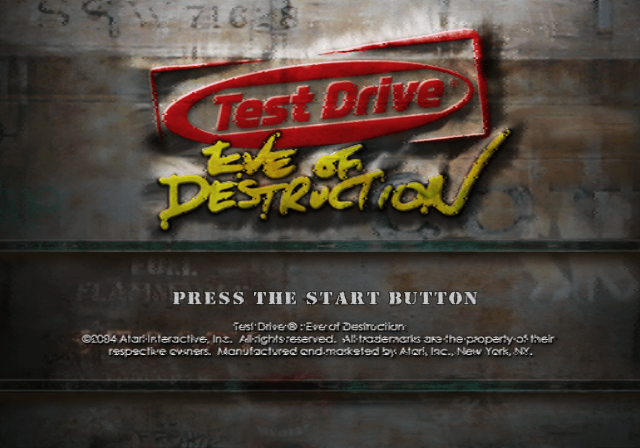
What you get
- The whole game: menus, Career and Action modes, the garage, races and the movies, with sound effects, music, speech and movie audio.
- Direct3D 11 renderer at up to 6x the PS2 resolution, with frame skipping so the game keeps full speed on slow PCs. A software renderer is included for machines without Direct3D 10-class graphics.
- Real widescreen: the game's own 16:9 mode with a wider 3D view and an undistorted HUD, forced on from the start if you want it. Movies stay 4:3.
- In-game menu (F1, or L3 + R3 on a controller): fullscreen, aspect ratio, VSync, scaling, frame skipping, sound, volume, vibration and keyboard bindings, changed while playing. Built with Dear ImGui.
- Keyboard and XInput controllers, with DualShock 2 pressure emulation.
eodsetup.exe, a settings program, with:- PCSX2 save import: continue a game saved in PCSX2 (
.ps2memory card). - Save editor: career money, reputation (unlocks) and all 280 of the game's settings.
- Garage: put any of the game's 274 vehicles in the four career slots. All 130 dealer cars go into the save. Action mode paint jobs and the special vehicles (Bus, Copcar, Hearse, Postal, Taxi, Ambulance) are shown by the port over the slot's career car, and drive like that vehicle.
- Car durability as rated in the menu (optional): in the original game a
car's toughness comes only from its weight, and the durability ratings in
the menus are never used. This option applies the per-car durability
values found in the game's own car files, which those ratings follow. The
table of every car's damage, with and without the option, is in the
README.txt that comes with the builds (
dist/README.txt).
- PCSX2 save import: continue a game saved in PCSX2 (
Status
| Area | State |
|---|---|
| Recompiled code | Complete: about 13,500 functions |
| Graphics | Direct3D 11 (feature level 10_0+) and software GS renderers |
| Sound | Effects, music, speech and movie audio |
| Movies | All play (IPU / MPEG-2 emulation) |
| Gameplay | Career and Action modes are playable |
| Memory card | Saves in memcard/port0 next to the game; PCSX2 saves can be imported |
| Performance | Full speed in menus and most races on a low-end laptop (Core i3-6006U, Intel HD 520). The busiest race scenes are limited by the CPU; frame skipping keeps the game at full speed there |
Known issues and plans
- CPU use in heavy races. The game's VU1 micro programs (geometry and lighting) are compiled ahead of time to C++ but still take most of the CPU time in busy scenes. Making them cheaper is the main remaining work.
- Mouse and keyboard driving and mouselook are not supported.
EOD_SKIP_MOVIES=1(a testing switch) leaves the game silent.
Bug reports are welcome on the issue tracker.
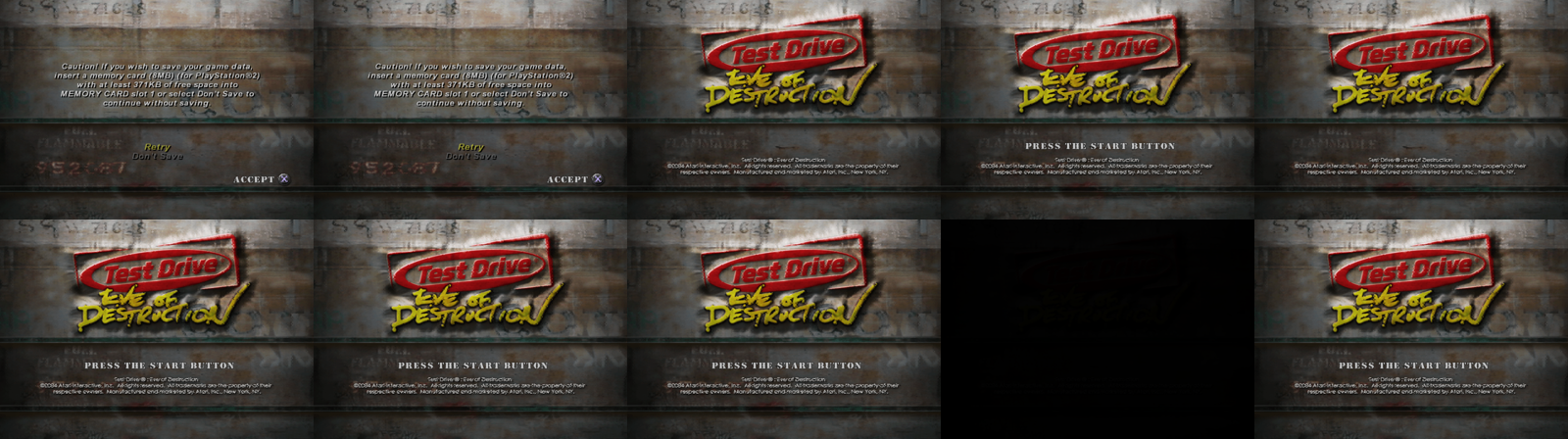
Downloads
Builds for Windows (64- and 32-bit) and Linux are on the
Releases page. They are
made by the Release builds workflow (.github/workflows/release.yml), which
needs the EOD_DECOMP_TOKEN secret to read the game's executable for the code
generation; the executable is deleted before building and is in no archive.
The game itself is not included.
Game files
Copy the whole disc (at least SLUS_209.10, SYSTEM.CNF and the DATA
folder) into one folder and put eod.exe and eodsetup.exe there (or pass
--data <folder>). The executable checks that SLUS_209.10 is the exact
version this code was generated from (NTSC-U v1.00).
Running
Run eodsetup.exe once to choose the settings (renderer, graphics adapter,
window size or fullscreen, aspect ratio, internal resolution, VSync, sound,
keyboard, folders, car durability). It writes them to eod.ini next to
eod.exe and can start the game. eod.exe alone runs with the defaults.
The window title shows the speed ("100% speed" = real time) and the drawn frames per second.
| Option | Meaning |
|---|---|
--data DIR | folder containing SLUS_209.10 and DATA/ |
--renderer d3d11|software|warp | renderer (warp: Direct3D 11 on Microsoft's software device) |
--fullscreen / --windowed | override the window mode |
--scale N | initial window size (N × 320×240) |
--config FILE | another settings file |
--import-save CARD.ps2 | copy the game's save from a PCSX2 memory card |
--save-edit SAVEFILE [money=N] [rep=A,B,POINTS] [slotN=VEHICLE] [setting=value]... | edit a save (without arguments: list its values; vehicles lists the vehicle numbers) |
--log cats / --log-file F | debug logging (core,kernel,sif,file,gs,... or all) |
--frames N | exit after N frames (testing) |
--screenshot-every N --screenshot-dir D | dump frames as PPM |
Keyboard: arrows = D-pad/left stick, X/Space = ✕, C = ○, Z = □, V = △, Q/E = L1/R1, A or 1 = L2, D or 3 = R2, Enter = Start, Backspace = Select, Alt+Enter or F11 = fullscreen, F1 = in-game menu. XInput controllers map to the DualShock layout.
Settings worth knowing
- Widescreen: choose "Widescreen (16:9)" in the game's Options, or 16:9 in
eodsetup.exe/ the in-game menu to keep the game in widescreen from the start. "4:3" keeps it in the normal mode; "stretch" fills the window. - Garage looks are stored in
eod.inias[Career] CarLooks=career vehicle:vehicle,...(e.g.845:146: the white career Durand looks and drives like Durand Action paint 3). Without that line, or on a PS2, the career car shows as it is. - Car durability:
[Gameplay] CarDurability=1. The damage a car takes is the event's damage setting × 4000 lb ÷ the car's weight × its upgrades' factor (Chassis Reinforcement); the option multiplies in each car'sdamage_scale(Bus 0.3, Durand 0.5, Limo 0.6, Postal 2.5...).
Reporting bugs and performance
set EOD_FPS=1
eod.exe --log gs,core --log-file eod_log.txt 2> eod_fps.txt
Attach eod_fps.txt and eod_log.txt to the report.
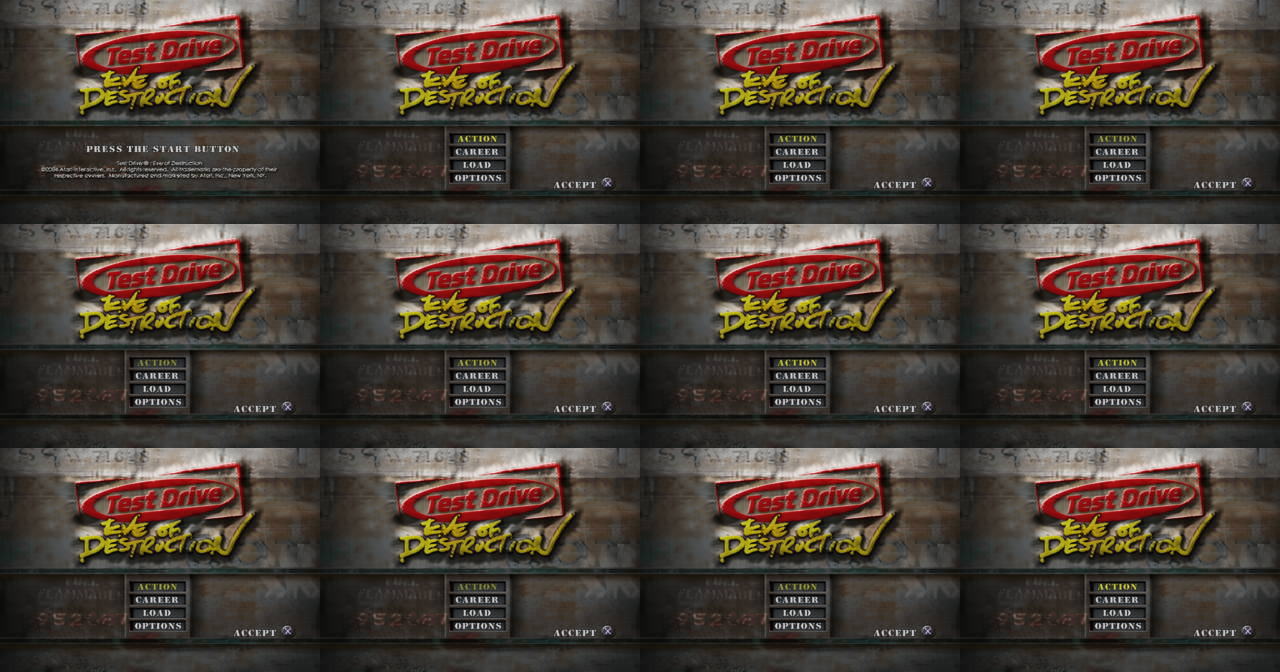
Building
Requirements: your own SLUS_209.10 in the repository root (the C translation
in gen/ is generated from it and is not part of the repository), CMake 3.16+,
a C/C++17 compiler and Python 3 with rabbitizer (pip install rabbitizer).
# 1. generate the C translation (also done automatically on first configure)
python3 tools/analyze.py
python3 tools/recomp.py
python3 tools/vurecomp.py     # VU micro programs (optional)

# 2a. Windows (cross compile from Linux/WSL with MinGW-w64), 32-bit, runs on Windows 7+
cmake -S . -B build-win32 -G Ninja -DCMAKE_TOOLCHAIN_FILE=cmake/mingw-i686.cmake -DCMAKE_BUILD_TYPE=Release
ninja -C build-win32          # -> build-win32/eod.exe (static, no DLLs needed)

# 2a'. 64-bit Windows (faster on x64 systems)
cmake -S . -B build-win64 -G Ninja -DCMAKE_TOOLCHAIN_FILE=cmake/mingw-x86_64.cmake -DCMAKE_BUILD_TYPE=Release
ninja -C build-win64

# 2b. Windows with MSYS2/MinGW on Windows itself
cmake -S . -B build -G "MinGW Makefiles" -DCMAKE_BUILD_TYPE=Release && cmake --build build

# 2c. Linux (headless test build)
cmake -S . -B build-linux -G Ninja -DCMAKE_BUILD_TYPE=RelWithDebInfo && ninja -C build-linux
The 32-bit Windows build targets SSE2 (Pentium 4 / Core 2 and newer) and
imports only kernel32, user32, gdi32, winmm and msvcrt.
How it works
Hand-decompiling ~717,000 MIPS instructions is not feasible in one go, so the port uses static recompilation, the approach used by projects like N64Recomp/Zelda64Recomp:
tools/analyze.pyfinds every function in the executable (call targets, vtables and other code pointers, tail-jump targets, orphaned code) and everyswitchjump table: about 13,500 functions.tools/recomp.pytranslates each MIPS R5900 function into an equivalent C function (gen/rec_*.c). Every instruction is covered: 64/128-bit integer ops, MMI SIMD, FPU, VU0 macro mode, branch delay slots, branch-likely, unaligned loads/stores, jump tables and indirect calls.- The runtime (
runtime/) replaces the PS2 hardware and operating system with high-level emulation:kernel/– EE kernel: threads (on host fibers), semaphores, interrupt and DMA handlers, alarms, vblank timing, libkernel's kernel patchescore/– CPU state, memory map, MMI instructions, logginghw/– DMA controller, timers, interrupt controller and the IPU (MPEG-2 macroblock decoding and colour conversion used by the movies)vu/– VU0/VU1 interpreter (with the pipeline/stall timing the game's microcode depends on, including the 4-cycle delay of the MAC/status/clip flags) and VIF0/VIF1 (unpack, MPG, MSCAL, DIRECT, PATH3 masking). The game's micro programs are also compiled ahead of time to C++ bytools/vurecomp.py(from the images inconfig/vu/); the interpreter runs anything that doesn't match them.gs/– Graphics Synthesizer: swizzled 4 MB VRAM in all pixel formats, GIF packets, transfers, CLUTs and a software rasteriser implementing the full GS pixel pipeline, with a decoded-texture cache and, on CPUs with four or more threads, rasterisation spread over worker threads.gs/d3d11/is the Direct3D 11 renderer: GPU surfaces own the pages of GS memory they draw, with GPU conversions between colour/depth formats and block layouts (the game's shadows reinterpret depth buffers as colour), a content-hashed texture cache and one shader for the GS pixel pipeline (tools/build_shaders.pycompiles it ahead of time through Wine)iop/– the I/O processor: the SIF RPC protocol, plus emulations of the IRX modules the game loads:fileio(game data from disk),padman(DualShock 2),mcserv(memory card in a host folder),loadfile,iopheap, multitap, the Logitech wheel driver, the game'sstream.irxdisc streamer andsdrdrv(sound) on top of an SPU2 emulation (ADPCM voices, ADSR, AutoDMA PCM streaming)platform/– Win32 (GDI window, XInput/keyboard, waveOut, fibers) and POSIX (headless, used for automated testing)
src/holds hand-written C++ that replaces or wraps specific game functions (seeconfig/hle.txt). Hand-decompiled game code goes here over time.
config/symbols.txt collects identified function names; tools/dis.py is an
annotated disassembler used for reverse engineering.
Credits and licences
The menu overlay uses Dear ImGui 1.91.8
(MIT licence, third_party/imgui). Test Drive: Eve of Destruction is a
trademark of its owners. The game's executable and data files are not
included: you need your own copy of the game to build and to run the port.
Debugging aids
EOD_GS_TRACE=<frame>logs every primitive drawn in that frameEOD_FPS=1prints vblanks/s (60 = full speed), game frames/s (drawn or skipped), drawn frames/s, how busy the EE and GS threads are and how long the EE waits for the GS, every 5 s, followed by where each thread's time went (EE: game code, VU programs, VIF, GIF, sound, movies, waiting, idle; GS: command processing, drawing state, draws, texture lookups, new textures, uploads, readbacks, conversions, present, idle)EOD_SKIP_MOVIES=1skips the movies;EOD_GS_THREAD=0renders on the main thread;EOD_GS_RASTER=nsets the number of raster worker threads (0 = none);EOD_FRAMESKIP=0disables frame skipping (when rendering falls behind, whole game frames are dropped so the game keeps running at full speed)--log gsprints per-second renderer statistics (pixels, texture decoding, raster jobs and barriers, pixels per triangle type; with Direct3D 11 also draw calls, uploads, readbacks and texture cache use);--log gsxferlogs every GS memory transfer (very large: movies alone write thousands per second)EOD_GS_CENSUS=filetallies the GS features used (state combinations, rendered buffers read back as textures);EOD_GS_REPLAY_TRACE=1logs the primitives of a replay;EOD_GS_REPLAY_STOP=n EOD_GS_REPLAY_DUMP=filedumps GS memory after the n-th primitive (compare renderers with--renderer d3d11|software);EOD_D3D_SHOW=bpdisplays another buffer;EOD_D3D_NODRAW=1skips the GPU draw calls (replay benchmarks of the CPU side:--gs-replayprints the milliseconds per GS category);EOD_D3D_SYNC_CLUT=1waits for the GPU on every CLUT load from a rendered buffer (by default such CLUTs come from the previous, non-blocking copy);--renderer warpruns the Direct3D 11 renderer on Microsoft's software device (WARP) instead of the graphics driver, to tell driver problems from renderer bugsEOD_VU1_THREAD=1(experimental) runs VIF1/VU1, GIF DMA and the GS command stream on a worker thread;EOD_GS_SKIPALL=1makes the GS skip all drawing (benchmarks of the EE side)EOD_VU_CHECK=1runs every compiled VU program a second time in the interpreter and reports differences;EOD_VIF_CHECK=1does the same for the fast VIF unpack pathsEOD_VU_DUMP=dirwrites the VU micro programs that run (input fortools/vurecomp.py, seeconfig/vu/);EOD_VU_INTERP=1disables the compiled onesEOD_VU_REC=file EOD_VU_REC_AT=vblank [EOD_VU_REC_N=runs]records the state before each VU micro program run;eod --vu-bench file [--repeat N]replays the recording and prints the time spent in the micro programs and a hash of their results (the same withEOD_VU_INTERP=1when the compiled code is right).VUREC_COUNT=1 python3 tools/vurecomp.pyadds block counters that--vu-benchprints (hot loops)EOD_GS_DUMP=file EOD_GS_DUMP_AT=vblank [EOD_GS_DUMP_N=count]captures the GS state and command stream;eod --gs-replay file [--repeat N]replays it alone, prints the time and writes the final image tofile.ppm(deterministic renderer benchmarks)EOD_GS_NOTEXCACHE=1,EOD_DEBUG_NOMIP=1,EOD_DEBUG_PIXEL=x,y(withEOD_GS_TRACE: logs every write to that pixel) help bisect rendering bugsEOD_WATCH=addr,...logs float values at EE addresses when they change;EOD_WATCHW=addr(Linux) reports the host code that first writes a huge value thereEOD_MEMCARD=diruses another memory card folder (e.g. an empty one for repeatable tests)EOD_WAV=file(POSIX build) writes the audio output to a WAV filecmake -DEOD_TRACE_CALLS=ONrecords the last EE function calls, printed on crashesEOD_DUMP_RAM=filewrites the 32 MB of EE RAM to a file when the game exits;EOD_POKE=addr=value,...(hex) writes 32-bit words into EE RAM every vblankEOD_PAD_SCRIPT=frame:buttons,...scripts controller input (port 0);tools/padscript.pybuilds it from button names (see its help for a Career-mode example)python3 tools/dis.py -f <addr>disassembles a function with string/symbol annotations
Comentarios (0)
Inicia sesión para dejar un comentario.
Sé el primero en comentar sobre este juego.