
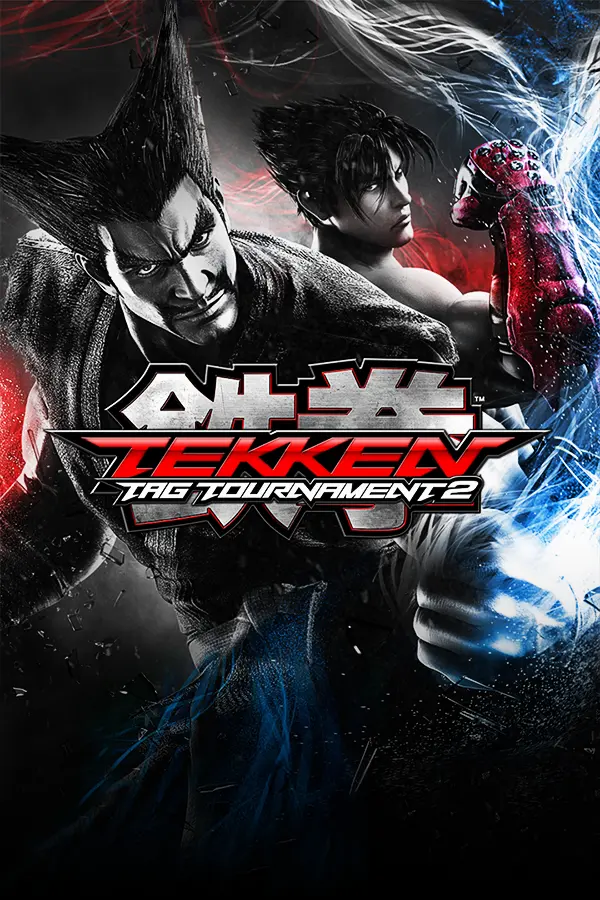
Tekken Tag Tournament 2
Port nativo de Tekken Tag Tournament 2 para PC.
Tekken Tag Tournament 2
Port nativo basado en su ficha de origen.
README del repositorio
Why you'll love it
Screenshots
Get playing in 3 steps
1. Download Get ttt2_setup.exe from the latest release.
2. Point it at your game Choose your disc image of Tekken Tag Tournament 2 (USA, Europe) and its Title Update 3. The installer checks them, builds the PC version and prepares the game's shaders for you, usually in a few minutes.
3. Play Launch Tekken Tag Tournament 2 from your Desktop or Start menu.
[!NOTE] Windows may say "Windows protected your PC" because the installer isn't code-signed. Click More info, then Run anyway.
[!IMPORTANT] You need your own copy of the game. This download contains no game files: the art, sound, stages and movies are all built on your PC from your disc image and title update. They are never included here.
What you need
Play online
Both of you install the same version of the port and keep Steam running. Online fights use rollback netcode, and every match runs directly between the two players' PCs over Steam.
With a friend, over Steam
- Host:
ONLINE MODE→PLAYER MATCH→CREATE SESSION. In your room, pressY(Friend Invite) to invite a Steam friend. Friends playing the game are listed first. - Your friend: accept the invite in Steam, or go to
ONLINE MODE→PLAYER MATCH→SEARCH SESSIONand pick your session. - Fight!
The first time you open Online Mode, the game shows Namco's online terms; accept them to continue. Steam will show you as playing Spacewar. That's normal: it's the free Steam test app the port uses to connect players.
On a community server: Ranked, leaderboards, replays
Community servers are run by players. They're where players find each other, and they bring back what used to need Namco's servers: Ranked Match, leaderboards, teams, Tekken Channel replay search and other players' ghosts. Matches still run directly between the two players over Steam; the server never carries them.
ONLINE MODE→SERVER→ADD SERVER, and type the server's address (a name or an IP; add:portif it isn't 28200;Ctrl+Vpastes).- Pick it with
A. The game remembers it and connects to it every time you open Online Mode.
The list also shows each server's players and ping, and servers on your local network. On a server you meet only that server's players. Servers know you by your Steam account, so Steam still has to be running.
Host your own: download ttt2-server for Windows or Linux from the
latest release
and follow the server guide. It's one small program with no game data, and
it comes with an admin panel in your browser (kicks, bans, match history, players online).
Netcode settings
OPTIONS → GAME OPTIONS → ONLINE NETCODE balances input delay against rollback:
| Setting | What it does |
|---|---|
STANDARD (default) | The game's own input delay for your ping; rollback smooths out the bumps |
PRIORITIZE RESPONSE | One frame less input delay, more rollback corrections |
PRIORITIZE GRAPHICS | One frame more input delay, fewer corrections |
CUSTOM | Set the input delay and the rollback limit yourself |
Both players always share one input delay, and the host's setting decides it.
Two players on one PC
Pick PAIR at character select, then press START on the second controller when the game asks.
It works offline and online; the second player plays as a guest of the first player's profile.
Controls
Controller: works just like on Xbox 360. Whoever presses a button first is Player 1.
Keyboard (Player 1):
| Key | Does | Key | Does |
|---|---|---|---|
| Arrow keys | Move / D-pad | A S Z X | A / B / X / Y |
Enter or Space | START | Q W | LB / RB |
Backspace | BACK | E R | LT / RT |
Alt + Enter | Window ↔ full screen | D F | Left / right stick click |
Change the keys in the game: OPTIONS → CONTROLLER SETUP → on BUTTON SETTINGS press
left/right to switch it to KEYBOARD, then A to edit. Pick a button, press A, then press the
new key. LB / RB show the movement, START and BACK keys, plus DEFAULTS to undo everything.
Display settings are in the game's own menu, OPTIONS → DISPLAY SETTINGS: window mode,
resolution (360p to 4K), VSYNC, SHARPNESS, ANTI-ALIASING (FXAA), TEXTURE FILTERING and
SHADOWS. The picture options are off by default, so the game looks the way it did on the console.
In borderless and full screen the mouse pointer is hidden.
Profiles: OPTIONS → SWITCH PROFILE lists them; press Y to rename one (its saves stay
with it).
Input delay: the original game adds 2 frames of delay to every button press in offline modes.
This port removes them by default; turn them back on in OPTIONS → GAME OPTIONS → INPUT DELAY.
Online matches always use the game's own delay, the same for both players.
Questions
Not available (yet)
World Arena relied on Namco's servers, which are gone, and no community server has its lobbies yet. Voice chat isn't supported. Ranked Match, leaderboards, teams and replay search need a community server; on plain Steam they're grayed out.
Comentarios (0)
Inicia sesión para dejar un comentario.
Sé el primero en comentar sobre este juego.