Sword of the Samurai (OpenSamurai)
Port nativo de Sword of the Samurai (OpenSamurai) para PC.
Sword of the Samurai (OpenSamurai)
Port nativo basado en su ficha de origen.
README del repositorio
OpenSamurai
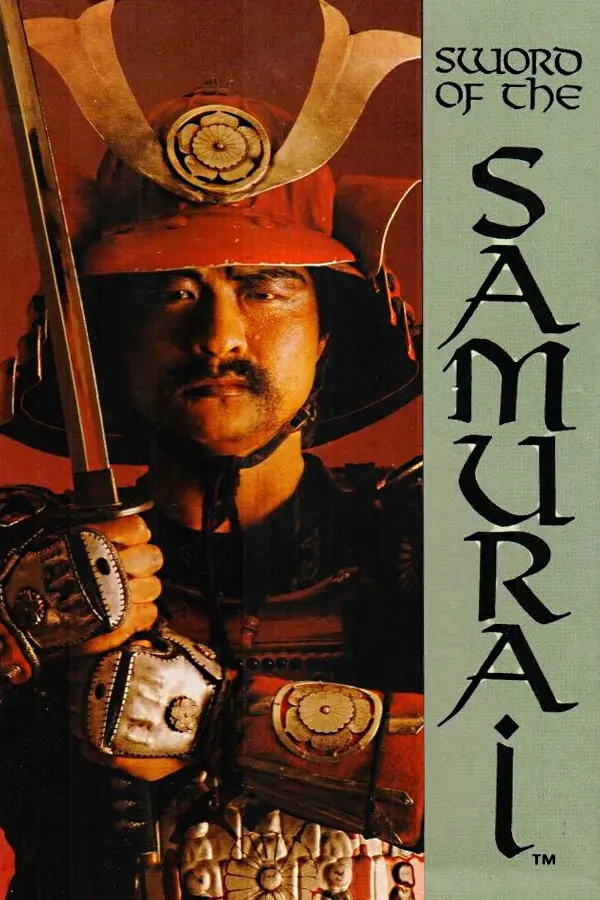
OpenSamurai is an unofficial reconstruction of Sword of the Samurai (MicroProse, DOS, 1989).
It is written in C and rebuilt from the original program, the way SDLPoP2 was for Prince of Persia 2. It plays the original game's data files, so you need your own copy of the game.
The original game is a chain of separate DOS programs: a setup, the title and character creation, the role-playing game, and one program each for the duels, the melees and the battles. OpenSamurai is one program with all of them inside, each rebuilt from its machine code and checked against the real game running in an emulator.
How to play
- Download the build for your system from the latest development build:
opensamurai-windows-x86_64-….ziporopensamurai-linux-x86_64-….tar.gz. - Unpack it into the folder with your copy of the game (the one with
START.EXE,RP.EXEand the.CATfiles). See Getting the game. - On Windows, double-click
opensamurai.exe. On Linux, run./opensamuraiin that folder.
The development build is rebuilt after every change. If you want a build that never changes, pick a dated nightly build.
The game asks the original's crest question at the start, so keep the manual at hand. Saved games (Alt+S at the Home Option scroll) go to the game's folder, as in the original. The keys are listed below.
F4 opens OpenSamurai's in-game menu, where you can change the settings, turn on cheats and find the game's commands. The game waits while the menu is open.
Found a bug or a glitch, or have an idea? Everything is welcome on the issues page.
Screenshots
Keys
OpenSamurai's keys
| F4, or a click of the left mouse button | the in-game menu: the game's commands, cheats, settings, quit (the game waits while it is open) |
| Alt+Enter | fullscreen on or off |
The original game's keys
| Arrows, Home, PgUp, End, PgDn | move the cursor, walk on the maps (the numeric keypad works too) |
| Enter or Space | the selector: choose |
| Backspace | the second selector (in duels: parry) |
| Esc | back |
| F1 | the Status Scroll: you and your rivals |
| F2 | the Strategic Map |
| F3 | the Summary Scroll |
| Alt+S / Alt+R | save / restore the game (at the Home Option scroll) |
| Alt+N | start a new game |
| Alt+V | music and effects, effects only, or silence |
| Alt+Z | full graphics on or off |
| Alt+J | calibrate the joystick again |
| Alt+Q | quit |
Duels and melees
| Arrows or the numeric keypad | move, and aim your swing |
| Enter | swing (in melees: strike, shoot, pick up, put down) |
| Backspace | parry (in melees: as Enter) |
| Space | in melees: pause |
Battles
| Up / Down, Left / Right | on the formation screen: choose the formation, mirror it |
| 1 to 9 | select a unit |
| 0 | select the unit nearest the cursor |
| Enter | select the unit under the cursor |
| Arrows, Home, PgUp, End, PgDn | move the cursor |
| + or = | the selected unit turns and marches to the cursor |
| - | march to the cursor without turning |
| * | turn to face the cursor |
| Esc | deselect |
| R | retreat: the whole army leaves the field |
| Space | pause |
Joystick
A joystick or game controller that is plugged in is the game's joystick. OpenSamurai does the setup's calibration for you, and Alt+J calibrates it again. /NJ leaves it out.
A game controller's Start or Back button opens the in-game menu. In the menu, the D-pad or the left stick moves, A chooses, and B goes back.
The in-game menu
Press F4 at any time to open the in-game menu. A click of the left mouse button, or a game controller's Start or Back button, opens it too. It is SDLPoP's menu, as SDLPoP2 has it. While it is open the game waits: its clock, music and sound stop, and it goes on where it was when you close the menu.
| Page | What it has |
|---|---|
| RESUME | Closes the menu. |
| COMMANDS | The original game's command keys: the Status Scroll (F1), the Strategic Map (F2), the Summary Scroll (F3), save and restore a game (Alt+S, Alt+R, at the Home Option scroll, as in the original), a new game (Alt+N), music and effects (Alt+V), full graphics (Alt+Z), calibrating the joystick (Alt+J) and the game's own quit (Alt+Q). Choosing one closes the menu and presses its key for you. |
| CHEATS | The cheats, each on or off, or a speed from 1x to 8x. |
| SETTINGS | GENERAL: the sound card, the volume, the joystick, skipping the title, the random seed, and "Restore defaults...". VISUALS: start fullscreen, the 4:3 aspect ratio, integer scaling, and the scaling method. |
| QUIT GAME | Ends OpenSamurai after asking. Anything you have not saved with Alt+S is lost. |
In the menu:
| Arrows, or the mouse | move |
| Enter, Space, or a click | choose |
| Left and Right, or a click on the value | change a setting or a cheat |
| Page Up, Page Down, Home, End, the mouse wheel | scroll a page |
| Esc, Backspace, or the right mouse button | go back a page (on the first page: close the menu) |
| F4 | close the menu, from any page |
| a key with Alt | close the menu and give the key to the game |
For the random seed, type the number in, and Delete goes back to the timer.
The settings are saved in OpenSamurai.cfg when the menu closes (see Settings). The window and the volume change at once. The sound card, the joystick, skipping the title and the random seed take effect at the next start, as they would in the original setup. The cheats are not saved.
Cheats
The in-game menu's CHEATS page turns these on and off at any time. They are not saved: each start begins without them.
| Cheat | What it does |
|---|---|
| Invulnerable (melee) | Blows and arrows never wound you in melees. This is the game's own debug switch, which the original never turns on; you still stagger when hit. |
| Invulnerable (duel) | Your opponent's blows never wound you or knock you back in duels. |
| One-blow kills (duel, melee) | Your first blow that lands fells your opponent in a duel, and anyone you strike in a melee. |
| Invulnerable troops (battle) | Your units lose no men to the enemy's attacks. |
| Troops never rout (battle) | Your units never break and flee on their own. R still orders the retreat. |
| Faster troops (battle) | Your units march and turn 2, 4 or 8 times as fast; the enemy's do not. |
| Faster walk (map) | You walk 2, 4 or 8 times as fast on the province maps. The game rolls for an encounter every few seconds, so a trip brings fewer of them. |
| No travel encounters | Nobody stops you on the province maps: no bandits, ronin, pirates or duellists. |
| Faster walk (melee) | You walk 2, 4 or 8 times as fast in melees; the others do not. |
| Stealth mode (melee) | In castles and manors nobody notices you: the guards keep to their rounds and do not fight back, nobody recognizes you, and the alarm never sounds. An alarm raised before you turn it on stays raised. |
| Stop ageing | You and your family stop ageing. Your rivals, the lords and their families age as usual. |
| Max honor | Your honor stays at 128, the most the game allows: its honor routine caps honor at 112 and adds up to 16 for a wife (4), an heir (8) and two more children (2 each). |
| Max troops, Max land, Max swordsmanship, Max generalship | Each stays at 128, the most the game allows. |
No cheat skips or changes the copy protection or its consequences.
Command line
You can also start OpenSamurai from a terminal:
opensamurai [GAME FOLDER] [/NT] [/NJ] [/AA | /AR | /AI | /AT | /AN]
All options are optional, and are the original setup's. For that run, they win over the settings (see Settings):
| Option | Default | What it does |
|---|---|---|
GAME FOLDER | the program's folder, else the current one | where your copy of the game is |
/NT | off | skip the title |
/NJ | a joystick is used if there is one | no joystick |
/AA | yes | sound: the AdLib |
/AR | sound: the Roland MT-32 (needs its ROMs, see below) | |
/AI | sound: the IBM PC speaker | |
/AT | sound: the Tandy | |
/AN | no sound |
On Windows, the options also work in a shortcut, alone (opensamurai.exe /AR) or after the folder.
If something is wrong, for example a missing game file, OpenSamurai says what and stops.
Settings
OpenSamurai's settings are in OpenSamurai.ini, which comes with OpenSamurai and explains every option: the window (fullscreen, its size, the 4:3 aspect ratio, integer scaling, the scaling method), the sound card, the volume, the joystick, skipping the title, and the random seed. OpenSamurai looks for it in the current folder, then next to the program, then in the game's folder. Without it, OpenSamurai uses the defaults. The game keeps its own settings too (Alt+V, Alt+Z).
The in-game menu (F4) changes the same settings. It saves them in OpenSamurai.cfg, next to OpenSamurai.ini (in the game's folder if there is no OpenSamurai.ini). OpenSamurai.cfg is read after OpenSamurai.ini, unless OpenSamurai.ini was edited since. Delete OpenSamurai.cfg to go back to the settings in OpenSamurai.ini. The window and the volume change at once. The sound card, the joystick, the title and the random seed are chosen when the game starts, so they change at the next start.
The Roland MT-32 needs its two ROMs, a control ROM and a PCM ROM. They are Roland's and not included, so you provide your own. Put the two files (any names: they are recognized by their contents) in one of these folders, looked at in this order:
- the folder named by the
OPENSAMURAI_MT32ROMSenvironment variable; - your data folder's
roms(on Linux~/.local/share/OpenSamurai/roms, on Windows%APPDATA%\OpenSamurai\roms); - the
romsfolder next to the program; - the game's folder.
An original MT-32's ROMs (versions 1.04 to 1.07) are the sound the game was made for; a later MT-32's or a CM-32L's work too. Without them /AR plays the AdLib's sound and says where it looked.
OPENSAMURAI_WAV=file.wav records the sound, and OPENSAMURAI_MIDI=file.mid the MT-32's music.
Every random number in a game comes from one seed, taken from the clock when OpenSamurai starts and shown in the terminal. random_seed in OpenSamurai.ini or OPENSAMURAI_SEED=N sets it, and the same seed draws the same random numbers.
With the IBM PC speaker the title runs slower, as it does in the original.
Building
OpenSamurai builds with meson. The MT-32 is Munt's libmt32emu, a git submodule, built with CMake:
git submodule update --init
meson setup build
meson compile -C build
build/frontend/opensamurai path/to/the/game
Windows builds are made on Linux with mingw-w64 (tools/x86_64-w64-mingw32.ini), against SDL2's MinGW release:
tools/build-bundle.sh --platform windows --out DIR
tools/build-bundle.sh --platform linux|windows --out DIR makes the same package the releases contain.
Every push is built by CI. When CI passes, the dev release is replaced, and once a day a dated nightly-YYYY-MM-DD release is added.
Tests
The tests that play the game need the game's files, which are not in this repository:
meson setup build -DgameDir=path/to/the/game
meson test -C build
-DoracleTests=true adds the comparisons against recordings of the original DOS game.
Where things are
source/: the game. Each original program is rebuilt whole (start_core.c,rp_core.c,duelexe_core.c,battleexe_core.c,meleeexe_core.c), with the duel, battle and melee simulations in readable C (duel.c,battle.c,melee_core.c), the sound drivers (isound.c,tsound.c,asound.c,rsound.c) and models of the chips they drive.frontend/: the SDL2 frontend, with SDLPoP's in-game menu (overlay_menu.c) and the settings (settings.c,OpenSamurai.ini).source/cheats.c: the cheats, each at a known place in the original programs.docs/FINDINGS.md: the reconstruction, program by program, and the game's rules as the code has them.tools/andtests/: helpers and the test suites.
License
OpenSamurai is free software under the GNU General Public License v3.0 or later, with no warranty. See LICENSE for the details.
This is an unofficial project for research and education. It is not affiliated with or endorsed by the game's rights holders, who own the game and its trademarks. No game data is included.
OpenSamurai does not let you skip the original game's copy protection.
Credits
- SDLPoP2, the reconstruction OpenSamurai follows.
- SDLPoP, by Dávid Nagy (NagyD) and its contributors (GPL-3.0-or-later): the in-game menu is SDLPoP's (its pause menu is Falcury's), by way of SDLPoP2, with SDLPoP's fonts. The menu's small font is adapted from Yuji Oshimoto's freeware font 04b_03.
- Munt, by the Munt team (LGPL-2.1-or-later), emulates the Roland MT-32.
- SDL2 (zlib license) draws the game and plays its sound.
- Sword of the Samurai (MicroProse, 1989).
Getting the game
OpenSamurai needs the original game's files, which are not included.
Sword of the Samurai is sold on Steam and GOG.com, with its manual. An original copy for MS-DOS works too. OpenSamurai is built against the DOS release, version 445.03.
Comentarios (0)
Inicia sesión para dejar un comentario.
Sé el primero en comentar sobre este juego.