

SD Gundam Dimension War
Port nativo de SD Gundam Dimension War para PC.
SD Gundam Dimension War
Port nativo basado en su ficha de origen.
README del repositorio
SD Gundam: Dimension War Recompiled
Early prototype. Bugs are expected. Rendering and mod behavior are still being developed, and later missions have not received a complete playthrough.
Windows recompilation setup for SD Gundam - Dimension War (Japan) on Virtual Boy, using vbrecomp and recomp-ui. Based on the Zero Racers host.
The Japanese baseline is built and validated through the opening tactical mission, in its original red display. All 40 checkpoints through frame 4,500 match independent Beetle across ten state/output planes, with zero interpreter fallback. Color-on/off native checks also cover ranged and melee combat. This is an early prototype; later missions and endings have not received a complete playthrough or independent-oracle validation. No ROM or generated cartridge code is included.
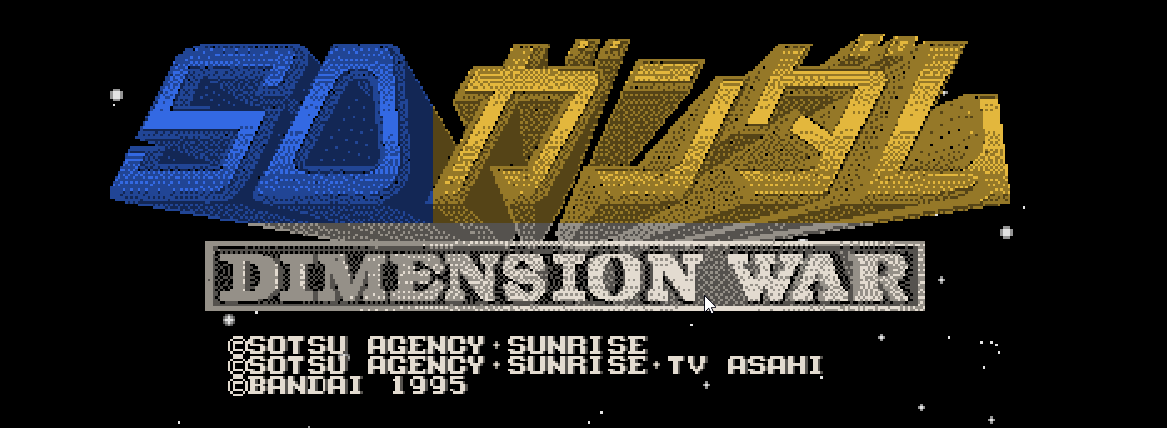
Screenshots
The optional color and adaptive widescreen mods in action:
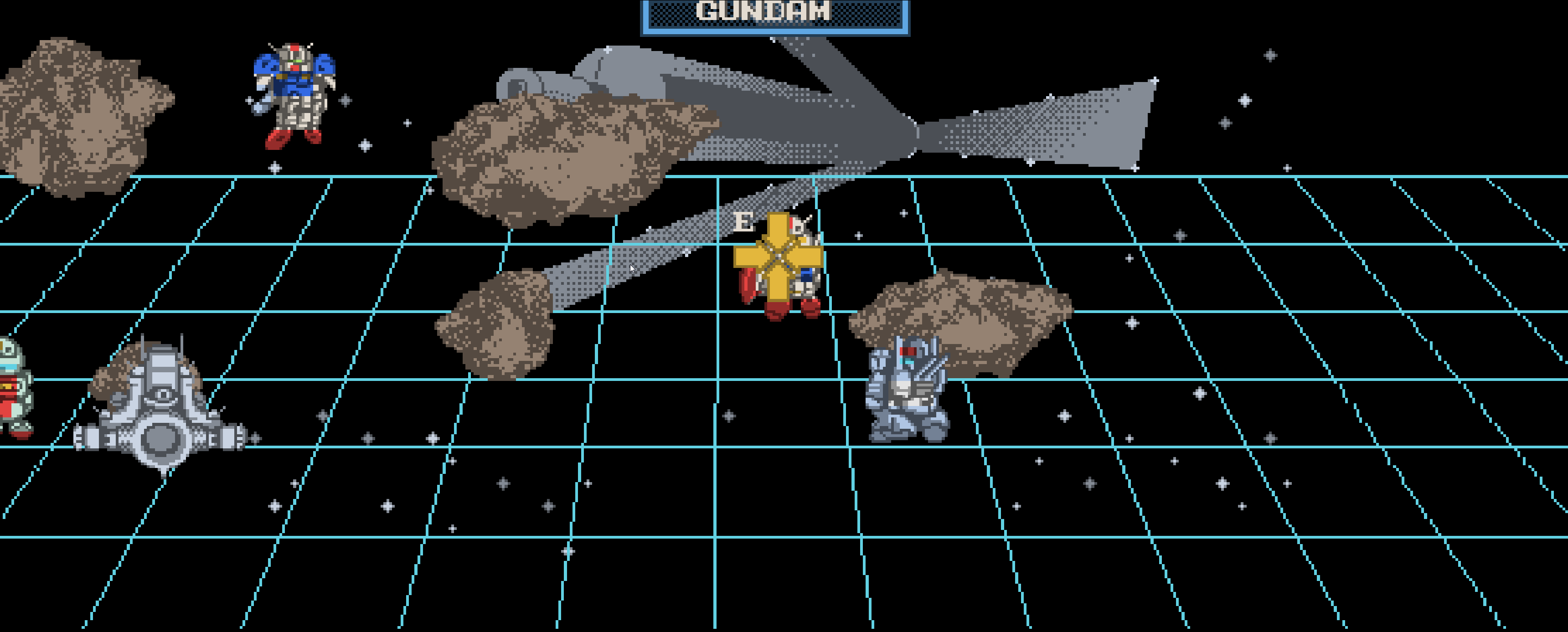
| Original red presentation | Enhanced: color and widescreen |
|---|---|
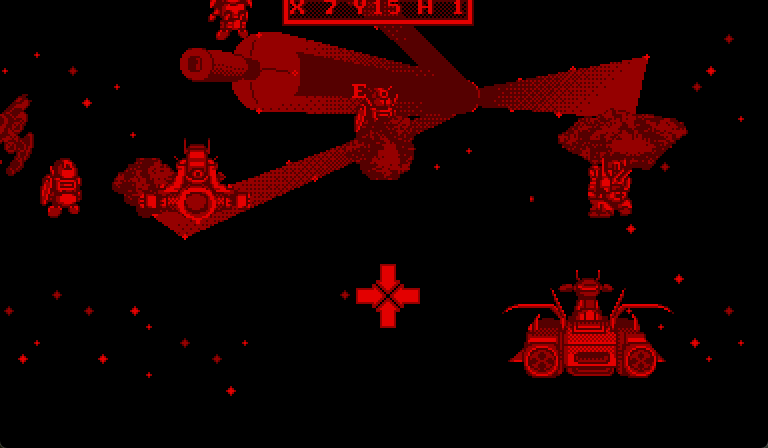 | 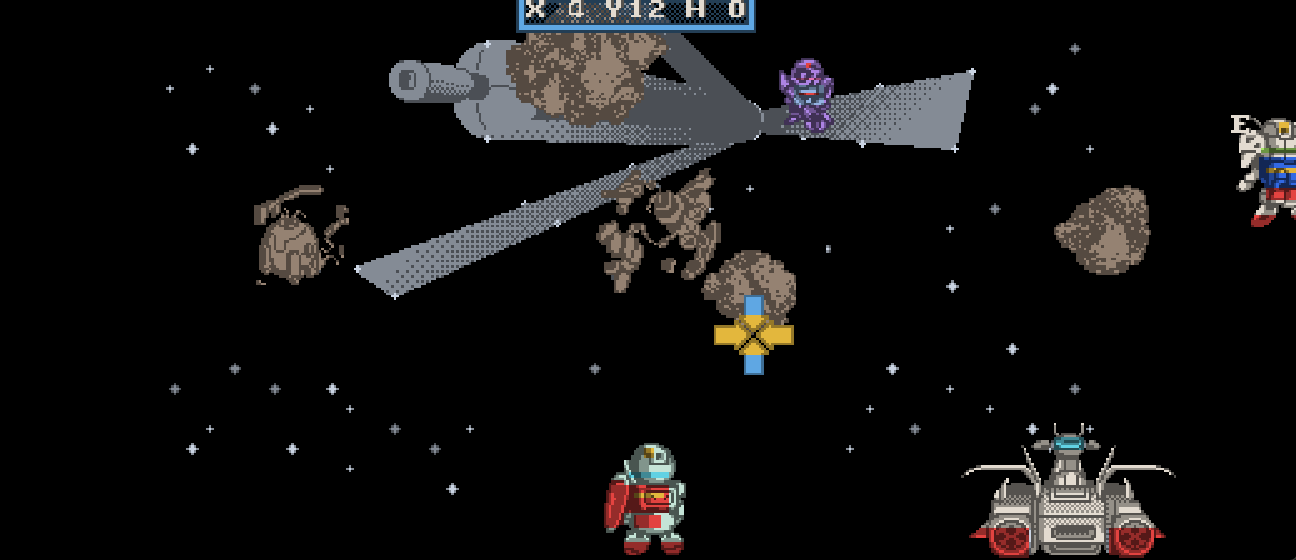 |
These are crops of actual runtime screenshots from separate sessions, with the desktop and window titles removed. They illustrate presentation options; they are not a synchronized frame comparison. The source game artwork is unchanged. Screenshot colors come from the optional mod.
Supported cartridge
| Property | Value |
|---|---|
| Revision | SD Gundam - Dimension War (Japan) |
| Size | 1,048,576 bytes |
| CRC32 | 44788197 |
| SHA-256 | 98d210dcbd1c5d836aa5bbf018eb26e971711b69b4423187bbb72178d5da9a92 |
Use the original extracted .vb file. The launcher and build script validate
its identity. The translation reference belongs in ignored reference/; do
not apply it to the Japanese baseline ROM.
Build and play
For the Windows app, download the ZIP from
Releases,
extract everything, and run SDGundamDimensionWarVirtualBoyRecomp.exe.
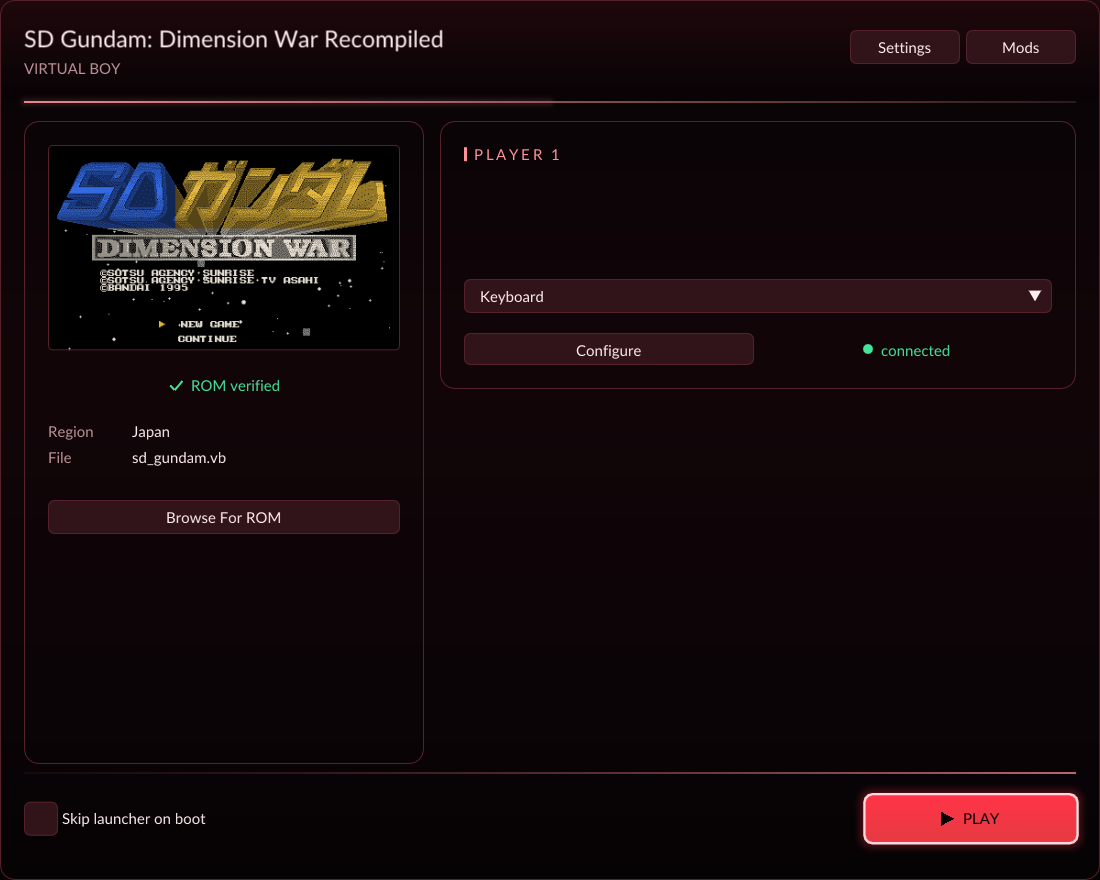
Select your own original Japanese .vb cartridge and press Play.
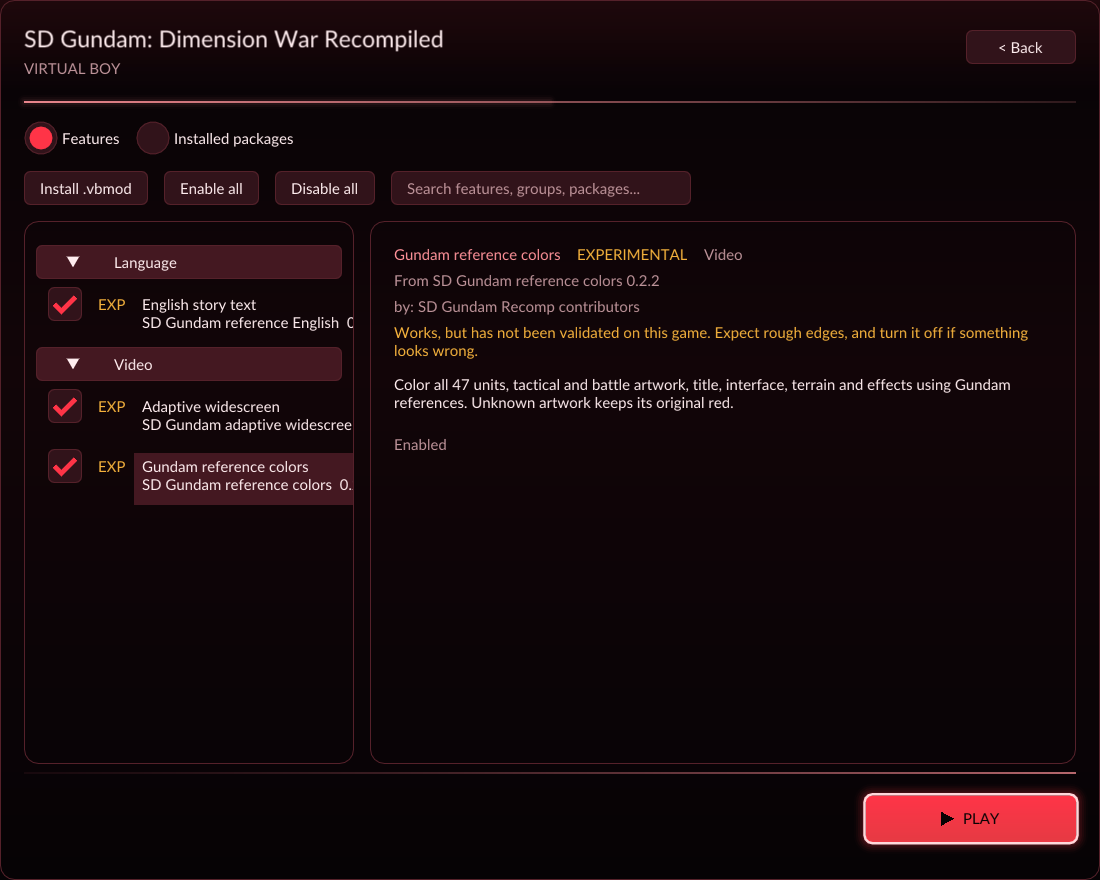
In Mods, install any of the three included .vbmod files and enable the
features you want. All mods start disabled. See release notes.
Windows prerequisites match Zero Racers: Python 3.11+, MSYS2 MinGW64 GCC,
CMake, Ninja and SDL2. tools/build.ps1 calls native toolchain executables
under C:\msys64\mingw64\bin; override -Toolchain as needed. Select a native
Windows Python explicitly with -Python if PATH includes MSYS/Cygwin shims.
Clone with both pinned dependencies:
git clone --recurse-submodules https://github.com/mstan/SDGundamDimensionWarVirtualBoyRecomp.git
cd SDGundamDimensionWarVirtualBoyRecomp
.\tools\build.ps1 -Rom 'C:\Games\SD Gundam - Dimension War (Japan).vb' -Python 'C:\Python312\python.exe'
.\tools\play.ps1 -Rom 'C:\Games\SD Gundam - Dimension War (Japan).vb'
Install optional authoring/validation dependencies with
python -m pip install -r requirements-dev.txt. The normal build only needs
Python's standard library and the native toolchain. For separate development
checkouts, the build helper accepts -Framework, -Ui, and -Oracle paths.
The local ROM defaults to roms/sd_gundam.vb. Build output is
build/vbrecomp/runtime/SDGundamDimensionWarVirtualBoyRecomp.exe.
-NoUi builds without the shared launcher; -Production strips development
debugging. -FastBuild uses lighter optimization for the large generated C
file during development; runtime device code keeps Release optimization.
Production builds use the normal full optimization. The optional independent oracle can be prepared using the framework's
tools/prepare-oracle.ps1 and selected using -Oracle.
Keyboard defaults: arrow keys and WASD are the two directional pads, X/Z are A/B, Q/E are L/R, Enter is Start, Right Shift is Select, and Tab is turbo. Escape opens settings during play. Controllers and remapping use recomp-ui. Progress and settings use the shared host's persistent saves and configuration. All three save areas have been validated across clean shutdown/restart and English/Japanese language changes. See saving and validation for controls, the save-file location, and the tested scope.
English mod
The build produces dist/sd-gundam-english-0.1.0.vbmod. Install it through
the launcher's Mods view, or select the language when launching:
.\tools\play.ps1 -Language en
.\tools\play.ps1 -Language ja
The original Japanese ROM is always required. The optional package reproduces
the supplied translation through native text assets. Its 35 strings and glyph
map are editable in translations/english.json; rebuild after editing.
English enabled and Japanese restored each match their independent oracle
through all 40 opening-mission checkpoints, with zero fallback.
Restart after changing language to replay all text. See
localization details for coverage and validation.
Color mod
The optional dist/sd-gundam-color-0.2.2.vbmod adds colors based on the original
Bandai booklet and official Gundam reference art. Enable Gundam reference
colors in Mods, or launch with tools/play.ps1 -Language en -Color on.
Version 0.2.2 covers all 47 units' tactical views and battle sheets, plus title,
interface, terrain, effects and save menus. Both eyes preserve native shading
and silhouettes. Shared menu frames and fills stay uniformly blue wherever
reused; cursor and label accents remain distinct. Color stays off by default
and is independent of English.
Rebuild the game before installing this version; the new source-mask lookup
is game-local. Unknown source artwork still uses the original red display.
See color references, authoring, and validation.
Widescreen mod
The optional dist/sd-gundam-widescreen-0.1.0.vbmod expands tactical and battle
views. Choose 16:9, 21:9, 32:9, or Adaptive (fit window) in its
Mods detail panel. It is off by default and composes with English and color:
tools/play.ps1 -Language en -Color on -Widescreen adaptive.
Resize the window to expand the adaptive view. Menus retain their original
proportions; expanded views reveal native submitted artwork. Tactical stars
repeat into the wide margins at their original size; the colony drawing keeps
its original extent. See scope and validation.
Coverage pass
See the October 2026 coverage record for the tested gameplay, native/fallback results, reproduction commands and limits.
Validation
tools/validate.ps1 compares separate runtime and Beetle processes through the
same input route. It checks CPU, WRAM, SRAM, VIP memory/registers, devices,
both eyes, presentation, and audio, auditing hashes against captured bytes.
Each run must use a new output directory:
.\tools\validate.ps1 -Framework '..\_wt-sd-gundam-vbrecomp' `
  -Python 'C:\Users\Matthew\AppData\Local\Programs\Python\Python312\python.exe' `
  -Out 'validation/boot-01'
Use -Gates for determinism, native/interpreter comparison and deliberate fault
detection. -NativeOnly diagnoses missing generated instruction coverage.
The inherited runtime defaults to generated native code plus instruction-level
interpreter fallback. Reports expose both execution counts; a hybrid pass must
not be described as proof of native-only coverage or all-game accuracy.
tools/capture_route.py records screenshots and CPU/execution state for a
declared route. ROMs, generated code, saves, and detailed captures are ignored.
See the recorded baseline results for exact coverage,
binary identities, and commands.
Serial enhancement work
Central Beads epic: beads-vb.4. Japanese fidelity (.1) gates the English
localization mod (.2), save persistence validation (.5), then color (.3),
then assessment of native widescreen
(.4). Widescreen depends on what the game's scene and camera data support.
See localization reference for the supplied IPS audit
and the Endless Duel text/glyph workflow. Full-roster color and adaptive
widescreen are available as independent opt-in mods.
See LICENSE.md. Game content and dependencies retain their own rights.
Repository layout
The structure follows Zero Racers: vbrecomp/ and recomp-ui/ are pinned
submodules, sd_gundam.toml describes cartridge discovery, src/ contains
game presentation and translation plugins, and tools/ owns build and
validation helpers. mods/english, mods/color, and mods/widescreen define
the three independent opt-in packages. Editable translation and color sources
live in translations/ and colors/; assets/ contains the launcher thumbnail
and notice, and docs/ records validation and scope.
The default build includes the recomp-ui launcher, settings, input mapping and
Mods menu, and creates all three .vbmod files under ignored dist/. A fresh
profile starts with the original Japanese, red, native-aspect presentation and
4x internal resolution. Saved resolution choices remain authoritative. Enhanced
GPU resolution currently applies to stock presentation; color and widescreen
callbacks retain native rendering.
Select mods in the launcher or use tools/play.ps1 -Language en -Color on -Widescreen adaptive to install and enable all three.
ROMs, supplied patch archives, generated cartridge code, save files, captures,
build products, credentials and local tool state stay outside source control.
Keep source captures under validation/ and patch references under reference/.
The original verified Japanese ROM is required to build and play.
Comentarios (0)
Inicia sesión para dejar un comentario.
Sé el primero en comentar sobre este juego.