
Rumble
Port nativo de Rumble para PC.
Rumble
Port nativo basado en kooshnoo/pokemon-rumble.
README del repositorio
Pokémon Rumble

Welcome to a (very) work-in-progress decompilation of the (not-so) hit game, Pokémon Rumble!
This repository does not contain any game assets or assembly whatsoever. An existing copy of the game is required.
Supported versions:
WPSE01_01: Rev 0 (USA)
[!NOTE]
This repo is in very early stages. Documentation is sparse. Please contact us directly with your questions at the discord chat.
What is decopmilation?
Check out the decompilation wiki for more information.
Dependencies
Windows
On Windows, it's highly recommended to use native tooling. WSL or msys2 are not required.
When running under WSL, objdiff is unable to get filesystem notifications for automatic rebuilds.
- Install Python and add it to
%PATH%.- Also available from the Windows Store.
- Download ninja and add it to
%PATH%.- Quick install via pip:
pip install ninja
- Quick install via pip:
macOS
-
Install ninja:
brew install ninja -
Install wine-crossover:
brew install --cask --no-quarantine gcenx/wine/wine-crossover
After OS upgrades, if macOS complains about Wine Crossover.app being unverified, you can unquarantine it using:
sudo xattr -rd com.apple.quarantine '/Applications/Wine Crossover.app'
Linux
- Install ninja.
- For non-x86(_64) platforms: Install wine from your package manager.
- For x86(_64), wibo, a minimal 32-bit Windows binary wrapper, will be automatically downloaded and used.
Building
-
Clone the repository:
# todo: update this link
git clone https://github.com/my/repo.git
- Extract the game's executable:
- Download encounter/decomp-toolkit (dtk) if you haven't already.
- Use dtk to extract the game's executable
dtk vfs cp PokémonRumble.wad:0000001.app:nlzss ./orig/WPSE01_01/main.dol
-
Generate the pokemon csv:
python src/pokemon_index_array_gen.py -
Configure:
python configure.py -
Build:
ninja
Diffing
Once the initial build succeeds, an objdiff.json should exist in the project root.
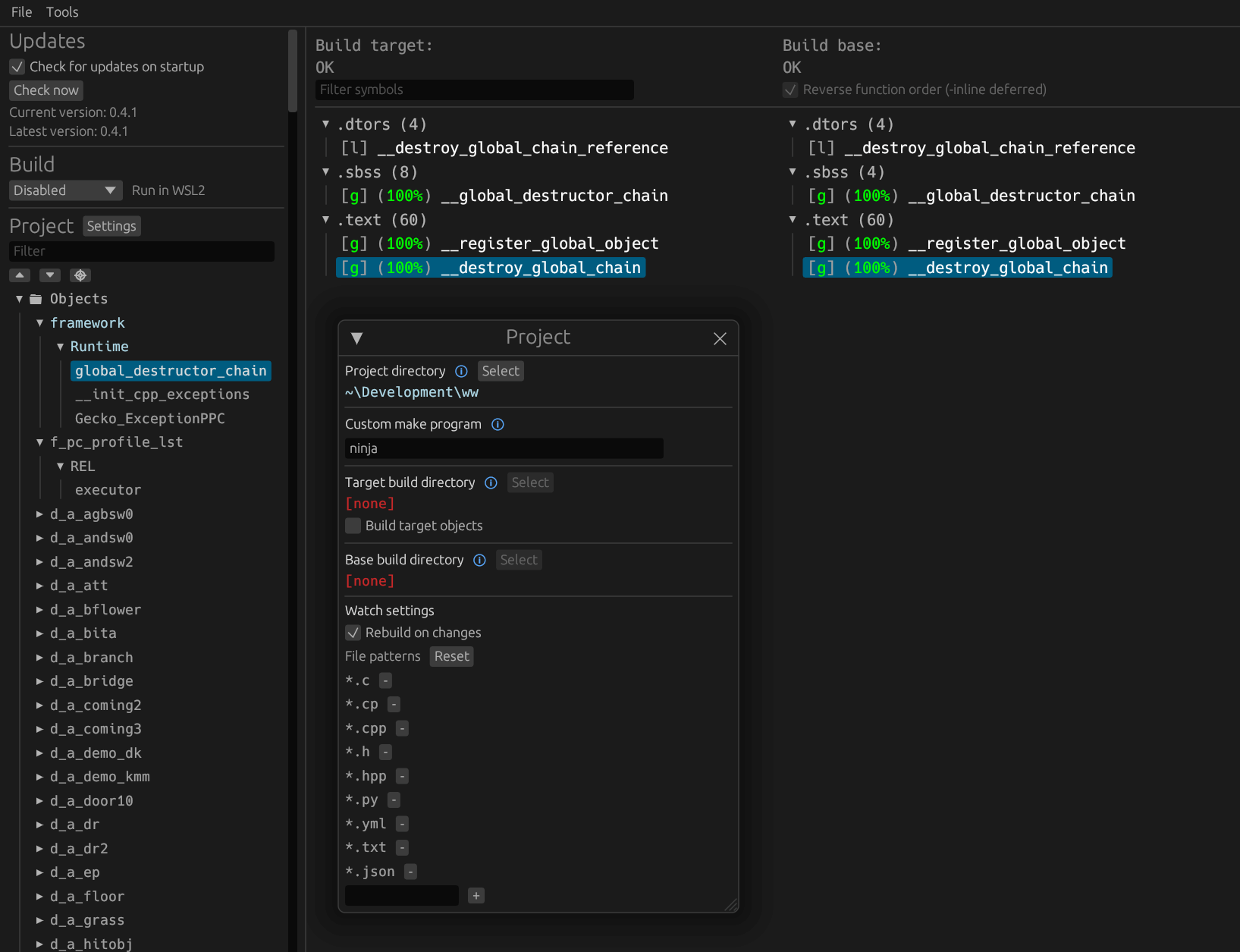
Download the latest release from encounter/objdiff. Under project settings, set Project directory. The configuration should be loaded automatically.
Select an object from the left sidebar to begin diffing. Changes to the project will rebuild automatically: changes to source files, headers, configure.py, splits.txt or symbols.txt.
Comentarios (0)
Inicia sesión para dejar un comentario.
Sé el primero en comentar sobre este juego.