
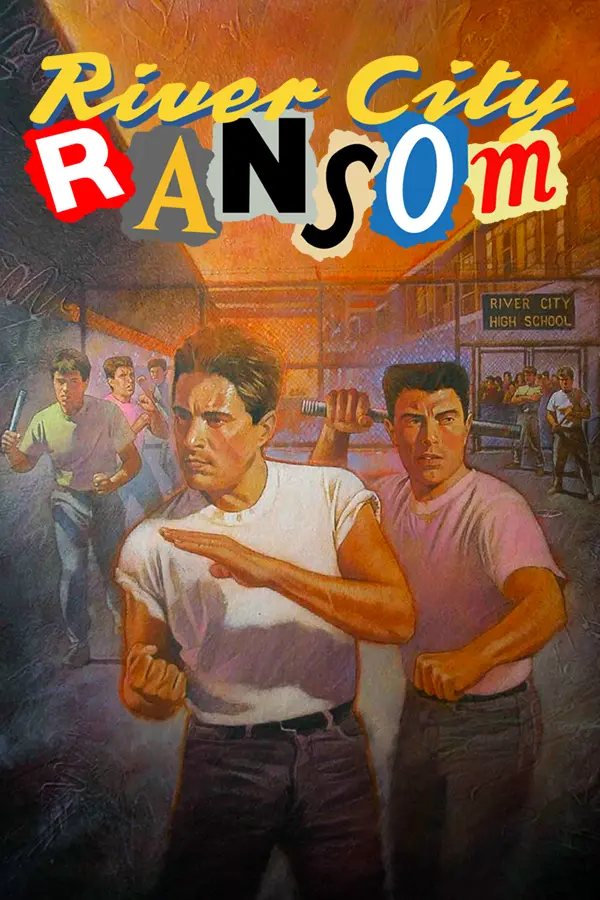
River City Ransom (RCRness)
Port nativo de River City Ransom (RCRness) para PC.
River City Ransom (RCRness)
Port nativo basado en su ficha de origen.
README del repositorio
RCRness
Public, ROM-free NESRecomp project for a user-owned River City Ransom (USA) ROM. This repository intentionally contains no ROM, generated game code, playable executable, save data, captures, Ghidra project, or other copyrighted game data.
Because NESRecomp is a static recompiler, a playable RCRness.exe contains
code generated from the user's ROM. Public releases therefore distribute the
clean source/build kit only. Each user generates and builds the playable
executable locally from a legally obtained ROM.
Expected ROM identity:
- iNES mapper 4 (MMC3), 8 x 16 KiB PRG, 16 x 8 KiB CHR, no trainer
- SHA-256:
B95F8DEF04C0012604B7CC68CF4ED8F49B2DFE4BEDA6182051DE4B2423BEA7B1 - Header-excluded CRC32:
E9C387EC
Experimental enhanced renderer and adaptive widescreen
v0.1.7 scenery and sprite fixes
Sixteen more gameplay areas now show their original two-page scenery in widescreen. Original movement and collision boundaries are preserved; single-screen scenes and shops retain their native composition. Carried enemies use the correct graphics, and coins or other omitted sprites no longer remain as stale images. The v0.1.6 shop-freeze fix is included.
Download the updated setup and choose Rebuild once. Play Previous Build keeps your old executable and will not apply these fixes.
The adaptive widescreen mod is experimental. Full game progression, all
shop and boss prerequisites, physical two-controller play, and netplay have
not been fully validated. Use --widescreen off for the native view.
The local enhanced build defaults to Fit to window. Scrolling areas show real terrain and complete actors beyond the original screen, and the viewport follows live window resizing up to 32:9. Hitboxes, actor activation and authored spawn selection account for the wider view. Authored single-screen rooms and shops retain their native bounds. See the widescreen guide for controls, reproducible builds, object handling and validation limits.
Existing Visual Studio 2022 installations can build with:
.\build.ps1 -Rom '.\roms\River City Ransom (USA).nes' -UseVisualStudio
Both build paths apply the tracked renderer source patch to the pinned engine automatically. Generated game code and playable builds remain private.
Linux and macOS setup releases
Version 0.1.5 also includes native Linux x86-64, macOS Intel x86-64 and macOS Apple Silicon arm64 setup applications. These are ROM-free setup hosts: each player selects their own supported ROM and builds the playable game privately. First build requires an internet connection. Later launches offer Play Previous Build and Rebuild.
On Linux, extract RCRness-Setup-Linux-x86_64.tar.gz and run RCRness-Setup.
Ubuntu/Debian setup can request system authorization through PolicyKit to
install Git, a C compiler, CMake, Ninja and SDL2 development files. On other
distributions, install those dependencies using the system package manager.
The binary targets glibc 2.35 or newer (Ubuntu 22.04 or newer).
On macOS, extract the archive for your CPU and open RCRness-Setup.app.
Install Homebrew first; setup uses it to install CMake,
Ninja and SDL2. Apple Command Line Tools are required; setup opens Apple's
installer when they are missing. Reopen setup after completing installation.
The app is unsigned and not notarized. Use macOS Open Anyway for the
download from this repository; there is no requirement to disable Gatekeeper.
Setup is built and tested on macOS 14 (Apple Silicon) and macOS 15 (Intel).
Older macOS releases have not been verified.
Command-line source builds on either platform use:
bash ./build.sh '/path/to/River City Ransom (USA).nes'
./build-public/RCRness '/path/to/River City Ransom (USA).nes'
GitHub Actions compiles the shared host on each OS with original synthetic test input and tests each packaged setup's embedded source audit. That checks compiler/linker portability; it is not a commercial-ROM gameplay test. Windows gameplay is tested privately; Linux/macOS game and physical-controller playtests remain unverified until tested on those machines.
Windows setup
Recommended: setup executable
Download RCRness-Setup.exe from the latest GitHub release and run it. The
setup host asks for the user's legally obtained River City Ransom (USA) ROM,
verifies its SHA-256 locally, prepares the clean source kit, installs any
missing build tools with the user's approval, builds the private playable
executable, and launches it. A ROM can also be dragged onto the setup window or
onto RCRness-Setup.exe.
The setup executable embeds only this clean source/build kit. It contains no ROM, generated game code, playable title executable, saves, or captures. The ROM is never uploaded or copied into the source kit. The setup host and locally built game are currently unsigned, so Windows SmartScreen may identify them as unrecognized applications; use only the executable attached to this project's GitHub release and verify its published SHA-256.
After a successful first build, opening setup again offers Play Previous Build and Rebuild. Playing reuses the private executable immediately and does not rerun the recompiler or compiler. Setup remembers only the original ROM's local path; it never copies or uploads the ROM. If an older build has no remembered path, the game's normal local ROM picker opens instead.
Build from the source kit
The easiest path requires only 64-bit Windows 10/11, PowerShell, an internet
connection, and your legally obtained ROM. The setup wrapper downloads pinned,
SHA-256-verified portable copies of LLVM-MinGW, CMake, and Ninja into
%LOCALAPPDATA%\RCRness\toolchains, then runs the normal build:
.\setup-and-build.ps1 -Rom 'C:\path\to\River City Ransom (USA).nes'
The portable downloads total about 231 MiB and are reused by later builds. They
do not install Visual Studio or a Windows SDK and do not require administrator
approval. Git is the only system tool required to fetch NESRecomp; if Git is
missing, the wrapper offers to install Git for Windows through WinGet. Automated
setups can pass -AcceptToolLicenses to accept that Git package prompt.
For an existing development machine, the direct build requires Git, CMake
3.20+, Ninja, and an x86-64 LLVM-MinGW compiler on PATH (or their paths can be
passed with -CMakeExecutable, -NinjaExecutable, and -CCompiler):
git submodule update --init --recursive
.\build.ps1 -Rom 'C:\path\to\River City Ransom (USA).nes'
Both paths build the recompiler, privately generate generated/rcr_*.c, and
build build-public/RCRness.exe. The ROM and generated files stay
ignored and must never be committed or attached to a public release.
Xbox/SDL-compatible controllers are the clean-install P1 and P2 defaults. The
checked-in keybinds.ini also keeps movement on WASD and A/B on K/J as a P1
fallback; analog-stick and d-pad movement are both enabled. With two connected
pads, the first controls player 1 and the second controls player 2.
Xbox, DualShock 4, DualSense, and recognized Switch-family pads use SDL's standardized HIDAPI/gamepad mappings. Newer or unmapped devices (including PowerA Switch 2 models not yet present in the bundled SDL database) remain available through a generic joystick fallback with PowerA-aware face buttons, hat/button d-pad support, analog movement, and common +/-/Share/Options mapping. Hotplug is supported; connect both pads before launching for deterministic P1/P2 assignment.
Display aspect ratio is selectable without changing the native framebuffer:
- Press Ctrl+F9 in game to toggle native-pixel and 4:3 presentation (persisted
to
config.ini). - Or launch with
--aspect-4x3/--pixel-aspectfor a one-run override. Aspect4x3 = 1under[Display]selects 4:3 directly inconfig.ini.
Sprite-flicker reduction is enabled by default. RCR sometimes needs more than
one video frame to finish rebuilding shadow OAM. The option repairs only an
individual DMA entry carrying the writer's verified transient clipped
Y=$F8 marker, using that entry's preceding coherent value.
Every other sprite entry from the current DMA passes through immediately. This prevents the repair from holding characters and ground objects one update behind the scrolling background.
- Press Ctrl+F8 in game to toggle the option (persisted to
config.ini). - Or launch with
--reduce-sprite-flicker/--authentic-spritesfor a one-run override. ReduceSpriteFlicker = 1under[Display]enables it directly.
The option does not modify guest RAM, generated code, or game timing. Disable it to compare against the original hardware-era partial sprite updates.
CRT/composite presentation
The CRT/composite filter is enabled by default and runs only on the displayed image. Its presentation is modeled after MiSTer's official JVC preset: a neutral staggered 6x6 JVC slot mask spans multiple picture pixels instead of aligning an RGB triad to every pixel. Mild horizontal composite bleed, warm halation, soft rounded pixel envelopes, filtered mask scaling, and a light Gaussian bloom keep the image organic rather than rigidly gridded. A gentle nonlinear midtone lift keeps the filtered image bright without raising true black. The image is aspect corrected before the phosphor mask is drawn, keeping the mask evenly spaced and avoiding wide interference bands in 4:3 mode. Native screenshots, diagnostics, and game state remain unchanged.
The 4:3 resample is cached once per frame before beam reconstruction. This preserves the filtered pixels exactly while avoiding repeated interpolation of the same center and neighboring samples on lower-power CPUs and integrated graphics systems.
- Press Ctrl+F7 in game to toggle it (persisted to
config.ini). - Or launch with
--crt-filter/--no-crt-filterfor a one-run override. CrtFilter = 1under[Display]enables it directly.
An active HD texture pack takes presentation priority over the CRT filter.
The game and its audio automatically pause whenever the main game window loses focus, then resume when it regains focus. Active netplay sessions remain live so one unfocused peer cannot stall the other player.
Distribution policy
Public source archives and releases must pass package-public.ps1. The audit
fails if it finds ROMs, generated game code, saves, captures, Ghidra databases,
or playable binaries. See PUBLIC_DISTRIBUTION.md for the complete boundary.
Comentarios (0)
Inicia sesión para dejar un comentario.
Sé el primero en comentar sobre este juego.