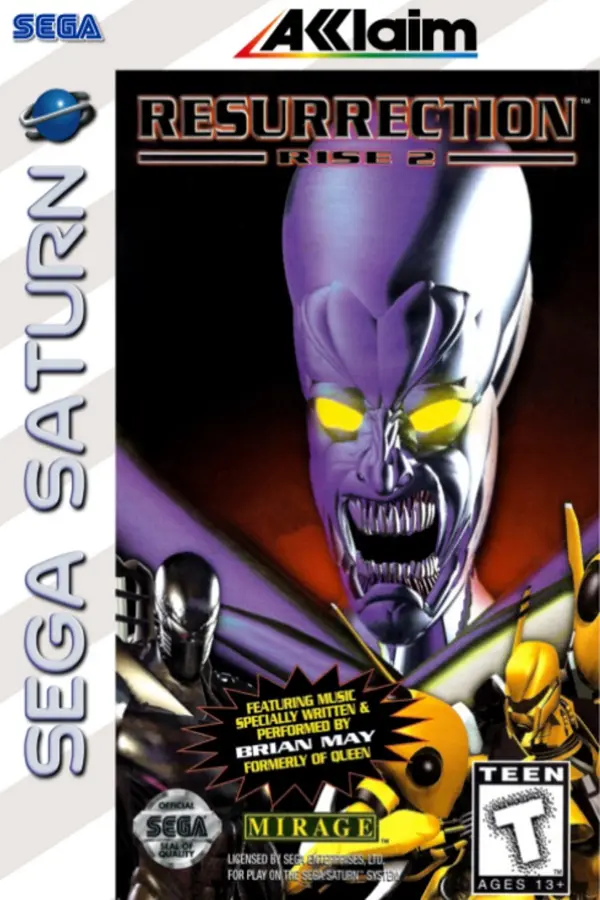
Rise 2: Resurrection (Rise 2: Resurrection Port)
Port nativo de Rise 2: Resurrection (Rise 2: Resurrection Port) para PC.
Rise 2: Resurrection (Rise 2: Resurrection Port)
Port nativo basado en su ficha de origen.
README del repositorio
Rise 2 : Resurrection Port
An experimental community port of Rise 2: Resurrection, built with C++17 and SDL2. It reconstructs images, movement, collisions and audio from your own copy of the game.
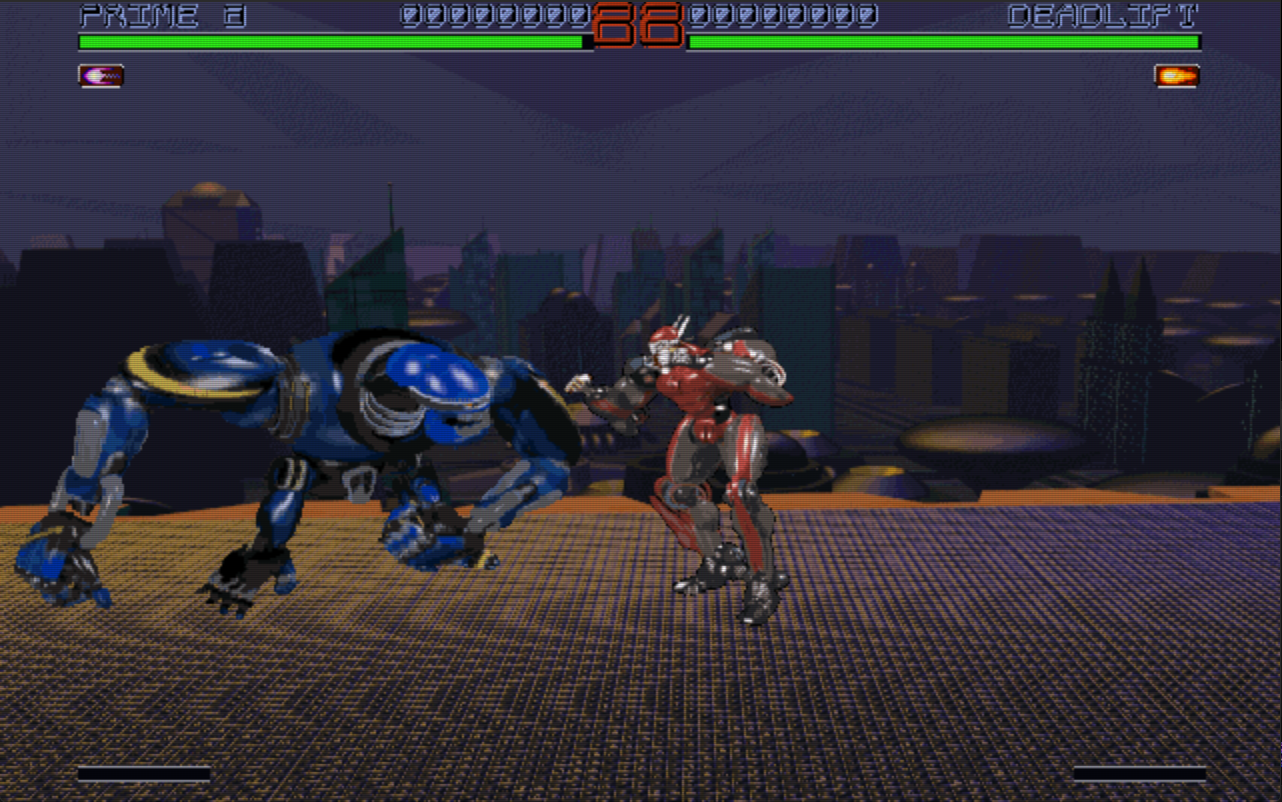
Work-in-progress combat in the current port.
The Windows x64 pre-release provides a ready-to-run ZIP. Extract the whole folder and start Rise2.exe; the project icon appears on the launcher and game windows.
This repository contains our code, tools, research notes, project icon, banner and this in-game screenshot. It contains no standalone original game files, extracted artwork, movies, music, DOS executables or decompiler output. Imported and converted data stay on your computer. This is an independent project, unaffiliated with the game's rights holders. Our code and documentation are available under the MIT license; the game data retain their owners' rights.
Import your copy
The ready-to-run Windows package opens with Rise2.exe. It asks for an original game source on first launch, prepares private assets, then starts the port. Later launches let you choose an imported profile or add another copy. It needs no Python, Ghidra, Visual Studio or CMake on the player's computer. Converted profiles are stored under %LOCALAPPDATA%\Rise2ResurrectionPort\profiles and survive replacement of the program folder. Keep the whole package folder together; the GitHub source checkout does not include this prebuilt package or any game data.
If you are building from source, you need Python 3.12 or later. On Windows, open PowerShell in this directory:
python -m venv .venv
.\.venv\Scripts\python.exe -m pip install -r requirements.txt
.\IMPORTER.cmd
Add one or more sources in the import window. You can also add a separate music folder. Choose a different profile name for each edition: an existing profile is never overwritten.
Original supplemental WAV/FLC media can be added as another source folder, archive or disc image. The importer keeps it separate from game banks. Optional FLC conversion uses a locally installed FFmpeg; normal game imports do not require it. No recordings or movies are downloaded.
| What you have | What to select |
|---|---|
| A game folder | Select the folder containing the RBT banks, or its parent. An installed folder containing only configuration files is insufficient. |
| A ZIP archive | Select the ZIP. Nested folders are detected. |
| An ISO file | Select the ISO9660 image. CD audio can be supplied separately. |
| A BIN/CUE image | Select the CUE, keeping its BIN beside it. The data and numbered CD audio tracks are extracted. |
| A physical Windows CD | Select the drive root. The importer copies data files and reads audio tracks from the drive. This path still needs a test with real optical hardware. |
Director's Cut needs only Disc 1. It contains the game, 30 robots and CD audio tracks 02–10.
To mount the data track with Windows' built-in ISO mounter, create a data-only ISO:
.\.venv\Scripts\python.exe TOOLS/cue_to_iso.py --cue "D:/Disc 1/RISE2_DC_D1.CUE" --output LOCAL/directors-cut-cd1-data.iso
This ISO can test game-data access through a virtual CD drive. It cannot contain CD audio tracks 02–10. To test CDDA reading, mount the original CUE/BIN in a virtual drive that exposes audio tracks. A data-only virtual CD remains importable even if it provides no audio TOC.
The importer reads your files without running the installer or any game executable. It neither supplies nor downloads game data.
Music sources
You can provide WAV, MP3, FLAC, OGG or M4A files in a separate folder or ZIP with --music. Use the original CD track numbers: 02.mp3, 03.mp3, … 10.mp3. Names such as Track 02.wav, Audio 02.flac and Piste 02.mp3 are also recognized. The files are copied without transcoding; the originals stay intact. Duplicate or ambiguous numbers are rejected.
The game also contains sequenced digital music in six MGA–MGF bank pairs (.MRS + .MRW). These are not ordinary MIDI files. The importer detects and retains their sequences and samples.
The auto setting chooses CD audio, then digital music, ambience, then silence according to available data. Explicit choices are cd, digital, effects and off. The port plays imported CD tracks for its current menu and combat screens; the original digital MRS sequencer is retained by the importer but is not yet implemented.
Command line
# Game folder plus separately supplied music
.\.venv\Scripts\python.exe TOOLS/import_game.py --source "D:/Games/Rise2" --music "D:/My Tracks" --output LOCAL/my-game

# Director's Cut: Disc 1 alone is sufficient; keep the BIN next to the CUE
.\.venv\Scripts\python.exe TOOLS/import_game.py --source "D:/Disc 1/RISE2_DC_D1.CUE" --output LOCAL/directors-cut

# ZIP or ISO without CD audio: choose the available digital music automatically
.\.venv\Scripts\python.exe TOOLS/import_game.py --source "D:/game.zip" --music-mode auto --output LOCAL/another-copy
--import-only copies, identifies and checks sources without rebuilding image atlases. LOCAL/<profile>/import-report.json records hashes, tracks, the audio mode and any limitations found. Failed imports leave no new profile. Image conversion can take several minutes.
LOCAL/my-game/                 # private, ignored by Git
  game/                       # normalized game files
  sources/                    # extracted discs/archives; bonuses separate
  music/                      # numbered CD tracks and manifest
  media/                      # optional original WAV/FLC media
  EXTRACTED/                  # PNGs, atlases, WAVs, JSON and gallery
  settings.json
  import-report.json
Build and play
The current build targets Windows x64, using Visual Studio 2022 with its C++ tools and Windows SDK, plus CMake 3.20 or later. Pinned library releases are downloaded from their official projects and verified by SHA-256:
.\.venv\Scripts\python.exe TOOLS/bootstrap_port.py
cmake -S PORT -B PORT/build -G "Visual Studio 17 2022" -A x64
cmake --build PORT/build --config Release
ctest --test-dir PORT/build -C Release --output-on-failure
.\PORT\build\Release\rotr2.exe --assets "$PWD/LOCAL/my-game/EXTRACTED"
To make a private ready-to-run package after the Release build:
.\.venv\Scripts\python.exe -m pip install -r requirements-build.txt
.\.venv\Scripts\python.exe TOOLS/build_distribution.py
.\LOCAL\distribution\Rise2\Rise2.exe --verify-package
The output is LOCAL/distribution/Rise2/; distribute the entire folder, starting with Rise2.exe. It contains the prebuilt port and bundled importer, but no game files. The standalone distribution design and checks describe its private profile storage and test limits.
The current flow shows the logos, title screen, character selection and an initial fight. Enter confirms and Escape goes back. At selection, the arrow keys control player 1 and A/D control player 2. The older edition has 28 robots; Director's Cut adds two more.
Combat and finishing animations advance at the recovered 25 updates/second DOS cadence, independently of display refresh rate. Slow rendered frames catch up on pending simulation updates.
The combat HUD now uses font and pictogram artwork extracted from your game copy. It places robot names, health bars, a round timer and super meters close to the original 640×400 layout, and the pause menu uses the original large lettering. Power pictograms follow each robot's type rather than using a shared badge: their initial mapping for the 18 standard robots comes from the DOS executable and can change as powers are acquired. The distracting F1/F2 help line no longer appears during normal combat. The original mapping for hidden and bonus robots, score progression and round timeout still need reconstruction; see the UI reference and source findings.
Open OPTIONS from the title menu to adjust music and game volume separately, configure KEY MAPPING, enable EASY FINISHINGS, or choose a display filter: original pixels, bilinear, Scale2x, Scale3x, xBR smoothing or a soft CRT effect. Settings are saved for the selected private profile. Arrow keys select and adjust; Enter changes or opens a setting; Escape returns.
Combat uses the configured light, medium and heavy punch/kick keys. F1 pauses and displays the selected robots' commands; F2 switches player 2 between basic CPU sparring and its configured keyboard. After KO, enter an available finishing command, or release and press a configured attack key with easy finishings enabled. The assist positions fighters using the finishing's source collision data. A robot with one available finishing accepts any of the six attack keys; multiple variants follow light, medium and heavy order. Enter after the result starts a rematch. See options and FX corrections for details.
Open PLAYER to browse imported movies: up/down selects, left/right changes category, Tab changes resolution, and Enter plays. During playback, Space pauses, left/right seeks, and Escape returns. A robot ending continues to the matching shared epilogue. All 105 Director's Cut ANI files are supported; optional original FLC movies are also supported. The player preserves recovered timing and streams long movies without preloading every image.
Victory announcements use sample 14 from each robot's original MRW bank. Separately supplied original voice WAVs add standalone names at selection; their location in base DOS data is still under investigation. See finishings, voices and PLAYER.
The port remains under development: some combat rules, linked grabs, finishing callbacks and campaign progression are incomplete. Movie music/cues and ending text are not yet reproduced, and the original digital-music sequencer remains to implement. Original impact sprites, attached FX and scripted projectiles now run; see combat commands and FX. Imported CD tracks already play. Effects use filtered conversion to 44.1 kHz 16-bit stereo with the original impact gain; see the verified DOS audio investigation.
Extraction and reverse engineering
A normal import converts data for the C++ engine. It needs no Ghidra installation and does not turn the DOS executable into a new game automatically. The optional analysis tools use a private profile:
# Flatten the LE executable and write its report to this private profile
.\.venv\Scripts\python.exe TOOLS/prepare_analysis.py --profile LOCAL/my-game

# Optional isolated Ghidra project (requires Ghidra, a compatible JDK and pyghidra)
python TOOLS/prepare_analysis.py --profile LOCAL/my-game --ghidra "C:/Tools/ghidra" --java-home "C:/Tools/jdk"
Analysis output and decompilation remain local. See the documentation and the source-import report.
Develop without game files
.\.venv\Scripts\python.exe -m unittest discover -s TOOLS/tests -v
.\.venv\Scripts\python.exe TOOLS/test_image_codecs.py
python TOOLS/audit_repo.py --staged
After an import, PORT/build/Release/rotr2_asset_smoke.exe LOCAL/my-game/EXTRACTED checks menus and every robot bank without opening a window.
Automated tests build small synthetic disc images and samples; they need no original game data. The Git index audit allows only known code and documentation paths plus the approved project icon, banner and screenshot. SRC, LOCAL, EXTRACTED, captures, Ghidra projects, builds and downloaded dependencies are excluded.
The physical-CD path still needs real hardware validation. SDL2/SDL2_image, nlohmann/json, Pillow and pycdlib retain their own licenses; the Windows package includes relevant dependency notices. The xBR implementation retains Hyllian's MIT copyright and permission notice in PORT/src/filters.cpp.
Comentarios (0)
Inicia sesión para dejar un comentario.
Sé el primero en comentar sobre este juego.