
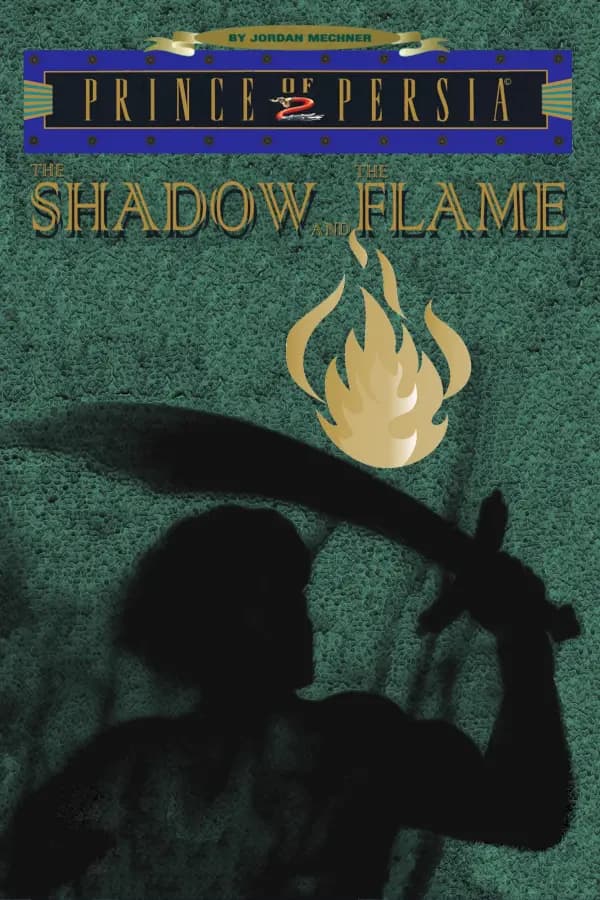
Prince of Persia 2: The Shadow and the Flame (SDLPoP2)
Port nativo de Prince of Persia 2: The Shadow and the Flame (SDLPoP2) para PC.
Prince of Persia 2: The Shadow and the Flame (SDLPoP2)
Port nativo basado en su ficha de origen.
README del repositorio
SDLPoP2
SDLPoP2 is an unofficial remake of the engine of Prince of Persia 2: The Shadow and the Flame (DOS, 1993).
It is written in C and rebuilt from the original program, the way SDLPoP did for the first game. It plays the original game's data files, so you need your own copy of the game.
SDLPoP2 also provides a headless, savestate-able game core for tool-assisted speedrunning with JaffarPlus and Chimera.
How to play
- Download the build for your system from the latest development build:
sdlpop2-windows-x86_64-….ziporsdlpop2-linux-x86_64-….tar.gz. - Unpack it into the folder with your copy of the game (the one with
PRINCE.EXEandPRINCE.DAT). See Getting the game. - On Windows, double-click
sdlpop2.exe. On Linux, run./sdlpop2in that folder.
The development build is rebuilt after every change. If you want a build that never changes, pick a dated nightly build. A replay always plays back on the build that recorded it.
Press Esc, Backspace or a controller's Start button to open the menu. The keys are listed below.
Found a bug or a glitch, or have an idea? Everything is welcome on the issues page. A replay recorded with --record shows us exactly what you saw.
Screenshots
Keys
The original game's keys
| Move | the arrows with Home, PgUp, End and PgDn, or the numeric keypad. The letter grids W E R / S D F / X C V and U I O / J K L / M , . work too. |
| Shift | careful step, grab a ledge, pick up, drink |
| Ctrl | draw the sword, strike. On level 14, cast a spell. |
| Esc | pause (opens the menu) |
| Space | show the time left |
| Alt+A | restart the level |
| Alt+R | back to the title |
| Alt+S / Alt+M | sound / music on or off |
| Alt+O | options |
| Alt+G / Alt+L | save / restore the game |
| Alt+H | hall of fame |
| Alt+V | the game's version |
| Alt+N | skip to the next level (without cheats, only up to level 3) |
| Ctrl+Q / Alt+Q | quit |
| any key | after a death, restart |
SDLPoP2's extra keys
| Esc / Backspace / mouse click | open the menu |
| F1 | key summary |
| F6 / F9 | quicksave / quickload (a quickload costs one minute of game time). The quicksave is kept in QUICKSAVE.SAV, beside SDLPoP2.cfg, so F9 still finds it after the game is closed and started again. |
| Alt+Enter | fullscreen on or off |
In the menu, use the arrows or the mouse, Enter or a click to choose, and Esc, Backspace or a right click to go back.
Game controller
| D-pad / left stick | move |
| Y / A | up / down |
| X, LT, RT | Shift |
| B | Ctrl (sword, spell) |
| Start | open the menu |
| Back | restart the level |
| LB / RB | quicksave / quickload |
| Right stick click | show the time left |
You can remap the buttons in the [Controller] section of SDLPoP2.ini.
Cheats
Cheats are off by default. Turn them on with --enable-cheats, or at any time with "Enable cheats" in the menu (SETTINGS, GAMEPLAY).
With cheats on, the pause menu gets a CHEATS page. It lists every cheat, and choosing one does it straight away.
The copy protection question is still asked when you reach level 3 or later, with or without cheats.
The original game's cheats
| Alt+N | skip to the next level, any level |
+ / - | one minute more / less |
Shift+T / Shift+K | one hit point more / less |
G | give the opponent one more hit point |
K | kill everyone else in the room |
R | bring the dead prince back to life |
Shift+W | feather fall |
Shift+I | upside down |
Shift+R | show the room number |
Shift+S | on the temple levels and level 14, count a spirit turn |
| F3 | demo player on or off |
SDLPoP2's own cheats
| Go to level (CHEATS page) | jump to any level, at its start or one of its checkpoints. Use left and right to choose. |
Shift+G | god mode: nothing hurts the prince. Falls land softly, swords and traps miss, and lava is solid ground. |
H | leave the body as the shadow. Crouch at the body to go back. |
B | leave the body as the flame (level 14's form of the spirit) |
Z | switch the sword: none, short, full |
| Alt+arrows | look into the next room without moving the prince |
T | teleport the prince into the room you are looking at |
A held + arrows | fly anywhere, across rooms |
Cheats are part of the game state. A quicksave keeps them, and a replay records them.
Command line
You can also start SDLPoP2 from a terminal:
sdlpop2 [--path-to-game DIR] [--enable-cheats] [--level N] [--ini PATH] [--record NAME | --replay NAME]
All options are optional:
| Option | Default | What it does |
|---|---|---|
--path-to-game DIR | the current folder | where your copy of the game is |
--enable-cheats | off | turn cheats on from the start |
--level N | the intro | start at level N (1 to 14) |
--ini PATH | SDLPoP2.ini | which settings file to use |
--record NAME / --replay NAME | none | record a replay, or play one back |
If something is wrong, for example a missing game file, SDLPoP2 says what and stops.
Settings
Settings live in SDLPoP2.ini, next to the program. Every option is explained in the file itself, and the defaults play exactly like the original game.
You can change the window, scaling, sound, intro and story scenes, keys, quicksaves, replays, the random seed, the game controller, the time limit, hit points, the starting level, and how the guards fight.
Most settings can also be changed in the menu. The menu saves your changes to SDLPoP2.cfg.
game_version chooses which DOS release to play: the initial release, 1.0 or 1.1. By default it is the release of your game files. The differences are listed in docs/VERSIONS.md.
The Roland MT-32
The game was also made for the Roland MT-32, and SDLPoP2 plays its music on an emulated one (Munt). Set sound_device = mt32_digital (MT-32 music, Sound Blaster digitized sounds) or mt32 in SDLPoP2.ini, or choose it in the menu (SETTINGS, GENERAL). The game then uploads its own instruments to the MT-32 first. Like the original, it waits about 9 seconds on a black screen before the title.
The sound device is chosen before the game starts, as the original's SETUP did, and the game follows it: without a digitizer or without an FM chip, the sounds that device lacks play on the PC speaker, and the ambient music, the level-2 chime and how long death and level-end sounds hold the game depend on it. A new device therefore takes effect at the next start, and replays record it.
You need the MT-32's ROMs, which are not included: a control ROM and a PCM ROM, under any names. SDLPoP2 looks in the folder mt32_roms gives, then in a roms folder in SDLPoP2's user data folder (~/.local/share/SDLPoP2/roms on Linux, %APPDATA%\SDLPoP2\roms on Windows) or next to the program, then in the game's folder. The instruments come from the game's SNDDRVRS/PRESET40.DEF. Without the ROMs, SDLPoP2 falls back to the FM chip.
To replay the same game, set a random seed: in the menu (SETTINGS, GAMEPLAY) type the number in, or press Delete to go back to the timer.
The copy protection cannot be turned off: as in the original, the question is asked the first time you reach level 3 or later.
Building
SDLPoP2 builds with meson. The MT-32 is Munt's libmt32emu, a git submodule built with CMake (without it, or with -Dmt32=disabled, SDLPoP2 has no MT-32):
git submodule update --init
meson setup build
meson compile -C build
build/sdl/sdlpop2 --path-to-game path/to/prince2
Windows builds are made on Linux with mingw-w64:
meson setup build-windows --cross-file cross/mingw-w64.ini
meson compile -C build-windows
tools/build-bundle.sh --platform linux|windows --out DIR makes the same package the releases contain.
Every push is built and tested by CI. When CI passes, the dev release is replaced, and once a day a dated nightly-YYYY-MM-DD release is added.
Tests
The tests that play the game need the game's files, which are not in this repository:
meson setup build -DgameDir=path/to/prince2
meson test -C build
-DoracleTests=true adds the comparisons against recordings of the original DOS game.
Using the core
The game core has no graphics or sound of its own, so tools can run it headless:
pop2_init("path/to/prince2");
pop2_new_game(level, seed);
pop2_input in = { .x = 1 };
int r = pop2_frame(&in);                 // one game tick
pop2_save(buf); pop2_load(buf); pop2_hash();
The API is in source/core.h. Meson projects can use it through sdlpop2Dependency, and tests/coretest.c is a small example.
Where things are
source/: the game, one file per subsystem.docs/ENGINE.mdmaps them to the original program.sdl/: the SDL2 frontend and the in-game menu.docs/: notes on the game's file formats and the reconstruction.tools/andtests/: helpers and the test suites.
License
SDLPoP2 is free software under the GNU General Public License v3.0 or later, with no warranty. See LICENSE for the details and for the other projects it builds on.
This is an unofficial project for research and education. It is not affiliated with or endorsed by the game's rights holders, who own the game and its trademarks. No game data is included.
SDLPoP2 does not let you skip the original game's copy protection.
Credits
- SDLPoP, by Dávid Nagy and its contributors. SDLPoP2 is modelled on it, and the in-game menu is SDLPoP's.
- The menu's small font has letters from Yuji Oshimoto's font 04b_03.
- Nuked OPL3, by Nuke.YKT, emulates the sound chip.
- Munt, by the Munt team (LGPL-2.1-or-later), emulates the Roland MT-32.
- Prince of Persia 2: The Shadow and the Flame (Brøderbund, 1993) was designed by Jordan Mechner.
Getting the game
SDLPoP2 needs the original game's files, which are not included.
The game is not sold digitally at the moment. You need an original copy of Prince of Persia 2: The Shadow and the Flame for MS-DOS, or the Prince of Persia Collection Limited Edition CD (version 1.1, the one SDLPoP2 is built against). The floppy releases work too: 1.0 plays with 1.0's or 1.1's files, and the initial release needs its own.
You can ask for an official re-release by voting on its GOG Dreamlist page.
Comentarios (0)
Inicia sesión para dejar un comentario.
Sé el primero en comentar sobre este juego.