
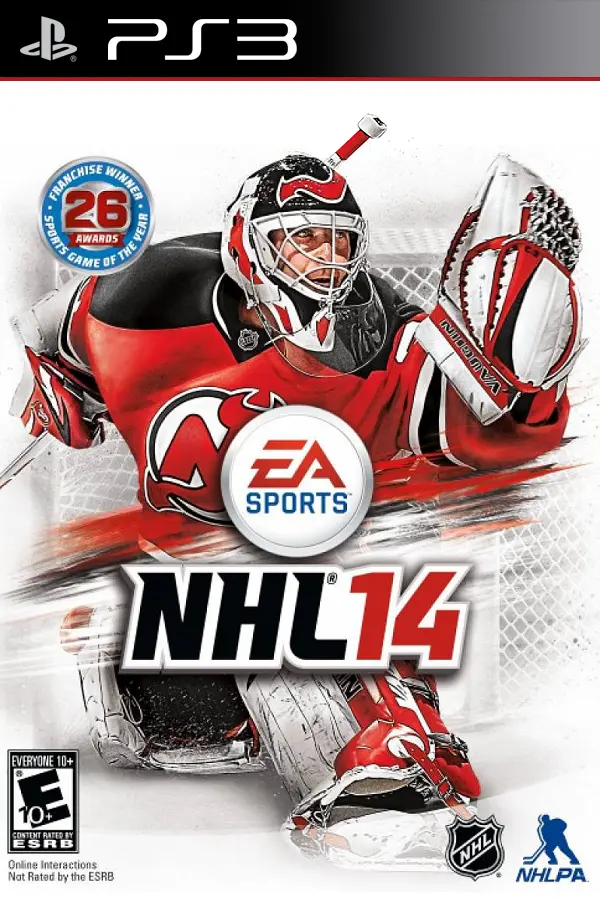
NHL 14 (bardown)
Port nativo de NHL 14 (bardown) para PC.
NHL 14 (bardown)
Port nativo basado en su ficha de origen.
README del repositorio
bardown
NHL 14 for the Xbox 360, recompiled to run natively on Linux and Windows.


The game's PowerPC code is translated to C++ ahead of time and compiled for x86-64, so it's EA's game, just running without an emulator. The Xbox side (kernel, files, threads, audio, input) comes from the ReXGlue SDK runtime. The graphics are my own Vulkan renderer, which takes over the game's Direct3D calls, so there's no GPU emulation either. It draws at 2x the Xbox's resolution by default.
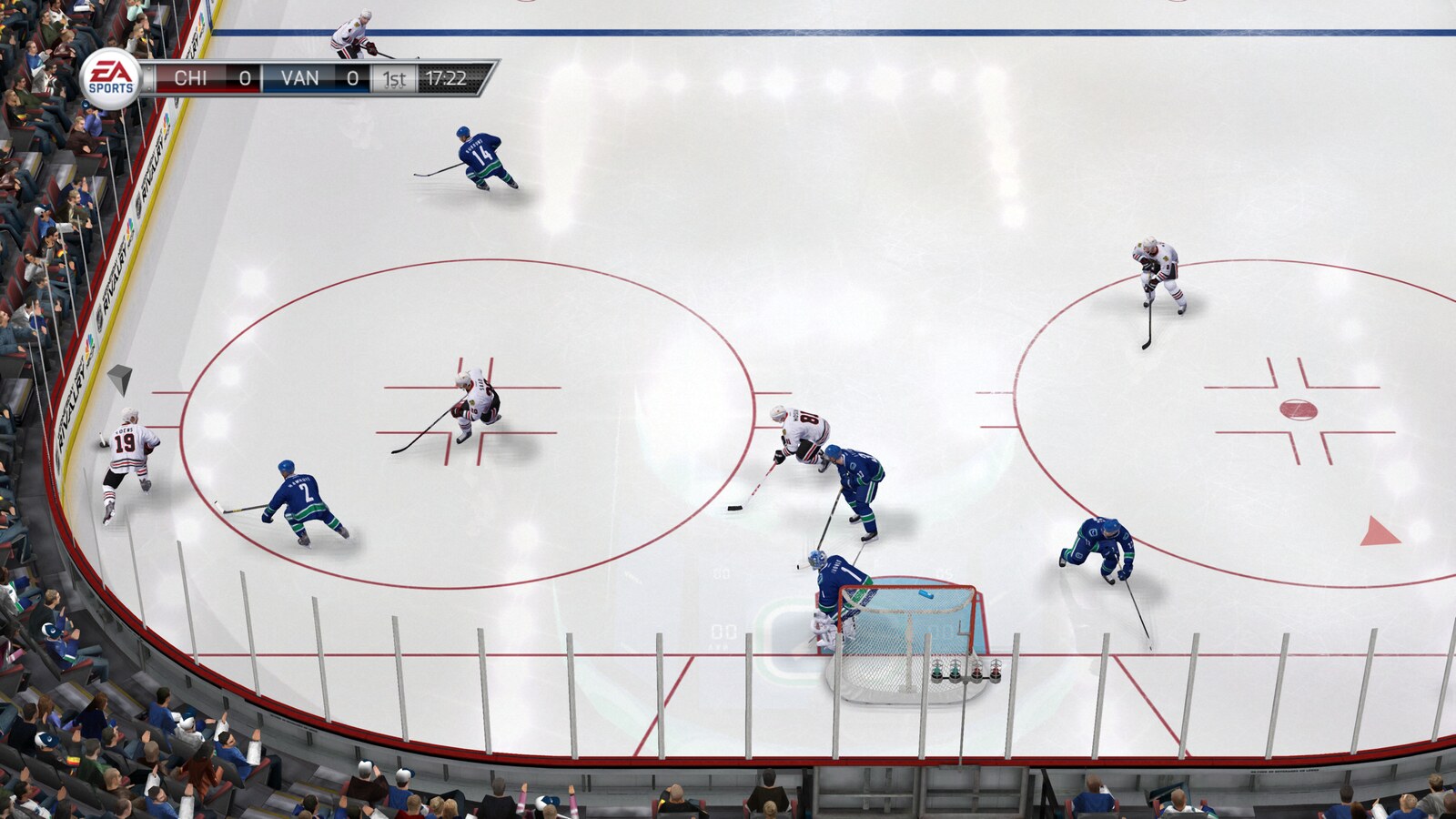
Where it's at
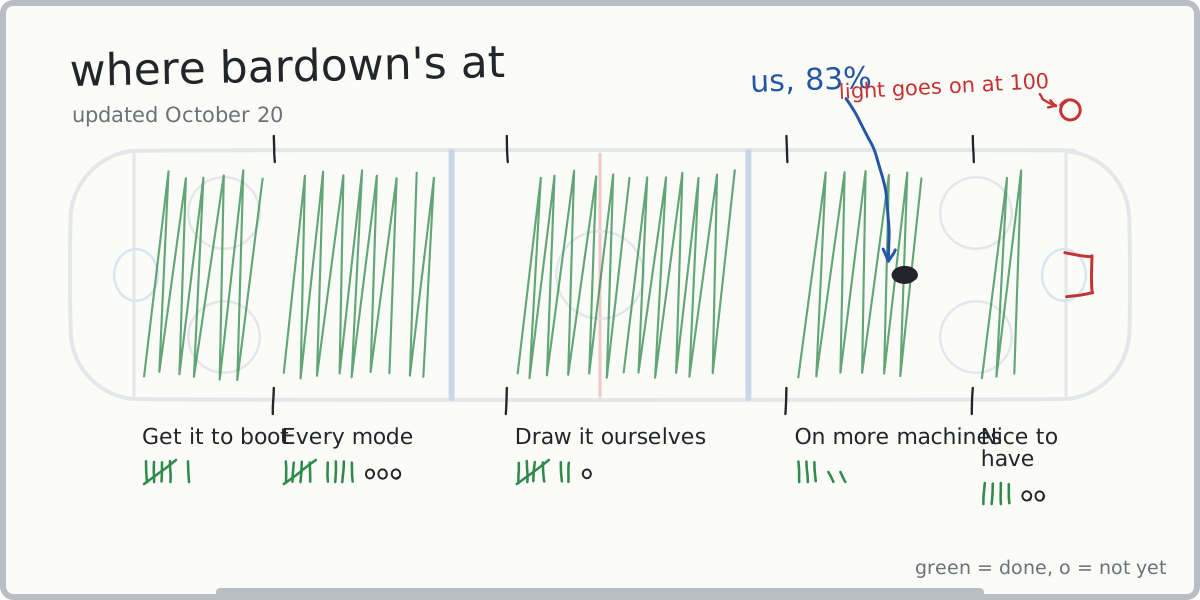
Every offline mode below has been played start to finish on the current version, by me and a friend (Codeburglar55 / cigar-city-code):
Play Now, Season, Tutorials, Be a GM, Live the Life, Be a Legend, NHL 94 Anniversary, Winter Classic, NHL Moments Live, Shootout, Playoffs.
Not tried yet: Practice, Tournament Mode, Battle for the Cup, and a long Be a GM run through the deadline and the draft. HUT and online needed EA's servers, which are gone.
Cutscenes run at 30 fps like they do on the Xbox. Gameplay and menus are 60.
Playing
You need your own copy of NHL 14 for the Xbox 360, as an .iso or an extracted folder. It has to be the
base disc with no title update (title ID 454109BE), since that's the default.xex this was built from.
Anything else gets refused at startup. Nothing from the game is in this repo or the releases.
Linux
Grab bardown-<version>-x86_64.AppImage from the releases, put it in its own folder with your .iso,
chmod +x it and run it. No FUSE? Run it with --appimage-extract-and-run.
Windows
Unzip bardown-<version>-windows-x64.zip somewhere writable (not Program Files), drop the .iso in, run
bardown.exe. It's not code-signed, so SmartScreen will complain: More info, Run anyway.
First start
Takes a few minutes once: it checks the disc, extracts it to game/ and translates the shaders. After
that it starts straight away and you can delete the .iso. If it can't find the game it'll ask where it is.
Settings, saves, shader cache and logs all live in the same folder. On Windows, if that folder isn't
writable they go to %LOCALAPPDATA%\bardown.
Controls
Any controller SDL knows works (Xbox, DualShock 4, DualSense, Switch Pro and most others). Keyboard defaults:
| Pad | Keys |
|---|---|
| Left stick | W A S D (click: F) |
| Right stick | arrows (click: K) |
| D-pad | Shift + arrows |
| A / B / X / Y | Space or ; / Backspace or ' / L / P |
| LT / RT | Q or I / E or O |
| LB / RB | 1 / 3 |
| Start / Back | Enter or X / Tab or Z |
Rebind anything under F1, Keybinds. F3 shows frame times, backtick opens a console, F8 saves the last 10
seconds of audio to logs/ (useful for sound bug reports).
Problems
- Disc message: wrong disc or it has a title update.
- GPU message: your driver is missing a Vulkan feature, and the message says which. Update the driver.
native_renderer = falseinbardown.tomlfalls back to the emulated GPU, which is much slower. - Anything else: check the newest file in
logs/.
No macOS build yet.
Requirements
Only tested on my machine (i9-12900K, RTX 3090, 32 GB, Arch and Windows 11, plus a startup check on Ubuntu 22.04), so the minimums are worked out from what it uses, not from testing slower hardware.
| Minimum | Recommended | |
|---|---|---|
| OS | Linux with glibc 2.35+ (Ubuntu 22.04 and up), or Windows 10/11, 64-bit | |
| CPU | x86-64 with SSE4.2, 4 cores | 6+ cores, 2015 or newer |
| GPU | Vulkan 1.2 (GTX 900 / RX 400 / Intel UHD 600 or newer, probably) | 2016 or newer desktop GPU |
| RAM | 8 GB | 16 GB |
| VRAM | 1 GB | 2 GB |
| Disk | 7 GB | SSD |
On my box a match at 2560x1440 holds 60 with the GPU around 40-50% busy, about 2.4 GB RAM and 0.5 GB
VRAM. If you're struggling, native_resolution_scale = 1 (720p) is the first thing to try.
How it works
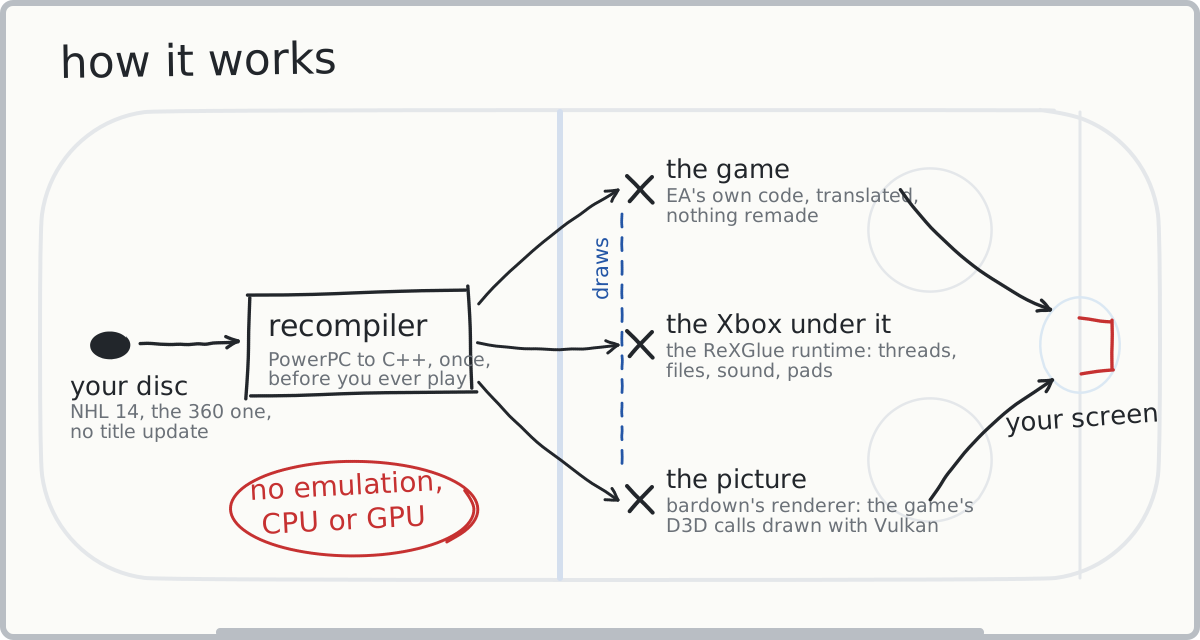
The ReXGlue SDK (BSD 3-Clause) does the recompiling and the
Xbox runtime. XenosRecomp (MIT) turns the Xbox shaders into
HLSL, and DXC compiles that to SPIR-V. My part is the NHL 14 codegen config (including 613 functions the
SDK's analysis misses), the Vulkan renderer in src/native/, a GPU plugin that keeps the game's Direct3D
library happy without emulating anything, patches to both of those projects in sdk/, and the first-run
setup and packaging.
Building
clang 20+, cmake 3.25+, ninja, and the X11 (x11-xcb) and Wayland dev headers.
git clone --recursive https://github.com/griby-man/bardown.git
cd bardown

# sdk, once
cd third_party/rexglue-sdk
git apply ../../sdk/bardown-sdk.patch
cmake --preset linux-amd64
cmake --build out/build/linux-amd64 --config Release --target install
cd ../..

# shader translator, once
git -C third_party/XenosRecomp apply ../../sdk/xenosrecomp.patch
cmake -S third_party/XenosRecomp -B out/build/xenosrecomp -G Ninja -DCMAKE_BUILD_TYPE=Release \
  -DCMAKE_C_COMPILER=clang -DCMAKE_CXX_COMPILER=clang++
cmake --build out/build/xenosrecomp

# extracted disc goes in dumps/game (default.xex and the .big files)

third_party/rexglue-sdk/out/install/linux-amd64/bin/rexglue codegen bardown_manifest.toml
cmake --preset linux-amd64-release
cmake --build out/build/linux-amd64-release -j16

scripts/run.sh
Codegen takes about 15 minutes and the build takes longer.
Release builds reuse generated/. The Linux AppImage is built in an Ubuntu 22.04 container
(packaging/Containerfile, scripts/build-compat.sh, scripts/appimage.sh). Windows is cross-compiled
from Linux with clang and xwin using cmake/windows-xwin.cmake,
then packed with scripts/windows-zip.sh.
Layout
bardown_manifest.toml,bardown_functions.toml: codegen config and the extra functionssrc/: setup, settings, input;src/native/is the renderersdk/: my patches to the SDK and XenosRecompscripts/: dev launcher and release buildstools/: scanners and dev tools (tools/play.pydraws the whiteboard above)
Spice
Spice Adams endorses this game.
"Wrong game, Spice."
"Not now, chief. I'm in the zone."
License
GPL-3.0 for bardown's own code. The ReXGlue SDK (BSD 3-Clause), XenosRecomp (MIT) and
DirectXShaderCompiler (NCSA) keep theirs, copies in packaging/licenses. The drawing fonts are Permanent
Marker (Apache 2.0) and Patrick Hand (OFL), licenses in tools/fonts. NHL 14 belongs to EA.
Not affiliated with EA, the NHL or Microsoft. See CONTRIBUTING.md if you want to help.
Comentarios (0)
Inicia sesión para dejar un comentario.
Sé el primero en comentar sobre este juego.