
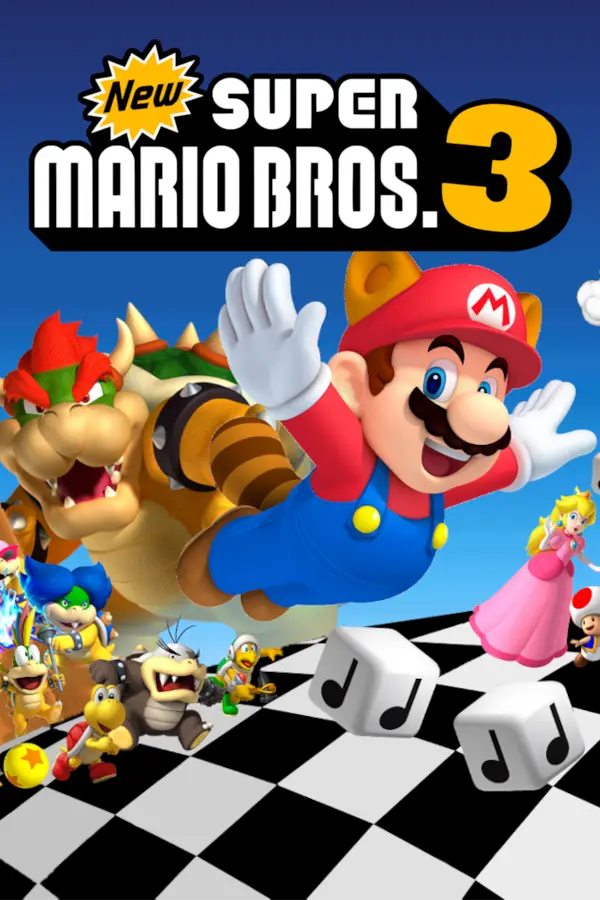
New Super Mario Bros. DS: Mario vs. Luigi (Mario Vs Luigi Online)
Port nativo de New Super Mario Bros. DS: Mario vs. Luigi (Mario Vs Luigi Online) para PC.
New Super Mario Bros. DS: Mario vs. Luigi (Mario Vs Luigi Online)
Port nativo basado en su ficha de origen.
README del repositorio
A Unity-standalone 2-10 player remake of the Mario vs. Luigi gamemode from the New Super Mario Bros DS download game.
Includes the 5 default levels (Grassland, Bricks, Castle, Pipes, and Ice), along with a handful of custom levels to battle on! All power-ups are included and remain faithful to their original counterparts, along with the new addition of the Propeller Suit, Ice Flower, and Hammer Suit!
Discord
Join the discord to keep up to date with the development of the game, make feature suggestions, report bugs (if you're too lazy to use issues...), get technical support, look for people to play with, and just talk about the game!
Download
Play now in browser on itch.io!
Windows, Linux, and Mac Builds: https://github.com/ipodtouch0218/NSMB-MarioVsLuigi/releases/latest
Default Controls
| Action | Keyboard | Gamepad |
|---|---|---|
| Movement | WASD / Arrow Keys | Left Analog / DPad |
| Jump | Space / Z | A / B Buttons |
| Sprint | Shift / X (hold) | X / Y Buttons (hold) |
| Powerup Action | E / C | RB / RT |
| Reserve Item | Q / V | LB / LT |
| Show Scoreboard | Tab | Select |
| Pause | Escape | Start Button |
| UI Confirm | Left Mouse / Enter / Z | A Button |
- Install Unity 6000.3.10f1 (or newer) via Unity Hub (Installs > Install Editor > Scroll to bottom, if you do not see the version of your choice here, switch to the "Archive" tab and open the "download archive" link)
- Download and install git. Do NOT use the .zip download, as it will cause errors within Unity.
- Open Command Prompt (Windows) or Terminal (MacOS / Linux)
- Navigate to the folder you want the source code to be in using
cd <path>. For example,cd %USERPROFILE%\Documentswill save it in My Documents. - Clone the repository by running
git clone https://github.com/ipodtouch0218/NSMB-MarioVsLuigi.gitin the Command Prompt / Terminal
- Optionally, fork the repository
- Open the project in Unity Hub (gray "Open" button in top right)
- Change the Unity Editor to use your computer's platform in File > Build Settings
- Create a build using "Build and Run" inside File > Build Settings, or Ctrl+B
Contributors:
- amykaname
- AprilShade
- ArianLust
- Atwer
- Ave
- Cleeaf
- Cubby Crazes
- davart154
- DonKaiStorm
- dotjp
- erickGtz
- GithubSPerez
- GoldyFredy9
- GradedWarrior
- HyperC@T
- Jeffjewett27
- KingKittyTurnip
- kittenchilly
- Kraken
- LadyBlue (RosyRose)
- MiiBumm
- mindnomad
- Mixin
- Mizzierella
- notossdekasaihassei
- Pordrack
- skarph
- Skillz
- TheMoogle
- Tombuntu
- VLC
- Windows10V
- xFrostyCake123
- Zest
- _ZombleBobble
Music:
- Cubby Crazes
- RENREN
- LiamNayru
- vincells
Translators:
- 0julien3 (nl-nl)
- 3UP (ja-jp)
- 6Alexis8 (fr-fr)
- Akselai (zh-cn, zh-tw)
- Aktan (de-de)
- AprilShade (en-gb)
- ArianLust (de-de)
- Atwer (fr-FR)
- beocly (sr-rs)
- Bilhal (el-gr, pirate)
- Cecilia <3 (es-es)
- Cleeaf (sv-SE)
- Davodio (de-de)
- Filipianosol (pl-pl)
- Floofdoge (ar-eg)
- Foxyyy (es-la)
- Freeze (es-la, pirate)
- GrayLuigi (es-la)
- HatsuneMiku (pl-pl)
- haywireghost (es-la)
- HD Erick Games (pt-br)
- Hyruyoshi (fr-fr)
- ibroekmahphone (ru-ru)
- Iketarou (ja-jp)
- IvythePoS (es-la)
- Kate Karui (sv-sv)
- Kathie (catspeak)
- Laxan3000 (it-it, catspeak)
- Lesnov (aka/discord:RalseiFluffBoy) (hu-hu)
- LyroyTheToad (it-it)
- Maestrike (it-it)
- MagMah (pt-pt)
- Maksymilian Król (pl-pl)
- marbo (pt-br)
- Mark19 (es-es)
- MasterMindo (it-it)
- Med Animations (ar-eg)
- Meddourk (ar-eg)
- Moddimation (de-de)
- MODSTER_TAFFY (af-za)
- miyavmeow (tr-tr)
- Mr-STF (es-la)
- MUI_Noam (he-il)
- notossdekasaihassei (ja-jp)
- ossdekasaihassei (ja-jp)
- Pedro Lunar (es-la)
- pixelated (he-il)
- RmgeodashFR (cy-gb)
- rm1300 (cs-cz)
- SadeceZinzap (tr-tr)
- SlavaWOW (ru-ru)
- SLG64 (es-la)
- Snayp (fr-fr)
- Squidray (pirate)
- SwordCatMeow (es-es, catspeak)
- Thebababois369 (id-id)
- Tombuntu (ja-jp)
- Windows10V (pt-br)
- vlco_o (es-es, ro-ro)
- ZilverLining (fi-fi)
- Zoey Green (af-za)
QA Testing:
- AprilShade
- ArianLust
- Ave
- Cleeaf
- CreativeGhost
- Cubby Crazes
- Fawndue
- Grape
- Laxan3000
- MiiBumm
- mindnomad
- notossdekasaihassei
- TheCyVap
- Vinnnnnnny
Level Design:
- Atwer
- Ave
- mindnomad
- Skarph
- TheCyVap
- VentureSonic
Original Content:
- New Super Mario Bros.
- New Super Mario Bros. Wii
- New Super Mario Bros. 2
- Super Mario Maker 2
Asset Rips:
- A Refracted Swindler (UI)
- ArianLust (Sound)
- Clougo (Tiles)
- Cubby Crazes (Sound)
- Demon2Warrior (Background)
- Double S (Models)
- Guywah (Fonts)
- Hiccup (Tiles)
- Jouv (Tiles)
- KartMakerBrosU (Models)
- Keira (Background)
- Luke Hackett (Sound)
- LukeWarnut (Sound)
- MiiBumm (Models/Sound)
- mindnomad (Tiles/Sound)
- Mr. C (Enemies)
- Mr-SUGOI (Tiles)
- Ohthatguy (Background)
- Poudink (Tiles)
- Ragey (Enemies)
- Skarph (Models/Sound)
- Someone (Tiles)
- Symbolcom (Tiles/Enemies)
- Techokami (Enemies)
- TeridaxXD001 (Models)
- Treeki (UI)
- VentureSonic (Background)
- vlco_o (Sound)
- xFrostyCake123 (Sound)
Comentarios (0)
Inicia sesión para dejar un comentario.
Sé el primero en comentar sobre este juego.