
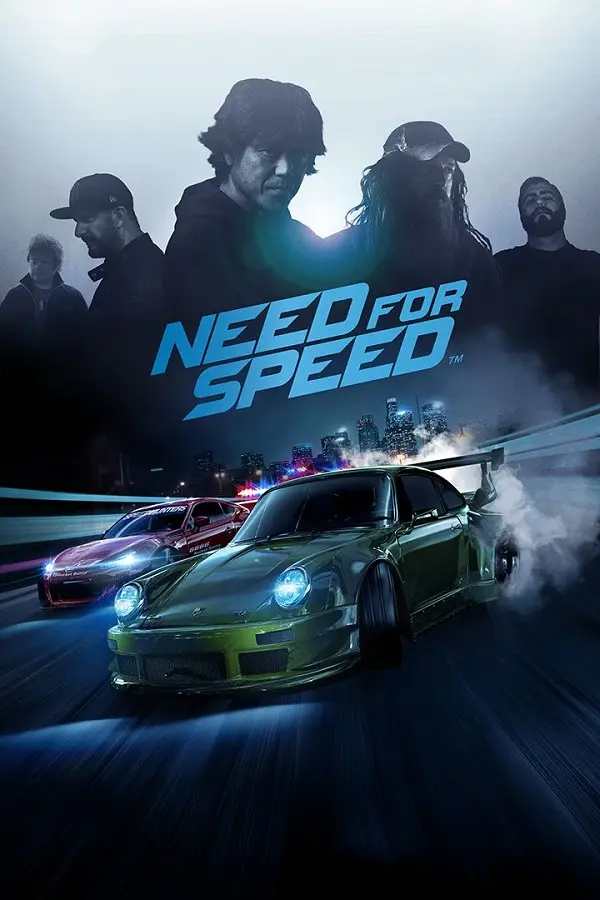
Need for Speed: Most Wanted XboxXBE-Recomp for arm64 with Vulkan and touch controls, from the Black-Android host. v1.2.1: races at about 60 fps on a Xiaomi Pad 7; many force-close reports. Own USA Black Edition.
Port nativo de Need for Speed: Most Wanted XboxXBE-Recomp for arm64 with Vulkan and touch controls, from the Black-Android host. v1.2.1: races at about 60 fps on a Xiaomi Pad 7; many force-close reports. Own USA Black Edition. para PC.
Need for Speed: Most Wanted XboxXBE-Recomp for arm64 with Vulkan and touch controls, from the Black-Android host. v1.2.1: races at about 60 fps on a Xiaomi Pad 7; many force-close reports. Own USA Black Edition.
Port nativo basado en ranggacasper/mostwanted-android.
README del repositorio
Need for Speed: Most Wanted for Android
English | Bahasa Indonesia
An unofficial native Android port of the original Xbox version of Need for Speed: Most Wanted (Black Edition), with touch controls, controller and keyboard support and extended graphics options.
The game's x86 code is statically recompiled ahead of time to C++ with XboxXBE-Recomp, then built for arm64. Drawing goes through Vulkan, and windowing, input and audio through SDL3. No emulator is involved. The Android host (Vulkan renderer, DirectSound, touch controls, settings panel) comes from Black-Android, as ShaolinMonks-Android carries it.
[!NOTE] This project does not include any game assets. You must provide the files from your own legally acquired copy of the game to install or build.
[!WARNING] Work in progress. See Status.
Gameplay
Installation
- Install the APK.
- Open Most Wanted and allow all files access when it asks (on Android 10, the storage permission). It is required: the game doesn't start without it.
- Copy the game into
/storage/emulated/0/MostWanted, or into aMostWantedfolder at the top of your SD card: either the disc image (.iso) ordefault.xbewith the disc'sNFSfolder beside it. The app creates the folder on the phone's storage once access is allowed, and starts the game as soon as it finds the files.
Saves go in /storage/emulated/0/MostWanted/hdd and logs in /storage/emulated/0/MostWanted/logs, so they stay if the app is uninstalled. Each start copies a changed save to /storage/emulated/0/MostWanted/backups/saves (the last ten are kept), and a save whose writing was cut short (the app closed while the game was saving) is put back from its last good copy. Updating from a version that kept the saves in Android/data/com.racas.mostwanted/files/hdd copies them there on the first start; the old copy is left as it was. Settings (mostwanted.toml, android.toml, layout.toml) and the shader cache stay in Android/data/com.racas.mostwanted/files.
The supported disc is the USA Black Edition (default.xbe SHA-1 f636a16af04171089f879a4bed646e185c734233).
Features
The settings panel opens from the gear at the top left of the screen (or F10 on a keyboard). Android's back button is the controller's Start, which pauses the game.
Graphics
- Render Resolution: 20% to 200% of the screen's height, instead of the original 640x480.
- V-Sync, Max Frame Rate (unlimited, the display's refresh rate or a custom cap) and an FPS Counter.
- Anisotropic Filtering, Anti-Aliasing (FXAA, SSAA 2x) and Screen Filters.
Touch Controls
A full Xbox controller on the screen:
- The left side of the screen is the left stick, wherever your thumb comes down. A drag on the right side of the screen is the right stick.
- A, B, X, Y in the controller's diamond and colours, Black and White, the triggers (RT gas, LT brake); the face buttons show the game's own controls (A E-brake, B nitrous, X speedbreaker, Y look back), Start, Back and a D-pad.
- Controls Layout: Default (triggers at the top corners) or Low Triggers, with the controls' opacity and overall size.
- Edit Controls Position: drag each control where you want it. To resize one, select it and tap − or +, or pinch it with a second finger.
Other Input
- Controller: any controller SDL3 supports, with rumble. The touch controls hide while a controller is in use.
- Keyboard, with every controller button and both sticks rebindable.
General
- Language: English, French, German, Italian or Spanish. The game takes it from the console's language setting, which this sets; it applies at the next start. Indonesian translates the settings panel and plays the game in English.
- Audio Output: automatic, mono, stereo or 5.1 surround.
- Background Pause: the game and its sound pause while the app is in the background.
Add-on Cars (Mods Loader)
Most Wanted Mods Loader has an icon of its own beside the game's. It puts cars made for the PC version into the game, converting them to the Xbox game's format on the phone:
- Tap Get cars on NFSAddons: the site opens in your browser. Download a Most Wanted car (ZIP, 7z or RAR).
- Tap Install from file and choose it, or open or share the downloaded file with Mods Loader. Packs with several cars install every car in them.
- Tap Play: the cars are in the car select and your garage.
Installed cars are listed in Mods Loader, each with a Remove button. The game's files must be in place first, as the cars are built from them; the app downloads nothing itself. Saves keep working when cars are added or removed.
My Music
Put your own songs (MP3, M4A/AAC, OGG, Opus, FLAC or WAV) in /storage/emulated/0/MostWanted/music; name them Artist - Title, and a subfolder becomes the album. The MY MUSIC tab of the gear's panel chooses what plays (My Music or the game's EA Trax), in order or at random, and for each song whether it plays in menus, races or both, and its place in the list. The songs follow the game's music volume sliders and show on the game's song banner.
Cheats
On the gear's panel: infinite nitrous, infinite speedbreaker, max cash, no police, unlock all, no traffic and auto shift in drag races.
Status
Tested on a Xiaomi Pad 7 (Snapdragon 7+ Gen 3): boot, the menus, the career intro and races play, about 60 FPS in a race.
xbe_symbolsfinds 165 of the 238 XDK functions the host knows and all 12 data symbols; the others are not linked into this image. Eleven more were resolved by hand inconfig/game.toml.- Most Wanted runs many of its vertex programs from the GPU's program memory (
LoadVertexShaderProgramandSelectVertexShaderDirect), pushes its vertex constants inline, sets its pixel combiners with render states and gives its own frame and depth buffers; the host handles each. - Visibility tests (the sun's glare) are not counted yet: the glare stays off.
- Game-specific work so far: the settings live in the game's own OPTIONS menu (ANDROID OPTIONS, in the main menu and the pause menu); quality switches for car and road reflections, shadows, particles, rain, screen raindrops, the yellow tint and motion blur; widescreen (Hor+) for any screen shape; SKIP MOVIES; menus by touch; a HUD layout editor; a RESET button that puts the car back on the road; cheats; add-on cars; and My Music.
- Fixed in v1.3.0: the game crashed as a movie started or stopped (at boot, after a race), on phones with several cores. EA's stream reader read data the stream thread was still writing.
- Fixed in the next release: force closes while loading, in free roam, at the start of the career and after Blacklist races. The Xbox had one core, and on a phone the game's threads read the same archive and took slots from the same pools at once; those places are now locked. Also a crash in the music after a boss race.
- Known: a story film (after the first race) has been seen to stop on its first picture. The engine's own cutscenes (rival intros, the career's opening) can't be skipped yet.
Logs are in /storage/emulated/0/MostWanted/logs. On Android 11 and newer, a crash is written there as crash_<date>.txt the next time you open the game. Please include mostwanted.log, and the crash file if there is one, when reporting a problem.
System Requirements
- Android 10 or newer, arm64.
- GPU with a Vulkan 1.1 driver, for example Adreno 6xx or newer, Mali-G7x or newer, or Xclipse.
- Memory: 4 GB.
- Storage: 4 GB for the game files and saves.
Building
Building requires a Windows PC.
1. Clone this repository
2. Add the game files
Put default.xbe in assets/, or put the disc image (.iso) in assets/ or iso/. The build extracts default.xbe from the image.
3. Install the dependencies
- Visual Studio 2022 with Desktop development with C++. The recompiler runs on the PC.
- Android Studio. In its SDK Manager, install Android SDK Platform 34, NDK
28.2.13676358and CMake3.31.6. Gradle needs Java 17 to 21 (JAVA_HOME). - Python, needed only to extract
default.xbefrom a disc image.
4. Build
Run build.bat. It builds the recompiler, recompiles the xbe into generated/game, then builds app/build/outputs/apk/release/app-release.apk with Gradle. The first build compiles the whole game for arm64 and takes 30 to 90 minutes.
Install the APK with:
adb install -r app/build/outputs/apk/release/app-release.apk
The SDK is vendored in sdk/, at the upstream commit in sdk/UPSTREAM_COMMIT, with three changes: the guest has 128 MB of memory (sdk/runtime/kernel/memory.h), the console's language comes from app::ConsoleLanguage() (sdk/runtime/kernel/xboxkrnl.cpp), and the disc's files are read from MostWanted/mods when they are there (sdk/runtime/kernel/files.cpp).
tools/car_mod.py <iso> <mod folder> <out> converts one PC car on the PC, as Mods Loader does on the phone.
Linux
The game also builds and runs natively on Linux (x86-64), from the same sources: the Vulkan renderer, sound, controllers and settings are the Android version's, with a desktop window in place of the phone's screen. Linux builds from source.
- Requirements: a 64-bit distribution with a Vulkan 1.1 driver (Mesa or NVIDIA), and Clang, CMake, Ninja, Git, pkg-config, Python 3 and the Vulkan loader and headers. SDL3 is taken from the system when it has 3.2 or newer, else downloaded and built in.
build.shlists the packages for Arch, Debian/Ubuntu and Fedora when something is missing. - Put
default.xbewith the game files, or the disc image (.iso), inassets/, then run./build.sh(./build.sh debugfor the info lines in the log). It builds the recompiler, recompiles the xbe intogenerated/game, then buildsout/build/linux/mostwanted. The first build compiles the whole game and takes 15 to 60 minutes. - Run
out/build/linux/mostwanted. The game is found in anassetsorisofolder beside the executable or in any folder above it, so the repo's ownassetsworks as it is. - Settings (
mostwanted.toml,android.toml,layout.toml), saves (hdd), logs and the shader cache are written beside the executable. - Keyboard, mouse (in the settings panel) and controllers through SDL3, on Wayland or X11. F10 opens the settings panel, F11 or Alt+Enter switches between windowed and full screen.
display_mode(fullscreen,borderless,windowed) withwidthandheightinmostwanted.tomlset the window. - The game's menus get LINUX OPTIONS in place of ANDROID OPTIONS. The touch controls show only on a touch screen, after it is touched.
Credits
-
XboxXBE-Recomp by TGP482: the static recompiler and the portable runtime (Xbox kernel, XDK libraries and Direct3D 8) this port is built on.
-
Black-Android and ShaolinMonks-Android by RanggaCasper: the Android host this port is built from.
-
Zukiru: the HDR screen filter.
-
bagasromadon: Button Design.
-
SDL, glslang, toml++ and Dear ImGui.
-
xemu and Cxbx-Reloaded, which XboxXBE-Recomp used as references for Xbox hardware and API behavior.
-
Apache Commons Compress, XZ for Java and libarchive for Android, which open the cars' archives.
-
The authors of the add-on cars on NFSAddons.
License
This project is licensed under the GNU General Public License v3.0. The SDK in sdk/ keeps its own MIT license (sdk/LICENSE), and the libraries above keep theirs.
Need for Speed is a trademark of Electronic Arts Inc. This project is not affiliated with or endorsed by them.
Comentarios (0)
Inicia sesión para dejar un comentario.
Sé el primero en comentar sobre este juego.