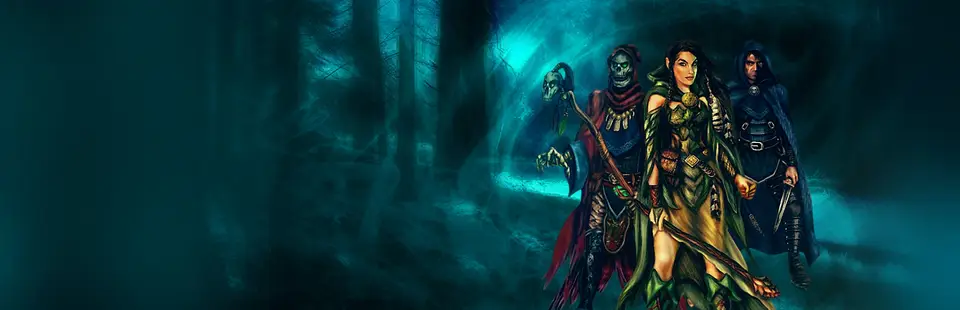
Might and Magic IX (Might-and-Magic-IX-MacOS)
Port nativo de Might and Magic IX (Might-and-Magic-IX-MacOS) para PC.
Might and Magic IX (Might-and-Magic-IX-MacOS)
Port nativo basado en su ficha de origen.
README del repositorio
Might-and-Magic-IX-MacOS: bring-your-own-game native build of Might and Magic IX for Apple Silicon
Translates the machine code of Might and Magic IX (2002, LithTech engine, 32-bit Windows) into C
that compiles natively for Apple Silicon (arm64). The result runs on a native host: Win32 shims,
DirectDraw 7 / Direct3D 7 on Metal, the Miles Sound System API on CoreAudio, DirectInput from
Cocoa, and Bink movies through the ffmpeg tool. No Wine, no Rosetta.
This project is for educational and research purposes only.
This repository does not contain any game code, game assets or anything derived from a game. You must provide your own legally purchased copy of Might and Magic IX (GOG release 1.3) to use it. Nothing here works without one, and everything the builder produces from it stays on your Mac. Piracy is not supported; please do not ask for or share game files, or the app the builder makes.
Made entirely with AI. All the code here (the recompiler, the native host, the builder and the installer), the documentation and the logo were produced with AI. The code and docs were written by Claude through Claude Code, with a person directing the work and testing the game. Treat it as an experiment and expect rough edges.
How to install (step by step, for everyone)
You do not need to know anything about computers or programming. Just follow the steps in order. It takes about 5 to 30 minutes, and most of that is the computer working by itself.
Before you start: check three things
- You must own the game. This project does not contain the game. You need your own copy of Might and Magic IX (Writ of Fate) from GOG.com, version 1.3. Buying it on gog.com is the only legal way to get it.
- Your Mac must have an Apple chip (M1, M2, M3, M4 or newer). Click the Apple logo in the top left corner, then About This Mac. If it says Chip: Apple M…, you are fine. If it says Processor: Intel, this will not work on your Mac.
- Your Mac needs macOS 13 or newer, about 4 GB of free space and internet. The same "About This Mac" window shows the macOS version.
Step 1: Download your game installer from GOG
- Log in to gog.com and open Your library → Might and Magic IX.
- Find Download offline backup game installers and choose the Windows version.
- Download the file whose name starts with
setup_might_and_magic_9_writ_of_fate_1.3_…and ends with.exe. It lands in your Downloads folder. (You will not run it. The installer below reads it for you. Do not worry that it is a Windows file.) - If GOG gives you more than one file (for example also a
.binfile), keep all of them together in the same folder.
Step 2: Download the installer app
- Open the Releases page.
- Under Assets, click
MM9-Native-Installer.dmgto download it. - Open the downloaded
.dmgfile by double-clicking it (it is in your Downloads folder). A small window opens with the MM9 Native Installer app in it. - Drag MM9 Native Installer onto the Applications folder in that window. Then you can close the window.
Step 3: Open the installer app (the first time, macOS is cautious)
The app is not signed by Apple (that costs money), so macOS first says it "cannot verify" it. That is normal. This project is open source and you can read all of its code here.
- Mac with macOS 15 (Sequoia) or newer:
- Open Applications and double-click MM9 Native Installer. A message appears. Click Done (not "Move to Trash").
- Click the Apple logo → System Settings → Privacy & Security.
- Scroll all the way down. Next to the text about "MM9 Native Installer" click Open Anyway.
- Type your Mac password or use Touch ID, then click Open Anyway again.
- Mac with macOS 14 or older: open Applications, hold the Control key and click (or right-click) MM9 Native Installer, choose Open, then click Open again.
You only have to do this once. Next time it opens normally.
Step 4: Follow the windows (it looks like an old Windows XP installer)
1. Welcome. Click Next >.
2. Notice. Read it, click I accept the terms of this notice, then Next >.
3. Pick your game file. Click Browse… and choose the setup_might_and_magic_9_…exe file from your
Downloads folder. (Shortcut: you can also drag the file onto the window.) Then click Install.
4. Choose what to install. Leave Intro movies ticked: Setup then downloads a small free tool (ffmpeg, 28 MB) so the game can play its logo and intro movies. The page also checks your Mac: if Apple's Command Line Tools are missing, click Install… and follow Apple's window (about 10 minutes, no Apple ID needed); the page notices by itself when they are ready. Then click Install.
5. Wait. A green bar shows the progress. This takes about 3 minutes on a fast Mac and up to 25 minutes on an older one. Keep the window open and do not close the lid. You can tick Show details if you are curious.
6. Done. When you see Completing the Might and Magic IX Native Setup Wizard, click Finish. The game starts if the box Launch MM9 Native is ticked.
If something goes wrong, you see this window instead. Read the message in the box, fix it, and click Try Again (see the table below):
Step 5: Play
The game is now installed as MM9 Native in the Applications folder inside your home folder: in Finder click Go in the top menu → Home, then open the Applications folder. Drag it to your Dock to start it quickly next time.
- Ctrl + Cmd + F: full screen on and off. Cmd + Esc: frees the mouse. Cmd + Q: quit.
- Intro movies: if you left Intro movies ticked in Setup, they play. If not, the game still works
and just skips them. (To add them later, run Setup again with the box ticked, or install
Homebrew and type
brew install ffmpegin the Terminal app.) - Your saves are in
~/Library/Application Support/MM9 Native/game/SaveGames.
Do not share the finished game with anyone. It contains the game's own code, which belongs to its owner. A friend who wants it should follow these same steps with their own GOG copy.
How to update
When a new version comes out (see the Releases page), you do not have to start over. Use the updater, the green window, so you can tell it apart from the blue installer. It rebuilds your MM9 Native with the new version from the game copy already on your Mac. You do not need the GOG installer again. Your saved games and settings stay.
- On the Releases page, download
MM9-Native-Updater.dmgand open it. - Start MM9 Native Updater. The first time, macOS is cautious, just as with the installer (see Step 3 above).
- Click Next >. The updater checks your Mac: your MM9 Native, which version built it, the game copy, your saves and the tools. Under the list it says whether an update is needed and why. If everything is up to date, it says so, and you can close it.
- Click Next >, leave the boxes as they are, and click Update. It takes a few minutes (up to 25 on an older Mac). Keep the window open and do not close the lid.
- Click Finish and start the game as usual. The new options are in Options → Video Options.
Safety: before it changes anything, the updater copies your saved games to
~/Library/Application Support/MM9 Native/backups. If the update fails, your old MM9 Native stays as it was.
Click Try Again, or Copy log and open an issue.
How to uninstall
To remove MM9 Native, use the uninstaller, the red window. It finds what the installer and updater put on your Mac and moves it to the Trash, so you can still put things back until you empty it. It can remove the Wine version of the game too, if you tick it. Your saved games stay unless you tick them too.
- On the Releases page, download
MM9-Native-Uninstaller.dmgand open it. - Start MM9 Native Uninstaller. The first time, macOS is cautious, just as with the installer (see Step 3 above). If the game is running, the uninstaller asks you to quit it first.
- Click Next >. Tick what to remove; each line shows how much space it takes:
- MM9 Native app: the game in
~/Applications(or/Applications). - Game copy, logs and build files:
~/Library/Application Support/MM9 Native, except your saves. - Build tools: Ghidra, Java 21 and Unicorn in
~/Library/Application Support/MM9 Native Builder. - Game settings: the graphics and window options (
local.mm9-native). - Wine version of the game: off at first. Tick it to also remove the older Wine-based
Might and Magic IX.appand its folder,~/Library/Application Support/Might and Magic IX(its game copy and Wine setup). MM9 Native does not need it. - Also remove my saved games: off at first. Leave it off and the saved games,
autoexec.cfgand HD textures of every version you remove stay where they are (plus the updater's save backups), so a later reinstall finds them again.
- MM9 Native app: the game in
- Click Uninstall, then Finish. Empty the Trash to free the space (Open Trash opens it for you).
The uninstaller never touches your GOG installer, and it only removes apps this project made: an
MM9 Native.app from the builder, and a Might and Magic IX.app with the Wine version's bundle ID. You can
delete the installer, updater and uninstaller apps themselves by dragging them to the Trash.
Something went wrong?
| What you see | What to do |
|---|---|
| macOS says the app "can't be opened" or "is damaged" | Do Step 3 again (Open Anyway / right-click → Open). |
| "This Mac does not have Apple Silicon" | Your Mac has an Intel chip. This does not work on Intel Macs. |
| "…is not the expected version" or "does not look like the GOG installer" | You need the GOG version 1.3. A Steam copy, a disc copy or an older GOG version will not work. Download the newest installer from your GOG library. |
| "Not enough free disk space" | Free up about 4 GB (empty the Trash, delete old downloads) and click Try Again. |
| "The build stopped at step …" | Click Try Again. If it fails again, click Copy log and open an issue and paste the log there. The log contains only tool output and file names. |
| You closed the window by accident | Open the installer again and choose Use the game already on this Mac. It continues from where it was. |
Questions or problems? Please open an issue or visit the maintainer's GitHub profile: github.com/opimuusikat.
Status
Might and Magic IX runs natively on Apple Silicon macOS. The builder translates all five code
modules ahead of time (20,000 functions in lithtech.exe, d3d.ren, cshell.dll, object.lto
and clientfx.fxd).
What works:
- Playing: main menu, new game, party creation, the 3D world, save and load (with thumbnails), native fullscreen, settings that persist.
- Sound and movies: music and sound effects, and the intro movies with sound (if
ffmpegis installed). - Graphics options: Options → Video Options has extra rows: Resolution (up to 4x internal resolution), Anti-aliasing, Sharp Textures, Smooth Mipmaps, HD Textures and Frame Rate (60/120). Cmd+, opens the same settings as a panel over the game. You can also make your own AI-upscaled HD texture pack from your copy of the game; it is for your own use only. See docs/ENHANCEMENTS.md.
- Speed: the game holds its 60 fps cap at up to about 2,100 draws per frame. The same game under Wine on the same Mac manages about 23 fps. At the first training-area view, the native engine needs about 1 ms of main-thread time per frame; Wine needs about 43 ms.
How the translation is checked: in differential tests against the original x86 in the Unicorn emulator, 8,774 of 8,816 testable entry points (99.5 %) match the original exactly, flags included.
Not done yet:
- Long play sessions: not tested.
- Intel Macs: the builder refuses to run on them. For Intel Macs, use the Wine version of the game.
Build it (from the command line)
Requirements:
- The Mac: Apple Silicon and macOS 13 or later.
- Apple's Command Line Tools (
xcode-select --install). No Xcode and no Apple ID needed. Homebrew is needed only forbrew install innoextractif you start from the GOG installer (.exe) instead of an unpacked game folder or the Wine app's copy;brew install ffmpegis optional (movies). - Your own GOG copy of Might and Magic 9 (Writ of Fate), version 1.3. The builder checks the SHA-256 of the five code modules.
- About 4 GB of free disk space and an internet connection. The builder downloads Ghidra 12.1.4, a Temurin Java 21 runtime and the Unicorn 2.1.4 library once (0.8 GB). Each download is checked against a fixed SHA-256.
git clone https://github.com/opimuusikat/Might-and-Magic-IX-MacOS.git
bash Might-and-Magic-IX-MacOS/src/build.sh
Or double-click Build MM9 Native.command; README.txt has the step-by-step for
players.
The builder looks for the game where the Wine version of the game puts it
(~/Library/Application Support/Might and Magic IX/game), or asks for the folder. It writes
~/Applications/MM9 Native.app. On a fast Apple Silicon Mac the whole build takes about 3.5 minutes; expect
10–25 minutes on a base M1 including the download.
Each build ends with a smoke test: the builder starts the new app once without a window and requires it to reach the main menu. It also reports whether Ghidra's output and the final function table are byte-identical to the reference build that was play-tested.
How it works
- Check: the builder verifies the five code modules of your game against fixed SHA-256s.
- Clone the game folder: it makes an APFS clone of the folder. The game runs and saves there, so your original is never written.
- Rebase: three of the DLLs are moved to distinct fixed addresses (
src/tools/rebase.py), so that all five modules fit in one address space. - Ghidra: Ghidra analyses each module. The Fallout-NV-MacOS
repair passes find the remaining entry points, jump tables and no-return calls.
DumpPcode.javathen exports every function as P-code, Ghidra's small, precise intermediate language. (Ghidra's release zip lacks an Apple Silicon build of its decompiler, which the jump-table recovery needs, so the builder compiles one from the zip's sources.) - Emit C:
src/recomp/emit_rc.pytranslates the P-code into C over a register file and a 4 GB guest address space (src/recomp/rt.h). It honours the x87 rounding mode, which the game's float-to-int conversions depend on. - Compile and link: clang compiles the C (about 21,800 functions), and the builder links it
with one guest-address dispatch table and the host runtime in
src/host. - Package: everything is wrapped into an ad-hoc signed app bundle, with an icon made from your copy's own GOG icon.
The host runtime (src/host, about 5,000 lines of C and Objective-C) provides:
- The module loader: it maps the five rebased modules and serves the game's own LoadLibrary/GetProcAddress calls.
- kernel32/user32/gdi32 shims.
- DirectDraw 7 + Direct3D 7 on Metal: one ubershader, DXT and 16-bit textures, colour-keyed blits and back-buffer readback.
- Miles on CoreAudio: 2D/3D samples and MP3 streams.
- DirectInput from Cocoa.
- Bink through ffmpeg: the movies are decoded by the
ffmpegcommand-line tool; nothing from FFmpeg is linked. - A safety net: an embedded Unicorn interpreter runs any code the analysis missed (nine small init-time routines at start-up).
The full engineering notes, with measurements, are in docs/RECOMP-NOTES.md.
Bring your own game
- Only your copy. The builder needs the GOG 1.3 release. It reads your copy and makes everything game-derived on your Mac: the rebased modules, Ghidra projects, P-code dumps, generated C, objects, the binary and the app. Nothing of it is uploaded anywhere.
- Do not share the app it makes. It contains a translation of the game's code, which belongs to its owner. Friends run the builder themselves.
- Guards against committing game files:
- The
.githooks/pre-commitguard refuses executables, DLLs and the game's module types, Ghidra projects, P-code dumps, generated C and files over 1 MB. Enable it withgit config core.hooksPath .githooks. dev/leak_check.pyscans a folder for any run of 127 or more bytes copied from your game's files.
- The
Repository layout
| path | what |
|---|---|
Build MM9 Native.command, README.txt | double-click entry point and player instructions |
src/build.sh, src/manifest.sh | the builder; pinned hashes and tool downloads |
src/host/ | the native host runtime |
src/recomp/ | rt.h, the emitter and flag-liveness pass (from Fallout-NV-MacOS, with fixes) |
src/ghidra_scripts/ | the Fallout-NV-MacOS Ghidra scripts used by the build |
src/tools/ | rebase, dispatch-table merge, icon tools |
installer/ | the Windows XP style installer (blue), updater (green) and uninstaller (red) apps (SwiftUI) and their logo |
dev/ | maintainer tools: packaging with a leak check, building the installer, updater and uninstaller apps and their .dmgs, source sync |
docs/img/ | screenshots for this README |
docs/RECOMP-NOTES.md | feasibility study, milestones and measurements |
Prior art and credits
- Who did the work: the code, the documentation and the logo were made by AI. Claude (Anthropic), through Claude Code, wrote the recompiler changes, the native host, the builder, the installer and these docs; the commits name the model that wrote each one. The maintainer, opimuusikat, chose the goal, wrote the prompts, reviewed the results, play-tested the game and decides what gets published. That is directing and testing, not writing the code.
- Fallout-NV-MacOS (MIT, thetheoryofR): the P-code lifter, the emitter, the Ghidra repair passes and the first version of several host files. This project uses a patched emitter: it honours the x87 rounding control and treats FFREE as a no-op.
- NFSU2Recomp was read as a reference for Win32 API coverage.
- The bring-your-own-game model: N64Recomp, XenonRecomp and ReXGlue established the bring-your-own-game model for static recompilation.
- Tools downloaded by the builder:
- Ghidra (Apache 2.0);
- Eclipse Temurin (GPLv2 with Classpath Exception);
- Unicorn (GPLv2; linked only into the app built on your Mac, which is never distributed).
Legal
This is an unofficial, non-commercial project made for education and research into static recompilation. It is not affiliated with, endorsed by or sponsored by Ubisoft, The 3DO Company, New World Computing, Monolith Productions, LithTech or GOG. Might and Magic is a trademark of its respective owner, used here only to describe compatibility.
No game code, assets or generated output are or will be distributed through this repository or its releases. Buy the game to use this project.
Licence
MIT; see LICENSE. It covers this repository's code only, not any game. Parts are
derived from Fallout-NV-MacOS (MIT); see LICENSES/.
Comentarios (0)
Inicia sesión para dejar un comentario.
Sé el primero en comentar sobre este juego.