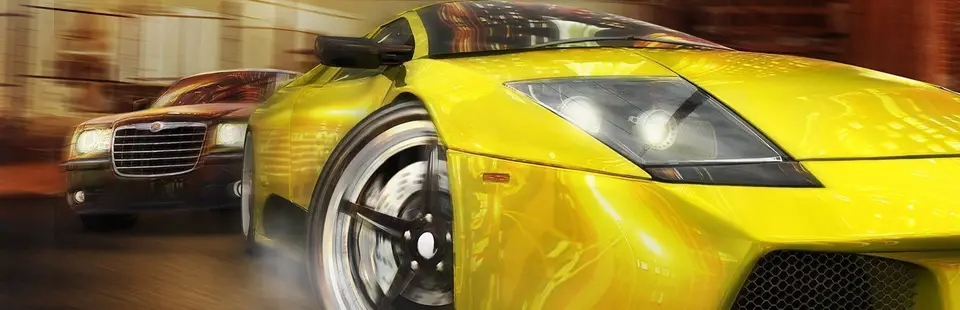

Midnight Club 3: DUB Edition Remix
Port nativo de Midnight Club 3: DUB Edition Remix para PC.
Midnight Club 3: DUB Edition Remix
Port nativo basado en su ficha de origen.
README del repositorio
Xbox PC Ports
Play your own copies of two original Xbox games natively on Windows, at up to 8× their original resolution, with Xbox controllers and an in-game settings menu:
| Game | Port | Status | |
|---|---|---|---|
| Jet Set Radio Future (2002) | JSRF PC (jsrf.exe) | 0.2.0: boot through the tutorial at 60 fps | |
| Midnight Club 3: DUB Edition Remix (2006) | MC3 PC (mc3.exe) | 0.1.0: menus, Career start and free-roam driving at 30 fps |
Each port loads the game's original Xbox executable and runs its code directly on your PC's processor. The Xbox used an ordinary x86 CPU, so the game's code doesn't need to be translated or interpreted. Everything the game expects from the console around it (the Xbox kernel, the NV2A graphics chip, the audio hardware, the controller ports) is re-created on top of Windows and OpenGL. No Xbox BIOS or firmware is needed.
[!IMPORTANT] You need the games. Nothing from either game is included here. Each port runs the files from the North American Xbox disc, dumped from a disc you own. Please don't ask for game files.
Both ports share one runtime (core/); everything specific to a game (its
version check, its symbol table and a few patches) lives in titles/<game>/.
Contents
Status · Getting started · Controls · Settings · Options · Troubleshooting · FAQ · How it works · Building · Credits · Legal
Status
JSRF PC 0.2.0
Played for over 45 minutes on Windows 11 with an NVIDIA RTX 5090 and a wireless Xbox controller, from boot through the intro, title screen, New Game and the tutorial, at a steady 60 fps with sound in 4K borderless fullscreen. 0.2.0 runs on the runtime it now shares with MC3 PC and was played again on the same PC, with no difference from 0.1.0.
MC3 PC 0.1.0
Played on the same Windows 11 PC in 4K fullscreen: the intro videos, menus and profiles (saving and loading), the start of Career mode (buying a car, the garage) and driving around San Diego at night with music, at a steady 30 fps like the original. Arcade mode's free roam ("Cruise") is the quickest way into the city.
What to expect from early versions
- Only the North American releases work. Each exe checks the game's
default.xbewhen it starts and explains if it's a different version. - Most of each game hasn't been played on it yet. Graphics features the tested parts don't use may be missing (3D textures, for example), so later areas may show glitches. Reports are very welcome.
- No online play. Xbox Live and system link don't work (Midnight Club 3 says "Sign-in failed" on its menu; that's expected). Custom soundtracks aren't supported.
- 4:3 only. There's a stretch-to-window option, but no real widescreen yet.
- Only tested on NVIDIA. AMD and Intel GPUs with OpenGL 3.3 should work but haven't been tried.
- Multiplayer is untested. Up to four controllers are supported, but nobody has played split screen on it yet.
Getting started
You need 64-bit Windows 10 or 11, a graphics card with OpenGL 3.3 (anything from the last ten years), and ideally an Xbox controller or another XInput pad.
1. Get the game files
Original Xbox discs can't be read by an ordinary PC drive. The usual ways to dump your copy are copying the game to a modded Xbox's hard drive and transferring the folder over FTP, or imaging the disc with a PC drive that has Kreon firmware.
If you have an ISO image of your disc, unpack it to a folder with an Xbox
image tool such as xdvdfs
(xdvdfs unpack "game.iso" folder; it also runs
in the browser) or
extract-xiso.
| Game | The folder should contain | Size |
|---|---|---|
| Jet Set Radio Future | default.xbe and Media | about 2.4 GB |
| Midnight Club 3: DUB Edition Remix | default.xbe, assets_x.dat to assets_x.dat_5, banks.dat, and the folders audio, flash, media, resources and video | about 4.6 GB |
2. Add the exe
Download the latest jsrf-pc-…-windows.zip or mc3-pc-…-windows.zip from
the Releases page (or build it)
and put jsrf.exe or mc3.exe in the game folder, next to default.xbe.
Keep the game folder somewhere you can write to, like Documents or a games folder (not Program Files): saves, settings and the log are written there.
3. Play
Double-click the exe. The game's logos and intro play first; Start (or Enter) skips ahead and gets you past the title screen.
The first time, Windows SmartScreen may say it "protected your PC", because the exe isn't code-signed. Choose More info → Run anyway, or build it yourself.
To check your dump by hand, run this in PowerShell in the game folder:
Get-FileHash default.xbe -Algorithm SHA1
| Game | Supported default.xbe (SHA-1) |
|---|---|
| Jet Set Radio Future (NTSC-U) | 86FFB4081FFB1A8A5DA2E03D3838382CE31D7AE8 |
| Midnight Club 3: DUB Edition Remix (NTSC-U) | 5BCA1CF092EDAADF876E8F80129900407A4A07B8 |
Controls
| Xbox | Controller (XInput) | Keyboard and mouse |
|---|---|---|
| Left stick | Left stick | W A S D |
| Right stick | Right stick | I J K L |
| D-pad | D-pad | Arrow keys |
| A | A | Space |
| B | B | Shift |
| X | X | E |
| Y | Y | Q |
| L trigger | LT | Z or left mouse button |
| R trigger | RT | C or right mouse button |
| White | LB | F |
| Black | RB | R |
| Start | Start | Enter |
| Back | Back | Backspace or Esc |
The games' own controls apply on top of that; in Midnight Club 3 the triggers are the gas (RT, or C) and the brake (LT, or Z).
| Key | |
|---|---|
| F1 (or Back + Start on a controller) | Settings menu |
| Alt+Enter | Window / borderless fullscreen |
| F12 | Screenshot (shot_NNNNN.bmp next to the exe) |
Controllers join in the order you use them: the first one you press a button on becomes player 1, whatever slot Windows gave it. (Virtual pads from Steam, DS4Windows or streaming tools can sit in the first slot without ever sending input; they don't get in the way.) Up to four controllers; the keyboard also drives player 1. The keyboard only works while the game window has focus.
Settings
Press F1, or Back + Start together on a controller, to open the settings menu over the game. The game sees no input while it's open. Pick a setting with the arrow keys or the D-pad/stick, change it with left and right, and close the menu with Esc or B. Changes apply immediately.
| Setting | Choices | Default |
|---|---|---|
| Internal resolution | Auto, 1× to 8× (640×480 per step) | Auto: 2× at 1080p, 3× at 1440p, 4× at 4K |
| Display | Window, Fullscreen (borderless) | Window |
| Aspect ratio | 4:3, Stretch to window | 4:3 |
| Scaling filter | Smooth, Sharp | Smooth |
| VSync | Off, On | Off |
| Brightness | 50% to 200% | 100% |
| Texture filtering | Standard, 2× to 16× anisotropic | 8× |
| Frame counter | Off, On | Off |
| Volume | 0% to 100% | 100% |
| Vibration | Off, On | On |
| Stick dead zone | 0% to 30% | 12% |
| Log window | Hidden, Shown | Hidden |
Settings are saved in jsrf.ini or mc3.ini next to the exe. It has a note
on every key and can be edited by hand; edits there apply the next time the
game starts.
The log window shows the game's log as it runs. Closing it just turns the setting off; the game keeps running.
Where things are saved
| File | |
|---|---|
_hdd\ in the game folder | The Xbox hard disk. Your saves are in _hdd\Partition1\UDATA; back this folder up. |
jsrf.ini, mc3.ini | Settings |
jsrf.log, mc3.log | Log of the last run (replaced each time the game starts) |
shot_NNNNN.bmp | Screenshots |
Command-line options
Options override the settings for one run, for example mc3.exe --scale=3.
| Option | |
|---|---|
--scale=N | Internal resolution, 1 to 8 |
--window=WxH | Starting window size |
--perf | Log the frame rate and the GPU thread's load every 2 s |
--profile | Log where each game thread spends its time every 10 s (jsrf_profile.bat / mc3_profile.bat run this with --perf) |
--core=N | The CPU core the game's threads share (default 2; see How it works) |
--gl-debug | Check for OpenGL errors after every call (slow) |
--screenshots=N | Save a screenshot every N frames |
--trace | Log every file and kernel call (very verbose) |
--ds-trace | Log DirectSound calls and the mixer's levels |
--press=BUTTON@SEC[:DUR] | Scripted button press, for testing |
--control | Read test commands (press, shot, capture) from control.txt next to the exe; see tools/wine |
--any-xbe | Run a default.xbe that isn't the supported version (for porting work; expect crashes) |
PATH\default.xbe | Run a game folder somewhere else. Dragging default.xbe onto the exe does the same. Saves go in that folder; settings and the log stay next to the exe. |
Started from a command prompt, the exe also logs to that prompt. Setting the
environment variable JSRF_MULTICORE=1 (or MC3_MULTICORE=1) lets the
game's threads run on all cores instead of one.
Troubleshooting
The log (jsrf.log or mc3.log, next to the exe) records each step of
starting up and anything that went wrong. If the game can't start, a message
box says why. The common ones:
- "This is a different (or modified) build of …" or "…a different
region's release…": only the North American releases work for now, and
a patched or modified
default.xbecounts as different too. - "Could not map the Xbox's RAM" or "Could not reserve the Xbox device window": something else took the fixed memory addresses the Xbox uses. The message lists what. Overlays and injectors (FPS counters, recorders, some antivirus tools) are the usual cause; try closing them.
- "OpenGL function … missing": the graphics driver doesn't provide OpenGL 3.3. Update it from your GPU maker's site.
- A controller isn't picked up: press a button on it; the first pad that sends input becomes player 1. The log lists every controller Windows reports and its first few button presses.
- Slow or stuttering: run
jsrf_profile.batormc3_profile.batfor a minute and include the log in your report.
Reporting problems
Open an issue and include:
- which game, what happened, and where in the game;
- the log from the run where it happened (it's replaced the next time the game starts);
- an F12 screenshot, for graphics problems;
- your Windows version, GPU and graphics driver version.
FAQ
Is this a decompilation or a source port? No. Each port runs the game's original executable, with a few small patches, and re-implements the console around it. Think of it as an emulator built for one game at a time, which doesn't need to emulate the processor. For a matching decompilation of Jet Set Radio Future, see JSRF-Decompilation.
How is it different from xemu? xemu emulates the whole Xbox and runs a large part of its library; it needs dumps of the Xbox's boot ROM and BIOS. These ports run one game each, need only that game's files, and run the game's code directly instead of emulating the CPU. The same idea, for Xbox games in general, is behind Cxbx-Reloaded.
Can other games be added?
Yes, one at a time: a game needs its own folder in titles/ with its
symbol table and whatever patches it needs. See
Adding a game.
Will other versions (PAL, Japanese) work?
Not yet. The ports patch the game's code at fixed addresses, and those are
different in other builds. Supporting one means finding the same functions
in it; the tools in tools/ help with that.
Widescreen? Higher frame rates? Not yet. The games run at their original frame rates, in 4:3, with an option to stretch the picture.
Does it run on Linux or the Steam Deck? Both ports run under Wine; that's how they're regression-tested (32-bit Wine prefix, software rendering). They haven't been tried on Linux with real GPU drivers or on a Steam Deck. Reports are welcome.
My antivirus doesn't like it. The exes aren't code-signed, and they do things normal programs rarely do: they reserve memory at fixed addresses, patch the game's code in memory, and catch the game's hardware accesses with an exception handler. If you'd rather not trust a downloaded build, build it yourself; releases come with SHA-256 checksums.
How it works
The Xbox is a 733 MHz Pentium III with an NVIDIA NV2A GPU, running a small kernel. Games are linked with Microsoft's XDK libraries (Direct3D, DirectSound, XInput and so on), which run in kernel mode and program the hardware directly. The ports keep the game and its Direct3D library as they are and emulate the graphics hardware they talk to; the audio and controller libraries are replaced with Windows equivalents instead, which is simpler than emulating their hardware:
| Layer | On the Xbox | In the ports |
|---|---|---|
| Executable | default.xbe at 0x10000 | The exe is a 32-bit Windows program whose image reserves 0x11000–0x1000000; the XBE is mapped there, at its original addresses |
| Kernel (120 functions used by JSRF, 154 by MC3) | xboxkrnl.exe | Re-implemented on Win32 (kernel.c, kfile.inc, kextra.inc, kthread.c) |
Per-CPU state (fs:) | KPCR | The game's few dozen fs: instructions patched to read a per-thread copy |
| Thread-local storage | At the top of each thread's stack | Every game thread runs on a stack laid out the same way |
| Timing | rdtsc at 733 MHz | Windows' performance counter, scaled to 733.33 MHz |
| RAM | 64 MB shared with the GPU | 64 MB mapped at 0x80000000 and 0xF0000000, where the XDK expects it |
| GPU (NV2A) | Direct3D writes push buffers and registers | The registers at 0xFD000000 are trapped and emulated; push buffers are decoded and the 3D commands drawn with OpenGL 3.3 (nv2a/, gl/) |
| Interrupts | Vertical blank and GPU interrupts | A timer thread raises them and runs Direct3D's own interrupt handler |
| Audio | DirectSound programs the audio processor | The DirectSound API is replaced by a software mixer (dsound.c); XACT and Bink run unchanged on top of it |
| Controllers | XInput over USB | The XInput API is replaced with Windows XInput plus keyboard and mouse (input.c) |
| Network | Ethernet | No link; the game sees an unplugged cable |
Because each game's Direct3D library runs unmodified against an emulated NV2A, the renderer sees exactly the commands the real GPU would. Only a few hot paths are replaced: uploading the gamma ramp and kicking off push buffers (which would otherwise trap on every register access), and Direct3D's spin-wait for the GPU, which now sleeps until the GPU signals progress. The two games use different XDK versions (4134 and 5849), and the runtime handles both.
The XBE header and the exe's own PE header both belong at address 0x10000. The XBE header wins, because the game's libraries read it there; the exe's headers are moved into the unused tail of that page, since Windows keeps reading them while the program runs.
The game's threads all share one CPU core, as they did on the Xbox's single CPU; the games and their audio middleware rely on thread priorities meaning what they mean on one core. Rendering, audio mixing and the window run on other cores. The default is core 2, which avoids core 0 (busiest with system interrupts) and is a performance core on Intel's hybrid CPUs.
Building from source
The exes are 32-bit Windows programs built with MinGW-w64.
- Linux or WSL:
sudo apt install gcc-mingw-w64-i686 make zip, thenmakein this folder. - Windows: install MSYS2, open the MSYS2
MINGW32 shell, run
pacman -S mingw-w64-i686-gcc make, thenmake CROSS=in this folder.
That builds build/jsrf.exe and build/mc3.exe (make jsrf or make mc3
builds one). make dist T=mc3 also builds that game's release zips and
checksums in dist/. GitHub Actions builds both on every push
(.github/workflows/build.yml) and attaches the zips to releases tagged
like mc3-v0.1.0.
On Linux, tools/wine/ has the headless test scripts used during
development: booting with scripted input, the settings menu, the log window,
and a frame capture that logs every draw call of one frame. See
tools/wine/README.md.
Source layout
core/              the shared runtime
  main.c           startup: address reservations, XBE loading and version check, options, crash log
  kernel.c         the Xbox kernel: memory, threads, synchronization, timers, interrupts, Rtl, crypto
  kfile.inc        file system: the game disc and the hard disk (_hdd\)
  kextra.inc       kernel functions only some games use
  kthread.c        Xbox-style threads (own stacks, TLS at the top, per-thread kernel state)
  xmem.c           the 64 MB of shared RAM
  mmio.c           device registers: trapped accesses are decoded, emulated and resumed
  nv2a/            NV2A model: registers and interrupts, push-buffer processing, 3D engine state
  gl/              OpenGL renderer: window and context, render targets, textures, shaders,
                   draws, settings menu and overlays, frame capture
  dsound.c         DirectSound replacement and software mixer
  input.c          XInput replacement: controllers, keyboard, mouse
  hle.c            patching helpers, symbol lookup, timing patches
  settings.c       <game>.ini
  logwin.c         the log window
  prof.c           the --profile sampling profiler
  apu.c            audio hardware register stubs
  stubs.S          XBE address reservation, fs: and rdtsc helpers
  xbe.ld           linker script
titles/<game>/     one folder per game
  version.h        name, version, and the one default.xbe it accepts (SHA-1, title ID, region)
  title.c          the game's symbol table and its patches
  symbols.inc      XDK library functions found in the game (tools/gen_symbols.py)
  title.rc, res/   icon, version information, manifest
docs/screenshots/  the pictures in this README
tools/
  xbeinfo.py       dump an XBE's header, certificate, sections, libraries and kernel imports
  scan.py          find fs: and hardware accesses in an XBE's code
  gen_symbols.py   turn XbSymbolDatabase's output into symbols.inc
  xboxkrnl.def     kernel export ordinals and names
  fakexi/          a stand-in xinput1_4.dll for tests
  wine/            headless test scripts
Adding a game
- Run XbSymbolDatabase's
scanner on the game's
default.xbeand turn its output intotitles/<game>/symbols.incwithtools/gen_symbols.py. - Copy
version.h,title.c,title.rcandres/from an existing game and fill in the name, the file stem and the SHA-1, title ID and region of thedefault.xbeyou're porting. - Add the game to
TITLESin theMakefile, runmake <game>, and start the exe in the game's folder. The log says what's missing: kernel functions, library functions that need replacing, or graphics features.tools/xbeinfo.pyandtools/scan.pyhelp find your way around the executable.
Contributing
Bug reports, test results on other hardware, and fixes are welcome. Keep in mind that this is a separate project from JSRF-Decompilation, which doesn't accept AI-assisted contributions (see Credits), so please don't carry code from here over to it.
Credits
Made by jcarr710 together with Claude, Anthropic's AI model, which did most of the reverse engineering and wrote most of the code; jcarr710 directed the work and tested it on real hardware.
It builds on knowledge from the Xbox homebrew and emulation community:
- xemu: NV2A register and method names (see THIRD_PARTY_NOTICES.md), and its issue tracker's notes on how the hardware behaves.
- XbSymbolDatabase: finding the XDK library functions inside the games.
- nxdk: the kernel's export table.
- Cxbx and Cxbx-Reloaded, which pioneered running Xbox games' code directly on Windows.
Legal
Jet Set Radio Future is © SEGA. Midnight Club 3: DUB Edition Remix is ©
Take-Two Interactive Software; Rockstar Games and Midnight Club are its
trademarks. This is an unofficial fan project, not affiliated with or
endorsed by SEGA, Take-Two, Rockstar Games or Microsoft. It contains none of
the games' code or data; you need your own copies of the games. The
screenshots in docs/screenshots show the games running in these ports; the
games' artwork in them belongs to their owners.
The ports are free software under the GNU General Public License, version 2 or (at your option) any later version; see LICENSE. A few files are under other licenses; see THIRD_PARTY_NOTICES.md. They come with no warranty.
Comentarios (0)
Inicia sesión para dejar un comentario.
Sé el primero en comentar sobre este juego.