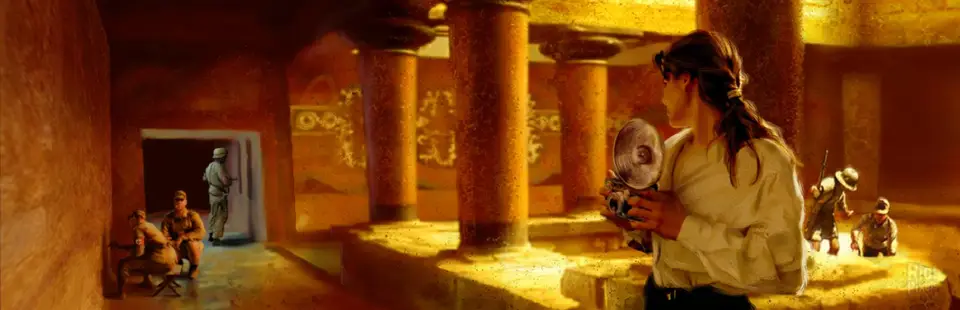

Medal of Honor: Underground
Port nativo de Medal of Honor: Underground para PC.
Medal of Honor: Underground
Port nativo basado en su ficha de origen.
README del repositorio
Medal of Honor Underground Recompiled + Full 6dof VR + Mouse/Keyboard


Static recompilation of Medal of Honor Underground built on psxrecomp and recomp-ui.
Play the original game on a flat display, or opt into the experimental Full 6dof VR alpha with head tracking, per-eye rendering and tracked-weapon controls. Flat play is the default; VR is enabled through a separate launcher. Flat gameplay also supports direct mouse look and keyboard movement, with editable bindings, independent sensitivity sliders and adjustable aiming zoom. Enable Mouse and keyboard in the launcher's Mods page. Watch the VR video demo for gameplay footage.
The latest Windows alpha is available from this fork's releases. See alpha installation and controls before testing. Use the documentation map for release notes, technical evidence, workspace layout and development handoffs.
| Players | 2 |
| Region | USA |
| Publisher | Electronic Arts |
| Year | 2000 |
Scaffolded with the New Project Layout. See
psxrecomp/docs/GAME_PROJECT_SETUP.md for the full flow.
Retro Launcher
You can run this title standalone (download the release zip, point it at your disc, play), or manage installs, updates, and disc/BIOS wiring with Retro Launcher - the Retro Compilation Manager hub for self-compiling recomps.
Downloads - Full README & features
Retro checks for updates, installs the prebuilt release zips, and automates BIOS/ROM/save plumbing so you are not stuck repeating each game's first run by hand.
Legal
You must own the original game. Disc images under disc/ are gitignored and
must never be committed. Retail BIOS dumps are not redistributed and no C
derived from one may be committed; releases run on the bundled MIT OpenBIOS.
generated/ (the recompiled game C) is committed: releases ship the
compiled game, built by CI from that tree. Regenerate and commit it whenever
seeds or the framework pin change.
Default app icon: assets/psxrecomp.ico (and .png / .svg) - Retro-themed controller mark from psxrecomp/assets/. Windows builds embed it via APP_ICON.
Optional box art under launcher_assets/img/ may come from
libretro-thumbnails
(Named_Boxarts); see BOXART_SOURCE.txt when present.
Flat play
Launch Medal_of_Honor_Underground_Recompiled.exe normally and select your own
disc image in the launcher. No headset is required. The supported disc is
SLUS-01270 (NTSC-U); game data is not included.
The Windows release also includes RunFlat.bat, which clears VR overrides.
For a local Windows build, launch from the project root in a fresh terminal:
.\build-release\Medal_of_Honor_Underground_Recompiled.exe --game game.toml --disc "C:\Games\Medal of Honor Underground\game.cue"
Replace the example disc path with your own. Add --no-launcher to boot
directly. OpenXR support can be compiled into the same executable while ordinary
launches retain flat rendering and normal controller input. VR environment
overrides should be absent for flat play; the VR wrapper restores its process
environment when it exits.
Experimental VR alpha (Windows)
The current Windows Alpha
adds native OpenXR stereo rendering and head tracking, tracked weapons and a
surface-aware laser, a left-wrist native HUD and damage marker, wrist-mounted
objective camera support, native frontend rendering, and a held 2.5x sniper
scope with native scope range. It uses the same saves/ directory as flat play.
The owner accepted the tested camera, HUD, frontend, pause, Sten and music behavior.
The primary tested setup is Quest 3 through Virtual Desktop with VDXR;
demanding scenes can still slow down.
Setup and launch
Download the Windows release and extract the entire ZIP. Connect your headset
and double-click the launcher for your runtime: RunVR-VDXR.bat (Virtual
Desktop VDXR), RunVR-SteamVR.bat or RunVR-Oculus.bat (Meta Quest Link / Air
Link). Each selects that runtime for the launch and leaves the system's active
runtime unchanged. Select your own
SLUS-01270 (NTSC-U) CUE/BIN image when prompted; the launcher remembers its
location. Keep the BIN files beside the CUE.
Boot videos, menus and briefing appear on a screen in VR; gameplay switches to
per-eye rendering. No save state, Python installation or development tools are
required. The game runs until you close it, and startup errors remain visible
in the console. Keep your saves/ folder when updating.
To select a disc explicitly:
.\RunVR-VDXR.bat -DiscPath "C:\Games\Medal of Honor Underground\game.cue"
Use RunFlat.bat for ordinary flat play. See
ALPHA_README.md for further installation details and alpha
limitations.
Current Touch controls
| Control | Gameplay |
|---|---|
| Left stick | Move / strafe |
| Right stick | Smooth turn |
| Right trigger | Fire |
| A | Reload / use, according to game context |
| B | Cycle weapon |
| Right stick click | Toggle crouch |
| Left stick click | Jump |
| Left Menu button | Pause / Start |
| Right grip | Hold to show the barrel laser; hold for sniper scope |
| Left grip | Hold to aim a mounted machine gun or objective camera with one stick |
In menus, the left stick navigates, A or right trigger confirms, and B goes back.
The barrel laser is a laser sight on the tracked weapon: hold the right grip and the beam runs from the muzzle to whatever it hits, with a dot marking the impact. It appears for firearms only. The sniper scope keeps the same laser and does not pin player movement.
A mounted machine gun or objective camera aims with a single stick: hold the left grip and one hand covers both axes. Let go and normal movement returns.
Report issues and contribute
Report problems in this fork's issue tracker. Include the build version, headset, OpenXR runtime, connection method, mission/location, steps to reproduce, and any relevant captures. Mention whether the issue also occurs in flat play. Do not attach disc images or retail BIOS dumps.
For development context, start with the VR handoff and VR documentation. Game-specific weapons, controls and HUD changes belong here; generic framework work is tracked in the upstream inventory.
Mouse and keyboard gameplay
Enable Mouse and keyboard under Mods for single-player campaign play. It provides direct mouse look, WASD movement, R reload, mouse-wheel weapon cycling and keyboard menu navigation. Every gameplay/menu action is editable.
Global and aiming sensitivity use independent 1-10 sliders, defaulting to 5 and 4. Aimed zoom ranges from 1.00x to 2.50x, default 1.25x, with a quick smooth transition. Firearms and the crossbow keep their held weapon visible and show the native crosshair only while aiming; the sniper retains its native scope with mouse aiming and movement. Number keys retain PSXRecomp's filter shortcuts. See the full controls guide.
Development build
git submodule update --init --recursive
./psxrecomp/tools/ci/build_emitters.sh
python3 psxrecomp/psxrecomp_cli.py generate \
  --config game.toml --project-root . --disc disc/<your>.cue
git add generated && git commit -m "Regenerate game C"
cmake -S . -B build-release -G Ninja -DCMAKE_BUILD_TYPE=Release \
  -DPSXRECOMP_BIOS_STEMS=OpenBIOS -DPSX_OPENXR=ON \
  -DMOHU_VR_DIAGNOSTICS=ON -DMOHU_VR_NATIVE_PROFILE=OFF \
  -DPSX_DEBUG_TOOLS=OFF -DPSX_RUNTIME_IPO=OFF
cmake --build build-release --target psx-runtime
The generated game C is already committed; ordinary builds do not regenerate it.
For Windows VR, configure the Release build with -DPSX_OPENXR=ON and
-DMOHU_VR_DIAGNOSTICS=ON, or use RunVR-VDXR.bat -Build after preparing the
build tools and generated game C. Compiling OpenXR support does not
automatically enable VR when launching the executable.
Windows releases use a CI-built Windows-only alpha package with OpenXR and the
guarded VR plugin enabled. Other vX.Y.Z tags (or the Release builds
workflow) build the committed generated/ C for Windows x64 and attach
mohu-<version>-windows-x64.zip, the compiled game. Locally:
scripts/package_release.sh build-release windows-x64.
Windows packaging requires the public release channel, OpenXR and the VR plugin
(-DPSX_RELEASE_CHANNEL=public -DPSX_OPENXR=ON -DMOHU_VR_DIAGNOSTICS=ON), and
includes the flat and VR launchers.
Symbols
Progressive map: symbols.toml -> python3 tools/sync_symbols.py ->
psx_symbols.h (PSX_FN_*). See psxrecomp/docs/SYMBOLS.md.
Framework pins
Submodule gitlinks (psxrecomp, optional recomp-ui, nested recomp-net)
are authoritative. framework_pins.txt is an optional scaffold snapshot;
release CI logs SHAs with record_pins.sh but builds whatever the gitlinks
resolve to. Bump submodules deliberately - do not float on main/master
in release CI.
Comentarios (0)
Inicia sesión para dejar un comentario.
Sé el primero en comentar sobre este juego.