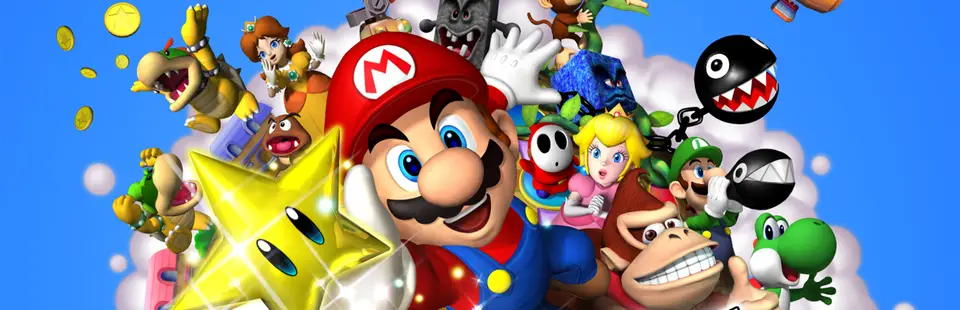

Mario & Luigi: Superstar Saga (Recomp)
Port nativo de Mario & Luigi: Superstar Saga (Recomp) para PC.
Mario & Luigi: Superstar Saga (Recomp)
Port nativo basado en su ficha de origen.
README del repositorio
MarioLuigiSuperstarSagaRecomp
A Windows x64 native recompilation integration for Mario & Luigi: Superstar Saga (USA, Game Code: A88E, Revision 0), built using GBARecomp and recomp-ui.
v0.1.1-preview — Experimental Preview
This unofficial, non-commercial project is not affiliated with, endorsed by, or associated with Nintendo or AlphaDream. Players must supply their own legally obtained GBA ROM and retail GBA BIOS. Full-game compatibility is not claimed.
Mario & Luigi: Superstar Saga is AlphaDream and Nintendo's critically acclaimed comedic action RPG for the Game Boy Advance. This native Windows integration translates original ARM/Thumb code into native x64 instructions, preserving original timing, gameplay mechanics, graphics, audio, and cartridge save persistence while providing a modern desktop player launcher.
Verified Playable Scope & Current Status
- BIOS / Cold Boot: LLE BIOS reset sequence, official Nintendo splash, and AlphaDream corporate splash verified (
gba_bios.bin). - Title Screen & File Select: Title screen animations ("PRESS START"), file management menu, and New Game save slot initialization verified.
- Opening Gameplay & Cutscenes: Peach's Castle ambassador cutscene, Mario's house sequence, Toad alert, departure, and Peach's Castle courtyard/interior navigation verified.
- Bowser Tutorial Battle: Turn-based combat mechanics, Mario jump Action Commands, damage calculation, Bowser HP depletion, and victory sequence verified.
- Post-Battle Transition: Battle scene fade-out and seamless return to the primary world map process loop (
FLDM) without 0x0 dispatch crash verified. - Cartridge EEPROM Persistence: Cartridge 8 KB serial EEPROM recognized and verified with disk persistence round-trip (
saves/mlss_usa.sav). - Native Player Launcher: Built-in interactive GUI (
recomp-ui) for ROM/BIOS selection, hash validation, input configuration, display options, and persistent launch.
Scope Open for Community Testing
This preview focuses on a solid, playable native foundation. The following chapters and features remain open for community testing and feedback:
- Full campaign progression across the Beanbean Kingdom, Hoohoo Mountain, Chucklehuck Woods, and later areas.
- Advanced Bros. Attacks, later boss battles, and mini-games.
- The classic Mario Bros. subgame.
- Extended listening across all audio channels during complex combat/music tracks.
Quick Start (Players)
No developer tools (CMake, Ninja, GCC, Python, or command-line shells) are required.
- Download: Grab
MarioLuigiSuperstarSagaRecomp-windows-x64-v0.1.1-preview.zipfrom the project's Releases page. - Extract: Extract the entire archive into a writable folder on your computer. Ensure
MarioLuigiSuperstarSagaRecomp.exe, the DLLs (SDL2.dll,libgcc_s_seh-1.dll,libstdc++-6.dll,libwinpthread-1.dll),assets/, andlicenses/stay together. - Launch: Double-click
MarioLuigiSuperstarSagaRecomp.exe. - Setup in Launcher:
- Click Browse to select your supported USA ROM (
.gba) and retail GBA BIOS (.bin). - The launcher automatically computes SHA-1 checksums and verifies file sizes. Once valid, green checkmarks appear.
- Customize your controller or keyboard layout, window scaling, and audio volume.
- Click Browse to select your supported USA ROM (
- Play: Click Play to enter the game!
[!TIP] Your selected ROM, BIOS, and settings are saved automatically (
rom.cfg,bios.cfg,config.ini,keybinds.ini). If you ever check "Skip Launcher" and later want to reopen the setup GUI, runMarioLuigiSuperstarSagaRecomp.exe --launcherfrom a shortcut or command prompt.
Required Private Files
You must provide your own legally dumped game ROM and retail GBA BIOS. Neither file is included in this repository or any release download.
| File | Supported Identity | Expected Size | SHA-1 Hash | MD5 Checksum |
|---|---|---|---|---|
| Game ROM | Mario & Luigi: Superstar Saga (USA, Code A88E, Rev 0) | 16,777,216 bytes | 7c303cdde5061ee329296948060b875cb50ba410 | 4b1a5897d89d9e74ec7f630eefdfd435 |
| GBA BIOS | Retail Game Boy Advance BIOS | 16,384 bytes | 300c20df6731a33952ded8c436f7f186d25d3492 | a860e8c0b6d573d191e4ec7db1b1e4f6 |
[!WARNING] Other regional releases (European, Japanese), modified ROMs, and high-level emulation (HLE) BIOS replacements are strictly rejected by the launcher to ensure execution integrity. Renaming an unsupported file will not bypass hash verification.
Controls, Display, and Audio
Default Keyboard Mapping
| GBA Button | PC Default Key | Function |
|---|---|---|
| D-Pad | W / A / S / D or ↑ / ↓ / ← / → | Movement / Menu Navigation |
| A | Z / J | Action / Jump / Confirm |
| B | X / K | Secondary Action / Cancel |
| L | Q / U | Action Cycle / Bros. Move Select |
| R | E / I | Character Swap / Action Cycle |
| START | Enter | Pause Menu |
| SELECT | Backspace / Tab | Suitcase / Map |
Game Controller Support
Standard modern game controllers (Xbox / XInput, PlayStation DualShock 4 / DualSense, Nintendo Switch Pro Controller, and generic DirectInput gamepads) are natively supported via SDL2. Bindings can be freely customized within the launcher's Input tab.
Display and Audio Settings
- Window Scaling: 1x through 6x integer scaling, or borderless fullscreen.
- Aspect Ratio: Original 3:2 GBA aspect ratio (240 × 160 native resolution).
- Audio: Volume slider with 16-bit 44.1 kHz stereo output.
Native Saves and Configuration
- Cartridge Saves: When launched via the GUI or double-click, game saves are stored beside the executable in
saves/mlss_usa.sav. This is an authentic 8 KiB serial EEPROM image compatible with GBA hardware and standard emulators. - Settings Persistence: Launcher options, file paths, and keybindings are stored in
rom.cfg,bios.cfg,config.ini, andkeybinds.iniin the executable folder. - Upgrades: When upgrading to a newer release, copy your
saves/folder and.cfg/.inifiles into the new directory to preserve your progress and configurations.
Technical Architecture
- AOT Static Recompilation: Uses GBARecomp to translate GBA ARMv4T / Thumb instructions into optimized C++ functions ahead of time.
- Interpreter Fallback: Any dynamic or newly discovered code paths fall back to the cycle-accurate GBA interpreter. This preview is not fully static, ensuring stable compatibility without requiring an end-user C++ compiler.
- GUI Launcher: Pinned recomp-ui powered by Dear ImGui provides cross-platform window management, configuration persistence, and strict hash gating.
- Host Platform: SDL2 drives window creation, hardware OpenGL rendering, low-latency audio streaming, and controller hot-plugging.
- Decompilation Research: Appreciation to
jelleesand contributors to the mlss reverse engineering project for documenting symbol boundaries, process scheduling structures (ProcessDefinition), and state transitions. No copyrighted game code or assets from decompilation projects are redistributed in this repository.
Building from Source (Developers)
If you are a developer or building on Windows yourself:
Prerequisites
- Windows 10 / 11 64-bit
- MinGW-w64 (GCC 11+ or Clang with C++20 support)
- CMake 3.20+ and Ninja
- SDL2 MinGW development libraries (
x86_64-w64-mingw32) - Git
Step-by-Step Build
-
Clone the repository with submodules:
git clone --recurse-submodules https://github.com/Zaxaerith/MarioLuigiSuperstarSagaRecomp.git cd MarioLuigiSuperstarSagaRecomp -
Initialize framework dependencies and toml++:
.\tools\setup-deps.ps1 -
Generate static C++ translation from your ROM and BIOS:
.\tools\regen.ps1 -Rom "path\to\Mario Luigi - Superstar Saga (USA).gba" -Bios "path\to\gba_bios.bin" -
Compile the native executable:
.\tools\build-host.ps1 -Jobs 4 -Toolchain "C:/path/to/mingw64" -SdlRoot "D:/path/to/SDL2/x86_64-w64-mingw32" -
Run the compiled executable:
.\build\host\MarioLuigiSuperstarSagaRecomp.exe
Developer Command-Line Options
The native executable supports direct command-line arguments for automated testing:
--rom <path>: Specify path to GBA ROM directly (bypasses launcher).--bios <path>: Specify path to GBA BIOS directly.--save <path>: Specify custom save file path.--launcher: Force open the GUI launcher even if previously skipped.--frames <count>: Run for a fixed number of frames and exit (ideal for automated smoke tests).--no-window: Run in headless mode without creating an SDL window.
Experimental Preview Limitations
- Verified gameplay covers the opening chapter through the Bowser tutorial combat and return to the Peach's Castle courtyard.
- Interpreter fallback remains active for non-AOT paths; performance is solid on modern PCs, but micro-stutters may occur during first-time instruction visits.
- The Mario Bros. mini-game and link-cable multiplayer are not currently supported.
- Gamepad input and display scaling are fully functional, but manual full-game playthroughs remain to be completed by the community.
Credits and Licenses
- GBARecomp: Developed by Matthew Stanley (mstan/gbarecomp). Licensed under PolyForm Noncommercial 1.0.0.
- recomp-ui: Developed by Matthew Stanley (mstan/recomp-ui). Licensed under MIT.
- MarioLuigiSuperstarSagaRecomp Integration: Integration code, launcher bindings, and tooling by Zaxaerith. Licensed under PolyForm Noncommercial License 1.0.0.
- Third-Party Components:
- Dear ImGui — MIT License
- toml++ — MIT License
- Simple DirectMedia Layer (SDL2) — zlib License
- arm-recomp-core — MIT License
- mGBA-derived BIOS HLE fallback source — MPL-2.0 (bundled in
licenses/mpl-source/) - Fonts (LatoLatin, OpenMoji, NotoSansSymbols2) — OFL-1.1 / CC BY-SA 4.0 (see
licenses/) - MinGW-w64 / GCC Runtime (
libgcc,libstdc++,libwinpthread) — GPLv3 with GCC Runtime Library Exception / MinGW terms
- See THIRD_PARTY_NOTICES.md for full licensing information.
Legal Notice
Mario & Luigi: Superstar Saga, Mario, Luigi, Bowser, and all related characters and assets are registered trademarks and copyrights of Nintendo Co., Ltd. and AlphaDream Corporation.
This project is an independent, non-commercial software engineering and digital preservation initiative. It is not affiliated with, sponsored by, or endorsed by Nintendo or AlphaDream. No proprietary ROM images, BIOS dumps, or copyrighted assets are hosted or distributed in this repository.
Comentarios (0)
Inicia sesión para dejar un comentario.
Sé el primero en comentar sobre este juego.