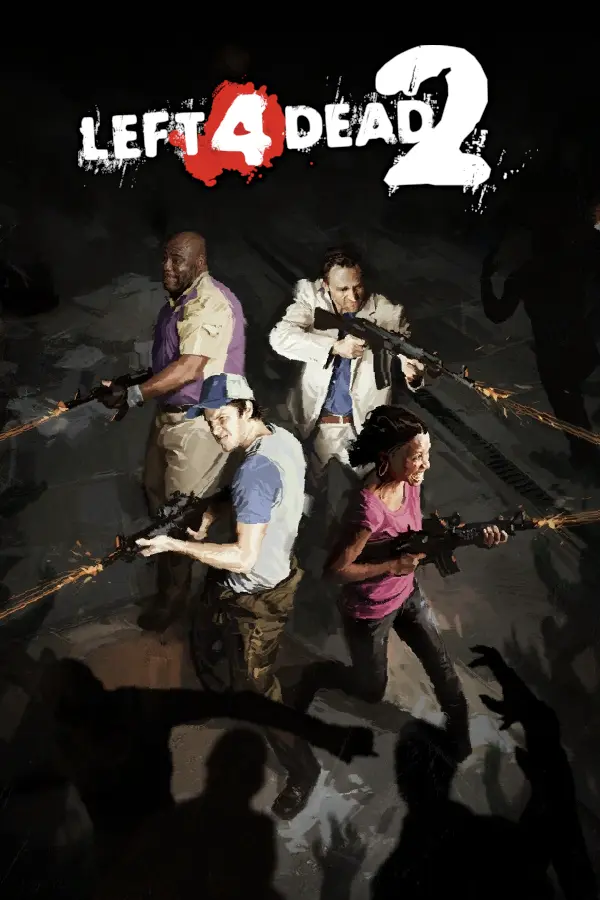
Left 4 Dead 2
Port nativo de Left 4 Dead 2 para PC.
Left 4 Dead 2
Port nativo basado en su ficha de origen.
README del repositorio
Left 4 Dead 2 — PC Port (Xbox 360 recompilation)
An unofficial native Windows port of the Xbox 360 release of Left 4 Dead 2. The game's PowerPC code is statically recompiled to x86-64 with the ReXGlue toolchain and runs on a Direct3D 12 renderer — no emulator, no console.
You need your own copy of the game. This repository contains no game data, no Valve code and no recompiled binaries. The launcher installs the game from your Xbox 360 disc image (
.iso).
Install (players)
- Download
l4d2-launcher.exefrom the latest release. - Run it and open Install.
- Game disc — pick your Left 4 Dead 2 Xbox 360
.iso(a 1:1 disc dump). The launcher checks that it is a readable Xbox 360 disc and that its title ID is Left 4 Dead 2 (454108D4) before anything is copied. An already-extracted folder also works. - Install location — choose where the game goes (about 8 GB free).
- Port patch — Latest from GitHub downloads the newest
l4d2-port-patch-*.zipfrom this repo's releases. Pick the update channel under it: Release (stable builds only) or Pre-release (newest test builds, may have bugs). You can also pick a patch zip you downloaded yourself. - Press Begin install, then Launch on the Play page.
Requirements: Windows 10/11 x64, a Direct3D 12 GPU, the Microsoft Edge WebView2 runtime (preinstalled on Windows 11) and the Visual C++ 2015-2022 x64 runtime (the launcher offers it if missing).
In game
| Key | |
|---|---|
| F12 | Screenshot (saved to logs\shots\ in the install folder) |
| F2 | Performance overlay: FPS, frame time, 1% low, stutter count, frame-time graph, output/internal resolution and scale, draw calls, shader pipelines compiled (and whether compiling right now), render targets, cache hit rates, GPU, memory, active render settings |
| F4 | Live settings panel |
| F3 / ` | Runtime debug overlay / console |
While new shaders are being compiled a small "Compiling shaders" notice appears at the bottom of the screen (with the count), and at start-up it shows how many shaders were loaded from the cache. The game also writes logs\perf_summary.csv every 5 s (game FPS, lowest FPS, stutters, shaders compiled, memory) so performance problems can be reported with numbers.
PC controls
The port has native keyboard & mouse controls with the PC layout, on by default (Settings › Input & Audio › PC keyboard & mouse controls). An Xbox controller works alongside at any time. The mouse is captured while the game window has focus.
| Action | Default |
|---|---|
| Move / walk | W A S D / hold Shift |
| Look / aim | Mouse |
| Fire / throw / use item | Left click |
| Shove / heal or give to a teammate | Right click |
| Jump / crouch | Space / hold Ctrl (the game's own crouch is a toggle; the port makes the key a hold) |
| Use / revive / pick up | E |
| Reload | R |
| Flashlight | F |
| Switch weapon (primary / secondary) | Q, 1, 2 or mouse wheel |
| Grenade / first aid / pills | 3 / 4 / 5 |
| Zoom (scoped weapons) | Middle click |
| Voice commands / quick turn | Z or C / V |
| Scoreboard / pause menu | Tab / Esc |
| Menus: move / select / back | Mouse wheel or arrow keys / left click or Enter / right click or Backspace |
Key prompts: on-screen hints ("Hold %+attack% to heal") name your PC keys. The port registers the PC controls' keys as the game's own key binds, which the hints look up before the controller buttons (l4d2_pc_prompts).
Menus: while a menu is open (main menu or pause), the mouse wheel moves the selection, left click selects and right click goes back (l4d2_menu_mouse). The menus are still the console's list menus: there is no pointer to aim at items.
Rebinding: use the launcher's Controls page. Click + next to an action and press a key or mouse button, or roll the wheel; click a key to remove it. Bindings are stored as l4d2_key_<action>=Key1,Key2 in l4d2_settings.ini.
How it works: the 360 game only reads an Xbox pad, so the port turns PC input into pad 0's state right where the game reads it. Each key and mouse button presses the pad control for its action (for example left click pulls the right trigger, which is Fire). Mouse motion comes from the game window's relative-mouse events, which SDL reads from Windows raw input. Every time the game polls the pad, the motion since the last poll becomes a right-stick value that is linear in mouse speed and starts just past the stick deadzone. The same hand movement therefore turns the view by the same amount at any frame rate. The game's own look curve is linear at its defaults, and aim-assist damping is off, so nothing adds acceleration on top.
Tuning: sensitivity and invert-Y are in Settings. Two values in l4d2_settings.ini fine-tune the feel:
l4d2_mouse_counts_fullsets how many mouse counts per second equal a full stick push.l4d2_mouse_deadzonesets where the stick output starts.
Bug reports can include logs\pcinput.txt, which logs the input event counts every 5 s.
Settings
The launcher's Settings page edits l4d2_settings.ini in the install folder; changes apply on the next launch. Highlights:
- Text accuracy (
readback_resolve): Full is needed for correct menu/HUD text — Source draws glyphs on the GPU and reads them back. Faster modes scramble letters. - Render target emulation (
render_target_path_d3d12): Accurate (ROV) — the default — reproduces the 360's EDRAM formats exactly. It is what makes in-game lighting correct (no posterised/banded colours) and makes the Bink intro movies show picture instead of a black screen. Fast (RTV) is cheaper but lighting and movies are wrong. - Real occlusion queries: Source's HDR auto-exposure depends on them.
- Overlay sections, resolution scale (1x–3x), anisotropic filtering, FXAA, V-Sync, PC controls and mouse sensitivity, log level.
PC features
- PC keyboard & mouse (Settings › Input, Controls page): PC layout with mouse look, all keys rebindable. See PC controls.
- Frame-rate cap (Settings › Display): the 360 build caps itself with the engine's
fps_maxConVar (default 30, hidden from the console). The port writes the chosen value — 30, 60, 120, 144 or unlimited — into that ConVar every frame. The default is 60 with V-Sync off: menus run at 60 and gameplay currently runs at about 40–50 FPS on a GTX 1080 (it was held to 30 before). With V-Sync on, frames that miss 60 are held to an even 30. Game simulation runs on Source's fixed server tick and is interpolated for rendering, so physics, AI and particles keep their timing at any frame rate. - Aspect ratio (Settings › Display): the game is given a native 16:9, 16:10, 21:9 (1456x624), 32:9 (1792x504) or 4:3 video mode instead of being stretched. Source lays the HUD and menus out for the actual shape, and movies stay 16:9 with side bars. The ultrawide modes use no more pixels than 16:9: every frame has to fit the 360's 10 MB of EDRAM, and the old 1680x720 21:9 mode overflowed it now and then (frames losing their top half). Use Internal resolution 2x/3x for a sharp ultrawide picture.
- Shader cache builder (launcher › Play › Build shader cache, or
Build Shader Cache.batin the install folder): loads every campaign map once, sweeps the camera around and waits for the shader compiler, with a progress bar. Afterwards: Delete cache, Play game or Exit. New effects then no longer stutter the first time they appear. The cache lives inDocuments\l4d2\cache. - Performance: cross-module virtual calls (Source calls between its DLLs all the time) used to take a lock in the recompiler runtime on every call, so the main and render threads fought over it. The port now caches those lookups per thread. Profiling:
l4d2_profile=150:30writeslogs\profile.txt(per-thread CPU and hottest functions, named from the build's .pdb files). - Mods (launcher › Mods): loose-file mods load ahead of the game's own files.
- Each mod is a folder in
game\mods\<name>\laid out likeleft4dead2\, or containing azip0.360.zip. - When you press Launch, the launcher puts enabled mods, in your chosen order, at the top of
gameinfo.xtx's search paths. The original is kept asgameinfo.xtx.orig. - A
mod.jsoncan add sliders, toggles and choices on the Mods page, plus game console commands that use their values. The port runs those through the game's own command buffer and unhides development-only ConVars first. - Add starter mods installs:
- FOV Changer: field-of-view slider (75–120), past the console's 90 limit; also the template for settings mods.
- Skip Intro: no start-up movies, and START is pressed for you on the title screen, so the game opens on the main menu.
- Viewmodel FOV: how big the weapon and hands look.
- Crosshair Style: colour, thickness, opacity, spread.
- No Film Grain.
- Bot Difficulty: survivor bot aim speed and reaction times (Relaxed / Normal / Sharp / Elite).
- Unlock All Chapters.
- A HUD-scale mod is not possible: this build has no HUD scale variable.
- PC
.vpk/.zipaddons and folders are unpacked to loose files when added, and PC textures are converted to the 360 format (.vtf->.360.vtf: big-endian VTFX header, byte-swapped DXT/pixel data; checked byte-for-byte against the game's own textures). Scripts, configs, text, materials and 360-built maps work too. PC models and sounds are not converted (360 models are big-endian studio files and sounds are XMA); the mod'sconversion_report.txtlists them. - Full guide: docs/MODDING.md.
- Each mod is a folder in
Updates
Updates → Check for updates compares your installed patch with the newest build on your chosen channel (Release or Pre-release, switchable on the Updates page). Installing a patch verifies every file's SHA-256 before anything is replaced, backs up the files it replaces to .backup\<old version>, and keeps your settings.
Repository layout
| Path | What |
|---|---|
launcher/ | The launcher (Go + WebView2). XDVDFS/ISO reader, XEX title check, installer, patcher, settings UI. |
port/ | The port project: runtime hooks (src/), import/stub glue (src/stubs/), recompiler manifest (l4d2_manifest.toml), build config. |
docs/ | Patch format and release process. |
Building
Launcher
cd launcher
go build -trimpath -ldflags "-H windowsgui -s -w" -o l4d2-launcher.exe .
Cross-compiling from Linux/macOS works with GOOS=windows GOARCH=amd64. Command-line modes:
--inspect-iso <iso> [report] | Check a disc image |
--install <iso|folder> <dir> <patch.zip|github|github-pre|skip> [log] | Headless install |
--make-patch <buildDir> <version> <out.zip> [notes] | Build a patch zip |
--publish <zip> <version> [--prerelease] [--notes text] [--file extra] [--repo owner/name] [--log file] | Upload a patch to a GitHub Release |
go test runs the ISO, install and patch tests against synthetic disc images. |
Port
Requires the ReXGlue SDK 0.10.0, Visual Studio 2022+ with C++ and Clang tools, and the game files extracted next to the project as assets/ (the launcher's install, or l4d2-launcher --inspect-iso to check your ISO first).
port\scripts\build.bat full     :: codegen + vscript table fix + build
port\scripts\build.bat          :: incremental
port\scripts\run_dev.bat        :: run against ..\assets with a log in port\logs
port\scripts\test_map.bat       :: windowed 3-minute run straight into Dead Center; screenshots +
                                :: perf_summary.csv land in port\testruns\
port\scripts\perf_matrix.bat    :: the same run with several settings files, for A/B comparisons
port\scripts\feature_tests.bat  :: frame-rate / 21:9 runs; an autopilot presses START/A to reach a campaign
port\scripts\pc_tests.bat       :: PC controls: real OS mouse moves, W, clicks, R, F (SendInput, only while
                                :: the game window is in front) + console commands; logs\pcinput.txt
port\scripts\cal_tests.bat      :: stick-deadzone calibration (fixed right-stick levels, autoshots every second)
port\scripts\v_tests.bat        :: Skip Intro (-novid + auto START), console-started map, l4d2_fov changes, input test
port\scripts\x_tests.bat        :: 32:9, starter-mod commands, key-prompt binds, menu navigation, profiler
port\scripts\ab_tests.bat       :: indirect-call cache on/off frame-rate A/B, chapter unlock, PC texture mod
Making a patch release
| Script | What it does |
|---|---|
port\scripts\make_patch.bat 1.0.1 "notes" | Builds port\dist\l4d2-port-patch-1.0.1.zip only — upload it yourself |
port\scripts\release_patch.bat 1.0.1 "notes" | Builds the zip and publishes it as a full GitHub Release v1.0.1 (with the launcher exe attached) |
port\scripts\pre_release_patch.bat 1.1.0-beta.1 "notes" | Same, but as a pre-release — only launchers on the Pre-release channel offer it |
Publishing uses your GitHub login: GITHUB_TOKEN/GH_TOKEN if set, otherwise the GitHub CLI (gh auth login), otherwise Git's credential manager (the login git push uses). Re-running for an existing version replaces its files. Versions compare like semver: 1.1.0-beta.2 < 1.1.0. See docs/PATCHES.md.
Status
Boots, intro movies, menus, text and gameplay work, with correct lighting on the accurate (ROV) render path. Gameplay runs at roughly 40–50 FPS uncapped (60 in menus) on a GTX 1080; short dips happen while new shaders compile (the shader cache removes them on later runs). Known issues are tracked in Issues.
Legal
Left 4 Dead, Left 4 Dead 2 and Valve are trademarks of Valve Corporation; Xbox 360 is a trademark of Microsoft. This project is not affiliated with or endorsed by either. No game content is distributed here — you must own the game.
No license has been chosen for this repository yet.
Comentarios (0)
Inicia sesión para dejar un comentario.
Sé el primero en comentar sobre este juego.