
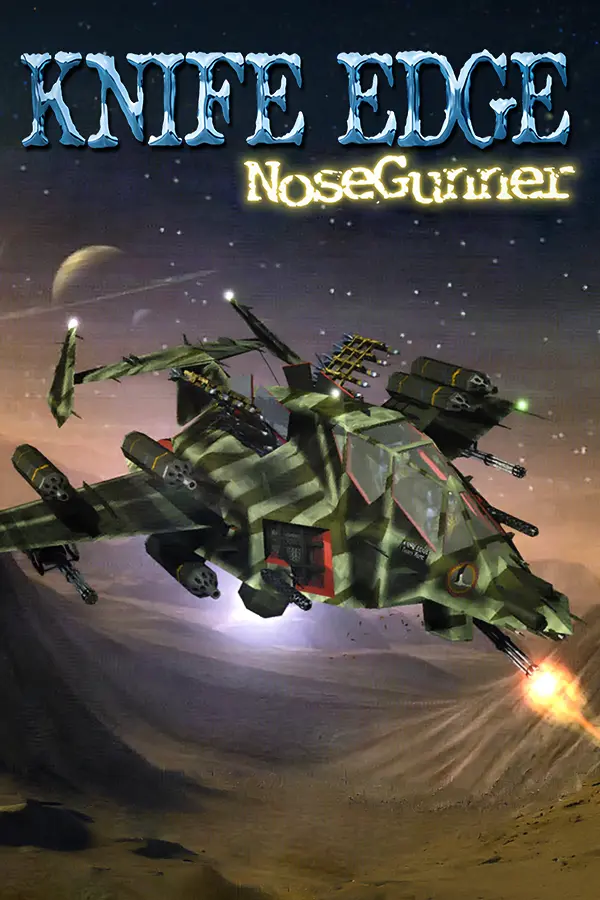
Knife Edge: Nose Gunner (Knife Edge Recompiled)
Port nativo de Knife Edge: Nose Gunner (Knife Edge Recompiled) para PC.
Knife Edge: Nose Gunner (Knife Edge Recompiled)
Port nativo basado en disi33/ke-ng_reversing.
README del repositorio
Disclaimer: This is what those in the decomp/recomp community would call an "AI Slop" recomp. It is almost entirely LLM-generated by a mix of Claude Fable, Opus 5, and Sonnet.
As a career Software Engineer, I think it's remarkable that an LLM can leverage the amazing tools built by the retro reverse-engineering community to derive a static recompilation of an N64 game.
However, this project has not been built, reviewed, or endorsed by anyone with relevant expertise in the area.
I can make no guarantees of the quality, accuracy, stability, or security of the code in this repository, since I did not write it, and I lack the knowledge to properly review it.
This was merely an exercise in curiosity to see if I could get an LLM to pop out a PC port of an obscure N64 title I remember from my childhood.
I hope to some day develop the skills necessary to create a proper decomp project.
For examples of decomps/recomps that were built by communities of experts, check out:
Knife Edge Recompiled
A static-recompilation PC port of Knife Edge – Nose Gunner (N64, Kemco, 1998), built on N64Recomp / N64ModernRuntime and RT64 — the same toolchain used by Zelda64Recomp.
Knife Edge's N64 machine code is translated to C ahead of time (no emulation), linked against a runtime that HLEs the OS/libultra layer, and rendered through RT64's modern graphics backend.
Status
Playable and stable. Boots through the KEMCO logo, title screen and attract loop into the menus and gameplay — verified on real hardware through stage 4 including an alternate stage path, with correct music and sound effects, correct game speed, and working results/stage-overview screens. No known defects.
Not yet verified: full campaign completion, and high-score persistence across
runs (analyzed and almost certainly absent — which is faithful, since the
game only probes for a Controller Pak; see analysis/docs/enhancements.md).
All planned enhancements are built: high resolution, widescreen, full
height, HUD relocation, high framerate (experimental), plus gamepad and
mouse-aim input support and Flatpak packaging. enhanced is the default
profile; vanilla is the regression baseline (see "Configuration" below
and analysis/docs/enhancements.md).
Development notes, working practices and a documentation index live in
CLAUDE.md.
Repository policy
What this repo contains is the analysis pipeline and its metadata, not build artifacts:
analysis/— the scripts that derive symbols from a ROM (function boundary detection, libultra identification, spin-loop detection).config/*.toml— the symbol/section tables those scripts produce. This is the reviewable source of truth: a change here is human-meaningful.src/— the runtime shim (window, renderer, audio, input, ROM provisioning).
Deliberately not committed:
- The ROM, and any asset or data dump taken from it. Knife Edge – Nose Gunner is © 1998 Kemco; you need your own legally-obtained dump to build a playable binary or to regenerate anything.
- Recompiler output (
generated/). It is a build artifact derived mechanically from the ROM, so it is regenerated rather than stored — see "Regenerating from a ROM".
Two consequences worth knowing:
Normal CI needs no ROM and no secrets. With no ROM available, the build
compiles src/stub_game/ instead of recompiled game code, so
.github/workflows/build.yml still validates the runtime shim, RT64,
librecomp, ultramodern, audio and input on every push — and works for pull
requests from forks, which cannot receive secrets.
Release binaries contain recompiled code but no game data. The player
supplies their own ROM at runtime and the game reads assets, audio and level
data directly out of it, exactly as it did on hardware — there is no asset
extraction step. The linux-build workflow job asserts this via
scripts/assert_no_rom_assets.py, which samples the ROM's data regions and
fails if any of those bytes appear in the binary.
Building
Option A: devcontainer (recommended)
Open the repo in the provided devcontainer (.devcontainer/devcontainer.json).
Its postCreateCommand installs the full toolchain, sets up a Python venv
for the analysis pipeline, and initializes submodules. Then:
git submodule update --init --recursive   # if not already done
cmake -B build -G Ninja \
  -DCMAKE_C_COMPILER=clang -DCMAKE_CXX_COMPILER=clang++ \
  -DCMAKE_BUILD_TYPE=Release \
  -DKE_ROM="/path/to/Knife Edge - Nose Gunner (USA).n64"
cmake --build build
The resulting binary is build/KnifeEdgeRecompiled. (Any build directory
name works — local development in this repo has also used build-shim;
CI uses build.)
KE_ROM makes CMake normalize the ROM, run the analysis pipeline, and invoke
N64Recomp/RSPRecomp at configure time; the results land in build/generated/.
Omit it to build against src/stub_game/ instead — a placeholder that links and
runs but has no real game code, useful for build-system iteration and for CI
without a ROM. (-DKE_GENERATED_DIR=<dir> still works if you have recompiler
output from elsewhere.)
Option B: native deps
Install (Debian/Ubuntu package names — matches
.devcontainer/devcontainer.json's postCreateCommand):
sudo apt-get install -y cmake ninja-build clang lld pkg-config \
  libsdl2-dev libx11-dev libvulkan-dev vulkan-tools \
  glslang-tools spirv-tools mesa-vulkan-drivers xvfb
(xvfb and a Vulkan software rasterizer like mesa-vulkan-drivers'
lavapipe are only needed for headless/CI runs without a real GPU/display.)
Then clone with submodules and build as in Option A:
git clone --recurse-submodules <this repo>
cmake -B build -G Ninja -DCMAKE_C_COMPILER=clang -DCMAKE_CXX_COMPILER=clang++ \
  -DCMAKE_BUILD_TYPE=Release -DKE_ROM="/path/to/knife_edge.n64"
cmake --build build
Windows has a native CMake branch and CI jobs (see Option E below);
first CI runs are pending. macOS should work per the top-level
CMakeLists.txt's platform branches (this mirrors Zelda64Recomp's supported
set) but remains unexercised — Linux is the actively-tested platform (see
analysis/docs/build-notes.md).
Option C: containerized (any machine with docker or podman)
No local toolchain install at all — everything (clang, cmake, ninja, SDL2,
Vulkan, the analysis pipeline's Python venv, ...) lives in
containers/Containerfile, built and run for you by one script:
git submodule update --init --recursive   # if not already done
./scripts/container_build.sh --rom "/path/to/Knife Edge - Nose Gunner (USA).n64"
Output lands in build-container/KnifeEdgeRecompiled — run it on the host
exactly as in "Running" below, no container involved at runtime. Omit
--rom to build against src/stub_game/ instead, same as Options A/B.
This is exactly what CI runs (.github/workflows/build.yml calls the same
script), so a container build is the closest thing to a guaranteed-green
build available locally. See ./scripts/container_build.sh --help for the
rest of its flags (--check, --smoke, --shell, --exec, --jobs,
--rebuild-image), and analysis/docs/build-notes.md's "Containerized
build" section for the design.
Option D: Flatpak
Needs recompiled game code first (Option A/B/C above with -DKE_ROM=..., or
./scripts/container_build.sh --rom ...) so generated/us/ exists, plus
flatpak-builder on the host:
./scripts/build_flatpak.sh --install
This builds KnifeEdgeRecompiled.flatpak in the repo root and installs it for
the current user (drop --install to just produce the bundle; see
./scripts/build_flatpak.sh --help for --bundle <path> and
--runtime-install, which fetches the org.freedesktop.Platform/Sdk//25.08
runtime this manifest needs if you don't have it yet). Then:
flatpak run io.github.haydenmc.KnifeEdgeRecompiled
First run opens a portal file-open dialog to pick your ROM (no ROM ships in
the bundle, and none is downloaded) — the sandbox has no filesystem
permissions at all; the portal is what lets you point it at a file from
outside the sandbox for that one pick. App data (config, the normalized ROM
cache) lives at ~/.var/app/io.github.haydenmc.KnifeEdgeRecompiled/data/knife-edge-recompiled/,
so it persists across app updates. See analysis/docs/build-notes.md,
"Flatpak packaging", for the manifest's design and
packaging/flatpak/io.github.haydenmc.KnifeEdgeRecompiled.yml's
finish-args for the exact sandbox permissions (wayland/X11/pulseaudio
sockets, DRI, IPC — no filesystem, no network).
Option E: Windows (clang-cl, native)
Install Visual Studio 2022 Build Tools (or VS with the C++ workload), which provides CMake ≥3.20, Ninja, and LLVM/clang-cl — all available via the Visual Studio installer. Python 3 with rabbitizer, capstone, and tomlkit is needed for ROM-based builds:
pip install rabbitizer capstone tomlkit
CRITICAL: Before cloning, run these once (the pinned-submodule patch is LF-only and configure fails if autocrlf mangles it; long paths are needed by the deep build tree):
git config --global core.autocrlf false
git config --global core.longpaths true
Then clone with submodules and build the host tools:
git clone --recurse-submodules <this repo>
cmake -S deps/N64Recomp -B deps/N64Recomp/build -G Ninja -DCMAKE_BUILD_TYPE=Release
cmake --build deps/N64Recomp/build --target N64RecompCLI RSPRecomp
From a Visual Studio x64 Developer Prompt (not a plain cmd.exe; open it
from the Start Menu or via vcvarsall.bat x64), configure and build:
cmake -B build -G Ninja -DCMAKE_C_COMPILER=clang-cl -DCMAKE_CXX_COMPILER=clang-cl "-DCMAKE_CXX_FLAGS=-Xclang -fexceptions -Xclang -fcxx-exceptions" -DKE_ROM="<path to knife_edge.n64>"
cmake --build build
SDL2 and dxc DLLs are staged next to the exe automatically. App data (config,
normalized ROM cache) lives in %LOCALAPPDATA%\KnifeEdgeRecompiled (override
with KE_DATA_DIR if needed).
Running
You need your own dump of Knife Edge – Nose Gunner (USA) (.z64, .v64,
or .n64 byte order — all three are accepted).
./build/KnifeEdgeRecompiled --rom /path/to/knife_edge.z64
The first run with --rom validates the dump (hash-checked against the
known-good ROM) and stores a normalized copy under a ke_recomp_data/
directory next to wherever you run the binary from. Subsequent runs can omit
--rom and will reuse the stored copy. Running without --rom and without a
previously stored ROM prints a clear error and exits (this is what
CI's smoke test checks — see below).
Controls
Keyboard, and any SDL-recognized game controller — both work at once, and a gamepad can be hot-plugged in or out at any time.
Keyboard and mouse are always N64 controller 1 (port 0). Pads are handed
ports in the order they connect, starting at pad_start_port (default 0),
each new pad taking the lowest free port from there; a pad keeps its port
until it is unplugged, and unplugging frees that port for the next
connection. With the default, a single pad also lands on port 0 and merges
with the keyboard and mouse — the same "whichever controller is in hand
works" behavior as before — while a second and third pad become controllers 2
and 3. See "Multiplayer" below for the two-player recipe.
| N64 input | Key |
|---|---|
| A | X |
| B | Z |
| Z | Left Shift |
| Start | Enter |
| D-pad Up/Down/Left/Right | Arrow keys |
| C-Up / C-Down / C-Left / C-Right | I / K / J / L |
| L / R shoulder | Q / E |
| Control stick | W A S D |
| N64 input | Gamepad |
|---|---|
| A | A |
| B | B |
| Z | Either trigger |
| Start | Start |
| D-pad Up/Down/Left/Right | D-pad |
| C-Up / C-Down / C-Left / C-Right | Right stick |
| L / R shoulder | Left / right bumper |
| Control stick | Left stick |
Custom gamepad mappings can be supplied the standard SDL way, via the
SDL_GAMECONTROLLERCONFIG environment variable.
Mouse aim is also available, on by default. Click anywhere in the window to capture the pointer; Esc releases it. While captured, mouse motion steers the same control stick as the keyboard/gamepad (summed with them, then clamped), and mouse buttons map to N64 buttons:
| N64 input | Mouse |
|---|---|
| Z | Left click |
| A | Right click |
| B | Middle click |
There are two ways mouse motion can be turned into aim, chosen with the
[input] table's mouse_mode key:
positional(default) — the reticle follows the mouse 1:1 and absolutely: move the mouse an inch and the reticle moves the corresponding distance, then stops there. This is a closed loop on the game's own reticle position, so it needs no drift correction and never overshoots.mouse_sensitivityscales how far the reticle travels per unit of mouse movement.velocity— mouse speed maps to stick deflection, so the reticle keeps drifting for as long as the mouse keeps moving. This was the original mapping; it is kept because it needs no knowledge of the game's state at all.
mouse_invert_y (off by default) inverts the vertical axis in both modes.
Off means mouse-up aims up; on restores the game's own flight-style
inverted aim. Turn mouse aim off entirely with mouse_aim — see
"Configuration" below. The full reverse-engineering behind positional mode
is in analysis/docs/mouse-aim.md.
One honest caveat that applies to both modes: the game samples input once per game frame (~15 Hz, same as the pad — see below) and moves the reticle by a fixed amount per frame, so the reticle updates at that same game rate no matter how smoothly the mouse itself moves. That's inherent to the current build, not a bug in the mouse handling; fully smooth aim is coupled to the (not yet started) high-framerate enhancement.
The game samples the controller once per game frame (~15 Hz — see
analysis/docs/timing-and-mission-debug.md), the same as on console, so a key
has to be held for a frame to register. The window disables SDL's text input
so a desktop input method cannot swallow those holds; if your desktop still
intercepts held keys, try running with XMODIFIERS=@im=none QT_IM_MODULE= GTK_IM_MODULE= to take the input method out of the path entirely.
Analog-stick deadzone, response curve, and sensitivity can be tuned via the
[input] table — see "Configuration" below.
Multiplayer
Knife Edge has four-player TEAM (co-op) and BATTLE (team versus) modes on the
GAME MODE SELECT carousel. The game only lets you pick them when it sees at
least two controllers, and it checks once at startup — so plug pads in
before launching, or tell it how many ports to report with ports.
Two [input] keys cover this (full table under "Configuration" below):
ports— how many controller ports to report.0(default) is automatic: port 0 always, ports 1–3 while a pad is assigned to them. Setting it to2–4reports that many regardless of what is plugged in; the ports with nothing on them simply never press anything, which is enough to enter a multiplayer game and play it with fewer humans than players.pad_start_port— which port pads start claiming from.0(default) merges the first pad with the keyboard and mouse on controller 1.
Two humans, one keyboard and one pad:
[input]
pad_start_port = 1   # keyboard + mouse stay P1; the pad becomes P2
ports = 2            # report 2 controllers so TEAM/BATTLE are selectable
ports can be left at 0 there if the pad is genuinely plugged in before
launch — it is only needed when you want the game to believe in a controller
that is not there.
In TEAM mode each player gets their own coloured reticle, and the colour is fixed by port: P1 green, P2 red, P3 yellow, P4 magenta. All four gun for the same aircraft, so there is one shared health dial.
Multiplayer is newly reachable in this port and is still being worked through
(analysis/docs/multiplayer.md has the details, including two known
cosmetic HUD faults in BATTLE mode on the enhanced profile — vanilla is
correct in every mode measured).
Configuration
Settings live in <app folder>/config.toml (the ke_recomp_data/ directory
mentioned above, next to wherever you run the binary from), created with
commented defaults on first run. It selects a profile:
enhanced(default) — a curated set of quality-of-life changes: currentlyinput_latching(see Controls above),high_resolution(renders the 3D scene at window resolution through RT64 instead of native 320x240),widescreen(expands the 3D field of view to the window's aspect ratio instead of 4:3-pillarboxing it),full_height(removes the in-mission 20-line letterbox, revealing the full 320x240 frame),hud_relocation(re-anchors the in-mission HUD to the true window corners that the previous two open up — health cluster bottom-left, S-BOMB gauge bottom-right, each keeping its original margin — instead of leaving it inside the centered 4:3 column), andextended_aim(lets the aiming reticle reach the whole visible viewport instead of stopping at the rails it had for a 4:3 / 320x200 view — ±170 instead of ±128 horizontally at 16:9, ±100 instead of ±84 vertically; the shot goes where the crosshair is out there too, the game's aim math needs no correction for it).vanilla— every enhancement off, faithful to original hardware behavior. This is the regression baseline every measurement and bug investigation inanalysis/docs/assumes unless stated otherwise.custom— reads individual[enhancements]flags from the file.
One additional flag exists outside every curated profile: high_framerate
(experimental) renders at the display's refresh rate via RT64 frame
interpolation while game logic keeps its original paced rate. It works —
motion is visibly smoother — but has known visual artifacts on some effects
(the lock-on effect and bullet trails warp/smear, a limitation of RT64's
heuristic frame matching; see analysis/docs/high-framerate.md). To try it,
set active = "custom" and enable it (plus whichever enhanced-set flags you
want) under [enhancements].
Two CLI flags, and nothing else config-related:
./build/KnifeEdgeRecompiled --rom /path/to/knife_edge.z64 --profile vanilla
./build/KnifeEdgeRecompiled --config /path/to/other-config.toml
--profile overrides [profile] active from the file; --config points at
a config file somewhere other than the default location. A missing file is
created with defaults; a malformed one falls back to vanilla defaults with a
warning on stderr rather than failing to start. The active profile and any
non-default flags are logged on startup right after the build stamp, so a
bug report identifies its config along with its build. See
analysis/docs/enhancements.md for the full policy, the current flag table,
and how future enhancements get added.
The [input] table tunes how the host analog stick maps to the N64 stick
range. It applies in every profile, vanilla included — it's host input-device
shaping, not a change to game behavior, so it isn't gated by --profile.
Out-of-range values are clamped to the ranges below, with a warning on
stderr.
| Key | Default | Range | Meaning |
|---|---|---|---|
stick_deadzone | 0.15 | 0.0–0.9 | Radial stick travel around center that's ignored. |
stick_curve | 1.0 | 0.25–4.0 | Response exponent applied after the deadzone rescale; >1.0 gives finer control near center without changing full deflection. |
stick_sensitivity | 1.0 | 0.1–3.0 | Multiplier applied after the curve; >1.0 reaches full deflection before the stick is maxed out, <1.0 caps below full deflection. |
mouse_aim | true | boolean | Master switch for mouse aim (see Controls above). false disables capture-on-click entirely. |
mouse_sensitivity | 1.0 | 0.05–20.0 | Multiplier on mouse-derived aiming: reticle travel per unit of mouse movement in positional mode, stick deflection per unit of mouse speed in velocity mode. |
mouse_mode | "positional" | "positional" | "velocity" | How mouse motion becomes aim — 1:1 absolute reticle following, or mouse-speed-to-stick drift. See Controls above. |
mouse_invert_y | false | boolean | Inverts the vertical mouse axis in both modes. Off is mouse-up = reticle-up; on restores the game's own flight-style inverted aim. |
pad_start_port | 0 | 0–3 | Which N64 port pads start claiming, lowest free port first, in connection order. 0 merges the first pad with keyboard and mouse on controller 1; 1 keeps controller 1 keyboard-only and makes pads P2–P4. See "Multiplayer" above. |
ports | 0 | 0–4 | How many controller ports to report to the game. 0 = automatic (port 0 always, ports 1–3 while a pad is assigned there). 2–4 reports that many whatever is plugged in, which is what makes the TEAM/BATTLE modes selectable with fewer pads than players. The KE_FORCE_PORTS environment variable overrides this. |
Regenerating from a ROM
Recompiler output is not committed, so a playable build always regenerates it.
Passing -DKE_ROM=<path> to CMake does all of this for you; the manual recipe
below is what that automates, and is what you want when iterating on the
analysis pipeline itself:
- Build the one-time tools (if you haven't already):
cmake -S deps/N64Recomp -B deps/N64Recomp/build -G Ninja \ -DCMAKE_BUILD_TYPE=Release -DCMAKE_C_COMPILER=clang -DCMAKE_CXX_COMPILER=clang++ ninja -C deps/N64Recomp/build N64Recomp make -C deps/n64sym # symbol-identification oracle used by stage 2 below - Ingest your ROM into the normalized form the pipeline expects:
This accepts z64/v64/n64 byte order, verifies the dump's md5 against the known-good Knife Edge (USA) hash, and writes a normalized big-endian z64 to.venv/bin/python analysis/byteswap.py /path/to/your/rom build/knife_edge.z64build/knife_edge.z64(outside the repo tree — never committed). - Run the analysis pipeline:
This runsmake -C analysisfind_functions.py→ident_libultra.py→gen_syms.py(seeanalysis/docs/pipeline-spec.mdandpipeline-report.md) and (re)writesconfig/knife_edge.us.syms.tomlandconfig/knife_edge.us.toml. - Run N64Recomp (and
RSPRecompfor the audio microcode). Output goes whereveroutput_func_pathinconfig/knife_edge.us.tomlpoints — a build directory, never the repo:deps/N64Recomp/build/N64Recomp config/knife_edge.us.toml deps/N64Recomp/build/RSPRecomp config/aspMain.us.toml - Check the metadata is unchanged:
No diff means the pipeline is reproducible. A diff means the pipeline changed behavior — review it, sincegit diff --stat -- configconfig/is the reviewable record of what the analysis concluded. - Rebuild
KnifeEdgeRecompiledagainst the regenerated output as in "Building" above.
.github/workflows/build.yml has a regen-verify job that automates this
recipe and fails if step 5 finds a diff. Unlike the rest of this section
(which assumes you're supplying your own local ROM), that job runs on a
plain hosted ubuntu-latest runner: it fetches an age-encrypted ROM from
owner-configured private storage and decrypts it in-run using repo secrets
(see analysis/docs/build-notes.md, "Encrypted ROM in CI (Backblaze B2)" for
the full design and setup). It runs on every push to main, every same-repo
pull request (so config/ drift is caught before merge, not after), and
manual dispatch.
linux-build and flatpak-build fetch the ROM the same way and run on the
same events plus version-tag pushes, producing a downloadable Linux tarball
and Flatpak bundle artifact respectively on every one of those runs (PR,
push to main, tag, or dispatch) — not just tagged releases. A v* tag
push additionally triggers publish, which attaches those two artifacts
from the same run to the GitHub release for that tag (creating it if it
doesn't exist yet); publish is the only job in the workflow with write
permissions and does no building of its own. All ROM-needing jobs skip
automatically wherever the ROM secrets aren't configured — forks and their
pull requests still need no ROM and no secrets, unchanged from the policy
above.
Architecture
CMakeLists.txt— top-level build; wires up RT64 + N64ModernRuntime (ultramodern/librecomp) + theRecompiledFuncsstatic lib (either the regenerated output orsrc/stub_game/) into theKnifeEdgeRecompiledexecutable. Seeanalysis/docs/build-notes.mdfor how it was put together, including dependency quirks and what was and wasn't kept from Zelda64Recomp's reference implementation.src/main/— runtime entry point (main.cpp), RT64 renderer wiring (rt64_render_context.{h,cpp}), overlay registration (register_overlays.cpp), the RCP frame-time model that sets the game's speed (rcp_timing.cpp), small platform helpers (support.{h,cpp}), the enhancement-flag/profile config loader (config.{h,cpp}— see "Configuration" above andanalysis/docs/enhancements.md).src/stub_game/— placeholder game code used when no ROM/generated code is unset, so the executable always links and runs even without a ROM-derived build.analysis/— the ROM → symbols pipeline (Python):find_functions.py(function boundary detection),ident_libultra.py(libultra/OS function naming via the vendoredn64symtool plus a curated override table),gen_syms.py(emits theconfig/*.tomlN64Recomp consumes). Full pipeline design inanalysis/docs/pipeline-spec.md, results inanalysis/docs/pipeline-report.md.analysis/docs/n64recomp-formats.md— reference for the N64Recomp input TOML formats and output contract this project relies on.analysis/docs/overlay-tracking.md— how Knife Edge's own code-overlay loader is hooked so librecomp's function-lookup tables stay correct across overlay swaps.analysis/docs/boot-debug.md— the crash-by-crash debugging log from first boot to a stable title/attract loop; the best single source for "what does and doesn't work yet."analysis/docs/timing-and-mission-debug.md— why the game ran 4x too fast and why starting a mission hung, with the measurements and backtraces; also documentsKE_PERF(frame-rate instrumentation) andKE_RCP_FRAME_MS(the RCP frame-time budget), and the headless recipe for driving the menus.
Credits
- N64Recomp and
N64ModernRuntime (MIT,
N64Recomp org / Wiseguy) — the static recompiler and the
ultramodern/librecompruntime this project's game code andmain.cppare built on. - RT64 (MIT, RT64 Contributors) — the
rendering backend used for
ultramodern::renderer::callbacks_t. - n64sym (MIT, shygoo) — the signature-
based symbol identification tool used as the seed oracle in
analysis/ident_libultra.py. - Zelda64Recomp — reference
implementation this project's
main.cpp,rt64_render_context.cpp, andregister_overlays.cpppatterns were adapted from (seeanalysis/docs/build-notes.mdfor exactly what was kept vs. dropped).
Knife Edge – Nose Gunner is © 1998 Kemco. This project contains no Kemco assets, game data, or ROM content — only independently reverse-engineered control-flow structure (function boundaries and libultra/OS symbol names) needed to recompile the game's own machine code.
Comentarios (0)
Inicia sesión para dejar un comentario.
Sé el primero en comentar sobre este juego.