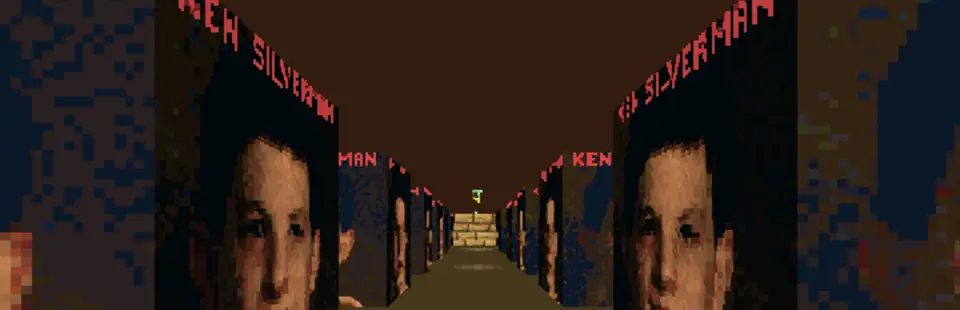
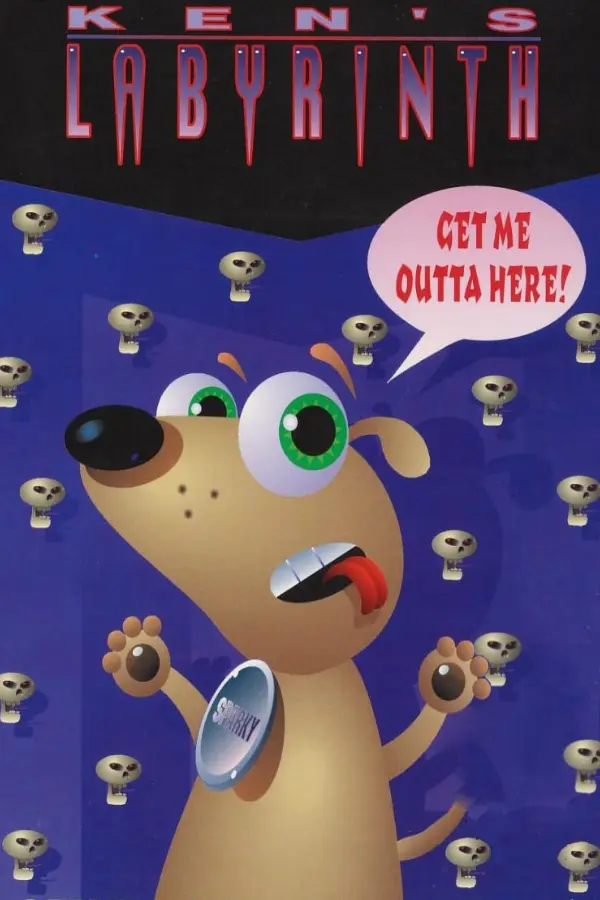
Ken's Labyrinth (LAB3D/SDL)
Port nativo de Ken's Labyrinth (LAB3D/SDL) para PC.
Ken's Labyrinth (LAB3D/SDL)
Port nativo basado en su ficha de origen.
README del repositorio
LAB3D/SDL
LAB3D/SDL is a port of Ken's Labyrinth to modern operating systems, using OpenGL for graphics output and the SDL library to provide user input, sound output, threading, and some graphics support functions. Music output is through Adlib emulation or MIDI (MIDI only on Windows, Linux and other operating systems with OSS-compatible sound APIs).
This code is built for, and has been tested on, Windows 10, macOS 12 and later, Linux (including Raspberry Pi OS), Nintendo Switch and AmigaOS 3.x (real hardware and emulators such as WinUAE and Amiberry). The version 4 sources need SDL 2, so the older systems the original SDL 1.2 port ran on (Windows 9x/XP, Solaris 8, FreeBSD 4.x and the like) are no longer supported.
The launcher runs every released version of the game - 1.0, 1.1, 2.0 and 2.1 - and Walken, the 1992 pre-release (see Walken below).
Improvements over the original Ken's Labyrinth:
- Runs natively on 32-bit/64-bit Intel/ARM Windows, macOS, Unix, Nintendo Switch or a 68020 or better Commodore Amiga running AmigaOS 3.x.
- Supports big-endian CPUs.
- Uses OpenGL to provide hardware accelerated, anti-aliased graphics with trilinear interpolation in true colour (where available).
- Hi-res texture support.
- Multiple simultaneous sound effects.
- Improved General MIDI music.
- Adlib emulation.
- Game controller support.
- Many bug fixes.
Hardware requirements
LAB3D/SDL requires a machine capable of running Windows 10 or a Unix-like OS (e.g. Linux) and the Simple DirectMedia Layer, and a graphics card with OpenGL drivers. Both little-endian and big-endian CPUs work. macOS (both Apple Silicon and Intel) and Nintendo Switch are also supported.
The Amiga port has its own requirements, since it needs neither SDL nor OpenGL:
- AmigaOS 3.0 or later (V39+) and a 68020 or better (a 68EC020 with no FPU works).
- About 3 MB of free RAM.
- asl.library V38 or later, for the screen mode requester.
- Optional: CyberGraphX or Picasso96 for RTG screen modes; otherwise a native OCS/ECS/AGA screen is used.
- Optional: ahi.device V4 or later for 16 bit sound, and a joystick or CD32 pad in port 1.
Recommended system:
- Any graphics card with a working, hardware accelerated OpenGL driver. If OpenGL is not accelerated the game runs very slowly.
- Keyboard. A gamepad or joystick is optional.
Optional features:
- MIDI sound (Windows, and Linux with an OSS-compatible
/dev/sequencer). - Two-button mouse or better.
- Game controller or joystick.
- Stereoscopic 3D needs OpenGL framebuffer objects (OpenGL 3.0, or a driver
that exposes
ARB_framebuffer_object). Without them the game runs normally and simply does not offer stereo.
Software requirements
Operating system
Windows 10 or later (x86, x64 and ARM64), macOS 12.4 or later (Apple Silicon and Intel), Linux (x86, x64, ARMv7, ARM64 and PPC64LE are built by the project), the Nintendo Switch with homebrew, and AmigaOS 3.x (see above).
Libraries
SDL 2.0 or later, SDL2_image, zlib, OpenGL 1.2 and GLU. The game only uses
old fixed-function OpenGL, so any driver that supports 1.2 will do. The Nintendo
Switch build asks for an OpenGL 4.3 compatibility context, which is what its
driver provides. The Windows and macOS builds ship with their libraries; the
Linux packages depend on libsdl2-2.0-0, libsdl2-image-2.0-0, libgl1 and
libglu1-mesa.
Compiler
A C compiler with C99 support:
- Windows: Visual Studio 2022 (MSVC), which is what CI uses. MinGW-w64 also
works through
Makefile.Win32(see "Alternative makefiles" below). - macOS: Xcode command line tools (clang). The macOS build always uses clang.
- Linux: clang or GCC. The release builds use clang in Docker.
- Amiga: bebbo's
m68k-amigaos-gcc(supplied by the Docker image). - Nintendo Switch: devkitPro with devkitA64.
Other utilities
CMake 3.26 or later, except when using Makefile.old or Makefile.Win32, which
need only GNU Make. Older distributions ship an older CMake (for example
Ubuntu 22.04 and Debian 12), so install a newer one from Kitware or pip, or use
Makefile.old. The Linux release packages and the Amiga build also use Docker. The macOS
build needs MacPorts for the universal libraries, and Xcode is recommended.
Installation
Linux
Before the game will run you will need to install the SDL2, SDL2_Image and GLU shared libraries on your system.
Run the following commands:
sudo apt update
sudo apt install libsdl2-2.0-0 libsdl2-image-2.0-0 libglu1-mesa
macOS
All required libraries and data are bundled in the app. Open the .dmg file, drag the app to the Applications folder, then launch it.
Nintendo Switch
To play this on your Nintendo Switch you will need a Switch set up to run homebrew software, then do any of these three choices:
- Download the latest release of the game from https://github.com/sacredbanana/lab3d-sdl/releases,
- Download the game from the Homebrew Appstore. This is the easiest option and will also install the game for you automatically. Or
- Compile the game yourself (see the Nintendo Switch compiling instructions above)
Navigate to the Switch folder inside your Nintendo Switch SD card and create a new folder
called Kens-Labyrinth. Inside this folder, transfer Kens-Labyrinth.nro and the
entire gamedata directory, including gamedata/shared. To run without the
launcher using only one version's files, copy that version into the executable's
directory and also copy its needed files from gamedata/shared, preserving
their names.
Amiga (AmigaOS 3.x, 68020+)
The Amiga port is a separate build of the same game: it uses no SDL and no OpenGL, drawing the labyrinth with its own software renderer and talking to intuition.library, graphics.library, cybergraphics.library, audio.device or ahi.device, and lowlevel.library directly.
Four executables are supplied, one per CPU class:
| Executable | For |
|---|---|
Kens-Labyrinth.020 | 68020/68EC020 with no FPU (software floating point) |
Kens-Labyrinth.020fpu | 68020/68030 with a 68881 or 68882 |
Kens-Labyrinth.040 | 68040 |
Kens-Labyrinth.060 | 68060 |
The release is Kens-Labyrinth.lha (also uploaded to Aminet). Unpack it
anywhere, for example to RAM:, open the Kens-Labyrinth drawer and
double-click Install. The installer asks where to put the game, detects
your CPU and preselects the matching executable, and copies it along with the
game data and music. Select more than one executable if the drawer is shared
between several Amigas. It needs Installer 42 (on the OS 3.1 disks) or later,
or InstallerNG. Installing over an older version updates the programs and game
data but keeps settings.ini, saved games, high scores and icon positions.
The installer is optional: the unpacked drawer is already a complete
installation. You can also copy the matching executable and the gamedata
drawer into a directory yourself, then run the game from a Shell or from
Workbench. Keep gamedata/shared with the five version drawers, because it
holds the music, images and game files that more than one version uses.
The renderer and ray caster work in fixed point, so the FPU builds are not much faster at drawing, but they run Adlib music emulation much faster. An FPU build will not run at all on a machine without an FPU.
Choosing a screen mode
Every time the game starts it opens an ASL screen mode requester listing all
the modes your system offers - native OCS/ECS/AGA modes and, if you have
CyberGraphX or Picasso96 installed, every RTG mode as well. Whatever you pick
is remembered in settings.ini; start with -keepmode to skip the requester
and reuse it.
The game always renders into a 360x240 chunky buffer (the resolution the DOS original used, in VGA Mode X) and the display layer fits that into the mode you chose:
- A mode of 360x240 or larger shows the whole view.
- A smaller mode, such as the standard 320x256 PAL screen, shows the 320x200 window the original game used, centred.
- A mode at least 720x480 can pixel-double the view; set Pixel doubling in the setup menu to force this on or off.
On an RTG screen, 8 bit modes take the chunky pixels directly and 15/16/24/32 bit modes are expanded through a colour table, so any RTG mode works. On a native screen the renderer converts chunky to planar itself; an 8 bitplane AGA mode gives the full 256 colour palette, and a shallower ECS/OCS screen still runs with the palette folded down to the pens available.
RTG is significantly faster than a native screen, because an 8 bit RTG blit is a straight memory copy while a planar screen needs chunky-to-planar conversion for every pixel of every frame.
Controls
Keyboard, mouse and joystick all work and are configurable from Setup -> Configure Input, as on every other platform. The joystick is read through lowlevel.library on port 1, so a CD32 pad's extra buttons are available as buttons 0-6 as well as an ordinary one-button stick.
Sound output
Setup -> Sound output chooses between Paula and AHI:
| Setting | Meaning |
|---|---|
Automatic | AHI on a 68040 or better, Paula below that. |
Paula (8 bit) | audio.device, two hardware channels. Always available. |
AHI (16 bit) | Sends 16 bit samples to ahi.device unit 0, using the player's AHI preferences. Actual output resolution depends on the selected driver. |
Automatic selects Paula on 020 and 030 machines to leave more CPU time for the game. Anyone with a sound card in a slower machine can select AHI explicitly. If ahi.device V4 cannot be opened the game falls back to Paula and says so on stderr.
What is not in the Amiga version
- Texture filtering. The software rasteriser point-samples, which is what a 68k can afford; the filtering options are hidden from the Amiga setup menu.
- Hi-res replacement textures. Same reason.
- Stereoscopic 3D. It needs OpenGL framebuffer objects.
- General MIDI music. Music is Adlib emulation, or off. The mixing rate is chosen from the CPU (11025 Hz on an 020/030, 22050 Hz on an 040, 28 kHz on an 060); turning music off in the setup menu frees up a lot of CPU on slower machines. The digital sound effects are unaffected by that choice - they are 11025 Hz in the game data and are played at 11025 Hz whatever the mixing rate turns out to be.
- Compressed demo files.
-recordx(uncompressed) and-playwork; gzip-compressed demos are refused with a message rather than misread.
Walken
Walken is the pre-release of Ken's Labyrinth that Ken Silverman finished in September 1992, and later released with its source so that fans could see the game as a work in progress. It has ten boards, an intro with the credits, its own music and sound effects, and is played from the launcher like any other version, on every platform including the Amiga.
src/walken.c is a port of the original WALKEN.C in the same way
src/oldlab3d.c ports v1.x: the game logic follows the DOS code closely, while
the drawing, sound, music and input go through the shared engine. It reads
Walken's data as shipped: the run-length coded WALLS.KZP, byte-per-cell
BOARDS.DAT, and loose .WAV effects and .KSM songs. The rest of Ken's
release (the executables, the source, the editor and the uncompressed
WALLS.DAT) is not needed and is not included. Its TABLES.DAT holds the same
tables as gamedata/shared/TABLES.DAT.
What Walken does not have yet, as Ken listed it: doors and see-through walls, spinning fans and warps, strafing, different shades for horizontal and vertical walls, more than one weapon, and walls you can shoot through.
| Walken | Controls |
|---|---|
| Arrows, Shift, Ctrl, Space | Move, run, shoot, unlock. Keys are never used up. |
| A / Z | Fly up and down (Stand high / Stand low). |
| L / S, then 1-8 | Load / save. The files are the DOS version's SAVGAME0.DAT-SAVGAME7.DAT, byte for byte. |
| Return | Show or hide the status bar. |
| Both Shift keys + E, L, F, K, S or B | Cheats: life vest, lightning, fire power, key, health, next board. No password needed. |
| Escape | Quit. |
All of these can be rebound in Setup -> Configure Input, and the mouse, joysticks and game controllers work as in v1.x. The port changes three things so that the game plays the same at any frame rate: damage from monsters and fans is counted per tick rather than per frame, a sound the original started every frame (such as the fan's) waits for its last copy to finish rather than piling up, and a monster's dying explosion stays on screen for 16 ticks rather than one frame.
Program arguments
Command-line parameters for the executable (these override settings chosen in setup):
| Argument | Effect |
|---|---|
| -setup | Run setup. |
-res w h x y | Use x resolution, simulating x 2D screen. Note that while w and h are integers, x and y can be any floating point numbers >= than 320x200. |
-asp w h | Override aspect correction; w and h multiply the width and height of the 3D viewport; both are floating point numbers greater than 0.1. |
| -win | Run in a window. |
| -fullscreen | Run in fullscreen mode. |
| -nearest | No display filtering. |
| -trilinear | Trilinear display filtering. |
| -nomusic | Disable music. |
| -gmmusic | General MIDI music. |
| -admusic | Adlib emulation music. |
| -nosound | Disable sound effects. |
| -sound | Enable sound effects. |
| -debug | Extended graphics debug output. Only for troubleshooting purposes. |
| -load `s`` | Immediately load a savegame slot (1-8) |
-record demo s | Start recording a demo file starting at savegame slot s |
| -play | Play back a demo file |
| -keepmode | (Amiga) Reuse the saved screen mode instead of showing the requester. |
| -askmode | (Amiga) Always show the screen mode requester. |
To activate cheat codes, the last parameter must be either "snausty" (normal cheat mode) or "cheaton" (cheat codes use [LSHIFT]-[LCTRL] instead of both shift keys). Note that cheaters never prosper.
Unrecognised options are ignored.
Compiling from source
Windows
Install Visual Studio 2022 with the "Desktop development with C++" workload and CMake 3.26 or later (the CMake that comes with Visual Studio 2022 is recent enough). The CMake build needs MSVC. To build with MinGW-w64 instead, see "Alternative makefiles" below.
Open a terminal and in the project root run these commands:
For building for 64-bit Intel processors:
mkdir build
cd build
cmake -A x64 ..
cmake --build . --config Release
For building for 32-bit Intel processors, use -A Win32 instead of -A x64.
For building for ARM64:
mkdir build
cd build
cmake -A ARM64 ..
cmake --build . --config Release
The built game can be found in dist/windows.
Alternatively you can use Visual Studio Code to build the game:
Close the initial splash screen by clicking the "Continue without code" option. Click File -> Open -> CMake. Choose the CMakeLists.txt file. The project will then open and you'll be able to select from the top menu the flavour of build. From there you can build and or/debug.
macOS
The built app targets macOS 12.4 or later. Install Xcode (or at least its command line tools) first.
If you plan to build a universal macOS app (meaning the same binary can be run on both Apple Silicon and Intel Macs) then you MUST get the universal version of the libraries and this is only available on Macports. Homebrew doesn't support universal packages.
-
Install "Macports" if you haven't already.
-
Run the following command:
echo "macosx_deployment_target 12.4" | sudo tee -a /opt/local/etc/macports/macports.conf
sudo port install libsdl2 +universal libsdl2_image +universal libpng +universal webp +universal jpeg +universal tiff +universal zlib +universal
- In the project root run the following commands:
mkdir build
cd build
Now choose a build method:
- Simple build
cmake -DCMAKE_PREFIX_PATH=/opt/local ..
cmake --build . --config Release
- Build via Xcode (recommended if you want to properly customise the build for code signing etc):
cmake -G Xcode -DCMAKE_PREFIX_PATH=/opt/local ..Add-DMACOS_DISTRIBUTION=app-storeif building for AppStore distribution.
Then open the project in Xcode and build it or just build it with:
cmake --build . --config Release
The app Kens-Labyrinth will be copied to dist/macOS. You may move this to your Applications folder.
Linux/UNIX
Install the prerequisites with the following command:
sudo apt update
sudo apt install libsdl2-2.0-0 libsdl2-image-2.0-0 libsdl2-image-dev libglu1-mesa-dev cmake build-essential
In the project root run the following commands:
mkdir build
cd build
cmake ..
cmake --build . --config Release
The executable ken and its dependencies will be copied dist/linux.
General MIDI music through /dev/sequencer is enabled by default. To build
without it (for example, on a system with no OSS support), pass
-DKEN_USE_OSS=OFF to the first cmake command. Adlib emulation is still
available.
Alternative makefiles
These need only GNU Make, not CMake. Run them from the repository root.
Linux/UNIX without CMake 3.26 (Makefile.old)
For systems whose CMake is too old, this builds with the SDL2, SDL2_image, GLU
and zlib development packages already on the system (found through
sdl2-config):
make -f Makefile.old
This produces ken.bin in the project root, with the objects in build/legacy.
Run it from the project root so it finds gamedata. Options:
DEBUG=1builds with-O0 -ginstead of-O2.USE_OSS=0builds without General MIDI through/dev/sequencer. Use this on systems that have nolinux/soundcard.h.make -f Makefile.old cleanremoves the build.
It was tested with GCC 13 and SDL 2.30 on Ubuntu 24.04 and with GCC 5.4 and SDL 2.0.4 on Ubuntu 16.04.
Windows with MinGW-w64 (Makefile.Win32)
The CMake build for Windows needs Visual Studio. To build with MinGW-w64 instead,
install a MinGW-w64 toolchain, zlib, and a MinGW build of SDL2 and SDL2_image
(the "-mingw" development archives from libsdl.org, or your distribution's
packages). The libraries in external/ are for Visual Studio and are not used.
For example, to cross-compile a 32-bit build on Linux:
make -f Makefile.Win32 SDL_PREFIX=/path/to/SDL2/i686-w64-mingw32
Use CROSS=x86_64-w64-mingw32- and the matching SDL_PREFIX for a 64-bit build.
Under MSYS2 use CROSS= (empty). The result is ken.exe; put the SDL2,
SDL2_image and zlib DLLs and the gamedata folder next to it. This was tested by
cross-compiling and linking on Ubuntu 24.04, but the result has not yet been run
on Windows.
Makefile.Switch and Makefile.Amiga are the Nintendo Switch and Amiga builds
described in their own sections.
Amiga
Building uses the same Docker image as AmigaGPT, so no local m68k toolchain is needed:
./build-amiga.sh
This produces all four CPU variants in dist/amiga/ along with a ready-to-copy
dist/amiga/Kens-Labyrinth/ drawer containing the executables, the game data
and Kens-Labyrinth.readme, which is also copied next to Kens-Labyrinth.lha
for uploading to Aminet. The drawer also contains the Install script from
installer/amiga/ and the icons from icons/amiga/. CLEAN=1 ./build-amiga.sh wipes the build directory
first, DEBUG=1 ./build-amiga.sh makes a debug build, and naming variants
builds only those:
./build-amiga.sh 060
Behind the script is Makefile.Amiga, which can be used directly with any
installation of bebbo's m68k-amigaos-gcc. The GitHub Actions workflow runs
the same script on every push and pull request to master, and uploads the
LHA archive and the unpacked drawer as build artifacts.
Nintendo Switch
- Install devkitPro
- Depending on which environment you have installed devkitPro, you will either need to use the
pacmanordkp-pacmancommand for the following command:sudo dkp-pacman -S switch-dev switch-sdl2 switch-sdl2_image switch-freetype switch-zlib switch-glfw switch-gladand then just hit enter when it prompts you for a selection to install everything - run
make -f Makefile.Switchin the source directory.
FAQ
Q: Why does LAB3D/SDL crash immediately after starting on my Windows 95/98 machine with a page fault in "OPENGL32.DLL" (and possibly "KERNEL32.DLL")?
A: You are probably running Microsoft's slow, old and buggy software OpenGL implementation. Install display drivers with OpenGL support; your graphics card or chipset manufacturer should provide them (e.g. through their web site).
Q: Why does LAB3D/SDL run slowly on my machine?
A: There are several possible reasons for this. If you don't have a 3D accelerator, LAB3D/SDL will run very slowly. Similarly, if your system's OpenGL implementation is not accelerated, LAB3D/SDL will be unable to make use of 3D acceleration; updating your display drivers may fix this. Finally, you may be running LAB3D/SDL at an unnecessarily high graphics resolution; lower it to something like 800x600.
Q: Why doesn't LAB3D/SDL have a fast software renderer like the original Ken's
Labyrinth?
A: It does now, on the platform that needs one. Very few computers are sold
nowadays without 3D acceleration, so on the desktop ports a software renderer
would be of no use to anybody. The Amiga is a different matter, and that port
ships one: see src/amiga/render_soft.c. It takes the same geometry graphx.c
hands to OpenGL and draws it as vertical textured spans with a
one-entry-per-column depth buffer, which works because the camera only ever
yaws and walls always run the full height of a cell.
Q: Why doesn't LAB3D/SDL support Direct3D?
A: OpenGL is a more widely supported 3D graphics API than Microsoft's Direct3D. The only case in which Direct3D support would be of use is for users of graphics accelerators with Direct3D acceleration but no OpenGL acceleration. I suggest you pester your graphics card or chipset manufacturer to produce OpenGL drivers or buy a better supported graphics card. Future versions of LAB3D/SDL may support Direct3D, but don't count on it.
Q: Why doesn't LAB3D/SDL have an automap like Doom, Blake Stone or Descent?
A: Because Ken's Labyrinth doesn't have an automap. Besides, you're supposed to get lost in labyrinths.
Comments
Technical comments about Ken's Labyrinth and LAB3D/SDL can be found in comments.txt.
License
The license can be found in LICENSE.
Credits
Ken's Labyrinth
| Design, code and Adlib emulation | Artwork | Board maps | Sound effects | Music |
|---|---|---|---|---|
| Ken Silvermanhttp://www.advsys.net/ken | Mikko Iho | Andrew Cotter | Ken Silverman | Ken Silverman |
| Ken Silverman | Andrew Cotter | |||
| Andrew Cotter |
Walken
| Code and music | Board maps | Artwork | Sound effects |
|---|---|---|---|
| Ken Silverman | Andy Cotter | Ken Silverman | Andy Cotter |
| Ken Silverman | Andy Cotter |
LAB3D/SDL
| Code | Testing |
|---|---|
| Jan Lönnberghttp://koti.mbnet.fi/lonnberg/ | Ken Silverman |
| Katie Staffordhttps://ktpanda.org/ | Danny Desse' |
| Cameron Armstrong (Nightfox)http://minotaurcreative.net/ |
Comentarios (0)
Inicia sesión para dejar un comentario.
Sé el primero en comentar sobre este juego.