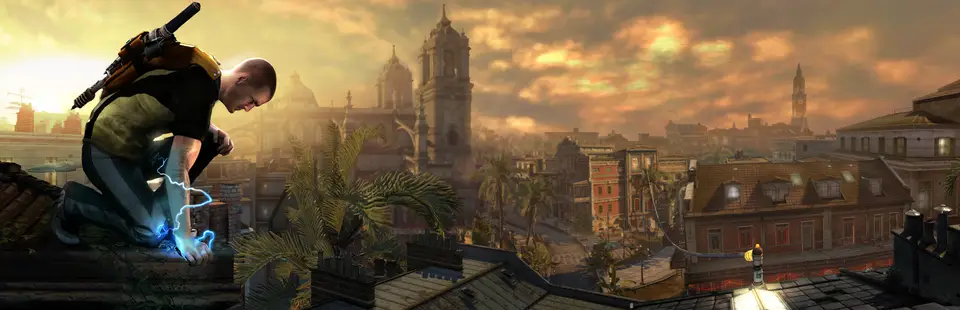

inFAMOUS (inFamous PC)
Port nativo de inFAMOUS (inFamous PC) para PC.
inFAMOUS (inFamous PC)
Port nativo basado en su ficha de origen.
README del repositorio
inFamous PC
Official repo: github.com/whompay/inFAMOUSreborn. Only download the Setup from the Releases page here. Forks are not supported, and bugs from forks won't be fixed.
An unofficial native Windows port of inFamous (PlayStation 3, 2009, European
release BCES00220). The game's PowerPC (PPU) and SPU code is statically
recompiled to x86-64 C/C++ with ps3recomp,
so it runs as a normal Windows program rather than under an emulator.
This repository contains no game code or data. You build the game yourself, on your own PC, from your own copy of the game.
Easy install
Download inFamous Setup.exe from the latest release, run it, choose your
.iso (an encrypted image works with its .dkey next to it) or your game
folder (the one with PS3_GAME in it), pick an install location and press
Install.
Setup checks for Python and the C++ build tools and offers to install them, copies the game out of the disc image, regenerates the recompiled code from your copy, builds it and adds an inFamous shortcut. Running Setup again on the same folder updates or repairs the install and only redoes what changed.
Updating
When a new version is published here, players update in place instead of reinstalling:
Update now in Setup (it finds the existing install), the Update inFamous shortcut in
the Start menu, or Update inFamous.cmd in the install folder. The updater compares every file
with this repository, downloads only what changed, regenerates the game code only if the
port's patches changed, and recompiles only the affected parts. Installs made with an older
Setup need one run of the new Setup on the same folder first.
Requirements
- Your own inFamous disc dump, European release (
BCES00220). - Windows 10 or 11 (64-bit) and a GPU with Direct3D 12 support.
- A CPU with SSE4.1 (2008 or newer). On CPUs without AVX2 (Intel before 2013, Pentium/Celeron without AVX, AMD before 2015) Setup builds a slower compatibility version automatically. On PCs with 16 or fewer CPU threads the game uses fewer threads and less CPU (tested down to 4 threads).
- Python 3.10+ with "Add python.exe to PATH" ticked.
- Visual Studio 2022 Build Tools with the Desktop development with C++ workload and the C++ Clang Compiler for Windows component.
- RPCS3, only if your
PS3_GAME\USRDIRhasEBOOT.BINbut no decryptedEBOOT.elf. Setup uses it to decrypt the executable. - About 10 GB of free disk space and 16 GB of RAM.
Building manually
cd installer
cargo build --release
target\release\infamous-installer --game "D:\Dumps\inFamous"
infamous-installer doctor checks the requirements only. Finished steps are
skipped when you run it again, so an interrupted install continues where it
stopped. See installer/README.md for every step and the
maintainer commands.
Playing
Run inFamous (the shortcut Setup made). It opens a small options window first
(vsync, frame cap, resolution, language and more, saved to settings.ini);
Play starts the game. The same settings are in the game's pause menu under
Settings. Controllers work as on the console, and keyboard and mouse are supported.
F10 opens the in-game trainer: God Mode, Infinite Energy, Refill Health,
Max Health x2/x5/x10, Add XP, Karma +/-, Kill Enemies / Civilians, Super Speed
and Player Model (play as Zeke, Trish, Kessler, Alden or John). Set TRAINER=0
to turn it off.
DLSS and FSR (optional)
The game can use NVIDIA DLSS / DLAA or AMD FSR for upscaling, and AMD FSR frame generation. They are not included in the download because NVIDIA and AMD distribute their SDKs themselves, but both are free and take a few minutes to add.
- DLSS needs an NVIDIA RTX graphics card.
- FSR works on any modern GPU (NVIDIA, AMD or Intel). FSR 4 needs a Radeon RX 9000 card; other cards get FSR 3.1 automatically.
1. Download the SDK(s) you want. You need the source code, not a Windows or Linux demo. On the page, click the green Code button, then Download ZIP. If you go through the Releases page instead, pick Source code (zip), not the files with "demo" or "samples" in the name.
| For | Download | Rename the extracted folder to |
|---|---|---|
| DLSS / DLAA | github.com/NVIDIA/DLSS | dlss-sdk |
| FSR and frame generation | github.com/GPUOpen-LibrariesAndSDKs/FidelityFX-SDK | fsr-sdk |
2. Put the folder(s) in your inFamous install folder, next to infamous-recomp and
ps3recomp:
inFamous\
  dlss-sdk\        <- contains include\ and lib\
  fsr-sdk\         <- contains Kits\
  infamous-recomp\
  ps3recomp\
  ...
Make sure you don't end up with a folder inside a folder (dlss-sdk\DLSS-main\include).
include (DLSS) or Kits (FSR) must be directly inside.
3. Rebuild the game once. Open a Command Prompt in the install folder and run:
type nul > .installer\update.pending
"Update inFamous.cmd"
This rebuilds the game with the SDK(s), which takes a while. Any later update also picks them up automatically, so you only do this once.
4. Turn it on in game: pause, then Settings, then Upscaling (DLAA, DLSS Quality / Balanced / Performance, FSR Native AA / Quality / Balanced / Performance) and Frame Generation. The same options are in the launcher's options window. Upscaling and frame generation apply after a restart.
If the Upscaling row is missing, the build didn't find the SDK: check the folder names and layout from step 2, then repeat step 3.
How it works
| Path | Contents |
|---|---|
ps3recomp | The recompiler toolkit and runtime: PPU and SPU lifters, HLE system libraries, RSX on Direct3D 12, audio and input |
infamous-recomp | The inFamous-specific parts: program entry, game stubs and fixes, asset tools |
installer | Setup and the command-line installer: reads the disc, regenerates the code from your game, applies installer/patches, builds |
installer/infamous.toml | Everything about the game and the port: pipeline steps, generated files, build and launch settings |
installer/generated.lock | Hashes of each generated file before and after the port's patches |
Credits
- ps3recomp by sp00nznet and contributors (see ps3recomp/CONTRIBUTORS.md).
- RPCS3, used to decrypt the game executable.
- Sucker Punch Productions, for the game.
- Lorenzo Aiello and ibrahimpuri, for their support.
Comentarios (0)
Inicia sesión para dejar un comentario.
Sé el primero en comentar sobre este juego.