
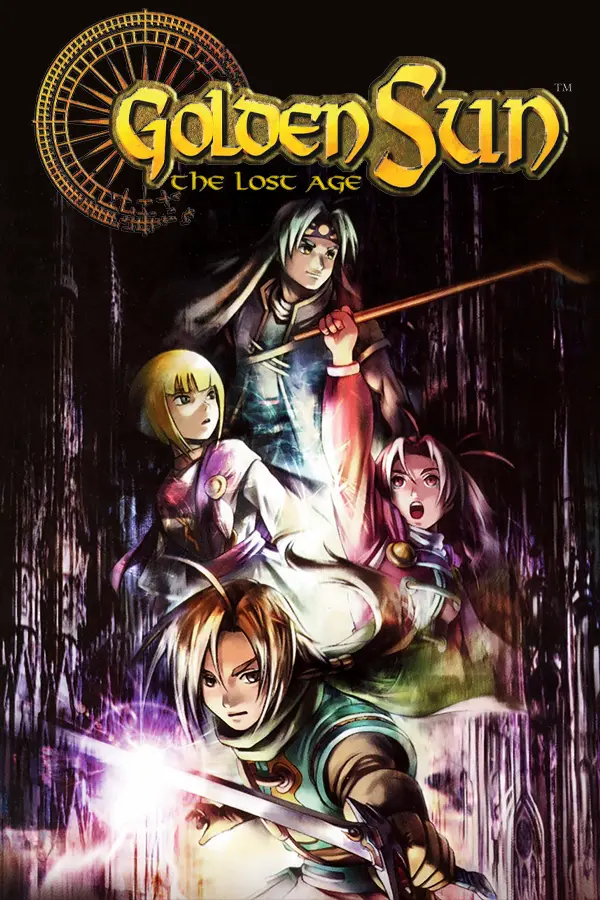
Golden Sun: The Lost Age (GoldenSunTheLostAgeRecomp)
Port nativo de Golden Sun: The Lost Age (GoldenSunTheLostAgeRecomp) para PC.
Golden Sun: The Lost Age (GoldenSunTheLostAgeRecomp)
Port nativo basado en su ficha de origen.
README del repositorio
GoldenSunTheLostAgeRecomp
A Windows x64 native static recompilation integration for Golden Sun: The Lost Age (USA/Europe, Game Code: AGFE, Maker: 01, Revision 0), built using GBARecomp and recomp-ui.
v0.1.0-preview — Experimental Preview
This unofficial, non-commercial fan project is not affiliated with, endorsed by, or associated with Nintendo or Camelot Software Planning. Players must supply their own legally obtained GBA ROM and retail GBA BIOS. Full-game campaign completion has not been exhaustively verified across all optional quests and end-game dungeons.
Golden Sun: The Lost Age is Camelot Software Planning and Nintendo's critically acclaimed second installment in the fantasy JRPG series for the Game Boy Advance. This native Windows integration translates 17,041 original ARM/Thumb game functions into native x64 instructions, preserving authentic game timings, battle animations, pseudo-3D Mode-7 camera choreography, Djinn/Psynergy systems, and Flash cartridge save persistence while providing a modern desktop player launcher.
Verified Playable Scope & Current Status
- Cold Boot & Title Screen: Clean boot sequence directly to the main menu and file management (
Continue,New Game,Battle). - Prologue & Narrative Scenes: Venus Lighthouse escape and collapse, Felix, Jenna, Sheba, and Kraden dialogue sequences, and Idejima peninsula drift.
- World Exploration & Dungeons: Daila village arrival, shrine exploration, Kandorean Temple, and Dehkan Plateau traversal.
- Combat & Turn-Based Engine: Pseudo-3D Mode-7 battle arena, Ruffian encounter, party commands (
Attack,Psynergy,Djinn,Item,Defend), and spell visual effects verified. - Cartridge Flash512 Persistence: Full 64 KB Flash save chip protocol (Macronix
MX29L512,0x1CC2,FLASH_V123) verified with disk persistence round-trip (saves/gs2.savand legacy root save compatibility). - Audio Subsystem: MP2K sound driver emulation and hardware timer synthesis with 3,000-frame combat bridge test verified without buffer underruns.
- Native Player Launcher: Built-in interactive GUI (
recomp-ui) for ROM/BIOS selection, hash validation, input configuration, display options, volume adjustment, and persistent launch. - Windows GUI Subsystem: Boots directly into the desktop UI without an intrusive terminal/command prompt window (
-mwindows). - HLE BIOS Default Architecture: Retains GS2's thoroughly verified High-Level Emulation BIOS path (
--bios-hle) by default, with opt-in support for experimental retail LLE BIOS execution.
Scope Open for Community Testing
This preview provides a solid, playable native foundation. The following chapters and features remain open for community testing and feedback:
- Full campaign progression across the Eastern Sea, Lemuria, Western Sea, and Mars Lighthouse.
- Late-game high-tier summon sequences (Catastrophe, Daedalus, Azul, Charon, Iris), advanced combined Psynergy, and complex event flags.
- Link-cable party transfer from Golden Sun: The Broken Seal and Arena battle modes.
- Extended long-session play across all world map regions and oceanic navigation.
Quick Start (Players)
No developer tools (CMake, Ninja, GCC, Python, or command-line shells) are required.
- Download: Grab
GoldenSunTheLostAgeRecomp-windows-x64-v0.1.0-preview.zipfrom the project's Releases page. - Extract: Extract the entire archive into a writable folder on your computer. Ensure
GoldenSunTheLostAgeRecomp.exe, the runtime DLLs (SDL2.dll,libgcc_s_seh-1.dll,libstdc++-6.dll,libwinpthread-1.dll),assets/,game.toml, andlicenses/stay together. - Launch: Double-click
GoldenSunTheLostAgeRecomp.exe. - Setup in Launcher:
- Click Browse to select your supported USA/Europe ROM (
.gba) and retail GBA BIOS (.bin). - The launcher automatically computes SHA-1 checksums and verifies file sizes. Once valid, green checkmarks appear.
- Customize your controller or keyboard layout, window scaling, and audio volume.
- Click Browse to select your supported USA/Europe ROM (
- Play: Click Play to enter the game!
[!TIP] Your selected ROM, BIOS, and settings are saved automatically (
rom.cfg,bios.cfg,config.ini,keybinds.ini). If you check "Skip Launcher" and later want to reopen the setup GUI, runGoldenSunTheLostAgeRecomp.exe --launcherfrom a shortcut or command prompt.
Required Private Files
You must provide your own legally dumped game ROM and retail GBA BIOS. Neither file is included in this repository or any release download.
| File | Supported Identity | Expected Size | SHA-1 Hash | CRC-32 |
|---|---|---|---|---|
| Game ROM | Golden Sun: The Lost Age (USA/Europe, Code AGFE, Maker 01) | 16,777,216 bytes | b500663220cb9bf56b9f8e8c0c544f1d6fa3a824 | 606A1C4D |
| GBA BIOS | Retail Game Boy Advance BIOS | 16,384 bytes | 300c20df6731a33952ded8c436f7f186d25d3492 | — |
[!WARNING] Other regional releases (Japanese), modified ROMs, and incorrect dumps are strictly rejected by the launcher to ensure execution integrity. Renaming an unsupported file will not bypass hash verification.
BIOS Execution Strategy: HLE vs. LLE
Unlike GS1 which boots via low-level retail BIOS emulation (LLE), Golden Sun: The Lost Age relies on an extensive set of timing-sensitive software interrupts and IRQ handlers.
- HLE BIOS (Default): Injects
--bios-hle. The game boots smoothly without BIOS intro stalls, and core SWIs are intercepted by optimized native handlers. This is the recommended and verified path. - Experimental LLE BIOS: Low-level retail BIOS execution (
--no-bios-hle) is verified through the opening narrative sequence. To test LLE mode, pass--no-bios-hleor--experimental-lleon the command line, or setexperimental_lle = 1inconfig.iniunder[Launcher].
Both modes require a valid retail GBA BIOS dump for bus mapping and fallback vector tables.
Controls, Display, and Audio
Default Keyboard Mapping
| GBA Button | PC Default Key | Function |
|---|---|---|
| D-Pad | W / A / S / D or ↑ / ↓ / ← / → | Movement / Menu Navigation |
| A | Z / J | Confirm / Talk / Interact / Inspect |
| B | X / K | Cancel / Dash (hold while walking) |
| L | Q / U | Psynergy Shortcut L / Page Left |
| R | E / I | Psynergy Shortcut R / Page Right |
| START | Enter | Main Party Menu (Status, Psynergy, Djinn, Items) |
| SELECT | Backspace / Tab | Field Map / Assist |
Game Controller Support
Standard modern game controllers (Xbox / XInput, PlayStation DualShock 4 / DualSense, Nintendo Switch Pro Controller, and generic DirectInput gamepads) are natively supported via SDL2. Bindings can be freely customized within the launcher's Input tab.
Display and Audio Settings
- Window Scaling: 1x through 6x integer scaling, or borderless fullscreen (
F11/Alt+Enter). - Aspect Ratio: Authentic 3:2 GBA aspect ratio (240 × 160 native resolution with sharp integer presentation).
- Audio: Master volume slider with 16-bit 44.1 kHz stereo output.
Native Flash Saves and Configuration
- Cartridge Saves: When launched via the GUI or double-click, saves are stored in
saves/gs2.sav. - Backward Compatibility: If you have an existing save file (
Golden Sun - The Lost Age(UE)(Nintendo)(128Mb).savor legacygs2.sav) in the executable folder orsaves/, the launcher automatically detects and continues using it without overwriting, converting, or deleting your data. - Save Hardware Authenticity: Emulates the Macronix
MX29L51264 KB Flash chip (0x1CC2,FLASH_V123) using original sector erase and program commands. Saved files are bit-identical and fully exchangeable with real GBA Flash cartridges and standard emulators (e.g. mGBA). - Settings Persistence: Launcher options, file paths, and keybindings are stored in
rom.cfg,bios.cfg,config.ini, andkeybinds.iniin the executable folder.
Building from Source (Developers)
Developers wishing to compile from source can use the provided build scripts:
Prerequisites
- Windows x64
- GCC / G++ 11+ with C++20 support (MinGW-w64)
- CMake 3.20+
- Ninja build system
- SDL2 2.30+ development headers and libraries
Build Commands
# Restore pinned dependencies (gbarecomp, recomp-ui, toml++)
.\scripts\setup-deps.ps1

# Incremental host build using Ninja (default: -Jobs 2)
.\build.ps1 -Jobs 2

# To build and run contract validation tests:
.\build.ps1 -Jobs 2 -BuildContractTest
The resulting executable and launcher assets will be placed in build/host/.
Technical Architecture
GoldenSunTheLostAgeRecomp/
├── .deps/tomlplusplus/         Pinned toml++ header library
├── reference/gbarecomp/        Static recompiler framework and GBA hardware models
├── recomp-ui/                  Dear ImGui player launcher frontend
├── src/
│   ├── main.cpp                Windows GUI entry point (WinMain, save resolution)
│   ├── game_launcher_boot.cpp  ROM/BIOS identity gates and pre-boot seam
│   ├── patches/                GS2-specific runtime modifications
│   │   ├── interpreter.cpp     ARM/Thumb interpreter fallback
│   │   ├── gba_save.cpp        Macronix 512 Kbit Flash chip protocol
│   │   ├── runtime.cpp         Runtime main loop and host input pump
│   │   └── runtime_arm_default_aborts.cpp
│   ├── game/                   Statically recompiled cartridge source (17,041 functions)
│   └── generated_bios/         Translated GBA BIOS source (666 functions)
├── tests/
│   └── launcher_contract.cpp   Automated launcher contract and persistence test
└── tools/
    ├── build-host.ps1          Incremental native host build script
    ├── common.ps1              Shared ROM/BIOS verification helpers
    └── make-release.ps1        Local release candidate packager
License & Attribution
- Integration & Runtime Code: Licensed under the PolyForm Noncommercial License 1.0.0.
- recomp-ui & Dear ImGui: Licensed under the MIT License.
- GBARecomp Framework: Licensed under PolyForm Noncommercial 1.0.0 / MPL-2.0 / MIT.
- SDL2: Licensed under the zlib License.
- Third-Party Notices: See THIRD_PARTY_NOTICES.md for full attributions.
Golden Sun and Golden Sun: The Lost Age are registered trademarks of Nintendo Co., Ltd. and Camelot Software Planning. This project is an independent research implementation and does not grant rights to Nintendo's or Camelot's proprietary works.
Comentarios (0)
Inicia sesión para dejar un comentario.
Sé el primero en comentar sobre este juego.