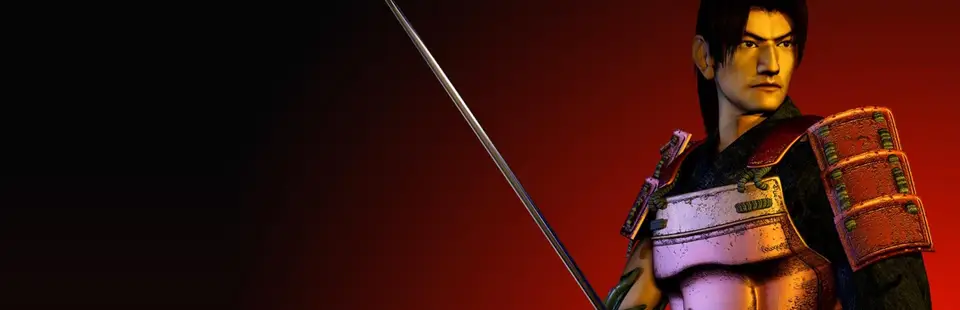

Genma Onimusha
Port nativo de Genma Onimusha para PC.
Genma Onimusha
Port nativo basado en su ficha de origen.
README del repositorio
Genma Onimusha - PC port (Xbox static recompilation)
An unofficial native Windows port, with experimental native Linux support, of the original Xbox version of Genma Onimusha, made by statically recompiling the game's executable to C++ with Xbox XBE Recomp.
Latest release: v0.6.1 · all releases
[!IMPORTANT] This repository and its releases contain no game code and no game assets. You need your own legally acquired copy of the game. The release builds the game's code on your PC, from your copy, on the first start.
Playing on Windows
- Download the latest
GenmaOnimusha-*-win64.zipfrom Releases and extract it to a folder you can write to. - Run
GenmaOnimusha.exe. - On the first start it asks for your copy of the game: pick the disc image (
.iso, a full redump image or an XISO), ordefault.xbein a folder with the game's files. You can also put the.isoin theassetsfolder beforehand. - It then recompiles and compiles the game for your PC with the bundled compiler, behind a progress window (about a minute on an 8-thread CPU, longer on slower ones), and starts it. This happens once; later starts go straight to the game. The disc image is read where it is, never copied.
The release is made for Genma Onimusha (USA), default.xbe SHA-1 08bfe432eb55877b5af2dd401b713743c5b751cd (redump). Another release of the game gets a warning before it is built.
Keys
| Key | What |
|---|---|
| F1 | settings menu (mouse or keyboard) |
| Esc | quit, after asking: Enter quits, Esc goes back |
The game itself is played with a controller: Xbox, PlayStation and Switch controllers work, with hot plugging and rumble.
The left stick uses modern movement relative to the camera. Holding the same stick direction through a camera cut preserves the character's actual heading; release the stick or change its direction to adopt the new view. The D-pad keeps the original tank controls and takes priority. Hold guard and use the stick for native directional steps and dodges. Attacks and target selection retain the game's native behavior.
Settings (F1)
Changes apply at once; Save writes them to game/settings.toml.
| Setting | Choices |
|---|---|
| Mode | Fullscreen, Borderless, Windowed |
| Resolution | Desktop, or any mode of the monitor |
| Picture | Fill screen (default): the black frame the game drew for TV overscan is cut, so the picture reaches the top and bottom of the screen. Original: the console's whole frame, Capcom's border kept. Custom: 0-10% cut per edge |
| Aspect | 4:3 (default), with bars at the sides. Stretch fills the screen out of proportion. The game has no widescreen mode, so 16:9 and Auto stretch it too |
| Render scale | 25-200% of the output's height; above 100% is supersampling |
| Anisotropic filtering | as the game asks, 2x-16x |
| FPS cap, V-Sync | 30-240 or unlimited (60 by default), V-Sync on or off |
| Port fixes | Precise depth and Stable point sampling, on by default (see below); off shows the original rendering |
| HD textures | on by default: uses the textures in game/textures/ (see below); off shows the original ones |
| Modern analog controls | on by default: camera-relative left-stick movement; off restores the original input behavior |
Logs: the first start writes work/build.log, the game writes game/logs/.
Updates
The release launcher checks GitHub for a newer stable version when it opens. If one is available, it asks before downloading and installing it. You can choose No and play your installed version; an offline or failed check also lets the game start.
After an update the launcher restarts and rebuilds the game once with the new version. Saves, settings, your game files and texture packs are kept. Downloading can be cancelled; an interrupted installation is restored on the next start. Update errors are written to .update/error.txt.
Start the launcher with --no-update to skip the network check. Development builds do not check for updates. Older releases that do not include the updater need one manual download before they can update themselves.
HD textures (optional)
A separate download: GenmaOnimusha-HD-textures.zip (about 9.9 GB). It is a conversion of the "4K Texture Pack AI-Enhanced" (Nexus Mods) for Onimusha: Warlords by Evgeshajk, matched to the Xbox textures: about 1,180 of the 1,284 backgrounds, plus the animations.
- Start the game once, so the
gamefolder exists. - Extract the zip into the
gamefolder: the files end up ingame/textures/. - Start the game again. F1 → HD textures turns them on and off.
They need v0.3.0 or later. The textures are not part of this repository or its releases; docs/texture-packs.md explains how they were made.
Requirements
- Windows 10 or 11, 64-bit
- A CPU with SSE4.2 (x86-64-v2: Intel from 2008, AMD from 2011)
- A GPU with Direct3D 12
- About 500 MB of free disk space (the release, the toolchain and the built game)
Playing on Linux (experimental)
Download GenmaOnimusha-v0.6.1-linux-x86_64.tar.gz from Releases, extract the entire folder, and run:
cd GenmaOnimusha
./GenmaOnimusha --check-install
./GenmaOnimusha --game '/path/to/Genma Onimusha.iso'
An extracted game folder is also supported. The first launch builds your copy with the bundled compiler; later starts use ./GenmaOnimusha directly. Requires an x86-64-v2 CPU, glibc 2.35+, Vulkan drivers, X11/XWayland and PulseAudio-compatible output. No development tools, Wine or Proton are needed to play.
Saves, settings and build caches use XDG directories outside the package. Updates are manual: extract a new release into a new folder. The settings menu, HD texture replacements and render scaling are not available on Linux yet; full gameplay/visual/audio parity and Steam Deck support are still being validated. See Linux usage, controls and limitations.
Windows improvements over the original
- Rendering at the output's resolution (or above, as supersampling), shown in the original 4:3 with bars; the game has no widescreen mode, its backgrounds are pre-rendered 640x480 images
- The black frame the game leaves for TV overscan is cut by default (3.3% per edge), so the picture reaches the top and bottom of the screen; Picture: Original keeps it
- Precise depth for models: no flickering where layers of a character overlap (
docs/depth-precision.md) - Stable point-sampled backgrounds when upscaled: no shimmering columns in animated backgrounds (
docs/point-sampling-nudge.md) - Xbox, PlayStation and Switch controllers with hot plugging and rumble
Changes
| Version | What |
|---|---|
| v0.6.1 | VBlank frame pacing; Windows shader pipeline warmup, HD texture caches and camera-directed background prefetch; fixes isolated mismatched frames when converting animation atlases |
| v0.6.0 | Experimental native Linux SDL/Vulkan runtime and CLI package with bundled compiler/DXC and XDG storage; separate Windows/Linux pipelines, joint release publication and SHA-256 checksums |
| v0.5.2 | Fix modern stick movement cancelling soul absorption and leaving attacks during their native cancel windows; preserve guard priority and control locks |
| v0.5.1 | Fix analog movement through camera cuts: retain the character's actual heading, preserve it through small stick adjustments, and clear retention on guard or other action states |
| v0.5.0 | Modern camera-relative analog controls, direction retained through camera cuts, native guard steps and dodges; D-pad keeps tank controls; configurable in F1 |
| v0.4.0 | Launcher auto-update: checks for stable releases, asks before installation, verifies downloads and recovers interrupted updates while keeping saves, settings and textures |
| v0.3.1 | Fixes distant footsteps and combat sounds, and distorted 3D effects caused by camera orientation; restores the game's distance attenuation |
| v0.3.0 | HD texture replacement (DDS, per palette), with the optional HD texture download; an HD font for menus and text; F1 → HD textures |
| v0.2.1 | fixes the crash when entering room 100 |
| v0.2.0 | F1 settings menu; 4:3 with bars by default (it was stretched on wide screens); overscan frame cut with the Original option; Esc asks before quitting |
| v0.1.1 | fixes the crash when entering the cave |
| v0.1.0 | first release: the launcher builds the game from your own disc image |
Building from source
Build configurations:
| Build | Needs the game | What it makes |
|---|---|---|
Development (build.bat) | yes, in assets/ | the full game exe, for working on the port |
Release (-DXBE_RELEASE=ON) | no | the launcher package the CI publishes |
Linux core (--preset linux-core) | no | native recompiler tools and portable-core regression tests; the Linux game runtime is still in development |
Clone the repository; the SDK is included in sdk/.
Development build
- Put your game in
assets/:default.xbewith the game's folders beside it (extract the disc image). - Install Visual Studio 2022 with Desktop development with C++, C++ Clang tools for Windows and C++ CMake tools for Windows.
- Run
build.bat. The exe is written toout\build\release, withGenmaOnimusha.pdbbeside it for a debugger.
Release build
Uses LLVM-MinGW 20260922 (ucrt, x86_64), the toolchain the release bundles:
cmake -S . -B out/build/pkg -G Ninja -DCMAKE_BUILD_TYPE=Release -DXBE_RELEASE=ON ^
      -DCMAKE_TOOLCHAIN_FILE=cmake/llvm-mingw.cmake -DLLVM_MINGW=<path to llvm-mingw> ^
      "-DCMAKE_C_FLAGS=-march=x86-64-v2" "-DCMAKE_CXX_FLAGS=-march=x86-64-v2"
cmake --build out/build/pkg --target package_GenmaOnimusha
The package is laid out in out/build/pkg/release/GenmaOnimusha. .github/workflows/build.yml does the same on every push, and publishes a release for every v* tag.
Linux tools and core tests
Requires Linux x86-64, CMake 3.25+, Clang with a C++20 standard library, Make and Git:
cmake --preset linux-core
cmake --build --preset linux-core --parallel 4
ctest --preset linux-core
This builds native xbe_recomp and xbe_symbols tools and tests memory aliases,
disc access, hook/continuation ABI, modern controls and audio attenuation without
game assets. This preset only builds tools and tests; the experimental game runtime is separate.
XBE_BUILD_RUNTIME defaults to on for Windows and off for Linux;
XBE_BUILD_TESTS=ON enables these tests on either platform. The Linux core build
does not download SDL or ImGui. See the Linux/Steam Deck plan.
For the standalone SDL window diagnostic (no game assets):
cmake --preset linux-window
cmake --build --preset linux-window --target genma_window_smoke --parallel 4
./out/build/linux-window/genma_window_smoke
It draws a 4:3 test image using software presentation. F11 toggles fullscreen, R resizes, arrows or the left stick move the marker, and Esc quits. See window testing for WSLg, dependencies and automated checks.
For the experimental native game target, see Linux/Vulkan runtime testing. It requires local game assets and a Linux DXC compiler. Boot and title-screen rendering have been tested; gameplay and visual parity are still being validated.
Use --backend vulkan to test explicit Vulkan presentation through SDL GPU.
The pattern is still generated on the CPU; Vulkan uploads, scales and presents it.
--backend vulkan --self-test also reads the output texture back and compares
it with the reference. The log identifies the selected device, including CPU
Vulkan drivers such as llvmpipe; this is not yet the game's 3D renderer.
Experimental Linux package
The platform workflows build independent Windows ZIP and Linux x86-64 tar.gz packages. The Linux package includes a CLI launcher, pinned Clang 14/sysroot and DXC. It builds your own game locally and stores saves, settings and build caches in XDG directories. It requires glibc 2.35+, an x86-64-v2 CPU and Vulkan drivers; updates are manual. See Linux package usage and CI/release design.
To build it on Linux with the development libraries listed in .github/workflows/build-linux.yml:
python3 tools/prepare_linux_dependencies.py --output out/linux-deps
cmake -S . -B out/build/linux-release -DCMAKE_BUILD_TYPE=Release \
  -DCMAKE_TOOLCHAIN_FILE="$PWD/cmake/linux-release-toolchain.cmake" \
  -DXBE_LINUX_DEPENDENCIES="$PWD/out/linux-deps" -DXBE_BUILD_RUNTIME=ON \
  -DXBE_EXPERIMENTAL_LINUX_RUNTIME=ON -DXBE_RELEASE=ON -DXBE_RELEASE_VERSION=dev-local \
  -DSDL_WAYLAND=OFF -DSDL_KMSDRM=OFF
cmake --build out/build/linux-release --target package_GenmaOnimusha --parallel 3
Public builds contain no game assets or recompiled game sources. Tag publication waits
for both platform packages, verifies their commit/hashes, then publishes them together
with SHA256SUMS and release-manifest.json.
The publisher resolves existing releases through GraphQL and uses the release ID for uploads and publication. A new draft keeps the ID returned by its creation; publication does not depend on finding it again in the REST release list. See release publication and recovery for verification, retries and recovery of an older tag.
Layout
| Path | What |
|---|---|
sdk/ | Xbox XBE Recomp with this port's changes (sdk/UPSTREAM.md): recompiler, runtime, release launcher |
config/game.toml | the recompiler's input for this game: addresses and XDK symbols, no game bytes |
src/ | game-specific host code and hooks |
cmake/llvm-mingw.cmake | the release toolchain |
.github/workflows/build.yml | CI: builds and packages the release on every push, publishes v* tags |
docs/ | investigation notes (Portuguese) |
tools/ | development scripts (captures, frame shots, disassembly helpers) |
Credits
- Xbox XBE Recomp by TGP482, the recompiler and runtime this port is built on.
- Evgeshajk, for the Onimusha: Warlords 4K texture pack the HD textures are converted from.
- LLVM-MinGW, the compiler the release bundles.
- Third-party licenses are in
sdk/THIRD_PARTY.txtof a release.
Genma Onimusha is a trademark of Capcom. This project is not affiliated with or endorsed by Capcom or Microsoft.
Comentarios (0)
Inicia sesión para dejar un comentario.
Sé el primero en comentar sobre este juego.