

FIFA 09
Port nativo de FIFA 09 para PC.
FIFA 09
Port nativo basado en su ficha de origen.
README del repositorio
FIFA 09 PC



EA Sports FIFA 09 on PC, running natively, with a modern launcher and its online modes back.
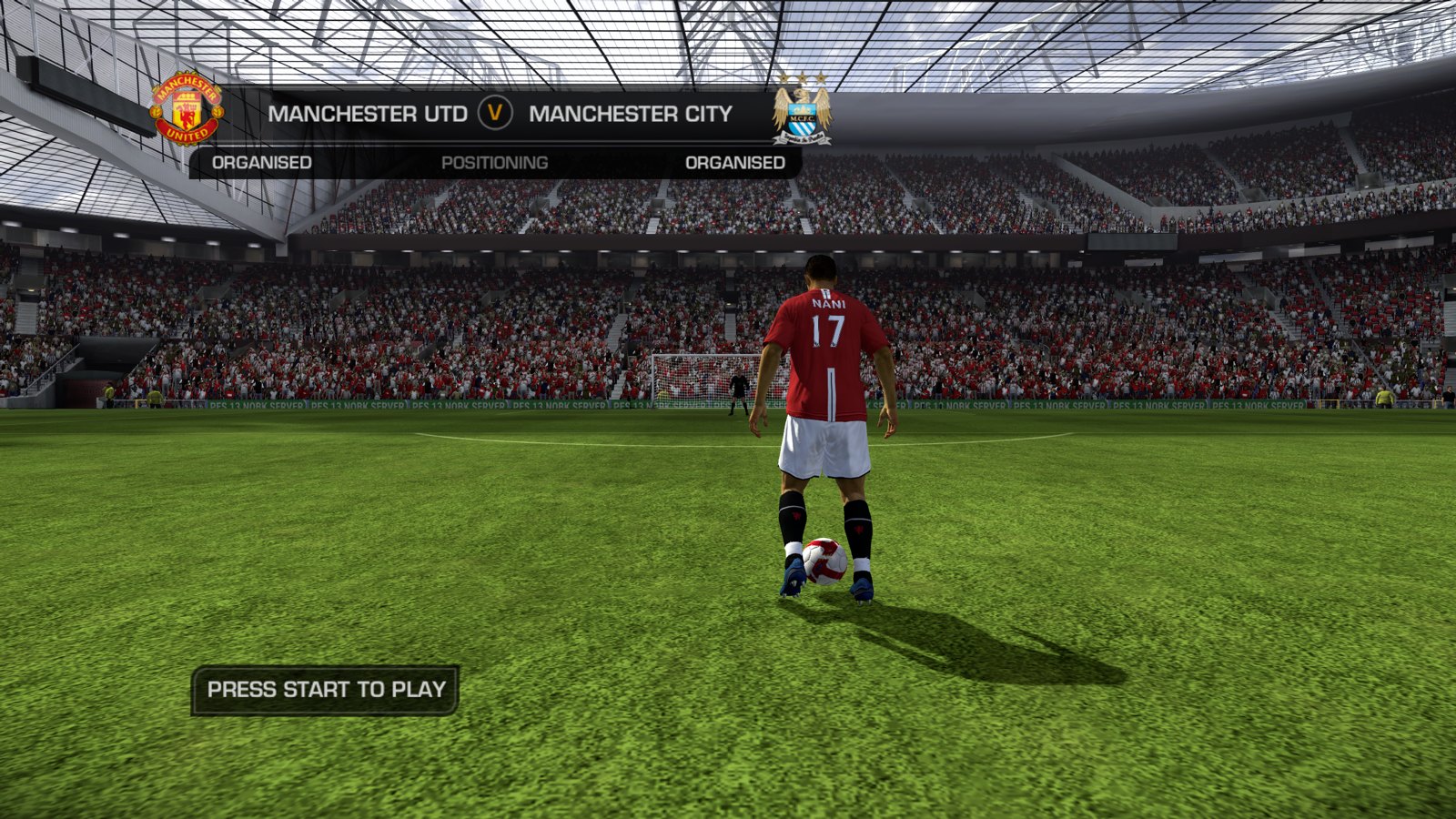
The Xbox 360 game code is translated to native PC code with the ReXGlue SDK. Online play runs on the free NOBK.Online servers. No game files are included: you need your own Xbox 360 copy of FIFA 09.
Highlights
| Native PC port — no emulator, runs at full speed on everyday PCs | Online again — ranked 1v1 on NOBK.Online, with MMR, leagues, badges and monthly champions |
| 720p / 1080p with AMD FSR or native 2K / 4K, window or fullscreen, any monitor | Live match feed — line-ups, goals and cards on nobkonline.com |
| Frame rate limit up to unlimited (game speed is not affected) | Controller or keyboard + mouse — Xbox or PlayStation button prompts, rebindable keys, the pad works with the window in the background |
| Achievements with Xbox 360-style pop-ups | Launcher — settings, file check, Add to Steam (Steam Deck too), self-update, one-click log upload |
| Friends in game — press F1 (or hold Back / Share): your NOBK.Online friends, invites, join a friend's lobby, achievements, server status and notices | NOBK.Online ad boards around the pitch |
Online on NOBK.Online
- Create a free account at nobkonline.com. Your username is your in-game name.
- Sign in on the launcher's Online tab.
- In the game open NOBK.Online from the main menu and pick a ranked 1v1 match.
Results appear on the site and the leaderboard seconds after the final whistle. No port forwarding, no VPN.
The launcher
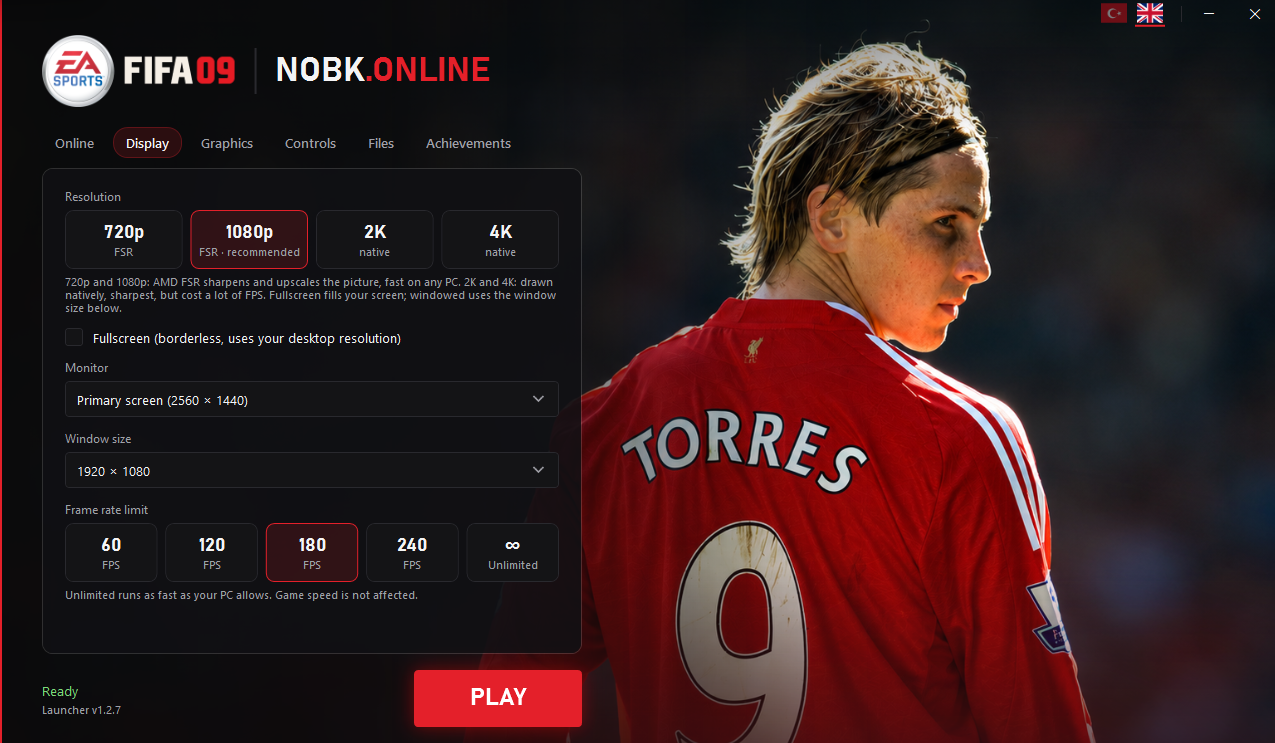
- Online — sign in with your NOBK.Online account
- Display — 720p / 1080p with AMD FSR or native 2K / 4K, fullscreen or window, monitor, window size, frame rate limit (60 to unlimited)
- Graphics — texture filtering, graphics API (Direct3D 12 recommended)
- Controls — controller or keyboard + mouse, rebindable keys, Xbox or PlayStation button prompts
- Files — game folder, verify game files, Add to Steam, send log
- Achievements — everything you unlocked
- English and Turkish, updates itself
In game
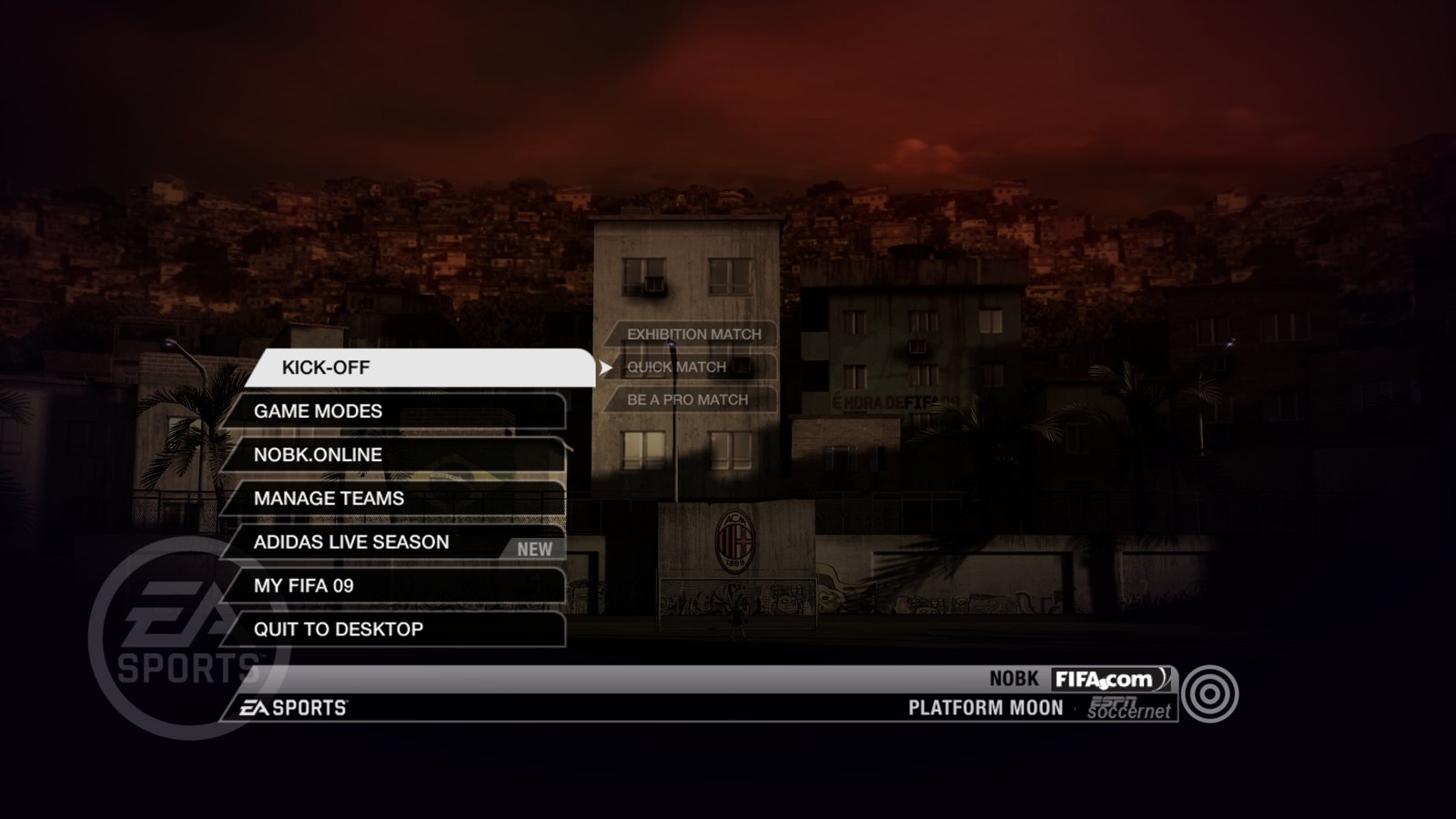
The main menu's NOBK.Online entry brings the online modes back.
Press F1 (or hold Back / Share on the controller) anywhere in the game for the NOBK.Online panel:
- Friends — who is online, in menus or in a match. Open a lobby with Play a Friend and invite them, or join a friend's open lobby directly. Invites arrive as a notification at the top right and never pause your game.
- Achievements — progress and unlock dates (also on F7)
- Server — players online, searching, live matches, your ping
- Notices — messages from NOBK.Online (maintenance, events)
Which version you need
The port is built from one specific default.xex. Other regions or title updates crash.
| Game | EA Sports FIFA 09 (Xbox 360) |
| Title ID | 4541085B |
default.xex SHA-256 | A6BD02A6A8B15DA801CC05B33BAFA24CD7B1140938BB43FCAEBB30521F37F86B |
Check yours in PowerShell:
(Get-FileHash .\default.xex -Algorithm SHA256).Hash
The launcher's Files → Verify game files does the same check for you.
Getting started
Requirements: Windows 10 or 11 (64-bit), a DirectX 12 graphics card, a controller or keyboard + mouse,
and the game folder from your own FIFA 09 Xbox 360 disc (default.xex, data0.big … data6.big, audiodata\, data\).
- Download
NOBK-FIFA09-<version>.zipfrom the latest release and extract it, e.g. toC:\Games\FIFA09(notProgram Files, OneDrive or the Desktop). - Copy your game files into the
Game\folder, so thatGame\default.xexexists. - Start
FIFA09 Launcher.exe. If Windows says "Windows protected your PC": More info → Run anyway (the launcher is not code-signed). - Files → Verify game files, sign in on Online, press PLAY.
Full guide with launcher settings and troubleshooting: docs/INSTALL.md. The launcher updates itself; your settings and sign-in are kept.
Known issues
- Team Play / Be A Pro with 3+ players: the match may not start yet (being worked on).
- "Quit to Desktop" is disabled for now; close the game with Alt+F4.
Found a bug? Press Files → Send log in the launcher, or open a ticket at nobkonline.com → Account → Report a problem.
Source code
The code written for this port (game hooks, launcher, SDK patches, tools) is in this repository (game/, launcher/, patches/, tools/), under the MIT license.
Build steps: BUILDING.md. The game itself and the code generated from it are not included.
How the online part works, for other Xbox 360 recomp projects: docs/ONLINE.md.
Credits
- EA Canada for FIFA 09, and Electronic Arts
- ReXGlue SDK and Xenia, which made the recompilation possible
- AMD FidelityFX Super Resolution (FSR)
- The NOBK.Online community for testing
Legal
This is a free, non-profit fan project. It is not affiliated with, endorsed or sponsored by Electronic Arts, EA Sports, FIFA or Microsoft. FIFA 09 and all related names, logos and artwork belong to their respective owners. This repository contains no game files and no code generated from the game. You must own the game to use the port. Please do not open issues asking for game files. Rights holders: open an issue and we will act on it promptly.
Comentarios (0)
Inicia sesión para dejar un comentario.
Sé el primero en comentar sobre este juego.