
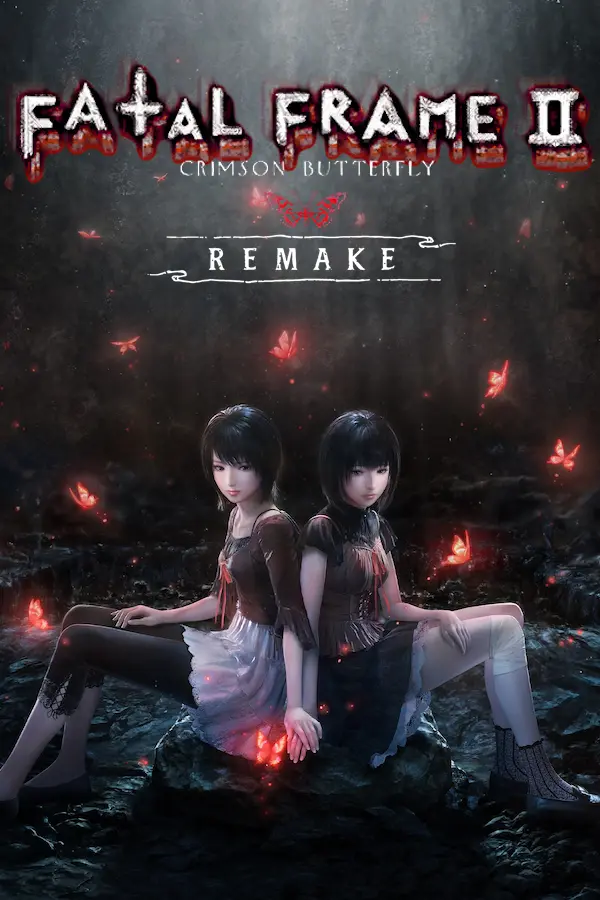
Fatal Frame II: Crimson Butterfly (MioPan)
Port nativo de Fatal Frame II: Crimson Butterfly (MioPan) para PC.
Fatal Frame II: Crimson Butterfly (MioPan)
Port nativo basado en su ficha de origen.
README del repositorio
What is MioPan?
MioPan is an in-progress port of Fatal Frame II: Crimson Butterfly (PS2) to PC, running natively with no emulation. It is the sister project of MikuPan, the Fatal Frame 1 port.

The game code is reconstructed function by function from a February 6, 2004
prototype build (SLES_523.84), using its debug symbols, source line tables and
link map. The reconstructed sources are compiled with a normal host compiler.
The PS2 SDK (graphics, VU0/VU1, DMA, sound, memory card, IOP) is replaced by PC
shims built on SDL3. Still very early work: expect crashes, missing effects and
rendering differences.
About the use of AI
MioPan is built with heavy use of AI. Most of the reconstruction and porting work in this repository was done with AI coding assistants, guided and reviewed by a human.
This applies to MioPan only. It is the one project in the Mikompilation organization developed this way. The other Mikompilation projects, including MikuPan, are not.
What this means in practice:
- Code may contain mistakes that look plausible. Accuracy to the original game is the goal, so a function that differs from the ROM is a bug and worth reporting.
- Comments and notes in the sources were written as part of that process. They record what was checked against the ROM and why, and can be long.
Build
The build fetches its dependencies automatically (SDL3, SDL_shadercross, spdlog,
cglm, Dear ImGui, ImPlot, RmlUi, FreeType, zlib). FFmpeg, used for the game's movies,
is built from source on Linux. Windows uses the prebuilt tree in extern/ffmpeg;
without that tree, Windows builds play movie audio over a black screen.
cmake -B build -G Ninja -DCMAKE_BUILD_TYPE=RelWithDebInfo
cmake --build build --target MioPan
The executable is placed in build/MioPan.
Windows
Build with MinGW (MSYS2 or the one bundled with CLion) or MSVC, plus CMake.
MinGW is the toolchain the nightly builds use. If every MinGW compile fails with
no error message, MinGW's bin folder is missing from PATH.
Linux
GCC, CMake, Make and Git are required (Ninja is optional), plus SDL3's system development packages
(X11/Wayland, ALSA/PulseAudio and so on). On Debian or Ubuntu:
sudo apt-get install build-essential git pkg-config cmake ninja-build \
  libasound2-dev libpulse-dev libaudio-dev libfribidi-dev libjack-dev libsndio-dev \
  libx11-dev libxext-dev libxrandr-dev libxinerama-dev libxcursor-dev libxfixes-dev \
  libxi-dev libxss-dev libxtst-dev libxkbcommon-dev libwayland-dev wayland-protocols \
  libdrm-dev libgbm-dev libgl1-mesa-dev libglu1-mesa-dev libgles2-mesa-dev libegl1-mesa-dev \
  libdbus-1-dev libibus-1.0-dev libudev-dev libthai-dev libusb-1.0-0-dev
A Release build with Make:
mkdir -p build
cd build
cmake -DCMAKE_BUILD_TYPE=Release ..
make -j"$(nproc)"
A build only runs on systems whose glibc is at least as new as the one it was built on, so a build from a current distro may not start on a Steam Deck. To build one that does, use Valve's Steam Runtime 3 SDK (glibc 2.31), as the nightly builds do:
docker run --rm -v "$PWD":/src -w /src -u "$(id -u):$(id -g)" \
  registry.gitlab.steamos.cloud/steamrt/sniper/sdk:latest \
  sh -c 'CC=gcc-14 CXX=g++-14 cmake -B build-steamrt -G Ninja -DCMAKE_BUILD_TYPE=Release \
           -DMIKUPAN_COMPILE_SHADERS=OFF &&
         cmake --build build-steamrt --target MioPan'
-DMIKUPAN_COMPILE_SHADERS=OFF reuses the shader bytecode checked into
resources/shaders instead of building SDL_shadercross inside the container.
Game files
MioPan does not include any game data. You must provide your own copy of the
game: a disc image (.iso), or IMG_BD.BIN from the disc. It must be the
European release, Project Zero II: Crimson Butterfly (SLES-52384). Other
releases keep their files elsewhere on the disc, so MioPan cannot read them.
If MioPan cannot find the game when it starts, it asks for it. Choose your .iso
or IMG_BD.BIN, and it is saved as data_folder under [paths] in miopan.ini.
A disc image is played directly; nothing is unpacked.
You can also place IMG_BD.BIN next to the MioPan executable, in a data folder
beside it, or in any parent folder, set data_folder yourself, or set the
MIOPAN_DATA_DIR environment variable to a folder for one run.
Settings, logs and memory card saves are stored in the user's application data
folder (%APPDATA%\Mikompilation\MioPan on Windows).
PS2 save transfer
Open Settings → PS2 save transfer… in the F1 overlay to import or export European (SLES-52384), US (SLUS-20766) and Japanese (SLPS-25303) saves. Import from an 8 MB memory card, PSU/MAX/XPS/SPS/CBS archive or extracted save folder. Select one or more saves and assign their destination slots; room previews and play times help identify each slot.
EU retail and February 2004 prototype saves are supported. For export, select the target PS2 game version on the save-selection page. Retail's separate music and effects volumes become one shared volume in MioPan; new PC save folders use the music level. Existing destination settings are retained when importing. Exports to retail use the shared level for both volumes.
Choose the output region when exporting; the prototype/release choice applies to Europe. US/Japanese saves have an extra Twin's Doll photo entry. Import merges it into EU's Twin Doll entry, keeping the highest score and obtained/read status. On export, choose whether to leave the extra entry unobtained or copy the shared entry's status and score. Copying reconstructs progress, not its original history.
Mission times are converted for the selected timing. Stock EU PS2 saves use 50 Hz PAL; US/Japanese saves and MioPan use 60 Hz. Use the source-timing override for EU saves made with different timing, including older port exports. Red warning icons mark unsupported slots: hover or click for details. Other compatible slots remain selectable. Some active scenes and locations cannot be converted safely; save again after the scene or in another location.
Export offers these formats:
- ECC (.ps2): a memory card with spare/ECC bytes, for PCSX2.
- Raw / non-ECC (.bin): an 8 MB virtual memory card, for OPL.
- PSU (.psu): an EMS save archive, for uLaunchELF and PS2 save-transfer tools.
- MAX (.max): an Action Replay MAX save archive.
- CBS (.cbs): a CodeBreaker save archive.
- XPS/SPS (.xps/.sps): an X-Port V2 / SharkPort save archive.
- Extracted folder: the game's save files, for tools that accept folders.
PSU, MAX, XPS/SPS and CBS contain this game's selected saves and required system/icon files, not an entire card. Card exports start with a blank card. Choosing an output format opens its picker; confirming the destination exports immediately. Missing extensions are added automatically. Existing output files/folders are not overwritten. Importing replaces only the destination slots you selected.
The running game is unchanged by imports; load the imported save normally. Close the game's save/load screen before transferring. Saves made during a scripted Mayu action must be saved again after that action finishes before conversion.
Language
Choose the game language at startup. Game text and RmlUi menus follow it; the ImGui overlay stays in English. Other saved settings load normally.
Font texture replacements
Export the original atlases with Python 3:
python3 tools/export_fonts.py --iso path/to/game.iso --out font-originals
Use --language N (0–4) for English, French, German, Spanish or Italian respectively.
Redraw or upscale the PNGs uniformly up to 4×, preserving glyph layout, colours
and transparency. Copy the hash-named directory into resources/fonts/ beside
the executable and restart. Enable HD fonts (if available) in Renderer or
Use HD Fonts when available in Game options. Missing or unmatched files
fall back to the original fonts.
License
MioPan is licensed under the GNU AGPL v3. Fatal Frame II is the property of its respective owners. This project is not affiliated with or endorsed by them.
Comentarios (0)
Inicia sesión para dejar un comentario.
Sé el primero en comentar sobre este juego.