

Exile (exile-cpp)
Port nativo de Exile (exile-cpp) para PC.
Exile (exile-cpp)
Port nativo basado en su ficha de origen.
README del repositorio
exile-cpp

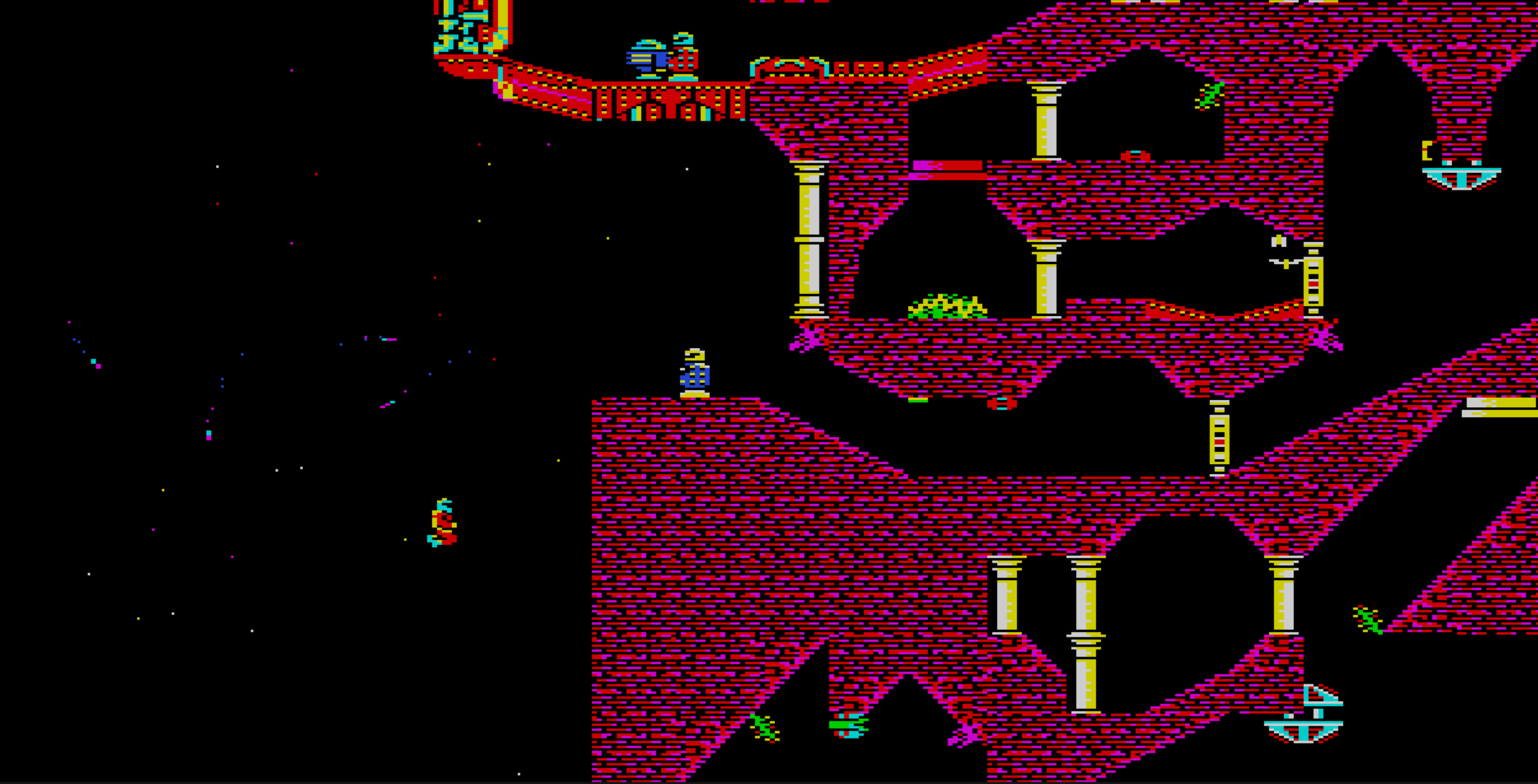
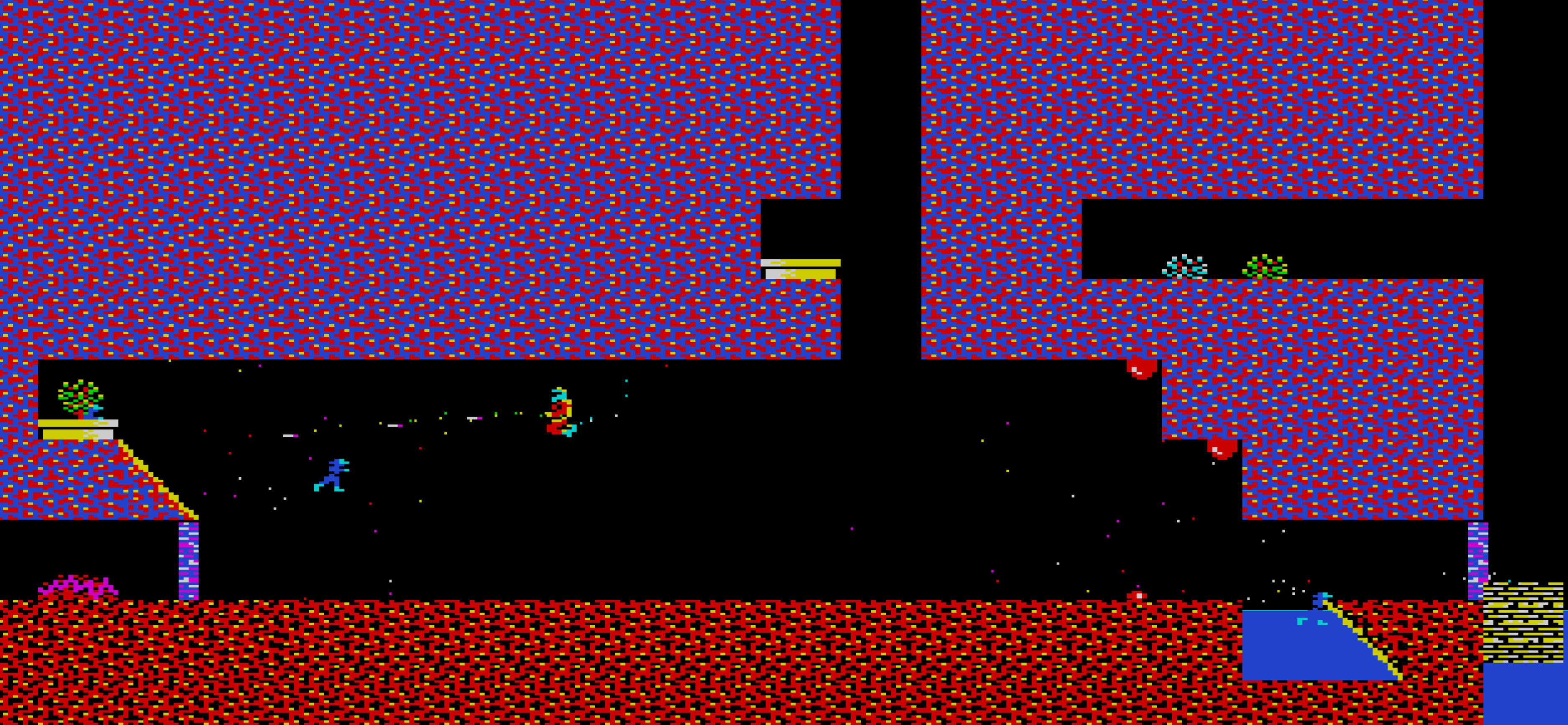
A C++ port of the BBC Micro masterpiece Exile (Peter Irvin & Jeremy Smith, 1988), working from the original 6502 disassembly.
The goal of the project is purely educational - to re-author the 6502 in C++ for easier study and to preserve its groundbreaking concepts and techniques for a future where people no longer know 6502.
This project is not a remake or remaster or beginnings of a sequel to Exile. Its is only intended to be playable in-so-far as is necessary to achieve the educational goals of the project. If you wish to play Exile from start to finish (and it is very much recommended that you do) then that is best achieved using an original copy of the game running on original hardware or under emulation.
The disassembly used as the spec is the superbly annotated version by Level7 and lives at
exile-standard-disassembly.txtin the project root. All veriable and function names have been retained from this version for easier cross-reference. Each function in C++ is annotated with the original address of the function from this disassembly.
Build
The Visual Studio solution is the Windows build; CMakeLists.txt is the
Linux / cross-platform build. They share the same sources and produce the
same two artefacts, exile and exile_tests.
Windows (Visual Studio)
Visual Studio solution.
Command line (MSBuild):
msbuild exile.vcxproj /p:Configuration=Release /p:Platform=x64
Visual Studio 2022 IDE:
- Open
exile-cpp.slnin VS2022 (the solution targets toolset v143 / C++20). - The solution contains two projects:
exile— the game (default startup project).exile_tests— headless test runner (see Tests).
- Pick the configuration in the toolbar —
Debug | x64orRelease | x64(only x64 is configured). - Build → Build Solution (
Ctrl+Shift+B) or just Start Debugging (F5) to build and launch the game. The exe lands in theOutDirset on the project (the checked-in path isD:\Projects\Exile\; override in your localexile.vcxproj.userif you want it elsewhere — that file is gitignored). - The working directory at launch is the project root, so
exile.ini,exile.map,data/, andresources/resolve as-is.
Linux (CMake)
The game uses sokol's desktop-GL backend (GLX/X11) and ALSA for audio, so it builds against the standard X11 + OpenGL + ALSA development packages. On Debian/Ubuntu:
sudo apt install build-essential cmake \
    libx11-dev libxi-dev libxcursor-dev libgl1-mesa-dev libasound2-dev
| Package | Why |
|---|---|
build-essential | A C++20 compiler (GCC 12+ / Clang 15+) and make |
cmake | Build-system generator (3.16+) |
libx11-dev | X11 windowing (sokol_app) |
libxi-dev | X Input extension, needed by sokol_app's X11 backend |
libxcursor-dev | Cursor handling (sokol_app) |
libgl1-mesa-dev | OpenGL headers + libGL |
libasound2-dev | ALSA audio (libasound) |
The game links -lX11 -lXi -lXcursor -lGL -lasound -ldl -lm -lpthread.
Build and run:
cmake -B build -DCMAKE_BUILD_TYPE=Release
cmake --build build -j
./build/exile          # run from the repo root so exile.ini / data/ resolve
The headless test runner needs none of the above. exile_tests is built
against the NullRenderer with audio compiled out, so it links with only
the C++ runtime plus pthreads. Build and run just the tests with:
cmake --build build --target exile_tests -j
ctest --test-dir build --output-on-failure   # or: ./build/exile_tests
macOS is wired up in CMakeLists.txt too, using the same desktop-GL
(SOKOL_GLCORE) backend and GLSL shaders as Linux rather than Metal
(OpenGL is deprecated on macOS but still works). It's untested.
The build pulls in single-header dependencies bundled under deps/:
sokol_app.h+sokol_gfx.h+sokol_glue.h+sokol_log.h— windowing, input, and a CPU-framebuffer-as-texture present path (D3D11 backend on Windows, desktop GL via GLX/X11 on Linux). Hardware-accelerated blit; the per-pixel rendering logic stays CPU-side. The framebuffer is0xAARRGGBB: D3D11 takes that as BGRA8 directly, while GL uploads it to an RGBA8 texture and swizzles back with.bgrain the present shader.fenster_audio.h— audio. On Windows the backend is bypassed by our ownwaveOutimplementation insrc/audio/(the upstream setsnBlockAlignincorrectly for PCM 16-bit mono); on Linux fenster's ALSA path driveslibasound.
Run
exile.exe          # Windows
./build/exile      # Linux / macOS
Run from the repo root either way, so exile.ini, exile.map, data/,
and resources/ resolve. Configuration lives in exile.ini — start
position, cache sizes, debug flags, key bindings, and the
landscape-generator A/B toggle.
Controls
| Key | Action |
|---|---|
| arrows | scroll the map view one tile per press |
Q W P L | move / jetpack-thrust left / right / up / down |
| Space | fire selected weapon |
| Tab | turn around |
| Left Ctrl | lie down |
Right Ctrl / [ | jetpack booster (held = 2× thrust) |
, M . | pick up / drop / throw held object |
S / G | store in pocket / retrieve from pocket |
R / T | remember position / teleport to it |
I K O | aim centre / down / up |
1–5 | select weapon slot |
Shift + 1–5 | transfer energy from that slot into current weapon |
Y / U | whistle one / two |
| Esc | pause menu (save / load game state via menu items) |
Numpad - / * | rewind / forward through the time buffer (hold to scrub) |
\ | save current landscape to exile.map |
| mouse wheel | zoom |
| right-drag | pan camera (map mode) |
| left-click | tile info / toggle bottom-HUD checkbox |
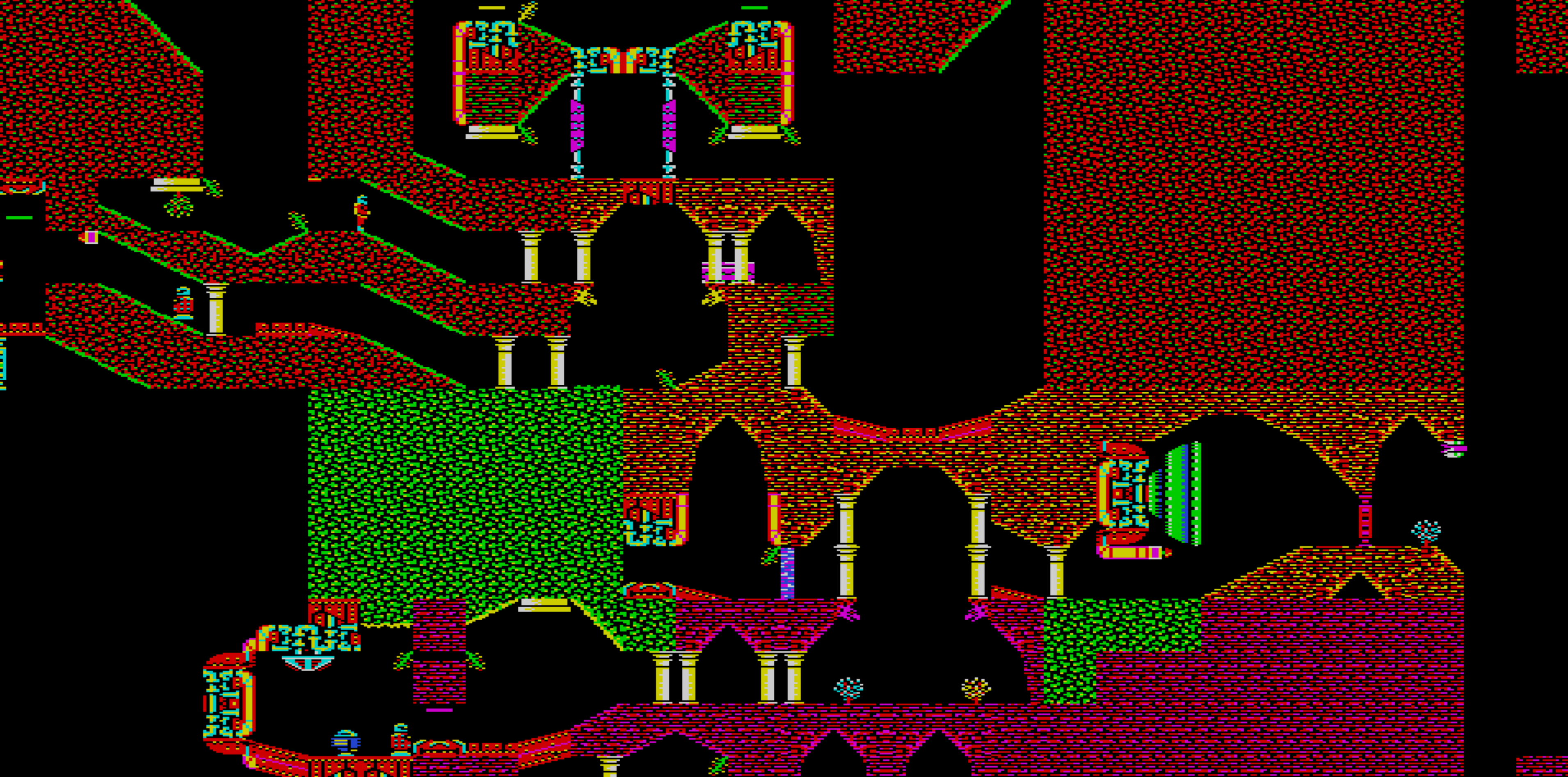
Map-mode toggle and the rest of the debug overlays (tile grid, object labels, switch / transporter wires, collision shading, debug text) live on the bottom-HUD checkboxes — click them to toggle.
Rewind / forward through time
Every frame's full world state is captured into a rolling ring buffer
(~10 seconds at 25 fps). Tap Numpad - to step one frame back in time
or Numpad * to step forward; hold either to scrub continuously, one
frame per tick. Entering scrub mode freezes the simulation so you can
inspect a moment frame-by-frame. Press Esc to commit the frame you've
scrubbed to as the new live state and resume — the timeline branches
from there, discarding the frames you'd wound past. Shift+; dumps the
entire ring buffer to exile-frames.txt (one === frame N === block
per frame) for offline inspection.
Map save / load
The 256×256 landscape grid lives in exile.map. Press \ to write the
current grid (post-bake, plus any tertiary edits) — a short "Saved
exile.map" / "Save FAILED" banner confirms the write.
When does the map load procedurally vs. from disk?
Game::init always tries landscape_.load_from_file("exile.map") first.
If that file exists and parses cleanly, the game uses it. If it's
missing or invalid, the game falls back to landscape_.bake() — the
procedural generator that derives the entire grid from the seed in
exile.ini. Either way the rest of the game (tertiary spawning,
collision, rendering) doesn't care whether the grid came from disk or
algorithm.
So: delete (or rename) exile.map to get the procedural map; press \
once to capture the current grid and the game will load that one
forever after.
Game save / load
Game state (everything except the landscape) is saved and loaded separately. Two formats, auto-detected by file size:
-
Native text format (any size other than 1024 bytes). Human-readable
[player] [events] [object N] [secondary N] [rng]sections. Press;to write the current state toexile.sav; press'to load it back. The landscape isn't persisted — it's deterministic from the seed (or comes fromexile.map, see the section above) — so the save only needs the mutable state (frame counter, RNG, player, the 16 primary and 32 secondary slots, 235 bytes of tertiary data, particles, input). -
BBC binary format (exactly 1024 bytes). The original Exile save layout: 0x37e bytes of XOR-streamed (BCD-keyed) state followed by 0x82 bytes of page-align padding.
Game::load_bbc_savedecrypts via a port of the supervisor's&2f80 decrypt_temporary_copy_of_game_stateand rejects the file if the trailingplayer_teleports_x/_yspawn pair or the checksum at offset 0x35a don't match. Once decrypted, the layout maps to supervisor memory&1a20..&1d9d— the same range the real BBC's load routine writes into.
Both formats are loaded the same way. Open the Saves panel via the
HUD checkbox to see a scrollable list of save_disks/*.sav files
(numeric sort, mouse + arrow-key navigation); click a row or press
Enter to load. The load path probes the file size: 1024 bytes means
BBC, anything else means native. If exile.ini has
[player] bbc_save = ..., that file is dropped over the world on
startup instead of the default spawn — handy for jumping straight into
a late-game state.
The full byte-level layout of the BBC binary format is documented in
docs/save_game_format.md. The save_disks/ directory holds the
original game's saves 1-end extracted from .ssd floppy disk images;
see tools/extract_ssd_saves.py for the extraction script.
Landscape generator: C++ vs pseudo-6502
There are two implementations of the procedural landscape generator,
selected by exile.ini's [landscape] use_cpp_impl:
use_cpp_impl = false(default) —src/world/landscape.cpp'sbake_tile_pseudo_6502. Tracks A and the carry flag through anAlustruct, matching the 6502 disassembly line-for-line. This is the reference implementation.use_cpp_impl = true—src/world/landscape_cpp.cpp'sget_tile_cpp. Native C++ rewrite of the same algorithm usingunsignedaccumulators with implicituint8_twraparound and explicit carry only where the algorithm consumes it.
The two paths are intended to produce byte-identical maps; the toggle
exists so the C++ rewrite can be A/B-tested against the reference.
Flipping the flag at runtime via the ini and relaunching is the easiest
way to compare — see docs/landscape.md for details.
jsbeeb bridge
Press J to open a live bridge between this port and the BBC emulator
jsbeeb running in another tab. Two ways to
use it:
- Full state push (default). One press of
Jsnapshots the entire game state — primary and secondary object caches, weapons, keys, tertiary table, all relevant zero-page bytes — and POKEs it into jsbeeb's emulated 6502 memory. From the next frame on, jsbeeb runs Exile from your current position with your current inventory. Useful for "see how the original would have handled this exact state" debugging. - Position-only push. Set
[debug] jsbeeb_position_only = trueinexile.iniandJonly writes the player's(x, y)to jsbeeb, leaving the BBC's own object caches alone. Useful when you want to walk the BBC player to a specific spot and compare per-object behaviour without overwriting jsbeeb's world.
Full-state requires the caches match the original. This port lets
exile.ini's [caches] primary_slots and secondary_slots go above
the BBC's 16 / 32 to test with more objects in play, but a full-state
push will only work if both sides have the same slot counts as the
original. Set:
[caches]
primary_slots   = 16
secondary_slots = 32
before launching, or position-only is the only mode that works.
Step-by-step setup (jsbeeb console snippet and a bookmarklet version)
lives in docs/jsbeeb_bridge_setup.md.
Tests
A small headless test suite lives under tests/, built by
exile_tests.vcxproj. It compiles the game source against a
NullRenderer (no window, no audio device assumed) and runs every
TEST(...) registered in tests/*_test.cpp — boot smoke, walking
gate, RNG, fixed-point arithmetic, weapons firing + impact.
Build and run from VS2022 (set exile_tests as the startup project,
press F5) or on the command line:
msbuild exile_tests.vcxproj /p:Configuration=Release /p:Platform=x64
exile_tests.exe
The exe returns the failure count, so it doubles as CI. GitHub Actions
runs the build on every push to master and on PRs, on Windows (MSBuild)
and Linux (CMake), building both the game and the tests on each. See
.github/workflows/tests.yml.
Source layout
src/
  core/         Types, fixed-point, RNG. No game-state dependencies.
  world/        Landscape generation, tertiary resolution, water, wind, tile data.
  objects/      Primary / secondary / tertiary storage, physics, collision.
  behaviours/   Per-type update routines (creature, robot, projectile,
                environment, collectable) + dispatch table + shared NPC helpers.
  particles/    Particle system (&207e update + per-type tables at &0206).
  rendering/    Renderer interface + sokol_app/sokol_gfx textured-quad
                present, CPU framebuffer, palette decode, sprite atlas,
                debug overlays.
  audio/        SN76489-style envelope synthesizer (Windows waveOut;
                fenster_audio.h elsewhere).
  player/       Input, motion, action, sprite handling.
  game/         Top-level loop orchestration (game.cpp ≤ ~200 lines).
AI Disclosure
AI-assisted tooling has been used during the development of this project.
With thanks to
- Level7 — level7.org.uk/miscellany.
Author of the superbly annotated 6502 disassembly
(
exile-standard-disassembly.txt) that this port works from. Every function in the C++ source is cross-referenced back to the original RAM address from their analysis. - Lord Triax - Full Exile (BBC Micro) playthrough (fully annotated) Creator of the annotated playthrough used as reference when testing the port. The save games from the walkthrough are included under the save debug tab.
- Matt Godbolt — author of the excellent jsbeeb (github.com/mattgodbolt/jsbeeb), the in-browser BBC Micro emulator that the jsbeeb bridge above pairs with for side-by-side comparison against the original.
- sokol by Andre Weissflog (floooh) —
github.com/floooh/sokol. The
windowing, input, and cross-platform GPU layer (D3D11 on Windows
here). MIT license; the relevant headers (
sokol_app.h,sokol_gfx.h,sokol_glue.h,sokol_log.h) are vendored underdeps/. - fenster_audio by Serge Zaitsev (zserge) —
github.com/zserge/fenster. The
cross-platform single-header audio driver used for the non-Windows
audio backend. MIT license; vendored as
deps/fenster_audio.h.
Special thanks to
- RichTW, kieranhj, Stew B, VectorEyes, tom_seddon, MattG and scarybeasts for their seemingly limitless 6502 and Exile knowledge.
Licence
The C++ source in this repository is © 2025-2026 David Jefferies and is released under the PolyForm Noncommercial 1.0.0 licence — free to use, copy, modify and distribute for any non-commercial purpose (study, research, hobby, education). Commercial use is not permitted.
No copyright is asserted over the original BBC Micro Exile (1988) by Peter Irvin and Jeremy Smith, published by Superior Software. This is a fan port written for study and preservation; the C++ source does not embed the original binary.
The port was produced by reading a publicly
circulated 6502 disassembly (exile-standard-disassembly.txt), included
in this repository for cross-reference only — it is third-party material
and is not licensed for redistribution by this project.
All rights in the original game remain with its authors and publisher; if you are a rights-holder and would like anything removed, please open an issue.
Comentarios (0)
Inicia sesión para dejar un comentario.
Sé el primero en comentar sobre este juego.