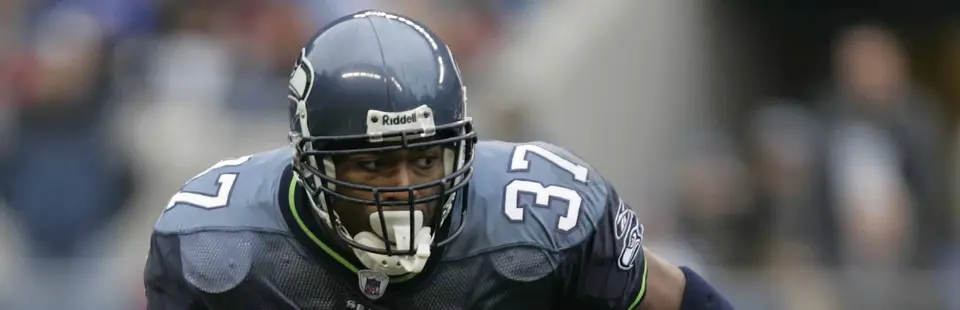

ESPN NFL 2K5
Port nativo de ESPN NFL 2K5 para PC.
ESPN NFL 2K5
Port nativo basado en su ficha de origen.
README del repositorio

ESPN NFL 2K5 Native PC
An experimental native Windows version of ESPN NFL 2K5. It adds modern video settings, modern controllers with in-game remapping, brand-new teams alongside the 32 clubs, a Team Creator, texture packs, drop-in mod packs, local music, organized saves, and selectable broadcast presentation packages.
Preview release: The game is playable, but this project is still under active development and has known bugs. Back up your saves before testing.
What you need
- 64-bit Windows 10 or Windows 11
- A legally owned Xbox copy of ESPN NFL 2K5
- Either an extracted disc folder or your own Xbox ISO/XISO
The project and installer do not include or download the retail game, and no game assets are distributed with it.
Install and play
- Download
NFL2K5-PC-Setup.exefrom the latest GitHub Release. - Choose an installation folder. Setup runs without Administrator rights.
Settings, caches and logs go to your user profile, so any folder works,
including
C:\Program Files. - Select your extracted NFL 2K5 folder, or select your own ISO/XISO and choose where Setup should extract it.
- Optionally select a supported 2K5 Mod Studio
.2k5patch. The patch file is validated against your clean game and paired with its exact native build. - Setup builds the included example team (San Francisco Claude) from your own
disc. This takes a few seconds; details go to
logs\team-builder.log. - Launch ESPN NFL 2K5 Native PC from the Start menu or desktop shortcut.
An extracted disc folder must contain default.xbe and vc_53450030.
New features
Settings (F1)
Press F1 while the game is running (or Back + Start on a controller) to open the settings. LB / RB (Page Up / Page Down) switch pages:
- Video:
- display mode, resolution and aspect ratio (including ultrawide);
- widescreen;
- internal resolution up to 12x (8640x5760) and upscaling filter;
- VSync, brightness, gamma, crop and anisotropic filtering;
- frame rate cap, and Show FPS.
- Controls:
- connected controllers, vibration, button prompts (Automatic / Xbox / PlayStation);
- left/right stick and trigger dead zones;
- mouse as controller.
- Controller Buttons: map any game button to any controller button (select a row and press the button to use), or step through with Left/Right.
- Keyboard: rebind every game button and the left stick (select a row and press the key).
- System:
- how many backups to keep of each save, and a shortcut to open the saves folder;
- expanded limits.
With Show FPS on, the counter also shows frame time, the 1% low, GPU and CPU time per frame, and video memory in use.
Settings, shader caches and logs are kept in %LOCALAPPDATA%\NFL2K5-PC, so the
game never needs administrator rights, even under Program Files. To keep
everything in the game folder instead, put an empty portable.txt there.
Performance on the test system (average fps over a benchmark run):
| Internal resolution | Average fps | Video memory |
|---|---|---|
| 2x (1440x960) | 59.9 | 331 MB |
| 8x (5760x3840) | 59.9 | 944 MB |
| 12x (8640x5760) | 57.8 | 1,938 MB |
Internal resolution can be set from 1x to 16x. On a 3440x1440 21:9 display, 16x is the highest useful target size without exceeding Direct3D 11's render-target limits. If a requested target cannot fit in the active GPU memory budget, the renderer steps down to the highest size it can allocate instead of crashing. The F1 and in-game Video Settings menus also expose Lighting & Materials: Classic Xbox, Enhanced, and Maximum. Enhanced modes preserve the game’s original lighting and add a restrained opaque-material finish using its existing specular data.
Controller Setup and button remapping
Options > Controller Setup shows the controller you are using (Xbox Series, DualShock 4 or DualSense) instead of the original Xbox controller, with matching button icons everywhere in the game. LT / RT page through the layouts; after Default, Alternate A and Alternate B comes Custom Control:
- Press X (Square) to customize. Each button's row lights up, and so does the button on the controller picture.
- D-pad: choose a button. A (Cross), then press the new button: the two swap actions, on offense and defense.
- Y (Triangle): back to the Default layout. B (Circle): done.
Leaving the screen on Custom Control makes that controller play with it; the choice and the layout are kept for each controller port.
Button icons follow the controller you last used, or are set in F1 > Controls > Button prompts: Xbox, PlayStation, Keyboard (the keys you bound) or the Original Xbox icons. Icons: "Input Prompts" by Kenney (CC0).
Controllers
Xbox controllers and PlayStation controllers (DualShock 4, DualSense, and DualSense Edge, over USB or Bluetooth) work without extra software.
- Up to four controllers are connected to the game's four controller ports, as on the Xbox. Controllers can be plugged in and out while playing.
- The keyboard and mouse always control player 1.
- Vibration is sent to Xbox controllers, and to PlayStation controllers over USB.
- LB / L1 is the original controller's White button and RB / R1 its Black one, so Stiff Arm L is on the left bumper.
- Button prompts follow the controller you last used. With a PlayStation controller, the game's button icons show Cross, Circle, Square and Triangle, plus Options, Share and L1/R1/L2/R2/L3/R3. To fix the prompts to one style, use F1 > Controls > Button prompts.
So far this has been tested with one Xbox controller. Two or more controllers, and PlayStation controllers, are implemented but not yet tested on real hardware. Please report how they behave.
Every team in Team Select
The disc ships 75 historic teams (the '85 Bears, the '72 Dolphins and more)
that the original game only offers through Create a Team. In Quick Game,
Practice and First Person Football, keep stepping past the last current
team: the historic teams come next, then any new teams in mods\teams, then
the list wraps around. Online play keeps the original list.
New teams
New teams sit beside the 32 clubs; they never replace or repaint one. Each team
is a folder in mods\teams\<name> with:
team.json: city, nickname, abbreviation, colours, and a two-character team code of its own (for exampleZ1);- its own uniform and crowd files, recoloured from the club it was built on;
- its own logos for the menus, and optional player photos;
- its roster (
team.rostandroster.csv).
A new team plays like any other team. It shows its own name in the menus and on the scoreboard, its own colours and logo on the roster screens, and it appears in Features > Roster Manager for editing. Any file a team doesn't have falls back to the club it was built on.
New teams are loaded for exhibition games (Quick Game, Practice, First Person Football). They can't join a franchise yet.
The release includes one example team, San Francisco Claude (clay and charcoal), which Setup builds from your own disc.
Team Creator
The Team Creator builds everything a new team needs, straight into
mods\teams. It reads art and rosters from your own disc.
- Team: city or school, nickname, abbreviation, colours, and the club whose uniform cut, helmet and crowd it starts from.
- Uniforms: every uniform and crowd texture is recoloured to your colours (whites, greys and blacks keep their shading). Your logo goes on both helmet sides, the name on the bumper plate, and the logo goes into the menus.
- Roster: generate one, or import a team from a Madden or NCAA Football roster file (EA's roster database format). Madden NFL 21 (PC) and NCAA Football 14 (PS3) are tested; other years of the same format are untested. The best 53 by position become the roster, in depth order.
- Photos: a
photocolumn inroster.csvgives players their own head shots.
To run it from a source checkout, you need Python 3 with Tkinter, Pillow and
NumPy, and your extracted game in original\disc. Then start
Team Creator.cmd. Restart the game after building a team.
Teams can be shared as a recipe: the folder's creator.json plus its logo and
roster files, with no game files. NFL2K5-TeamBuilder.exe <game folder> (in
the game's tools folder) builds every recipe that hasn't been built yet,
from the player's own disc.
Expanded limits
Two limits of the original game are lifted (F1 > System, on by default):
- Create a Team offers all 82 stadiums, up from 67.
- A franchise can run 95 seasons, through 2099, up from 30.
See docs/XBOX-LIMITATION-AUDIT.md for every limit that was examined.
Texture packs
Any texture in the game can be replaced with an image of any resolution, with
no rebuild: put it in mods\textures (sub-folders allowed), named after the
texture's hash. Turn on texture_dump = 1 in nfl2k5_game.ini to have the
game save every texture it uses with its hash. See mods\textures\README.txt.
Broadcast presentations
Before a Quick Game, open:
Coach Match Up → Presentation
Choose the original ESPN presentation or an installed FOX, CBS, NBC/SNF, or custom package. Presentation packages can provide scorebugs, team logos, animations, contextual player statistics, and broadcast music. The original scorebug is hidden while a package draws its own, including a mod pack's own scorebug (such as SOFTDRINK 2K28's).
Press F2 at any time (menu or game) to cycle to the next installed presentation; a short on-screen message names it.
Discord Rich Presence
The game can show the teams, score and clock (or the menu you are in) on your
Discord profile. Create an application at
https://discord.com/developers/applications, copy its Application ID into
mods\discord.ini (client_id = ...), upload a picture named nfl2k5 under
Rich Presence > Art Assets, and keep the Discord desktop app running.
Local music
Place music you have permission to use inside the Music folder. Supported
formats are MP3, WAV, OGG, and WMA. Each subfolder acts as a playlist.
- Press L3 to show Now Playing with the song and artist.
- Press R3 to skip to the next song.
The Now Playing title automatically changes back to the normal menu title.
Organized saves and imports
PC saves are mirrored into readable folders:
| Save type | Folder |
|---|---|
| Franchise | saves/franchise/ |
| Rosters | saves/rosters/ |
| Settings | saves/settings/ |
| VIP profiles | saves/vip/ |
To import a save, copy it into saves/import/ and launch the game. Valid Xbox
saves are installed automatically. PS2 roster and franchise conversion uses
the optional save converter described in docs/SAVE-LIBRARY.md.
Always keep the original save as a backup.
Each time the game saves over a save, the previous version is kept in
saves/backups/<type>/<name>/<date and time>/. By default the last three are
kept; F1 > System changes the number or turns backups off.
Native mod packages
Supported .2k5patch files install beside the original game. The installed
game executable runs the selected patch through its built-in interpreter, so
players do not need a matching code pack, a compiler, or a developer-path
executable.
To add one after Setup, drop the file into the game's mods\patches folder:
a .2k5patch, or the patched .iso/.xiso disc image that 2K5 Mod Studio
built (SOFTDRINK 2K28 v0.4 is distributed as a recipe patch that only Mod
Studio can apply, so use the disc image it produces). The game installs it in
the background and shows a message when it is done; restart, then switch it
on from Extras > Mods. Turning it off returns to Original ESPN NFL
2K5. A file that could not be installed gets a .failed marker next to it
and a log in logs.
A pack does not need its own build. The game runs the pack's changed code through a built-in interpreter, and everything else at full native speed. SOFTDRINK 2K28 v0.4 and v0.5 run this way at 60 fps.
Widescreen is built in (F1 > Video > Widescreen, on by default). It uses the Mod Studio widescreen patch (2K5 Mod Studio, cruuz and contributors) and fills the whole window at any aspect ratio, including 21:9 and 32:9, with no black bars. The HUD keeps its normal size.
Known issues
- Some crowd, sound-effect, music, or player-voice audio can distort or stall.
- Certain cameras can show field, lighting, or texture artifacts.
- Gameplay holds 60 FPS on the test system, but brief hitches remain in some scenes (see docs/BENCHMARKS.md).
- Some custom scorebug animations and contextual player-stat graphics remain incomplete or may appear at the wrong time.
- Save importing is still experimental, especially cross-platform PS2 saves.
- New teams are for exhibition games only, and can't join a franchise yet. Imported players show the template's college, and the uniform style label comes from the template.
- With SOFTDRINK 2K28 active, Team Select uses the mod's own team list, so the historic and new teams don't appear there.
- SOFTDRINK 2K28 can occasionally crash at startup; launching again works.
- Untested game modes may freeze or crash. Please report the exact menu path, teams, stadium, and game situation when this happens.
Reporting a bug
Include:
- Windows version, GPU, display resolution, and controller
- The exact steps that caused the problem
- The teams, stadium, mode, and game clock when applicable
- A screenshot or short video
- Relevant files from the
logsfolder, without uploading retail game data
Building from source
The project currently builds with Visual Studio 2022 and the Desktop development with C++ workload:
.\tools\build.ps1 -Configuration Release -Game
To build the game, the mod-pack installer, the team builder, the Inno Setup installer, the source ZIP, and the checksum file:
.\tools\build-release.ps1
The release needs Inno Setup 7 and Python 3 with PyInstaller, Pillow and NumPy
(for tools\build-team-builder.ps1). Only the teams listed in
build-release.ps1 ship, and only as recipes: files built from a disc never
go into the installer.
More technical information is available in PROJECT_STATUS.md
and the documents under docs/, including the day-by-day work logs.
Third-party software
The installer includes extract-xiso 2.7.1 by in in@fishtank.com. Its
license is included at
docs/third-party/extract-xiso-LICENSE.txt.
The installer supports the .2k5patch format produced by
2K5 Mod Studio. Optional
SOFTDRINK 2K28 packages are supplied
separately by their authors. The Team Creator's texture and archive codecs come
from 2K Football Mod Tools / 2K5 Mod Studio (MIT, see
tools/team-creator/vendor/LICENSE-2k-football-mod-tools.txt). Button prompt
icons are "Input Prompts" by Kenney (CC0). Credits and notices are included
under docs/third-party.
This is a community project and is not affiliated with or endorsed by Sega, Visual Concepts, 2K, ESPN, the NFL, the NCAA, EA, or any television network.
Comentarios (0)
Inicia sesión para dejar un comentario.
Sé el primero en comentar sobre este juego.