
Dreams to Reality
Port nativo de Dreams to Reality para PC.
Dreams to Reality
Port nativo basado en su ficha de origen.
README del repositorio
Dreams to Reality, recompiled
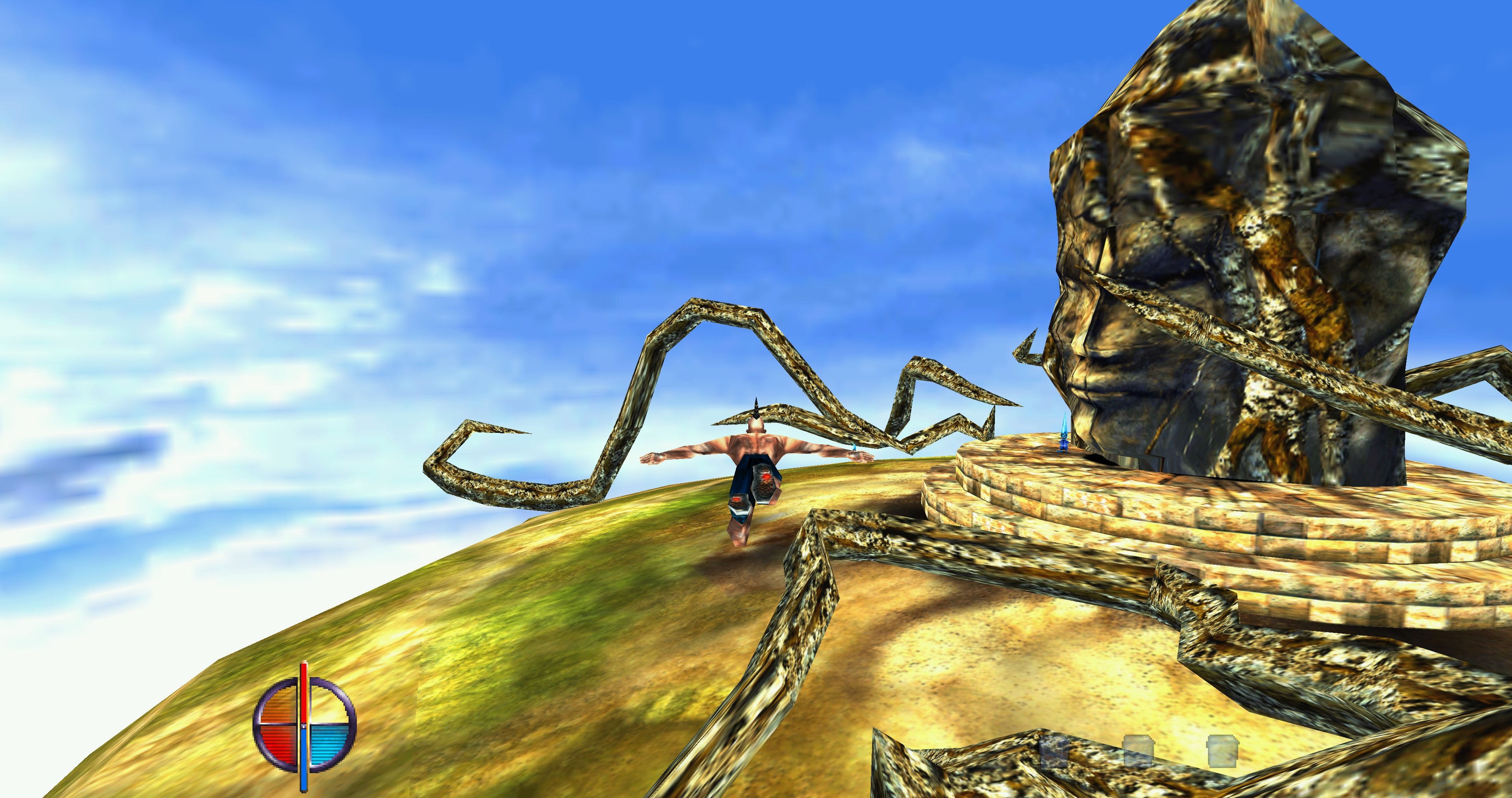
A static recompilation of Dreams to Reality (Cryo Interactive Entertainment, 1997) for modern PCs, built with pcrecomp.
The retail Windows executable (GDIDREAM.EXE) is lifted instruction by
instruction to C, compiled with clang and linked against a hand-written host
runtime: SDL3 for the window, input and sound, and a GPU renderer on sokol_gfx
in place of the original software rasterizer. The game's own code is the
retail code; the port adds what the 1997 release did not have:
- Plays from disc images. The two original discs as
.cue+.bin, with the CD music: no installer, no extraction, no disc-swap prompt. - A launcher for the discs and the port's settings: renderer, window size and scaling, keyboard remapping, gamepad.
- A GPU renderer (Direct3D 11 on Windows, OpenGL on Linux, WebGL 2 in the browser) beside the original software one.
- Smooth motion. The game steps at a steady 30 Hz and, with the GPU renderer, the display is interpolated to the monitor's refresh, with optional camera smoothing. Turn it off for the original timing.
- Cryo's level editor, restored. The Develop mode brings back the developers' in-game tools: the Dreams Editor menu of the July 1997 demo, the project bank and its pickers, collision views, profiler, free and overhead cameras, frame capture and the demo recorder. Edits land in a local developer folder, never in the disc images, and Play edits plays them with CD music. Manual: docs/developer-mode.md.
- A browser demo at dreams.lagedo.dev: the same lifted code built for WebAssembly, the first levels of the game on a page with the original manual's story, artwork and credits.
No game data or game code lives in this repository. The lifted C, the
builds and everything else derived from the game are generated locally under
out/ and never committed. Supply your own copy of the game. The
Windows download contains the game's program,
recompiled, and the editor files of the July 1997 demo; it plays from your own
discs (see Legal).
Status
- A Windows pre-release is on the Releases page (Download for Windows).
- The recompiled game builds and plays on Windows; the original software
rendering is
run.py --renderer software. - The direct GPU renderer is the default on Windows (software elsewhere) and stops on a case it does not support; full Windows acceptance is open (spec 006).
- The launcher, disc images and user data: spec 007.
- Develop and the restored editor are built and checked live; what is left to verify is in spec 008, B2 "Milestone status".
- The Win32 layers the game uses (KERNEL32, USER32, GDI32, WinMM, DirectSound) run on SDL3. Windows is the tested platform. The Linux build runs with the software renderer and the OpenGL one, with less testing; macOS has not been built.
Download for Windows
The Releases page
has DreamsToReality-<version>-windows-x64.zip: the program,
DreamsToReality.exe, a README.txt, and resources/ with the Dreams Editor
menu and fonts of the July 1997 demo, used only by Develop. It plays from
images of your own two discs.
Which copy of the game works. Only the European English Windows release,
two CDs. The launcher checks disc 1 by the SHA-256 of its GDIDREAM.EXE:
b2f053bd26627eb618f034481fbeb49c2287bec834351787385a69d74db05001
The Dutch, Spanish and Turkish discs carry other programs and are refused
("wrong edition"). Other releases have not been tested; if you have one, an
issue with the SHA-256 of its GDIDREAM.EXE helps. Disc 2 is recognised by
its DATA\2CD.ID file.
Disc images.
| You have | Result |
|---|---|
.cue with its .bin files, one per track (for example a dump named Dreams to Reality (Europe) (Disc 1).cue) | Plays, with the CD music |
.iso | Plays without music: the music is CD audio |
| CHD, MDF/MDS, NRG, CCD/IMG, CDI, or a zip, 7z or rar archive | Refused: convert or unpack it to .cue/.bin |
An installed copy (C:\CRYO\DREAMS) or a CD in a drive | Cannot be used |
To check a dump: the data track (Track 01) is 382,134,144 bytes on disc 1
and 435,646,848 bytes on disc 2.
PC. 64-bit Windows 10 or 11. The default renderer, "New (GPU)", needs a Direct3D 11 graphics card; "Original (software)" does not. Nothing to install: the C runtime and SDL3 are linked in. The program is not signed, so Windows SmartScreen may stop the first start: choose "More info", then "Run anyway".
First start.
- Unpack the zip anywhere you can write to.
- Start
DreamsToReality.exe. The launcher opens. - Under Discs, choose the
.cueof each disc, in either order, or drop it on the disc's row (not on the program). Each row says whether the image is the supported edition. - Pick the mode (Play, Develop or Play edits) and change the renderer, window, smooth motion, keyboard or gamepad settings if you like.
- Press Play.
The settings stay in dreams.ini beside the program; saves, log.txt and
crash dumps go to userdata\ there, or to %APPDATA%\DreamsToReality when
that folder is not writable. DreamsToReality.exe --play starts the game
without the launcher. Controls, options and file locations are in the zip's
README.txt; Develop's keys and editor are in
docs/developer-mode.md.
Known limitations of the pre-release.
- The GPU renderer loads every level in automated tests but has seen little real play. On a case it does not support it stops with a message; choose Renderer: Original (software) in the launcher and play on.
- With Smooth motion off, a frame cap above 30 breaks the original game's physics.
- The game saves by itself on every level entry and has no Save command, as in the original.
- The final level closes the game after its first scene, in every build of the port.
To report a problem, open an issue
and attach userdata\log.txt: its first line names the version.
Quick start
Copy-Item .dreams.example.env .dreams.local.env   # then set this machine's paths
uv sync
git clone https://github.com/sp00nznet/pcrecomp out/recomp/pcrecomp
uv run --with capstone --with pefile python recomp/windream/lift/lift.py
uv run --with capstone --with pefile python recomp/windream/lift/gen_imports.py
uv run python recomp/windream/build.py
uv run python recomp/windream/run.py
For Develop's editor menu, set DREAMS_WIP_DIR to the July 1997 demo's
DREAMS directory before building: the build extracts the menu and fonts from
its DREAMS.EXE (recomp/windream/editor/editor_tree.py). Without it Develop
keeps the retail two-row menu, and release.py refuses to run.
Requirements, options, controls and the verification scripts are in recomp/README.md.
Playing from your disc images
Start the built program with no arguments and the launcher opens:
out\recomp\windream\build\windream_recomp.exe
-
Discs. Browse to, or drop, the
.cueof each disc, in either order. The launcher checks that each is a Dreams to Reality disc, that you have one of each, and that disc 1 is the European English release the port is built from. A bare.isoworks without music. -
Mode.
Mode Plays Developer tools CD music Play the discs, as shipped off from the disc images Develop the developer folder on none Play edits the developer folder off from the disc images The first Develop start copies both discs into a developer folder (about 655 MB) in the user data directory; the Develop tab opens it and resets the edits.
-
Port settings. Things the 1997 game does not have: the original software renderer or the new GPU one, window size and scaling filter, smooth motion and camera smoothing, a frame cap, keyboard remapping (for example W, A, S, D for the arrows), and gamepad mode, direction source, buttons and deadzones. The game's own options stay in its in-game menu.
-
Play. The choices are saved in
dreams.inibeside the program, and saves go touserdata\there (or to your per-user folder when the program's folder is not writable).
In Play nothing is copied from the discs: the game reads its files, its executable and its music from the images, and switches between the two discs by itself where the original asked you to swap them.
windream_recomp.exe --play                               # skip the window, use dreams.ini
windream_recomp.exe --play --disc1 D1.cue --disc2 D2.cue --data saves
uv run python recomp/windream/run.py --discs             # development: no launcher
uv run python recomp/windream/run.py --mode dev          # Develop
uv run python recomp/windream/run.py --mode edited       # Play edits
uv run --with pefile python recomp/windream/release.py   # DreamsToReality.exe and a zip
How the original installed itself, what it read from where and what made it ask for the other disc is in docs/research/install-and-discs.md. What the editor was, how Cryo's team used it and how it was brought back is in docs/research/cryo-editor.md and spec 008.
Browser demo
dreams.lagedo.dev runs the game in a browser tab: the lifted C and the host runtime built for WebAssembly (Emscripten, pthreads), the renderer on WebGL 2, and a demo pack of the first levels, so no disc is needed. Saves stay in the browser. Building, packaging and publishing it: recomp/README.md, "Browser build".
Driving the game from a script or an AI assistant
Development builds contain a control channel: a local socket through which a script can press keys, wait for something to happen (a file opened, a value in the game's memory, a disc change), take a screenshot, pause and step frames, and record the sound output. It is how the tests play through the menus, the disc change, save loading and the editor without a person. It is off unless asked for, and release builds do not contain it.
uv run python recomp/windream/run.py --discs --headless --ctl --tag play
uv run python recomp/windream/debug/wdctl.py --run-dir out/recomp/windream/run-play status
uv run python recomp/windream/debug/wdctl.py --run-dir out/recomp/windream/run-play key ESC
The same channel is offered as an MCP server, dreams-game, registered in
.mcp.json. An assistant that speaks MCP (Claude Code asks once
to approve it when started in this folder) then has tools to start a game,
press keys, wait on conditions, read memory and look at a frame:
uv run --with mcp --with pillow python recomp/windream/debug/wd_mcp.py # what .mcp.json runs
Commands, the tool list and the helpers built on them
(recomp/windream/debug/game_nav.py for the menus, bank_patch.py to start
in any level) are in recomp/README.md; AGENTS.md maps
each testing need to its tool.
Layout
| Path | What |
|---|---|
recomp/ | The project. windream/ lifts, builds and runs the game (lift/, host/, verify/, debug/, editor/ for the restored editor, and devtools/, the development control channel); render/ is the GPU renderer; disc/ reads disc images; launcher/ is the launcher window; web/ is the browser build's page, demo pack and publishing; difftest/ tests the lifter on small Watcom programs |
re/ | Reverse engineering that feeds the recomp: Ghidra scripts, tools, the function-name registry, symbols, boundaries, prototypes, struct layouts, and the matching-decompilation scripts |
src/dreams/ | Small Python support package: local path settings and the format readers the verification scripts use |
tests/ | Python tests, by area: recomp/, re/, toolkit/ |
docs/ | specs/ for the recomp's plans and status; research/ for what is known about the game and its binaries; developer-mode.md, the Develop manual |
out/ | Everything generated (gitignored) |
AGENTS.md is the path and command reference for coding agents.
History
Before the recomp became the project, this repository held a hand-written C++
port (OpenDreams, with ODRuntime and ODViewer) and a larger Python asset
toolkit. Both were removed; the last commit that has them is tagged
opendreams-final. Some research documents still mention them.
Development
uv run pytest
uv run --with mcp --with pillow pytest   # also the MCP server's tests
uv run ruff check .
uv run ruff format .
Legal
This game is not abandonware in any legal sense. Cryo Interactive went bankrupt in 2002; DreamCatcher Interactive absorbed most of its assets, and Microïds acquired the intellectual property rights to the entire former Cryo catalogue in October 2008. Microïds is an active publisher today. Bankruptcy transfers copyright, it does not extinguish it, and a 1997 French work stays protected for decades yet.
"Abandonware" describes enforcement behaviour, not ownership, and has no standing in law.
What this project therefore does and does not do:
- Does: document the game's formats and behaviour, and provide tools that operate on a copy you already own. In the EU, the Software Directive (2009/24/EC) Art. 5(3) permits studying a program you are licensed to use and Art. 6 permits decompilation for interoperability. France implements both.
- Does not: keep any Cryo code, asset, binary or disc image in this git
repository.
.gitignoreenforces this. - Release downloads on the
Releases page
contain the game's program,
GDIDREAM.EXE, recompiled to x64 code, and the Dreams Editor menu and four fonts of Cryo's July 1997 demo. They contain no data of the retail game (no levels, textures, models, sound, music or video) and no disc image, and they run only from images of your own discs of the supported edition. - The browser demo at dreams.lagedo.dev
serves a demo of the game: the program and the data of its first levels
(the list is in
recomp/web/NOTES-demo.md).
This project is not affiliated with or endorsed by Microïds or Cryo.
Do not commit lifted or matched C, extracted audio, textures, models,
executables or disc images. A playable build is published only as the release
download that recomp/windream/release.py makes and the browser demo that
recomp/web/package.py makes.
Not legal advice.
License
MIT for everything in this repository. pcrecomp is MIT-licensed
(recomp/LICENSE-pcrecomp); third-party material (the mirrored MultimediaWiki
HNM6 description) is acknowledged in LICENSE.
Comentarios (0)
Inicia sesión para dejar un comentario.
Sé el primero en comentar sobre este juego.