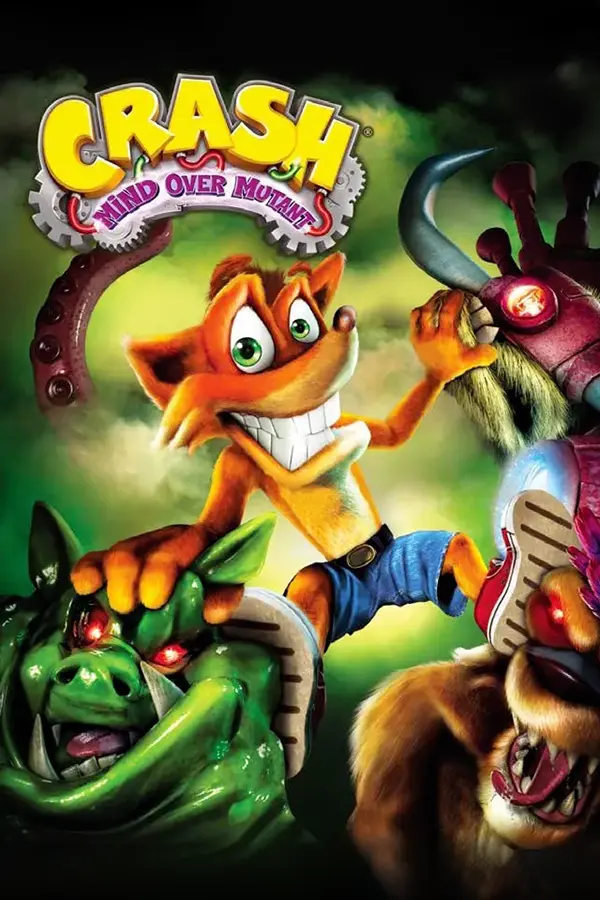
Crash: Mind over Mutant
Port nativo de Crash: Mind over Mutant para PC.
Crash: Mind over Mutant
Port nativo basado en su ficha de origen.
README del repositorio
Mind over Recomp
An unofficial native PC port of Crash: Mind over Mutant Xbox 360 · 2008 · Radical Entertainment — statically recompiled, then rebuilt piece by piece with native code





Features · Download · Controls · Going native · Building · Docs
[!WARNING] Alpha. The game is playable but hasn't been played through to the end yet. Expect bugs and crashes, and keep a backup of your saves.
[!IMPORTANT] No game files are included. You need your own Xbox 360 disc of Crash: Mind over Mutant (USA), dumped to an
.iso. The game is built on your computer from it.
📖 About
Crash: Mind over Mutant only ever came out on consoles. Mind over Recomp aims to preserve it as a real PC game and give it the upgrades it deserves.
It isn't an emulator: the game's Xbox 360 program is translated into C++ ahead of time with ReXGlue and built as a native Linux or Windows program. The parts that still pretend to be an Xbox are then replaced, one by one, with the port's own code.
✨ Features
🎨 Its own renderer
A native Vulkan renderer that matches the original's look, runs much lighter than emulating the Xbox's GPU, and goes up to 4K.
⚡ 60 fps and beyond
60 fps at the original game speed. 120, 144 and uncapped work too (experimental).
👥 Up to four players
Co-op for four instead of two, with a Players screen, outfits for everyone and a camera that keeps you all in view (experimental).
⌨️ Keyboard, mouse and any controller
Rebindable keys, the mouse in every menu, mouse aiming, and button prompts that show your keys or your controller's buttons.
⚙️ Options in the game's own look
Display, graphics, audio, controls, gameplay and language settings, changed live from the main menu or the pause menu.
💾 Unlimited, named saves
As many saves as you like in the game's own save screen, renamed and deleted there. Each one is a plain file, with backups.
🌍 Every language on the disc
Text and voices picked separately from the disc's languages, plus the whole game in Brazilian Portuguese.
🏆 Achievements
The game's 48 achievements, kept by the port, with their own screen and pop-up.
Screenshots are from the port's own renderer. The game's imagery belongs to its owners (see License and disclaimer).
📥 Download and play
⬇ Download the latest release
| Windows | Linux | |
|---|---|---|
| System | Windows 10 / 11, 64-bit | x86-64, glibc 2.39+ (Ubuntu 24.04, Fedora 40, Arch or newer) |
| Download | MindOverRecomp-…-windows-x86_64.zip | MindOverRecomp-…-linux-x86_64.tar.gz |
| Free space | ~15 GB, on an NTFS drive (not OneDrive) | ~25 GB |
Both need a Vulkan graphics card (only NVIDIA tested so far), 16 GB RAM recommended, and internet for the first setup.
Windows
- Unpack the
.zipand start Mind over Recomp.exe, the installer. If Windows warns about an unknown program: More info → Run anyway. - Pick your
.isoand a folder, then Next: install. It gets the build tools it needs and builds the game; the first time takes a while. - Play Crash Mind over Mutant from the Start menu. To update or uninstall, open Mind over Recomp from the Start menu.
Linux
- Unpack the archive and start the launcher, Mind over Recomp.
- In Setup, install the tools it lists, pick your
.isoand press Set up everything; the first build takes a while. - Press Play. Next time, Continue goes straight into your last save.
[!TIP] Problems? See Troubleshooting and the known issues. Found a bug? Fill in the bug form and attach the
user/logsfolder from the game's folder.
🎮 Controls
| Action | Keyboard and mouse | Controller |
|---|---|---|
| Move / walk | W A S D / hold Ctrl | left stick |
| Jump | Space | A |
| Light / heavy attack | left / right mouse button | X / Y |
| Spin | Q or middle mouse button | rotate the left stick |
| Block | Shift | RT |
| Jack a titan / use a save totem | E | B |
| Titan special / pocket a titan | F / R | LT / RB |
| Map / pause | Tab / Esc | Back / Start |
| Menus: choose / back | Enter / Esc, or the mouse | A / B |
Keys can be changed in Options → Controls. Friends join by pressing a button on their controller; the Players screen (pause menu, or Extras in the main menu) shows who plays with what.
| Key | What it does |
|---|---|
| F1 | Tools menu: cheats, photos, developer tools |
| F2 | Hide / show the HUD |
| F11 | Fullscreen on / off |
Using cheats turns achievements off until a save is loaded.
🧩 Going native
The game's code already runs natively. What's still emulated is the Xbox 360 around it: the system services the game asks for. Each one the port answers itself is one less piece of pretend Xbox.
Xbox services replaced: 24 of 66 (36%) ▰▰▰▰▱▱▱▱▱▱
| Xbox piece | Replaced | Becomes |
|---|---|---|
| Graphics driver | ▱▱▱▱▱▱▱▱▱▱ 0 / 20 | the port's own Vulkan renderer, then the emulated GPU off |
| Profiles and sign-in | ▰▰▰▰▰▰▰▰▰▰ 4 / 4 | no profiles at all: who plays = which controllers play |
| Saves and storage | ▰▰▰▰▰▰▰▰▰▰ 11 / 11 | plain save files in one folder: no storage devices, no content packages |
| Controllers | ▱▱▱▱▱▱▱▱▱▱ 0 / 3 | the input manager fed directly (keyboard and mouse, any SDL controller, rumble) |
| Sound output | ▰▰▰▰▰▰▰▰▰▰ 5 / 5 | each mixed frame straight to the PC's audio |
| XMA sound decoder | ▰▰▰▰▰▰▰▰▰▰ 2 / 2 | a software decoder instead of the emulated sound chip |
| System pop-ups and notifications | ▰▰▰▰▱▱▱▱▱▱ 2 / 5 | PC behaviour (the port's own messages); gone once profiles and saves are native |
| System messages (achievements, ...) | ▱▱▱▱▱▱▱▱▱▱ 0 / 3 | the port's own handlers |
| Console settings | ▱▱▱▱▱▱▱▱▱▱ 0 / 8 | the port's settings (language, region, video mode) |
| Quit and launch | ▱▱▱▱▱▱▱▱▱▱ 0 / 4 | quit the program cleanly |
| Network | ▱▱▱▱▱▱▱▱▱▱ 0 / 1 | not needed (no online features) |
Not counted: 89 kernel basics (threads, locks, memory, files), already thin translations to the PC's own.
🛠️ Building from source
Players don't need this: the installer (Windows) and the launcher (Linux) do it for them. Linux needs clang 20+, CMake 3.25+, Ninja, Python 3, Git and glslc. The full walkthrough, Windows included, is in Building.
git clone --recursive https://github.com/Maxilure/MindOver-Recomp.git
cd MindOver-Recomp

# the launcher (its Setup tab does everything below)
cmake -S launcher -B out/build/launcher -G Ninja -DCMAKE_BUILD_TYPE=Release \
      -DCMAKE_C_COMPILER=clang -DCMAKE_CXX_COMPILER=clang++
cmake --build out/build/launcher && out/build/launcher/crash_mom_launcher

# or by hand: unpack the disc, build the SDK with our patches, then the game
python3 tools/xiso_extract.py "Crash - Mind over Mutant (USA).iso" game/
(cd thirdparty/rexglue-sdk && git apply ../../patches/rexglue-sdk/*.patch \
  && cmake --preset linux-amd64 -DCMAKE_INSTALL_PREFIX=$PWD/../rexglue-install \
  && cmake --build out/build/linux-amd64 --config Release --target install \
  && cmake --build out/build/linux-amd64 --config RelWithDebInfo --target install)
cmake --preset linux-amd64-relwithdebinfo
cmake --build --preset linux-amd64-relwithdebinfo --target crash_mom_codegen
cmake --preset linux-amd64-relwithdebinfo   # first time only: picks up the generated code
cmake --build --preset linux-amd64-relwithdebinfo -j 6
tools/play.sh                               # one log per session in logs/
crash_mom_manifest.toml    recompiler config: every analysis fix and hook, commented
CMakeLists.txt             builds the port (generated code + ReXGlue + src/)
src/                       the port's own native code
  pddi/, native/           the game's renderer calls, and the port's Vulkan renderer
  effects/                 graphics settings (motion blur, depth of field...)
  input/                   keyboard, mouse, controllers, button prompts
  players/                 up to four players, the Players screen, the co-op camera
  saves/                   the save files and the save list
  options/                 the Options screen
  audio/                   sound output and the XMA decoder
  language/                text and voice languages, the port's translations
  achievements/            achievements, their pop-up and screen
  ui/                      the port's menus and HUD pieces in the game's look
  gameplay/, cheats/       gameplay options, the Cheats menu
  data/                    changed copies of game data, built at run time from your disc
  debug/                   developer tools (console, crash reports...)
launcher/                  the Windows installer and the Linux launcher (no game code)
languages/                 translations of the port's own texts
assets/                    the port's own pictures (markers, jack symbol) and button prompts
tools/                     disc extraction, disassembler, play/debug and release scripts
patches/rexglue-sdk/       our fixes to the ReXGlue SDK (applied to the submodule)
docs/                      guides, and findings about the game's internals
thirdparty/rexglue-sdk     the recompiler + runtime (git submodule, pinned)

# made on your machine, never committed:
*.iso, game/               your disc and its extracted files
generated/default/         C++ produced by the recompiler
out/, logs/, cache/        builds, logs, caches
user/                      YOUR files: saves, settings, controls, photos, logs
📚 Documentation
| 🧠 How the port works | static recompilation, explained |
| 🔧 Building | every build step, the launcher, releases |
| 🩺 Troubleshooting | common problems on Linux and Windows |
| ✨ Enhancements | what only this port adds |
| 🗺️ Roadmap | where the project is going |
| 🎨 Native renderer | the port's own Vulkan renderer |
| 🔬 Findings | everything learned about the game's internals |
🤝 Contributing
Contributions of any kind are welcome: code, reverse engineering, testing, bug reports, corrections. Speak another language? The port's own texts are machine-translated into 11 languages and need checking: see languages/, no programming needed. Every human contribution is credited in CREDITS.md.
[!NOTE] Developed with extensive AI assistance (Claude, via Claude Code). The code, reverse-engineering notes and documentation were largely written by the AI; the maintainer sets the direction, tests every change on the real game and reviews the results. Findings are checked against the running game, not by experts: treat them as working notes, and please report errors.
💛 Credits
- Maxilure: project lead, direction, playtesting, art
- YWZsaXRv: the Windows setup script the installer builds on
- ReXGlue and Xenia: the recompiler and runtime this port is built on
- Xelu's Free Controller & Key Prompts by Nicolae "Xelu" Berbece: the button prompt pictures
- Icons8: the Windows installer's icon
- Claude (Anthropic): AI assistant that wrote most of the code and documentation
The full list, bug reporters and libraries included, is in CREDITS.md.
⚖️ License and disclaimer
- The code in this repository is licensed under the GNU General Public License v3.0.
- The patches in
patches/rexglue-sdk/modify ReXGlue's source and stay under ReXGlue's BSD 3-Clause license, like the SDK itself (which also builds on Xenia's code). - The screenshots in
docs/images/show the game's own imagery and are not covered by these licenses. - The marker pictures in
assets/markers/were drawn for this port, after the save-slot numbers of Crash of the Titans (Radical Entertainment, 2007), to match the game's own markers. - The jack symbol in
assets/icons/is a silhouette of Aku Aku's mask made for this port, traced from a render of Crash of the Titans' mask model. - The keyboard, mouse and controller pictures in
assets/prompts/are from Xelu's Free Controller & Key Prompts by Nicolae "Xelu" Berbece, released into the public domain (CC0). - The Windows installer's icon,
launcher/icon/installer.ico, is the "Support" icon by Icons8, licensed CC BY-ND 3.0 and used unchanged. The game's own icon is made on the player's computer from their disc (tools/make_icon.py); it is not in this repository.
This is an unofficial fan project for game preservation. It is not affiliated with, endorsed by, or sponsored by Activision, Sierra Entertainment, Radical Entertainment, or Microsoft. Crash Bandicoot and Crash: Mind over Mutant are trademarks of their respective owners. This repository contains no game code, assets or data: you need your own legally obtained copy of the game.
Comentarios (0)
Inicia sesión para dejar un comentario.
Sé el primero en comentar sobre este juego.