
Command & Conquer: Tiberian Sun and Firestorm
Port nativo de Command & Conquer: Tiberian Sun and Firestorm para PC.
Command & Conquer: Tiberian Sun and Firestorm
Port nativo basado en su ficha de origen.
README del repositorio
Tiberian Sun and Firestorm — Static Recompilation
⬇ Download the installer: Windows, Linux and macOS. You need your own copy of the game.
Static recompilation of Command & Conquer: Tiberian Sun and its expansion
Firestorm (Westwood Studios, 1999–2000) from the shipping Win32 binary,
Game.exe, to native C. The goal past running it is the same remaster
redalert2-recomp gives the
next game on this engine: higher resolutions, proper scaling and a modern
presentation layer, built on the game's own code rather than a
reimplementation.
Built on the pcrecomp toolchain. The host, the presenter, the scripted input and the test tools come from redalert2-recomp; everything tied to an address was found again in this exe (RECON.md).
What the remaster adds
Everything here is built around the game's own code, recompiled; --classic
gives the original display, and --original runs the shipping machine code
for comparison.
- Its own window. The game draws into a Direct3D 11 presenter instead of taking over the screen: a resizable window or borderless fullscreen (F11), sharp at any size.
- Scaling (F12): sharp-bilinear (the default), smooth, CRT, nearest, or whole multiples only.
- A settings menu (F10, on Windows and native Linux): scaling, fullscreen,
HD vehicles and the game's resolution, kept in
build\ts.ini. - High resolution and widescreen: 1280x720 up to 3840x2160 in game, 21:9 and 16:10 included, more of the battlefield on screen; above 1080 lines the sidebar needed a fix (docs/hires.md).
- Framed menus: the 640x400 menus in a widescreen window sit on a blur of themselves instead of black bars.
- HD vehicles: units, their shadows and voxel debris drawn at twice the resolution of the picture, from the game's own voxel models (docs/voxels.md).
- Windows, Linux and macOS: on Windows the C runtime is linked in, so
there is no Visual C++ redistributable to install. On Linux the game also
runs natively, with no Wine: the same lifted C on pcrecomp's own
implementation of the Windows API, with SDL2 for the window and sound
(Linux, native). On macOS (and Linux) the exe is
cross-built with clang-cl and played under CrossOver or Wine
(macOS and Linux, under Wine).
--mutefor silent runs.
Status: bring-up, playable. The whole exe lifts with 0 errors; both games' main menus, skirmishes from 640x400 to 3840x2160, all four campaigns to their first mission with their movies, and building a base, checked by a scripted suite.
| Stage | State |
|---|---|
| The build | the Steam release in The Ultimate Collection: Game.exe, 2000-06-05, no DRM (RECON.md) |
| RTTI class recovery | 807 classes, 895 vtables, 5,226 virtual methods |
Function catalog (disasm32) | 18,552 functions, 92.0% of .text |
Lift (run_lift.py --all) | 18,559 functions, 3.9M lines of C, 0 lift errors; 48 patches |
Host (build/ts.exe, 32-bit, pcrecomp native32) | the logos, the Tiberian Sun / Firestorm choice, both main menus, skirmishes, the GDI and Nod campaigns of both games with their VQA movies, and building and training in a mission (bringup.md) |
| High resolution | 720p, 1080p, 1440p and 4K in game; above 1080 lines the sidebar needed a fix (hires.md) |
Playtest suite (tools/playtest.py) | 29 cases: every main-menu entry (LAN, Internet and World Domination Tour as far as they go without servers, Back, Exit) and the Options screens, save and load, skirmish 640x400 to 4K, the four campaigns, a base built and an infantryman trained in a mission and in a skirmish (the MCV deployed), band selection and force-fire, HD vehicles and voxel debris on; all pass, three at a time (testing.md) |
Conformance (tools/conformance.py) | 8/8 boot milestones to the choice screen, lift 0 errors |
Native Linux (build-linux/ts, pcrecomp win32hle) | the same lift as a Linux program, no Wine: boot, menus and dialogs, campaigns, skirmishes to 4K, saves, HD vehicles; the playtest suite in Docker (Linux, native) |
| Presenter (the default display) | the game in its own Direct3D 11 window, from redalert2-recomp: sharp scaling, blurred bars, clicks mapped into the game; checked with the menus (presenter.md) |
| HD vehicles | units, their shadows and voxel debris at 2x, Red Alert 2's four half-pixel passes found again in this renderer (voxels.md) |
| macOS and Linux, under Wine | the Windows build cross-compiled with clang-cl and xwin, played under Wine or CrossOver: 29 of 29 under Wine 10.0 (macOS and Linux, under Wine) |
| Mods | a folder in mods/, laid over the game's without changing it, switched in game (Mods) |
| Readable lifted C | 5,602 of 18,559 functions named from RTTI, vtables and the game's messages, each with a header (Reading the lifted C) |
| Compilers | MSVC (x86), Visual Studio 2022 or 2026; clang-cl (x86) |
Three walls so far, each in bringup.md: a gadget rect the game never initialised (a crash on a quarter of runs, from the first mouse move), a window procedure the catalog missed, and dialog templates in a read-only resource DLL.
Screenshots
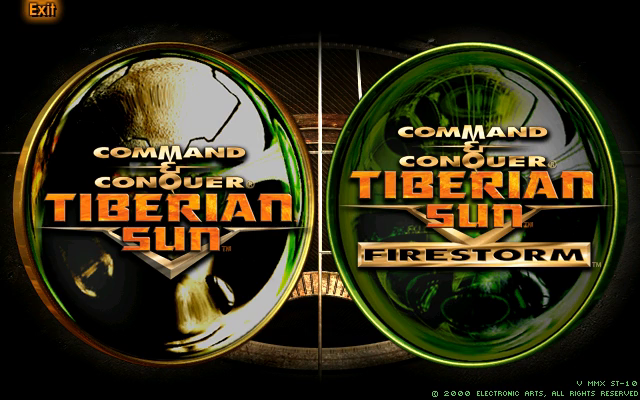
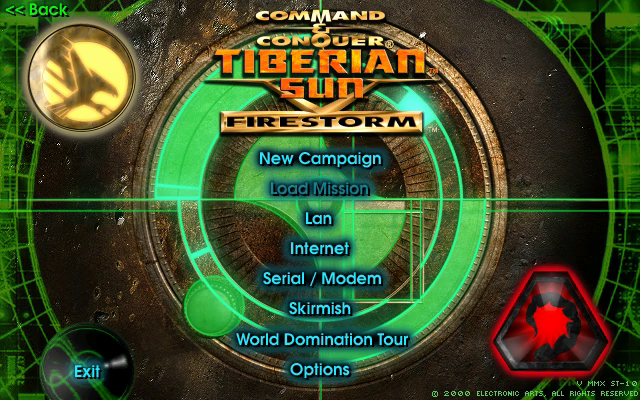
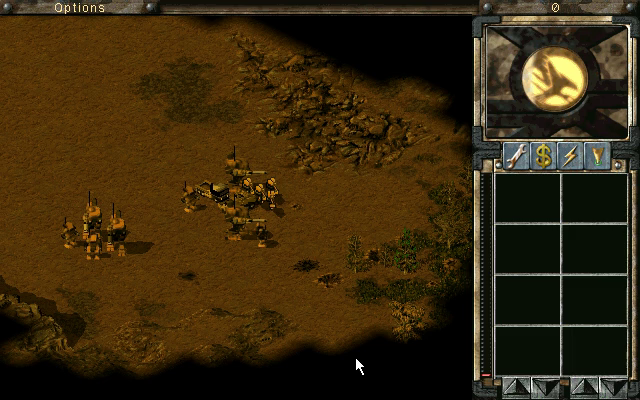
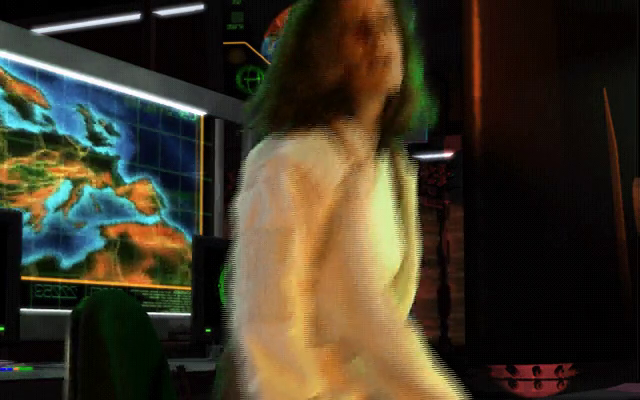
In the presenter's window (a 2338x1754 window on a high-DPI screen; the 640x400 menu sharp-scaled, the bars a blur of the picture):
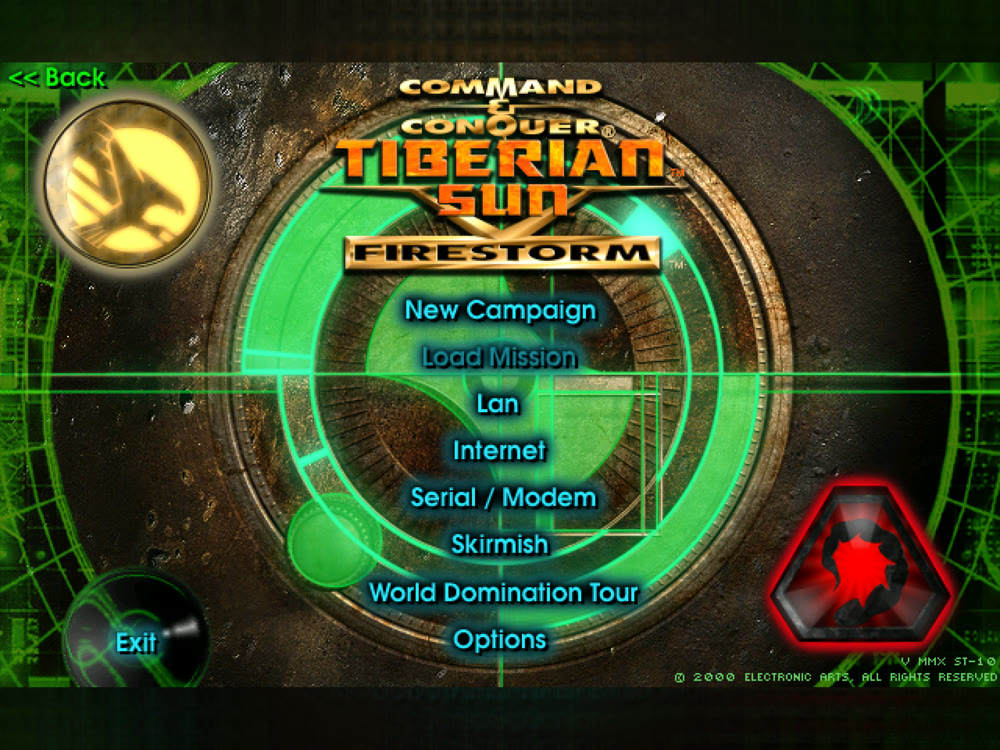
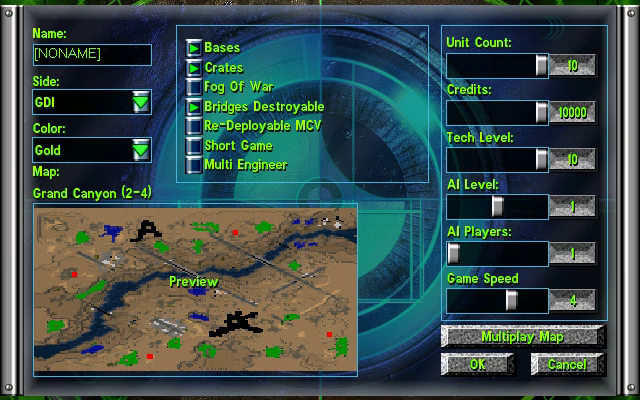
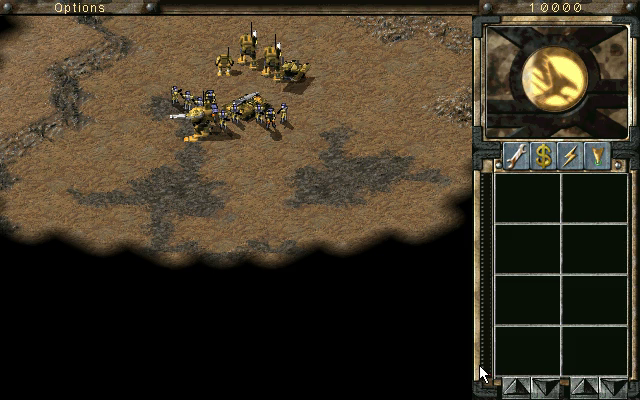
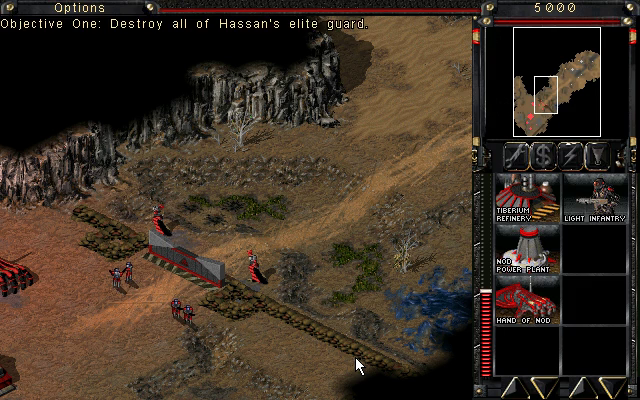
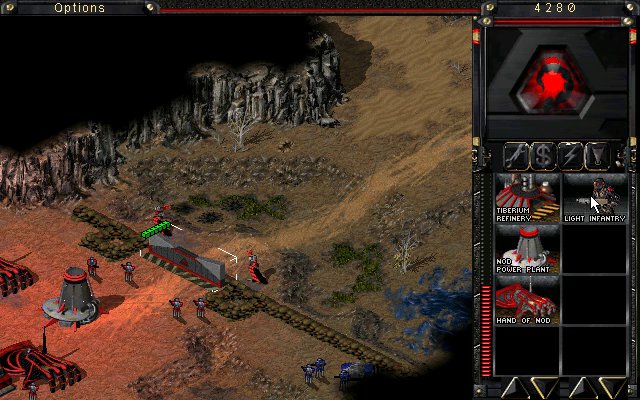
Rendered by the recompiled game and recorded headlessly by the playtest suite: the choice between the two games, Firestorm's main menu, the skirmish setup and a skirmish; the first Nod mission, with a power plant and a Hand of Nod built by the suite; Firestorm's first GDI mission and its opening movie.
 |  |
 |  |
 |  |
 |  |
Getting Started
You need your own copy of Tiberian Sun and Firestorm: the Steam build
(the folder holding Game.exe, Language.dll and the .mix files).
Nothing from the game is in this repository and nothing is downloaded for
you. The lifted C is generated on your machine from your copy and is never
distributed. On Linux, see Linux, native; on macOS,
macOS and Linux, under Wine.
The installer (easiest)
- Download the one for your system from the
releases:
TS-Recomp-Installer-windows-x64.exe,-linux-x64.tar.gzor-macos-arm64.zip. - Open it. It finds your game in Steam, or you point it at the folder.
- Press Build my recomp, and when it's done, Play.
The first build takes 30 to 60 minutes and about 6 GB; it installs the tools it needs (on Windows, Visual Studio's Build Tools, asking for permission once). On a Mac it builds the Windows game for CrossOver, with the game installed in a CrossOver bottle. The installers aren't signed yet: on Windows, SmartScreen asks first (More info, then Run anyway); on a Mac, right-click it and pick Open.
Quick start
- Download this repository (the green Code button, then Download ZIP) and unzip it somewhere with 6 GB free.
- Double-click
Setup.cmd.
It checks for Python 3.10+, the pefile and capstone packages, the pcrecomp
toolkit, Visual Studio 2019 or later with the C++ x86 tools, CMake and Ninja, and
asks before installing anything. It finds the game in your Steam library or
asks for the folder, copies it into game\, builds the function catalog,
lifts and builds. A rerun skips finished steps. If it stops, it says why in one
sentence; the details are in setup.log. It has been run end to end from a
clean folder.
To update, get this repository again (or git pull), git pull the
pcrecomp toolkit, and run Setup again. It always builds again, compiling
only what changed, and when the lifter or its patches have changed it lifts
again first, since a fix to the lifter only reaches the game through a new
lift.
It ends with Tiberian Sun (recomp).cmd in this folder: double-click it to
play. F10 opens the settings.
Step by step
Prerequisites: Windows 10/11, Python 3.10+ (py -3 --version), git,
Visual Studio 2022 (any edition, or the Build Tools) with Desktop
development with C++ including the x86 tools, CMake 3.20+ and Ninja,
and the pcrecomp toolkit cloned beside this repository as tools:
some-folder\
  tools\          <- git clone https://github.com/sp00nznet/pcrecomp tools
  tiberiansun\    <- this repository
- Python packages:
py -3 -m pip install --user pefile capstone - Copy your install into
game\:robocopy "<Steam>\steamapps\common\Command & Conquer Tiberian Sun" game /E - Headers, imports and C++ classes (seconds):
Expected frompy -3 ..\tools\tools\pe\pe_analyze.py game\Game.exe --json work\pe_analysis.json py -3 ..\tools\tools\cpp\rtti.py game\Game.exe -o work\rtti.json --seeds work\rtti_seeds.jsonrtti.py:classes : 807andvirtual methods : 5,226. - The function catalog (a few minutes):
Expected: aboutpy -3 ..\tools\tools\disasm\disasm32.py game\Game.exe -o work\functions.json --seed-functions work\rtti_seeds.jsonFunctions: 18548and(92.0% of code range). - Lift (a minute or two):
Expected:py -3 run_lift.py --allnot-lifted stubs 0 errors 0. - Build (from a plain terminal;
build.cmdsets up the x86 compiler itself):build.cmd - Play:
build\ts.exe --run
The usual trip-ups: python opening the Microsoft Store (that is Windows' alias;
use py -3), and a PATH change that needs a new terminal window.
Linux, native
build-linux/ts is a 32-bit Linux program: the same lifted C as the Windows
build, on pcrecomp's runtime/win32hle, which answers every Windows call the
game makes itself (files, windows and dialogs, DirectDraw and DirectSound on
SDL2, Winsock, the registry, COM and save-game storage). No Wine and no
Windows DLLs; the game folder is only data.
On Debian or Ubuntu (setup.sh names the Fedora and Arch packages):
sudo dpkg --add-architecture i386 && sudo apt update
sudo apt install gcc-multilib cmake ninja-build pkg-config python3-pefile python3-capstone \
                 libsdl2-dev:i386 libsdl2-ttf-dev:i386 fonts-liberation
./setup.sh
setup.sh links game/ to your install (it looks in your Steam libraries),
catalogs, lifts and builds, and leaves Tiberian Sun (recomp).sh. By hand,
it is Step by step with python3 for py -3 and ./build-linux.sh for
build.cmd, then build-linux/ts --run. It needs a current pcrecomp
(main); setup.sh offers to update an older clone.
The window scales like the Windows presenter: F12 cycles sharp, smooth, CRT,
nearest and integer scaling, F11 (or Alt+Enter) is fullscreen, F10 opens the
same settings menu (scaling, the bars, fullscreen, HD vehicles, the game's
resolution and the mod), and build-linux/ts.ini remembers them (--scale
on the command line). The game's own Options screen lists the large
resolutions too: the host adds [Video] AllowHiResModes=yes to SUN.INI
when it isn't there.
--headless, --record, --mute, --hd-voxels, --seed and the scripted
input are the Windows host's; tools/playtest.py runs build-linux/ts when
it is there. LAN games speak IPXEmu's protocol (IPX over UDP), the one the
Windows build uses through the game folder's wsock32.dll: two native
instances find each other and play a match in lockstep (--args tools/lan/host.args and joiner.args, with different player names); a
Windows player on the same LAN is not tried yet. Saves are the same compound
files the Windows build writes.
On Debian 13, headless in Docker, the playtest suite passes 29 of 29 (see the
CHANGELOG for the run); it also runs in a window on an Xfce desktop with
PulseAudio. Not on this host: --original (it runs the shipping machine code
on Windows).
macOS and Linux, under Wine
The same ts.exe, cross-compiled with clang-cl and played under Wine:
CrossOver on a Mac, wine on Linux. No Visual Studio and no copy of the
game: game/ is a link to your install. On a Mac, install the game in a
CrossOver bottle; on Linux, from Steam (which runs it with Proton) or have the
folder anywhere. Then:
./setup.sh
On a Mac it checks for and offers to install Homebrew's llvm, lld,
cmake, ninja, xwin and uv. On Linux it lists what your package manager
should install (clang-cl, lld, llvm, cmake, ninja, wine and Python 3) and
offers to download xwin's release binary. Either way it asks before xwin
downloads the x86 MSVC C runtime and Windows SDK from Microsoft (about 1 GB,
under Microsoft's licence, into ~/.xwin); finds pefile and capstone or
puts them in a .venv; clones pcrecomp beside this folder as pcrecomp (or
uses ../tools, or PCRECOMP); finds the game in your CrossOver bottles or
Steam libraries; and then catalogs, lifts and builds as Setup.cmd does. It
leaves a Tiberian Sun (recomp) launcher here (.command on a Mac, .sh
on Linux).
By hand, the steps are Step by step's with python3 (or .venv/bin/python)
for py -3 and ./build.sh for build.cmd; ./play.sh runs the build under
Wine, with any host flags after it (on a Mac, CX_BOTTLE picks the bottle,
default Steam). tools/playtest.py and tools/conformance.py run the host
through Wine off Windows (TS_WINE for another launcher).
It needs a current pcrecomp (main), whose native32 supports Wine, and the game
folder's IPXEmu wsock32.dll for the LAN screen, which play.sh and the
playtests tell Wine to load (WINEDLLOVERRIDES=wsock32=n,b). Under Wine 10.0
on Debian 13 (x86-64) the playtest suite passes all 29 cases. Not yet under Wine:
recordings (--record starts ffmpeg through Wine's cmd, which cannot run
a Linux or Mac program; the frame checksums the tests count still come out),
and --original is untested. Not yet tried on a Mac.
The Mac and Linux build is ported from the one @cpressland wrote for Red Alert 2 (CONTRIBUTORS.md).
Usage
build\ts.exe                                  # dry run: map and bind, print the entry point
build\ts.exe --run                            # play, in the presenter's window
build\ts.exe --headless --run --watchdog 60   # no window, stop after 60 s
build\ts.exe --headless --run --record out.mp4
py -3 tools\conformance.py                    # boot milestones + lift health vs the baseline
py -3 tools\playtest.py --jobs 3              # the suite (docs\testing.md)
py -3 tools\playtest.py skirmish-start --original   # the same script on the shipping code
Scripted input (headless): --click x,y@s and --move in game pixels,
--press DLG:CTRL@s for the dialog screens, --waitlog TEXT@s on the game's
own debug log (--debuglog prints it), --key, --drag, --select DLG:CTRL=N@s (a list, a combo box or a
slider). --seed N fixes the game's random seed, so a skirmish starts the
same every run. The script's clock
starts at the game's Game Init Completed.
Environment: TS_EXE (another build to test), TS_WINE (the Wine launcher
off Windows), TS_HOST_ARGS (extra host
flags for every playtest case), TS_PROBE_ALL=1 (--probe reports every
call, not the first five), TS_DDTRACE=1 (the first DirectDraw locks and
blits), TS_PROFILE=1 (which lifted functions the time goes to, printed
when the watchdog ends the run).
Mods
A mod is a folder of the game's own kind of files (rules, art, string tables,
MIX files, maps) in mods/<name>/: see mods/README.md. The game's
folder is never changed. The mod's folder is laid over it, so the game reads
the mod's file where it has one and its own where it does not, and what it
writes while a mod is on (settings, saves) goes into the mod's folder.
--mod NAME plays one (--mod none, none); the settings menu (F10) lists
them, and on Linux F9 in the menus steps through them; either restarts the
game with the one chosen and remembers it. Tried: a rules and art mod. Mods
built on DLLs that patch Game.exe's machine code (Ares, Phobos and the
like) cannot work on a recompiled game.
Reading the lifted C
The lift (src/recomp/gen, made on your machine, never committed) names what
the binary itself names (pcrecomp's tools/lift/name_lift.py): virtual
methods by their class and vtable slot from RTTI (UnitClass__virtual_42,
COM's by name: OverlayClass__Load), constructors, destructors and
operator_delete by their shape, and functions that print their own name in
a debug message by it. Each function has a header saying how it was named,
its this class, the strings it uses, the Windows calls it makes and how many
places call it, and a constant that is a string's or a vtable's address has a
comment. A function with no such evidence keeps its address name
(sub_ and its address) and still gets the header. The address is in each header and
in its RECOMP_ENTER, so a crash report's address finds the function.
Building from source
Steps 5 and 6 above. PCRECOMP (environment, for run_lift.py) and
-DPCRECOMP= (CMake, through CMAKE_ARGS for build.cmd) point at a toolkit
checkout other than ..\tools; the lifter and the runtime must come from
the same tree. It builds from pcrecomp main, with MSVC or clang-cl (x86:
set CMAKE_ARGS=-DCMAKE_C_COMPILER=clang-cl -DCMAKE_C_FLAGS=-m32 and
another BUILD_DIR; the suite passes on both).
Contributions: CONTRIBUTING.md.
Contributors
See CONTRIBUTORS.md for who did what. Thank you, all of you.
License
The code here is MIT (LICENSE). Command & Conquer: Tiberian Sun and Firestorm are © Westwood Studios / Electronic Arts; no game files are included or distributed (NOTICE.md).
Comentarios (0)
Inicia sesión para dejar un comentario.
Sé el primero en comentar sobre este juego.