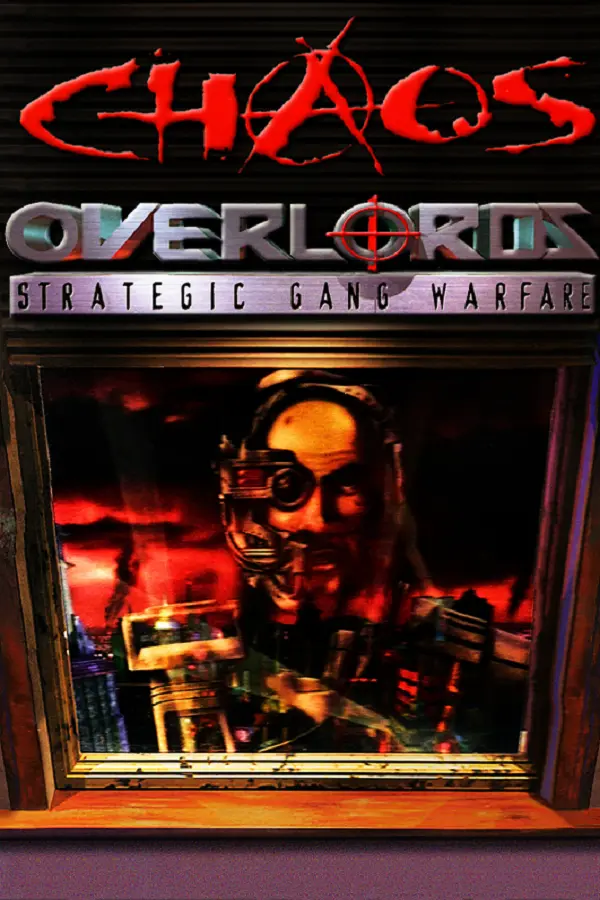
Chaos Overlords (New Chrome)
Port nativo de Chaos Overlords (New Chrome) para PC.
Chaos Overlords (New Chrome)
Port nativo basado en su ficha de origen.
README del repositorio
Chaos Overlords: New Chrome
A clean-room MonoGame reimplementation of the 1996 turn-based strategy game. This repository intentionally contains no original game assets. You must own a supported legal copy. The DRM-free GOG release of Chaos Overlords is fully compatible with the new runtime as an asset source. The extractor validates its asset pack (the executable is neither required nor copied) and creates a local asset pack containing repaired graphics plus the original audio, music, video, help, and currently opaque resources. Compact gameplay tables are bundled in the open-source core; original art and media are not.
Saves from the original game cannot be loaded, and the rebuild cannot write them. Its own saves and replays are development formats until 1.0.0 and may change incompatibly before then; the versioned migration machinery is retained for post-1.0 compatibility.
Quick start
- Buy and install a legal copy of Chaos Overlords from GOG.
- Download and run the latest Chaos Overlords: New Chrome Windows installer from GitHub Releases.
- Let Setup detect your GOG installation, or select its folder when prompted. Setup verifies and imports the required assets, then installs the new runtime.
The installer contains no original assets and requires an installed legal copy when importing them.
macOS
The macOS builds are not signed or notarized, and there are no plans to change
that: Apple signs and notarizes only for Apple Developer members, and we do not
have Apple Developer membership. macOS therefore refuses to open the
installer until you allow it, and the steps below are how to install the game
on a Mac for the foreseeable future. Releases that include macOS
builds carry ChaosOverlords-NewChrome-osx-arm64-Setup-<version>.pkg for Apple
silicon (M1 and later) and, in some releases,
ChaosOverlords-NewChrome-osx-x64-Setup-<version>.pkg for Intel Macs.
Allow the downloaded installer in one of these ways:
-
macOS 15 (Sequoia) and later: double-click the
.pkgand click Done when macOS says it could not verify it. Open System Settings > Privacy & Security, scroll down to the message that the package was blocked, click Open Anyway, enter your password, and click Open Anyway again. -
macOS 12 to 14: Control-click (or right-click) the
.pkgin Finder, choose Open, and click Open in the warning dialog. -
Any version, from Terminal: remove the quarantine flag the browser put on the download, then double-click the
.pkgas usual.xattr -d com.apple.quarantine ~/Downloads/ChaosOverlords-NewChrome-osx-*-Setup-*.pkg
The installer puts Chaos Overlords New Chrome in Applications. If macOS also blocks the app the first time it starts, allow it under Privacy & Security the same way, or clear the flag from the whole bundle:
xattr -dr com.apple.quarantine "/Applications/Chaos Overlords New Chrome.app"
The first time the game starts, it asks for the folder that holds your copy of
Chaos Overlords and imports the original assets from it into
~/Library/Application Support/ChaosOverlordsNewChrome/Assets. To import from
Terminal instead, run:
"/Applications/Chaos Overlords New Chrome.app/Contents/MacOS/Install Original Resources" "/path/to/Chaos Overlords"
Linux
Linux releases carry one x86-64 package,
ChaosOverlords-NewChrome-linux-x64-Setup-<version>.deb. Some releases leave it
out; pick one from GitHub Releases
that lists it. The package installs the game into /opt/chaos-overlords-new-chrome,
the chaos-overlords-new-chrome and chaos-overlords-new-chrome-import
commands, and a desktop menu entry. Installing takes three steps: install the
game, unpack your GOG copy of Chaos Overlords, and import its assets.
1. Install the game
Download the package from a terminal with curl. Ubuntu does not install it by
default; get it with sudo apt install curl. This fetches the newest release;
set VERSION by hand (for example VERSION=0.10.9) when the newest one has no
.deb.
VERSION=$(curl -fsSL https://api.github.com/repos/kibertoad/chaos-overlords-new-chrome/releases/latest \
  | sed -n 's/.*"tag_name": *"\([^"]*\)".*/\1/p')
curl -fLO "https://github.com/kibertoad/chaos-overlords-new-chrome/releases/download/$VERSION/ChaosOverlords-NewChrome-linux-x64-Setup-$VERSION.deb"
On Ubuntu 22.04 and later, Debian 12 and later, Linux Mint 21 and later, Pop!_OS and other distributions built on them, let apt install the package and its dependencies:
sudo apt install "./ChaosOverlords-NewChrome-linux-x64-Setup-$VERSION.deb"
The ./ matters: without it apt looks the name up in its repositories. Remove
the game with sudo apt remove chaos-overlords-new-chrome. Debian 11 and older
cannot read the package, because their dpkg does not unpack zstd.
Fedora, Arch Linux and other distributions without apt have no package of their
own yet. Install the libraries the game needs, unpack the .deb with ar and
tar, and copy its files into place. On Fedora:
sudo dnf install binutils zstd libicu openssl-libs mesa-libGL libX11 zenity
On Arch Linux:
sudo pacman -S --needed binutils zstd icu openssl libglvnd libx11 zenity
Then, on either:
mkdir chaos-overlords-deb && cd chaos-overlords-deb
ar x "../ChaosOverlords-NewChrome-linux-x64-Setup-$VERSION.deb" data.tar.zst
tar --zstd -xf data.tar.zst
sudo rm -rf /opt/chaos-overlords-new-chrome
sudo cp -r opt/chaos-overlords-new-chrome /opt/
sudo install -m 755 usr/bin/chaos-overlords-new-chrome usr/bin/chaos-overlords-new-chrome-import /usr/local/bin/
sudo install -Dm 644 usr/share/applications/chaos-overlords-new-chrome.desktop /usr/local/share/applications/chaos-overlords-new-chrome.desktop
cd .. && rm -rf chaos-overlords-deb
On another distribution, install its packages for ICU, OpenSSL 3 (or 1.1), OpenGL, libX11 and zenity (or kdialog) the same way. To update, run the same commands with the new package. To remove the game:
sudo rm -rf /opt/chaos-overlords-new-chrome
sudo rm /usr/local/bin/chaos-overlords-new-chrome /usr/local/bin/chaos-overlords-new-chrome-import
sudo rm /usr/local/share/applications/chaos-overlords-new-chrome.desktop
2. Unpack the GOG installer
GOG sells Chaos Overlords as a Windows installer only, a file named like
setup_chaos_overlords_<version>.exe. Download it from your
GOG library in a browser, or from a terminal with
lgogdownloader. Install it first with sudo apt install lgogdownloader or
sudo dnf install lgogdownloader; on Arch it is in the AUR (for example
yay -S lgogdownloader). --login asks for your GOG email and password; if it
cannot log in, download the installer in a browser instead. The download lands
in a chaos_overlords folder under --directory:
lgogdownloader --login
lgogdownloader --download --game '^chaos_overlords$' --platform windows --include installers --directory ~/Downloads
Unpack it with innoextract, which needs no Wine. Install it with the command
for your distribution:
sudo apt install innoextract      # Debian, Ubuntu
sudo dnf install innoextract      # Fedora
sudo pacman -S innoextract        # Arch
Then point it at the installer. The example uses the file name of GOG's
installer version 2.1.0.17 in ~/Downloads, where a browser saves it; change
the name if your download has a different version, and add chaos_overlords/
to the path if lgogdownloader fetched it:
innoextract --gog --output-dir ~/Games/chaos-overlords ~/Downloads/setup_chaos_overlords_2.1.0.17.exe
innoextract writes the game's files to ~/Games/chaos-overlords/app, the folder
that holds DATA, HELP and MUSIC, and the installer's own images to
~/Games/chaos-overlords/tmp, which the game does not need. GOG's installer
version 2.1.0.17 unpacks with innoextract 1.8 (Ubuntu 22.04) and later.
A copy installed another way works as well: running the installer under Wine
puts it in ~/.wine/drive_c/GOG Games/Chaos Overlords, and the Heroic Games
Launcher puts it in ~/Games/Heroic/Chaos Overlords by default.
3. Import the assets
Start the game from the desktop menu or with chaos-overlords-new-chrome. The
first time it starts, it asks for the folder that holds your copy of
Chaos Overlords and imports the original assets from it into
~/.local/share/ChaosOverlordsNewChrome/Assets. The folder picker needs zenity
or kdialog. Without either, or to import before the first start, run the
import from a terminal:
chaos-overlords-new-chrome-import ~/Games/chaos-overlords/app
The import reads the folder and copies nothing back into it, so you can delete the unpacked copy afterwards.
Project status
New Chrome is a fully featured reproduction of the original, believed to be about 99.9% accurate. A full match runs from setup to the awards for one player, several players at one computer, or players online through a coordination server. All ten scenarios, all fourteen gang commands, combat, police, the computer players, the original screens, saving and loading, Help, music and movies are in, using assets imported from a legal GOG copy. The project is now in its final phase: hunting down the last small behavioural quirks and nuances by comparing the rebuild with recorded runs of the original. Replays, online play and bug reports that carry the whole match are rebuild additions.
How accurate it is
The rules, balance, AI, screens and file formats were recovered by reading the
1996 executable and its data files, and the rebuild implements everything that
reading found. Every entry of the spec has an implementation,
and every function of the game's code is cited by at least one entry, so no
part of the original is known to be left out. The rebuild keeps the original's
rounding, ordering and quirks, including bugs that players may rely on. It fixes
only crashes, freezes, corrupted saves and logic that plainly does not do what it
was written to do; when a bug cannot be told from a design decision, the original
behaviour stays. Its 63 deliberate departures
are listed in deviations/, one file each; many are interface changes, and
seven have a setting that restores the original behaviour. Two of them, the
computer players' Moves to distant sectors (DEV-AI-007) and their hires outside
their own sectors (DEV-AI-008), are switched by --original-computer-moves and
--original-computer-hires on the game's command line instead of a screen.
Recorded runs of the original now check it in play. A debugger records every
random draw of a new game from launch through up to eighty-two turns of play,
with the state where the run stops (and, in most runs from EXP-TURN-048 on,
the computer players' planning records), and the rebuild has to make the same
draws and reach the same state (the EXP- entries of the
spec). The runs cover setup, every
scenario and Mentality, the computer players' planning and hiring, every order,
combat, the police, events, and the end of Greed, Acceptance, Dominance and Big
Man matches. A static reading can still be wrong where no run reaches: some
branches of the computer players' planning, the end of Power, Big 40, Siege,
Armageddon and Eliminate matches, and a Kill 'Em All match played down to one
player without the probe retiring the others
(docs/AI-SPEC.md). The
parity matrix shows the state of every rule, format and screen;
207 of its 224 rows are compared with evidence from the original. The
parity achievement plan and the
static and manual
validation plans list the open questions.
Key omissions
- Recorded runs of the original do not reach every branch of the computer players' planning or the end of every scenario (#136).
- Every screen the rebuild draws has been compared with at least one capture of the original, but some states of most, such as pressed faces, selections and drags, have not been captured yet; the capture coverage table lists them (#137).
- Help is drawn by a cross-platform viewer, so its typography and paragraph layout approximate WinHelp's (#140).
- Online play has no spectating (#138), and an online Comlink message can be read by a modified client at another seat (#484).
- Key bindings cannot be changed (#139).
- Save and replay formats may change incompatibly before 1.0.0 (#141).
The technical documentation is cataloged in docs/README.md; HANDOVER.md describes each area of the rebuild in detail and Multiplayer the online service.
Permanent scope boundaries
- Original copyrighted assets are never bundled; a supported legal copy is required for import.
- Saves from the original game cannot be loaded or written.
- WinSock, IPX, modem, serial, AppleTalk, and other legacy protocol interoperability will not be recreated. Online play uses the new documented transport instead.
- Legacy Help macros and external-file execution are not run.
- macOS builds are not signed or notarized, and there are no plans to change that; macOS under Quick start says how to open them.
Quality-of-life additions
New Chrome keeps compatibility behavior as the default while adding optional or presentation-only conveniences that make the original systems easier to read:
- Built-in cross-platform Help opens with F1 and uses the locally imported original manual topics, contents order, links, and definition popups. Verified executable formulas are added inside their relevant subjects; an incomplete compatible help pack receives a clearly named listed subject for any missing one.
- Hover tooltips explain the practical effects of city statistics, gang and site attributes, item modifiers, every game mode and duration, setup difficulty, every Options entry, and how each overlord's Ranking score is built. Resting the pointer on a gang command for two seconds explains what that order does before it is queued.
- The city console shows projected turn cashflow beside current Cash, with finance panels breaking down upkeep, purchases, taxes, site income, Chaos, and the resulting adjustment.
- Hovering a selected sector's Tolerance shows the active player's queued Chaos success range, calculated from its gangs' force, equipment, and local influenced sites. It also warns when known enemy gangs could add Chaos; the Tolerance value turns orange when the player's range can trigger a crackdown, and the tooltip explains the controlled/uncontrolled Chaos payout rule.
- Command pickers name their valid gang, sector, site, and item targets. In the detailed-sector view, hovering an assigned gang highlights its queued Move, Influence, or Attack target directly on the board, building, or gang card.
- Double-clicking an equipped item in Gang Information opens its Item Information panel; closing it returns to the same gang without changing the authoritative match state.
- The mouse-facing Give panel keeps its recovered original item and recipient cells, while Up/Down cycles eligible recipients as an additional keyboard navigation shortcut.
- Research lists accumulated progress beside its required total, and report panels retain unread/page progress so information is not silently consumed.
- Automatic Detailed Combat remains a bounded, skippable presentation over the already-resolved result. This intentionally fixes the original's known freeze while leaving combat rolls, state, and replay data unchanged.
- The default-on idle-gang warning catches an accidental end of planning while an active gang has no assigned order. It is an optional guard only: turning it off restores immediate completion, and neither choice changes simulation rules or saved match state.
- New local and online matches can optionally use 30-second, two-minute, or
five-minute planning clocks instead of no clock. Advanced AI is likewise an
explicit, default-off choice: it applies only when a future match is created,
leaving active and loaded matches on their stored policy while Original AI
remains the compatibility default. Game Information retains the native AI
Mentality field and appends the stored
ORIGINALorADVANCEDpolicy label so that this deliberate gameplay choice is visible during a match. - Online lobbies retain modern display names, while a started match uses the original game's deterministic ten-character, upper-case name record. Names that would become a native cheat code under that projection are refused and never reach match state.
- Keyboard navigation is available throughout the compatible mouse panels, and Escape or a right-click consistently cancels the current transient panel, drag, warning, or presentation without changing an unconfirmed command.
- Event-site artwork defaults to its recovered original crop and mask, with an optional Smooth view for readers who prefer an unmasked, linearly filtered background; this changes presentation only.
- Nine named save slots show when and how each match was played; Escape pauses into save/load controls before offering a confirmed return to the main menu.
- Escape also offers Report Bug, which sends a written description and — unless the box is unticked — an anonymized, replayable journal of the whole match, so a deterministic bug arrives as something that can be reproduced rather than described.
- The title screen names the build it is, and the same version travels with every bug report, crash log, and support ZIP, so a report can be matched to the installer it came from.
- Windowed and borderless-fullscreen modes can be toggled globally with F11 or Alt+Enter, and foreground panel motion can be disabled without changing game rules or deterministic state.
- F12 captures the finished native window backbuffer as a timestamped PNG in
the game-local
screenshotsfolder; captures remain local and are ignored by Git. - Online Lobby Appearance in Options switches between the modern lobby and a classic presentation based on the original host-lobby artwork. Both use the same public-listing, private join-key, late-join, and six-seat modern session flow; no legacy transport is enabled.
- Options can explicitly export a bounded support ZIP to the local application-
data
Diagnosticsdirectory. It contains recent client/session events and privacy-filtered crash summaries for startup, display, audio, and crash troubleshooting. The ZIP stays local until the user shares it, contains no replayable match state, and omits names, commands, saves, Comlink messages, exception messages, and file paths. This complements Report Bug: that feature sends a written description and, optionally, an anonymized replay of the match.
Controls
| Action | Keyboard | Mouse |
|---|---|---|
| Select a sector | Arrow keys or WASD | Click a sector |
| Open or confirm | Enter | Double-click the selected sector or click a panel control |
| Cycle gangs | G | Click a gang card |
| Commands | C | Click the command control |
| Hire | H opens the Hire panel; 1, 2 or 3 hires that offer into the selected sector | Click Hire; drag an offer onto a controlled sector |
| Sector owner | Moving the selection with the arrow keys names its owner on the message line | Rest the pointer on a sector of the city map or the sector view |
| Detailed sector | I | Double-click a sector |
| Finances | F | Click Finance |
| Ranking | R | Click Ranking |
| Research and equipment | T | Click Research or Equipment |
| Combat summary | B | Click Combat Summary |
| Search: Sites | X | Click Search |
| View/Send Comlink | M / N | Click the matching Comlink control |
| Scenario information | J | Click Game Info |
| Presentation and audio options | O | Click Options, then adjust the available gameplay-presentation, display, and audio choices |
| Windowed/fullscreen display | F11 or Alt+Enter | Use either shortcut from any screen; the choice is remembered between launches |
| Save a screenshot | F12 | Writes the finished native window backbuffer as a PNG to the game-local screenshots folder |
| Planning timer (setup) | L | Click None, 30 Seconds, 2 Minutes, or 5 Minutes |
| Help | F1 | Click Help on the title screen; point at the topic list or article and use the mouse wheel to scroll it |
| Credits | Shift+F1 | The original's Help > About screen; any key or click closes it |
| Online play | Tab between enabled fields; Left/Right turn your overlord face; Enter creates or connects; F5 refreshes the browser | The form asks what you want to do, who you are, which session, and last which server: pick Host A New Game or Join With A Code, the arrows beside the face pick it, Paste fills the join code, Browse Games and Unfinished Sessions are the other ways in, and Copy copies the join code from the lobby |
| Save / load | F5 / F9 | Use Save Game or Load Game in the Escape menu and choose one of nine slots |
| Save / load replay | F6 / F10 | Local games only; records or verifies the recreation replay file |
| Finish planning | Space | Click the end-turn control |
| Pause/game menu | Escape | Resume, save, load, adjust options, report a bug, or request a confirmed return to the main menu |
| Report a bug | Escape, then Report Bug | Tab moves between the box, the checkbox and the buttons; Enter is a new paragraph in the box |
Crash reports
The game keeps up to five small local session logs and ten crash reports in
%LOCALAPPDATA%\ChaosOverlordsNewChrome\Logs. They contain technical lifecycle
and match-flow details, but no player names, commands, save contents, or asset
paths. Nothing is uploaded automatically.
Developer documentation
Building from source, the specification of the original game, and the rest of the technical documentation are indexed in docs/README.md.
Acknowledgements
First and foremost, thank you to John K. Morris and the entire original Chaos Overlords team at Stick Man Games and New World Computing. Their wonderfully strange, uncompromising strategy game is the reason this recreation exists.
Huge thanks to wfr for publishing the re-chaos reverse-engineering notes. Their careful early format research gave this project a tremendously useful head start.
Special thanks as well to Russell Webb, with contributors Drew Fudenberg, Tim Jordan, Adam K. Rixey, and George Ruof, for the remarkably thorough Chaos Overlords FAQ. It has been invaluable for clarifying game mechanics whose presentation in the original game and manual can otherwise be delightfully cryptic.
License
The code, documentation and other material written for this project, including
the rebuild, its tools and the spec in spec/, are copyright (C) 2026
kibertoad. This copyright covers only that new work.
The code in this repository is licensed under the MIT License.
The spec in spec/, this project's own description of how the original game
works, is licensed under
Creative Commons Attribution 4.0,
and its machine-readable files under the MIT License; spec/LICENSE says which
files each covers. The MIT and CC BY 4.0 licenses apply only to this project's
own work. They grant no rights to the original game or its assets.
Chaos Overlords was created by Stick Man Games and first published in 1996 by New World Computing. According to the GOG store page, the rights to the game are now held by Evolution Interactive. All rights to the original game, including its name, executable, artwork, music, sounds, video, text and other assets, belong to their respective owners.
This project copies no source code from the original game, and this repository and its releases contain none of its files. Players are expected to buy and own a legal copy, such as the GOG release, and import its assets locally during installation. The name Chaos Overlords is used here only to identify the game this project is compatible with. This project is an independent fan recreation, not affiliated with or endorsed by Stick Man Games, New World Computing, Evolution Interactive or GOG.
Comentarios (0)
Inicia sesión para dejar un comentario.
Sé el primero en comentar sobre este juego.