
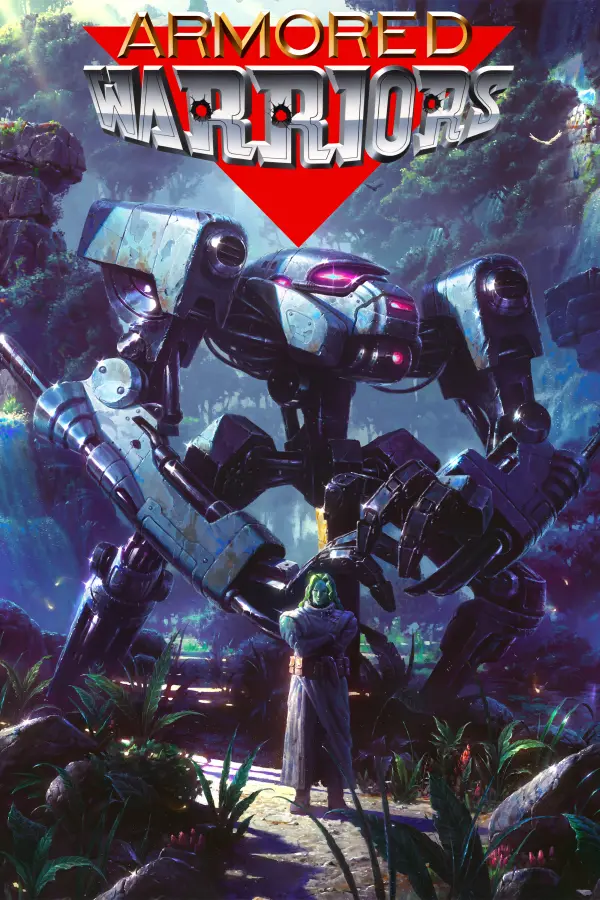
Armored Warriors
Port nativo de Armored Warriors para PC.
Armored Warriors
Port nativo basado en su ficha de origen.
README del repositorio
Armored Warriors — Recomp
A native PC port of Armored Warriors, Capcom's 1994 mech beat 'em up arcade game on the CP System II board. Its 68000 and Z80 programs are translated ahead of time into C++ by cps2recomp and run on a small machine written for it — no emulator, and no game data in this repository.
The port reads your own Armored Warriors ROM set (the MAME set armwar, Euro 940920) — nothing
else is needed, and the set's key is used on the fly, as the board does.
Not affiliated with, endorsed by or sponsored by Capcom. Armored Warriors is a trademark of Capcom Co., Ltd. Ready-made builds for Windows, Linux and the Steam Deck are on the Releases page.
Features
With every feature off the port runs exactly as the board does. From the toolkit (no game-specific work):
- The launcher: choose the ROM set (checked file by file by CRC-32), set the controls, Play.
- The in-game menu (Esc or
F1; a stick's click, or Start+Select): save states (nine slots), Reset, Insert coin, Player 2 joins, Quit game. - Stop, step, slow (
P,O,-/=). - Run-ahead and the Display options (scaling, picture shape, window size, full screen).
- Every key and button remappable, for each player.
The game's own optional features (free play, cheats, a training mode) are still to come — see
ROADMAP.md for what each needs and the order to build them. --list-features prints
whatever is switched on.
Layout
| Path | What |
|---|---|
cps2recomp/ | A copy of the toolkit (v0.3.0), made by its tools/sync-toolkit.sh. Never change it here. |
games/armwar/game.cfg | The ROM set's files and CRC-32s, the launcher's words, and the game's features. |
games/armwar/src/ | The game's own C++: the optional features on top of the board. |
games/armwar/PROGRESS.md | The game's memory as it is found, and how each address was found. |
ROADMAP.md | The features still to build and what each needs. |
rom/ | Your ROM set: a folder of its files or the set's zip. Not committed. |
build/, work/ | Build output and generated code. Not committed. |
Prerequisites (MSYS2, MinGW64)
Run all commands from an MSYS2 MinGW64 shell (so gcc/g++, SDL3 and zlib are found). Install
what is missing once:
pacman -S --needed base-devel make git diffutils \
  mingw-w64-x86_64-toolchain mingw-w64-x86_64-cmake mingw-w64-x86_64-ninja \
  mingw-w64-x86_64-SDL3 mingw-w64-x86_64-zlib
Python 3 comes with MSYS2. CMake must be on PATH (which cmake must succeed); the MinGW64 package
above puts it in /mingw64/bin. make check also needs git (the repository must be a git working
tree, since check-common asks git for the top level) and diffutils (for cmp).
On Linux (for the AppImage and the Steam Deck build), install a compiler, cmake, ninja, python3 and
SDL 3's build dependencies; tools/release/linux.sh lists the packages for Ubuntu.
The ROM set
ROM points at a folder holding the set's files or at the set's zip. The default is rom, so put the
set's zip at rom/armwar.zip (or the loose files in rom/). Files inside a zip are found by CRC-32,
whatever they are named, so they may sit in a subfolder. The set is only read, never changed.
The set this port is made from is MAME's armwar (Euro 940920); games/armwar/game.cfg lists its
files and checksums. Only this revision is accepted: the port is translated from its program. The
clones (armwara, armwaru, armwaru1, armwar1d) are built from other programs and are not
accepted here.
Building
make            # translate the game's code to C++ and link build/armwar/armwar(.exe)
make launcher   # build the launcher: build/armwar/armwar-launcher(.exe)
make reads the board's program out of the ROM set (above) and translates it, so the set must be in
place first. A fresh tree also needs make explore once, because it starts out knowing almost none of
the game's code:
make explore    # find the game's code by made-up play, in rounds (once, about ten minutes)
make            # translate again, now that the code is known
make explore plays the game headless with made-up input across several runs, records every place the
code was reached by a computed jump, and translates what it found before the next round. Its progress
is in the final run's log line, instructions had no translation — as low as possible is what you
want.
Running it
The build makes two programs in build/armwar/: the game, armwar.exe, and the launcher,
armwar-launcher.exe. Keep them beside each other.
- The launcher is the way in for a player: choose the ROM set (every file checked by CRC-32), set the controls, choose features, Play.
- Double-clicking
armwar.exestarts the launcher beside it — straight into the game if a ROM set was chosen before, otherwise at the launcher's first page. - From a shell:
make runruns the port windowed, withrom/and the settings file the Makefile names; pass options through withARGS=, e.g.make run ARGS=--fullscreen. A game is started with a coin (Insert coin in the menu) or with Free play.
Feature choices come from work/armwar/settings.ini; the eprom and the save states (state0.bin …)
sit beside it. --help lists every option (--headless, --frames, --movie, --poke, --trace,
--dump-ram, --list-features, --cpu, --sound, …).
On Windows the two programs need the MinGW runtime beside them — SDL3.dll, zlib1.dll,
libstdc++-6.dll, libgcc_s_seh-1.dll, libwinpthread-1.dll. make copies them into build/armwar/
(the deps target), so the folder can be double-clicked or run from any shell. Starting the programs
from an MSYS2 MinGW64 shell works as well, because that shell has /mingw64/bin on PATH.
Troubleshooting
- "SDL3.dll was not found", or "The procedure entry point … could not be located in the dynamic
link library" — the runtime DLLs are missing from beside the programs, or an older one from another
toolchain is being picked up. Run
make deps, which copies the ones this build needs out of/mingw64/bin; or launch from an MSYS2 MinGW64 shell. cmake: command not found— installmingw-w64-x86_64-cmake(Prerequisites); it lands in/mingw64/bin, which the MinGW64 shell has onPATH.- The launcher refuses the ROM set — it checks every file by CRC-32. This port wants MAME's
armwar(Euro 940920); other regions and revisions are refused on purpose. - Slow, or the log reports instructions left to the interpreter — run
make exploreonce, thenmakeagain. - No sound — the sound program runs like the rest of the game; check the launcher's Sound row and
that the set has its
sound_programfiles (pwg.01,pwg.02).
Checking
make check          # translated code against the interpreter, by state hash; two runs alike
make check-blocks   # every translated block beside the interpreter (registers, cycles, writes)
make check-toolkit  # cps2recomp/ is what its tools/sync-toolkit.sh recorded
make check-common   # recomp-common/ is what tools/sync-common.sh recorded
See cps2recomp/build.mk for the full list of targets.
Licence
GPL-3.0-only; see LICENSE and THIRD_PARTY_NOTICES.md.
Comentarios (0)
Inicia sesión para dejar un comentario.
Sé el primero en comentar sobre este juego.