
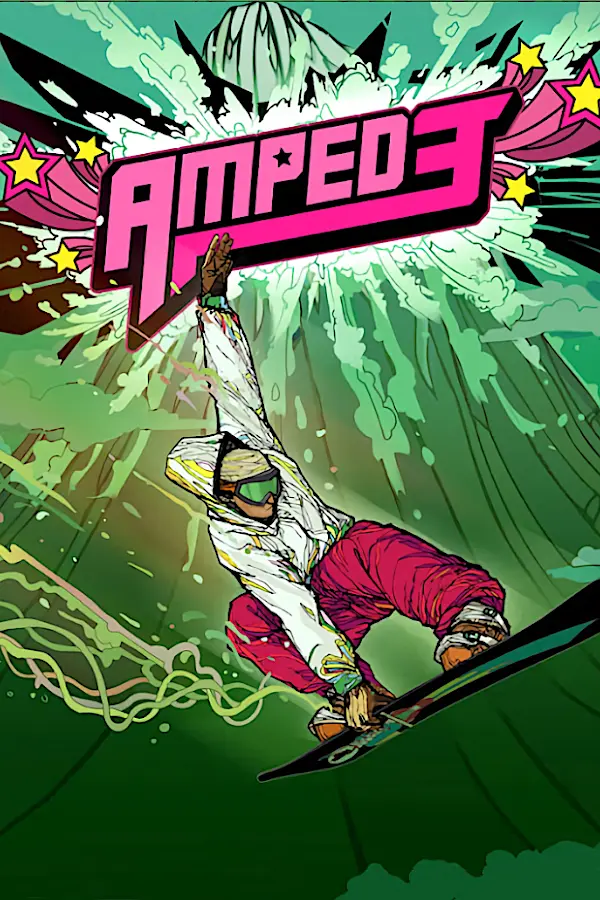
Amped 3 (Amped 3 Revamped)
Port nativo de Amped 3 (Amped 3 Revamped) para PC.
Amped 3 (Amped 3 Revamped)
Port nativo basado en su ficha de origen.
README del repositorio

Amped 3 Revamped
This is a recompilation of Amped 3 that has made use of ReXGlue and Claude to port the Xbox 360 code to modern platforms. Current build targets include x86 Windows and Linux, as well as ARM Linux.
Features:
- High resolution support, with display output settings, render resolution slider, XeSS and FSR options for upscaling the graphics.
- Enhanced visuals, including:
- Camera and object-based motion blur (toggleable with intensity slider)
- Speed blur
- Atmospheric fog
- Enhanced shadows with penumbra (shadows appear sharp at base of object, but smooth out with distance)
- Ambient occlusion
- Crepuscular sun rays
- A cloud animation when entering and leaving the Trail Map.
- User-generated texture upscaling support
- A remade title screen logo
- EXPERIMENTAL high framerate support with some fixes for various minigames, this is still being worked on against a full playthrough of the game and all activities. Supports 30, 40, 60, 90, 120 and unlocked frame rates.
- Modern Controller Support via xinput or SDL.
- Analog trigger pulls for the crouch/speed-up mechanic. The rider will gradually crouch and speed up based upon how hard the twin trigger pull is.
- An in-game options menu that's controller navigable. F1 still works to access every option, as well as F4 for debug options.
What's been tested:
- Northstar and Snowbird have been extensively tested, but I've yet to have tried the other parts of the game. Amped 3 Revamped includes a level and cutscene menu to replay completed story missions and cutscenes, as well as any that haven't been unlocked through normal gameplay.
- It runs well on my Intel i7 358H laptop with 32gb of ram, north of 60 fps at native 1080p with Revamped graphics on. XeSS and FSR also offer plenty of performance flexibility: 540p with XeSS still looks decent at 1080p and runs at 120fps.
- The game runs at 4k120 in SteamOS on a Ryzen 7700, 9070xt machine, and north of 60fps at 1080p with FSR 3 (540p internal) on an Ayn Odin 3 running Armada.
WIP Features:
- High framerate support is mostly working, but some side missions have had issues. The injury minigame has a scoring fix in place, as does turning of sleds and the hangglider at higher resolutions matching the turn speed of the standard game. 30 fps is consistent.
- Improved shadows: there is now the option to render the world geometry shadows in real-time with various resolution settings, but this coverage needs to be iterated upon and optimized. Since there's no dynamic time-of-day, it would be possible to bake the static scenery shadows and lighting with a user's chosen settings.
- Upscaled textures: this is already implemented as a user-generated option in the launcher. Quality is a little uneven, so it could use further refinement.
Wishlist/Yet to be Implemented Features and Changes:
- Light bounce, indirect lighting, self-shadowing, and subsurface scattering will also be explored.
- Fonts and other UI elements that have low-resolution assets are going to be redrawn to look better at higher resolutions.
- Input latency, jump and spin, and trick mechanics. These mirror the original game but I would like to improve on them in an optional way to make jumping, spinning and tricking feel more precise with user input, especially now that higher framerates are unlocked. The current implementation is sticky and not responsive. For jumping, increasing the jumping window to include letting go of A slightly off of a ramp or slope will still allow the user to jump, similar to Tony Hawk.
- Upscaled videos: these are crucial to the identity of the game, so I want to find an approach that can be generated on the user's machine without distributing the cutscenes with this project. I'll have to see what open-source tools will work best for improving the viewing experience on modern screens without distracting artifacts.
Noted oddities and behavior relative to the original game:
- Your crew's AI seems sporadic during the opening sequence, glitching behind your rider.
- On Northstar, the one two-tiered railing close to the start will have the rider stick to it's end which slopes to the ground. This behavior is consistent with the original game.
- Trick transitions while grinding are fast, but seem to mimic the behavior of the original game.
- The awesomeness meter is only visible before you get 100% of stoked riders in map, similar to the original game. Maybe we want to keep this meter persistent? An alternative way to use this meter afterwards would be to have it act as a multiplier for trick point totals while active.
Claude generated output below...
Amped 3 (Xbox 360), running natively on Windows, with a new renderer and enhancements.
This project statically recompiles Amped 3's default.xex into C++ with the
ReXGlue SDK and builds a Windows
executable. On top of the plain recompile it adds:
-
Controller support. SDL3 drives Xbox, PlayStation, Switch Pro and most other controllers, with hot-plugging. XInput is available as an alternative, and keyboard and mouse can stand in for a pad.
-
An in-game options menu that you can drive entirely with a controller (Back + Start, or F1):
- Display: fullscreen, output resolution (up to 4K), 16:9 letterbox, frame rate limit (Auto: 60 with Revamped Graphics and 30 without; 30 console pacing, 40 to 144, or unlocked), render scale (1–3×), integer scaling, CAS/FSR upscaling and sharpening.
- Graphics: anisotropic filtering (up to 16×), background shader compilation, GPU readback accuracy.
- Audio: mute, buffer size.
- Controls: controller driver, Guide button passthrough, keyboard/mouse mode and sensitivity.
- Enhancements: game patch toggles (see Adding an enhancement) and experimental refresh-rate and frame-pacing controls.
- Cutscenes: play, restart or skip any story cutscene while riding (for testing cutscene fixes).
- Challenges: every challenge and story mission the game knows, by mountain; start any of the loaded mountain's (story missions already played included).
Changes save to
amped3.tomlnext to the exe. Settings that only apply after a relaunch are marked (restart), and the menu lists any that are waiting. The menu only shows settings your SDK build actually has. While it is open, the game sees an idle controller.
Patch notes
2026-10-22: experimental merged into main
Launcher (v0.2.2)
- New program that installs, updates and starts the game from one download (Windows, Linux x86_64, Linux arm64), driven by controller, keyboard or mouse.
- Animated Amped 3 Revamped logo as the title (plays once, holds its last frame).
- Desktop shortcut / Steam entry uses the game's own Xbox 360 dashboard icon,
taken from your
default.xexat install (made on the spot for older installs).
Performance (native renderer)
- Draw recording moved off the game thread, with fewer locks, allocations and clock reads per draw; Direct3D's draw and state packets skipped while the emulation doesn't draw.
- Renderer: Vulkan commands recorded on their own thread, fewer render passes, texture descriptor sets kept between frames, depth pre-pass at the scene's resolution with an upscaler.
- Linux: the audio worker and command processor no longer spin (SDK patches 0023, 0024); input polling no longer re-enumerates devices (0025).
- Armada (AYN Odin 3): riding went from about 60 to 100+ fps.
Fixes
- In-game challenge videos no longer freeze or pop at the start on Armada.
- Map clouds no longer drop the frame rate to ~10 fps.
- Only one copy of the game runs at a time (a second launch no longer plays menu music over the game).
Graphics
- FSR 3.1 on Linux (built from AMD's FidelityFX sources by setup.sh).
- MSAA off now keeps the multisampled look (the game's per-sample lighting and see-through foliage are reproduced). With FSR or XeSS, MSAA is off by default and has its own setting, MSAA with the upscaler.
- FSR: snow and other particles no longer leave trails (reactive mask).
- Sharp Fonts and Upscaled Textures are opt-in, separate from Revamped Graphics.
Diagnostics
- F11 performance trace: per-zone times, per-thread CPU, kernel share and page faults, GPU time by part, and the command stream; a stall watch in the log.
Folders
Nothing needs a particular name or place. The project folder can be called anything, anywhere:
<project>\                 ← this project (unzip it anywhere)
├── Install Amped 3 Revamped.bat
├── <any folder>\          ← your extracted game, if you build without the installer
└── out\, logs\            ← created by the build
<project>\..\rexglue-sdk\  ← the SDK, created by setup.ps1 (or -SdkDir <folder>)
setup.ps1 finds the extracted game by looking for default.xex in the
folders inside the project, then the folders next to it; pass -GameDir "<folder with default.xex>" to name it directly.
The installed game is one portable folder; move it anywhere:
<install folder>\
├── amped3.exe, *.dll
├── amped3-launcher.exe ← the launcher (installs from the launcher)
├── build\            ← the sources and build (installs from the launcher)
├── amped3.toml       ← settings
├── game\             ← the game's files (from your disc)
├── save\             ← saves and profile
├── cache\            ← shader storage (safe to delete)
├── textures\         ← texture pack and upscaled textures
└── logs\
Saves used to go to Documents\amped3; the first start of this version copies
them into save\ (the old folder is left as a backup). --user_data_root,
--cache_root and --game_data_root still point elsewhere if you want.
Requirements
- Windows 10/11 x64.
- Visual Studio 2022 or newer (Community is fine), with the Desktop development with C++ workload and these individual components: C++ Clang Compiler for Windows and MSBuild support for LLVM (clang-cl) toolset. CMake and Ninja come with it.
- Clang 20 or newer. If Visual Studio's bundled Clang is older,
winget install LLVM.LLVMworks too, and the script finds either one. - Git:
winget install Git.Git. - Optional: turn on Developer Mode (Settings → System → For developers) so the SDK's symlinks check out properly. The script works around them if it's off.
Install with the launcher (easiest)
Download the launcher for your system from the Releases page and run it:
| System | File |
|---|---|
| Windows | amped3-launcher-windows-x64.exe |
| Linux, SteamOS (x86_64) | amped3-launcher-linux-x86_64 |
| Armada and other ARM handhelds (arm64) | amped3-launcher-linux-arm64 |
The launcher contains nothing from the game. It downloads this project's
sources from GitHub and builds the game on your computer from your own Amped 3
(USA) disc image (.iso, a redump/XGD2 rip).
First run:
- Pick the disc image. The launcher lists the
.isofiles it finds in your home, Downloads, Documents and Desktop folders and on removable drives; select the row to browse for another one. - Pick the branch:
main, orexperimentalfor the newest work. - Check the install folder (default
Games/Amped3Revampedin your user folder). You need about 40 GB free. Everything goes there: the game, its build (build/amped3revamped) and the launcher itself. - Choose the Graphics: Revamped (the new effects and 60 fps; the default) or Original (as on the Xbox 360), and whether to Upscale textures (menus, HUD and loading screens 4x with Real-ESRGAN after the build; Windows and Linux x86_64). Both can be changed later: Graphics settings, and Upscale textures on the launcher's home page.
- Select Build and install (twice, to confirm). The build's output scrolls in the launcher and is saved to a log. The first build takes about an hour on a PC and several hours on a handheld.
- Once installed, the launcher moves itself into the install folder as
amped3-launcher(.exe), so nothing is left in Downloads; a newer launcher you download later takes its place the first time you run it.
Under the hood it runs the same installers as the manual routes below:
Install-Amped3.ps1 on Windows (it offers to install the build tools with
winget), and install.sh on Linux (in a podman container on SteamOS and
Armada).
Afterwards the launcher opens on:
- Play.
- Update branch / Update: gets the chosen branch and rebuilds. The status says whether there's anything new.
- Check for updates: lists the changes on the branch since your install.
- Graphics settings: the in-game Graphics panel's settings (display:
fullscreen, frame rate, resolutions, upscaler, MSAA with the upscaler,
sharp fonts, upscaled textures; effects: Revamped Graphics and its parts),
saved to the install's
amped3.tomlfor the next start. New installs start fullscreen. - Upscale textures: runs the texture upscaler (Real-ESRGAN, 4x: menus, HUD and loading screens) and switches Upscaled textures on. Windows and Linux x86_64.
- Start the game directly: the launcher starts the game at once next time. Hold LB / View on a controller, or Shift, while it starts to see the launcher.
- Desktop shortcut (Windows) or Add to Steam / menu (Linux): points
at
amped3-launcherin the install folder. Its icon is the game's own square Xbox 360 dashboard logo, taken at install from yourdefault.xexbyamped3-icon(tools/xex-icon) intoamped3-icon.ico/amped3-icon.pngin the install folder; nothing of the game ships with the project. - The installed version (branch, commit and date) is under the title.
It works with a controller (d-pad or stick, A), the keyboard (arrows, Enter)
and the mouse, and opens full screen in Steam's Game Mode. Its settings are in
%APPDATA%\Amped3Revamped\launcher.ini (Windows) or
~/.config/amped3-revamped/launcher.ini (Linux), with the logs of each
install or update beside them.
To build the launcher yourself: cmake -S launcher -B out/launcher and
cmake --build out/launcher --config Release (it fetches SDL3 and Dear ImGui). A
new release: raise launcher/VERSION on main; the Launcher workflow builds the
three files and publishes them.
Install from the ISO with the scripts
Double-click Install Amped 3 Revamped.bat in the project folder. It will:
- Ask for your Amped 3 (USA) disc image (
.iso, a redump/XGD2 rip) and an install folder. The default isGames\Amped 3 Revampedin your user folder, and you need about 40 GB free. - Install anything missing with winget: VS 2022 Build Tools with the C++ and
Clang components, LLVM, and Git. Pass
-NoToolInstallto skip this. - Extract the game from the ISO into
<install folder>\gameand check its title ID. Nothing else is needed to read the ISO. - Run
setup.ps1to build. The first time takes a long while. - Copy
amped3.exe, its DLLs andamped3.tomlinto the install folder. This gives you a portable, self-contained folder you can move anywhere, and it can make a desktop shortcut.
Options (run from PowerShell, or append them to the .bat):
-Iso <path>-InstallDir <path>-GameDir <already-extracted folder>-Config RelWithDebInfo-ReExtract-Yes(no prompts)-Run
Logs go to logs\install-*.log. Running it again skips the extraction and
rebuilds only what changed.
Linux: SteamOS, Armada and other distributions (experimental)
The same port builds for Linux on x86_64 (Steam Deck / SteamOS, desktop distributions) and aarch64 (Armada and other Snapdragon handhelds), drawing with Vulkan. In a terminal (Desktop Mode on a handheld), in the project folder:
bash install.sh --iso "/path/to/Amped 3.iso"
It extracts the game (linux/xiso.py, plain Python), builds, and puts a
portable folder together (default ~/Games/Amped 3 Revamped) with
amped3-revamped.sh and a desktop entry; on SteamOS it offers to add the game
to Steam (elsewhere: Steam > Games > Add a Non-Steam Game). Game Mode,
Steam Input and the Deck's controls work as an Xbox controller.
- No build tools needed on SteamOS / Armada. Their system is read-only, so
install.shbuilds inside a container (linux/Containerfile: Ubuntu 24.04 with Clang 20) with the podman both include; nothing is installed on the system. With Clang 20+, CMake, Ninja and the X11 / Wayland / audio development packages installed, it builds natively (--native), or run./setup.shdirectly. - Build on the device itself. It takes hours on a handheld the first time (the recompiled game is large) and about 40 GB; jobs are limited by memory (about one per 2.5 GB). Builds are per architecture: build the ARM version on the ARM device.
- AMD FSR 3.1 on Linux is built from AMD's FidelityFX SDK sources (MIT):
AMD ships its runtime for Windows only, so
setup.shtakes the needed folders of the SDK (v1.1.4, a 25 MB sparse clone), applieslinux/fidelityfx/fidelityfx-sdk-linux.patch(the SDK's shader compiler ported to Linux, plus fixes for Clang/GCC and for GPUs whose memory is all host-visible, as on ARM), compiles the FSR shaders and buildslibamd_fidelityfx_vk.sonext to the game: about two minutes, once. If it fails the game still works with the Upscaler off. - Not on Linux: Intel XeSS (Intel's XeSS SDK has Windows libraries only;
the render scale still works, stretched, or use FSR 3.1) and the F9 hang
report. Crashes are written to
logs/amped3_crash_*.txt. - Texture upscaling (
linux/upscale-textures.sh, or the installer's question) uses Real-ESRGAN's official Linux build, x86_64 only; on ARM pass--esrganwith a build of Real-ESRGAN-ncnn-vulkan.
Build
From a normal PowerShell window in the project folder:
powershell -ExecutionPolicy Bypass -File .\setup.ps1 -Run
The script checks your tools and clones the ReXGlue SDK at a pinned commit. It
applies the SDK fixes in patches\rexglue, builds and installs the SDK,
runs rexglue init against your game, and builds out\build\win-amd64-release\amped3.exe.
- The first run is long. The SDK takes a while to build. The recompiler then
writes a few hundred MB of C++ to
generated\default\, and compiling that is the slowest part. - Rebuild later:
.\setup.ps1 -SkipSdk - Get past startup crashes:
.\setup.ps1 -SkipSdk -FixCrashes. This launches the game, and whenever it crashes with Call to invalid or unregistered function, registers that address and rebuilds. It repeats until the game survives 45 seconds. - Debuggable build for crashes:
.\setup.ps1 -SkipSdk -Config RelWithDebInfo - Game somewhere else:
.\setup.ps1 -GameDir "<folder with default.xex>"
The exe uses the game\ folder next to it. The build folder has none, so
setup.ps1 -Run (and -FixCrashes) start it with --game_data_root pointing
at the extracted game; the installer puts a game\ folder in the install.
Graphics
The game is drawn by the port's own Vulkan renderer (on by default; Options (F1) > Graphics > Native renderer switches back to the GPU emulation).
The GPU emulation keeps running underneath (the game waits on it every
frame) but stops drawing. When the native renderer is on at launch, the
emulation also starts lean: it doesn't load its shader cache and ignores
the resolution scale, for a faster start and less memory. Switching to the
emulation mid-game still works (shaders compile as it goes, at 1x); restart
for the full setup, or turn off Lean emulation (emulated_gpu_lean) if
you switch often.
Revamped Graphics turns all the visual enhancements on or off at once: motion blur, speed blur, distance fog, god rays, branch fade and the trail map clouds. Each keeps its own setting for when the switch is back on. Sharp fonts and upscaled textures aren't part of it: they're off until you turn them on yourself.
All of it is also in the game's own menu: Pause > Options > Graphics (the row that was the unused "Cheat Codes") opens the port's Graphics panel. The game's HUD and menus are hidden while it's open so you can see each change. It has two tabs, switched with LB / RB:
- Effects: Revamped Graphics, a switch for each enhancement and the motion blur strength.
- Display: fullscreen, a frame rate slider (30 console pacing to 144 fps, or unlocked), display resolution, render resolution (with the pixel size it gives), upscaler (Intel XeSS or AMD FSR 3.1; FSR 3.1 only on Linux), FSR sharpness, and Sharp Fonts and Upscaled Textures (both off by default).
Up / down choose, left / right / A change, B goes back (keyboard: arrows, Enter, Escape, Q / E for tabs).
Sharp fonts. The game's fonts are small bitmaps made for 720p, so at
higher resolutions its text is stretched and soft. The native renderer
rebuilds each of the five fonts (button icons included) at 4x from its own
letters the first time it's shown: each glyph's outline is traced into a
vector shape (straight edges, sharp corners, curves where the letter curves)
and filled anti-aliased at the new size. The result is kept in logs\
(native_font_*.bin) so later sessions load it at once; nothing is shipped. It's
off by default: turn it on with Sharp Fonts (Graphics panel, Display tab) or
native_sharp_fonts = true.
Texture pack. PNGs in the textures folder next to the exe replace game
textures by a hash of their contents, at any size (see
assets/textures/README.txt). Your own replacements go in
assets/local/textures (copied next to the exe by the build; kept out of the
published sources), for example a new logo for the start-up loading screen
and the title screen, made from assets/local/amped3_logo.png by
tools/textures/make_logo_textures.py. native_texture_pack = false turns
the pack off.
To draw the fonts by hand, tools/textures/font_templates.py --game <game folder> --out <folder> writes each font's original image, a 4x guide (glyph
boxes, characters, baselines), a map (CSV) and the file name to save the
drawing under.
Upscaled textures (optional). The installer offers to upscale the game's
menu, HUD and loading screen textures 4x on your PC with
Real-ESRGAN (ncnn/Vulkan build, any
GPU; downloaded once, 45 MB). Upscale Textures.bat runs the same step any
time (-Set world adds the characters, boards and levels, experimental;
-Force redoes everything). The results go to textures\upscaled and are
used only where neither the texture pack nor Sharp fonts replace a texture,
so anything you replace by hand always wins. They're off by default, even
after upscaling: turn them on with Upscaled Textures (Graphics panel, Display
tab) or native_upscaled_textures = true.
The row is added in memory as the game loads its menus; the game's files are
never changed. Set patch_game_menus = false in amped3.toml to leave the
menus untouched.
Hotkeys
| Key / buttons | Action |
|---|---|
| Back + Start (View + Menu), or F1 | Options menu |
| In menu: D-pad or left stick / A / B / LB-RB | Move / change / close / switch tabs |
| F9 | Hang report: every thread's stack, written to logs\amped3_hang_*.txt (use when the game is stuck) |
| F10 | Frame capture: the next frame's Direct3D calls and state, written to logs\frame_*.txt (see docs/frame-capture.md) |
| F3 | Performance overlay: frame rate, CPU and GPU frame times with a live graph, CPU and GPU usage, clock speed and power draw |
| F4 | Every SDK setting (advanced) |
| ` | Log console |
When it breaks
Each step writes a log to logs\ in this folder. Each game run writes
logs\amped3_NNN.log next to the exe. Send the newest one along with what
you saw. The usual problems and fixes:
| Symptom | Typical fix |
|---|---|
| Game crashes with Call to invalid or unregistered function at guest address 0x… | setup.ps1 -SkipSdk -FixCrashes registers these automatically. |
| Codegen warns about functions it couldn't size, or a crash points at an address inside a "function" | Add the function to amped3_functions.toml ([functions]). |
Log shows ... STUB or an unimplemented kernel export right before a hang | Implement or stub that export in a new src/kernel_stubs.cpp. |
| Missing HUD or menu text, black photos or reflections | Options → Graphics → GPU readback → Fast, then Full. |
| Hang on a loading screen after pressing Start | SDK patch 0001 (applied automatically). Check it applied in logs\*-sdk-*.log. |
| Striped green/orange movies | SDK patch 0002. Re-run codegen after applying it. |
| Release build renders something wrong but RelWithDebInfo is fine | Build Release at -O2 (another port needed this). |
Adding an enhancement
The game's machine code is already native C++ by the time the exe runs, so there's nothing to patch in memory at runtime. An enhancement is a mid-asm hook plus a setting that switches it on:
- Find the instruction to change, for example the frame limiter for a 60 fps
mode. Then register a hook in
amped3_functions.toml:[[midasm_hook]] name = "Amped3_UnlockFramerate" address = 0x82123460 # the instruction you found registers = ["r3"] - Implement the hook in a new source file (add it to
overlay/CMakeLists.txtas well). Gate it on a setting in theAmped 3/Patchescategory:#include <rex/cvar.h> #include <rex/ppc/context.h> // PPCRegister REXCVAR_DEFINE_BOOL(unlock_framerate, false, "Amped 3/Patches", "Runs gameplay at 60 fps instead of 30."); void Amped3_UnlockFramerate(PPCRegister& r3) { if (REXCVAR_GET(unlock_framerate)) r3.u64 = 1; } - Re-run the build. The toggle appears under Options → Enhancements → Game patches without any menu changes.
What's in here
| Path | Purpose |
|---|---|
setup.ps1 | Builds the SDK and the port, with logs |
src/amped3_app.* | App hooks: GPU plugin, game path, menu hotkeys, input gating |
src/options_menu.* | The options menu |
launcher/, .github/workflows/launcher.yml | The launcher (SDL3 + Dear ImGui), and the build that publishes it |
src/pad_bridge.* | Controller reads for the menu, and keeping the game's input idle while it's open |
overlay/CMakeLists.txt | Build file, copied in after rexglue init |
amped3_functions.toml | Your recompiler hints (loaded last, so they win) |
docs/d3d-map.md | Map of the game's Direct3D layer: functions, device layout, render-state table, hook plan |
amped3_d3d_names.toml | Readable names for those functions (always applied; the capture hooks use them) |
src/frame_capture.*, docs/frame-capture.md | F10 frame capture and shader dumps |
docs/native-renderer-plan.md | Step-by-step plan for the native renderer |
tools/d3d-map/ | Scripts that produced the map |
amped3_functions_scan.toml | 3,150 pointer-only functions found by a static scan of default.xex (code outside every .pdata function, referenced from vtables/callback tables or built with lis/addi) |
amped3_functions_auto.toml | Function entry points setup.ps1 adds when codegen reports branches into unknown code |
amped3.defaults.toml | Starting amped3.toml (windowed, 16× AF) |
patches/rexglue/ | SDK fixes, credit 3on3NHL-recomp (MIT) |
Never share generated\, out\, the game folder or a built amped3.exe.
They contain or are built from the game's code. .gitignore keeps them, the
XeSS headers and assets/local out of git.
License and credits
This project's own code is released into the public domain (the
Unlicense, see LICENSE): no copyright is claimed
and no license terms apply to it. Third-party code keeps its own license, as
listed below. It contains no game code or data: you need your own copy of
Amped 3 for the Xbox 360. Amped 3 and its logo are trademarks of their
respective owners; this project is not affiliated with or endorsed by them.
Credits
- ReXGlue SDK © 2026 Tom Clay, portions derived from Xenia © 2022 Ben Vanik and Xenia contributors (BSD 3-Clause). The SDK also brings SDL3, Dear ImGui, fmt, spdlog, glslang, toml++, xxHash and others under their own licenses.
- SDK patches adapted from
3on3NHL-recomp © 2026 Sage Grohs
(MIT;
patches/rexglue/LICENSE-3on3NHL-recomp.txt). - miniz: Rich Geldreich, RAD Game
Tools and Valve Software (MIT;
third_party/miniz/LICENSE). - stb_image / stb_image_write: Sean Barrett (public domain / MIT).
- Vulkan headers: The
Khronos Group (Apache 2.0 / MIT;
third_party/vulkan/LICENSE.md). - AMD FidelityFX SDK
(FSR 3.1 API headers) © Advanced Micro Devices, Inc. (MIT;
third_party/ffx_api/LICENSE.txt). The runtime DLL is downloaded at build time; on Linux the runtime is built from the SDK's sources, with the changes inlinux/fidelityfx(its license is installed asFidelityFX-LICENSE.txt). - Intel XeSS © Intel Corporation (Intel Simplified Software License). Headers and runtime are downloaded at build time, not included here.
- Real-ESRGAN (ncnn-vulkan build) © Xintao Wang (BSD 3-Clause), for the optional texture upscaling. Downloaded at install time, not included here.
Comentarios (0)
Inicia sesión para dejar un comentario.
Sé el primero en comentar sobre este juego.