

Amnesia: A Machine for Pigs
Port nativo de Amnesia: A Machine for Pigs para PC.
Amnesia: A Machine for Pigs
Port nativo basado en su ficha de origen.
README del repositorio
Amnesia: The Dark Descent — Redux


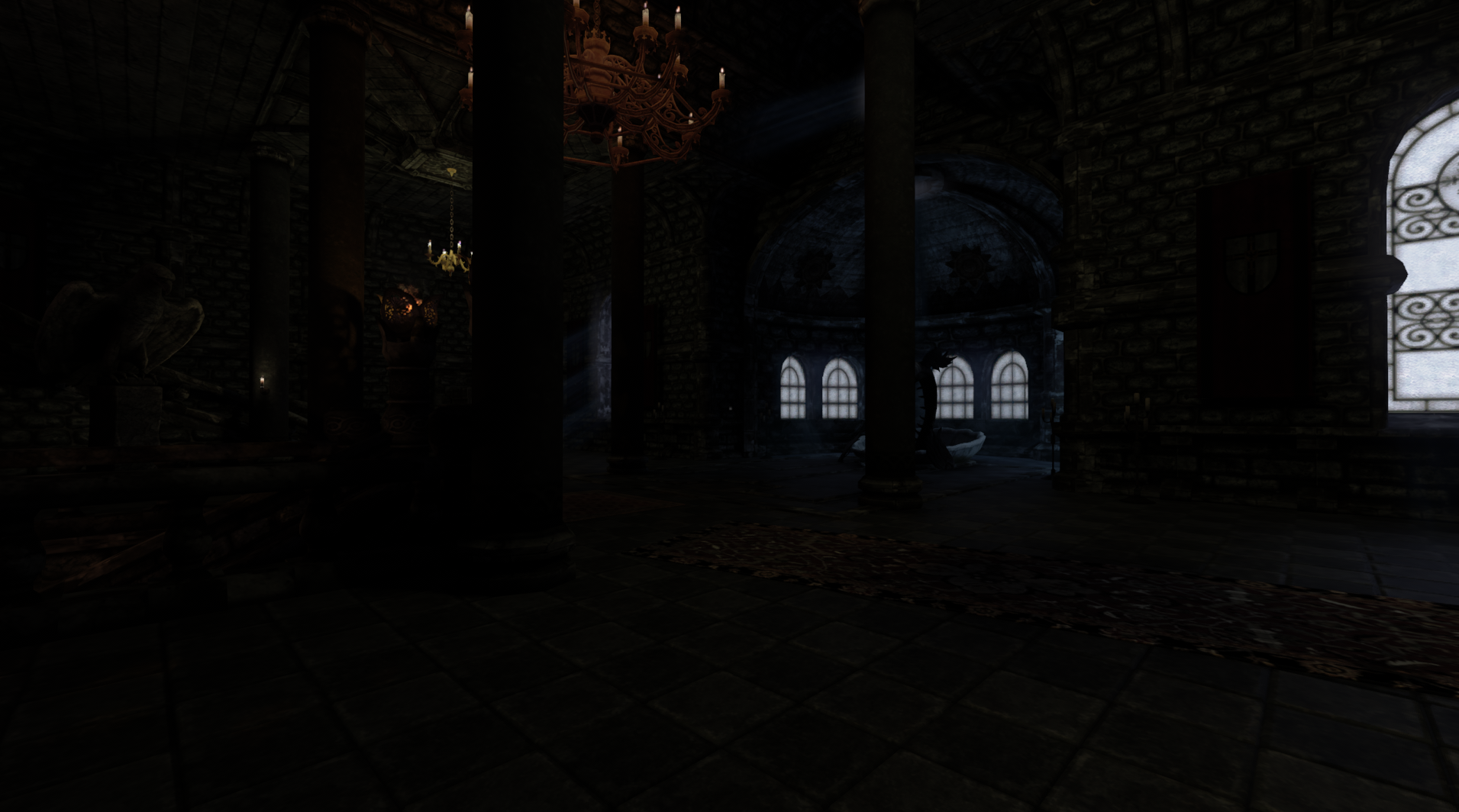
A rework of Frictional Games' HPL2 engine. The fixed-function OpenGL renderer has been replaced with a Vulkan render-interface layer, the shaders are written in Slang, and the lighting path is being moved onto a hybrid rasterization + ray-tracing renderer with surfel-based global illumination.
Work in progress. It is playable end to end, but expect rendering artifacts and broken functionality.
You need the retail game
This repository contains engine, game, and tool code only. It ships no retail game data. To play, you must own a matching copy of the game you are building — Amnesia: The Dark Descent (Steam, GOG, or the Frictional store) for TDD, or Amnesia: A Machine for Pigs for AMFP. The maps, entities, sounds, scripts, configs, and other retail files all come from your install.
The itch.io and GitHub Release downloads carry the same restriction: rebuilt executables, compiled shaders, and repository-owned overlays only; nothing from either retail game. Frictional's engine source is GPL; its game assets are not.
Getting a build
- itch.io — mpollind.itch.io/amnesia-the-dark-descent-redux,
channels
windowsandlinux. - GitHub Releases — the same archives, attached to each tagged prerelease.
- From source — see Building.
For TDD, copy the contents of the download into your Amnesia install directory and run Amnesia / Amnesia.exe
from there, so the executable finds the game's data files. AMFP uses the separate build and deployment contract
below.
Renderer
- Vulkan-only render interface (
HPL2/core/include/graphics/RI*.h) — no OpenGL, no fixed-function path. - Slang shaders under
amnesia/slang/, compiled to SPIR-V at build time by a pinnedslangcthat the build downloads for you. - Hybrid renderer (
HPL2/core/include/graphics/HybridRenderer.h): visibility buffer, deferred and forward passes, plus the surfel-GI chain (prepare / update / ray-trace / integrate / generate) driving indirect lighting. - Bindless resource pools and a global managed descriptor set, replacing HPL2's per-draw binding.
Building
Prerequisites
- premake5 5.0.0-beta8 on your
PATHfor manual and native Linux builds (releases). The Windows wrapper downloads this pinned version when it is unavailable or incompatible. - CMake — not for this project, but SDL2 and openal-soft are built by driving their own CMake
(
premake/external.lua). - Linux: GCC or Clang with C++20, plus the X11/Wayland/GL/audio development packages. The exact apt list is
kept in
.github/workflows/linux-build.yml— copy it from there, or use the container path below. - Windows: Visual Studio 2022 or newer with the Desktop C++ workload. Enable long paths before cloning; this
tree has paths that exceed
MAX_PATH:git config --system core.longpaths true
Getting Started
git clone --recurse-submodules git@github.com:flying-swallow/Redux-AmnesiaTheDarkDescent.git
cd Redux-AmnesiaTheDarkDescent
Dependencies are git submodules under HPL2/extern/ — clone recursively, or run
git submodule update --init --recursive afterwards.
Linux
premake5 gmake2
make -C build-premake config=release -j"$(nproc)"
Or build inside the Ubuntu 24.04 container defined by the repo-root Dockerfile, which ships
premake5 and every dev package the build needs, so nothing has to be installed on the host:
docker build -t amnesia-build .
docker run --rm -v "$PWD:$PWD" -w "$PWD" amnesia-build \
    bash -c 'premake5 gmake2 && make -C build-premake config=release -j"$(nproc)"'
Mount the tree at its real host path (as above) so compile_commands.json and the paths baked into the object
files line up between containerized and native builds.
Two wrappers drive the same premake5 flow end to end: build-linux-docker.sh
does it in the container (canonical), and build-linux.sh runs natively on the host.
Both take [release|debug], accept -with-test to build and run the unit tests, and forward anything
after -- to premake5 gmake2. Tests are skipped by default in wrapper builds.
Windows
premake5 vs2026
msbuild build-premake\Amnesia.sln /p:Configuration=Release /p:Platform=x64 /m
Or use the wrapper, which locates MSBuild via vswhere so any PowerShell works:
.\build-windows.ps1
.\build-windows.ps1 -WithTest  # also build and run unit tests
CI generates with vs2022 instead; premake5.lua pins no _ACTION, so both produce the same projects.
Output
Everything lands in build-premake/amnesia/<Debug|Release>/: Amnesia, the four editors (LevelEditor,
ModelEditor, MaterialEditor, ParticleEditor), MshConverter, the compiled_shaders/ directory, and on
Linux the colocated SDL2/OpenAL shared libraries under libs/ (found via an $ORIGIN/libs rpath).
AMFP build and deployment
Amnesia: A Machine for Pigs (AMFP) is a separate product context. Select it when generating the build with
--product=amfp; the AMFP executable is AmnesiaAMFP (or AmnesiaAMFP.exe on Windows), and its isolated
runtime directory is build-premake/amfp/<Debug|Release>/. The normal TDD runtime remains
build-premake/amnesia/<Debug|Release>/ with the Amnesia executable.
Wrapper examples:
./build-linux-docker.sh release -- --product=amfp
./build-linux.sh release -- --product=amfp
.\build-windows.ps1 release --product=amfp
The equivalent direct generation commands are premake5 gmake2 --product=amfp on Linux and
premake5 vs2026 --product=amfp on Windows, followed by the ordinary make or MSBuild command. Product
selection does not supply retail files; an AMFP run still needs matching installed AMFP data.
For deployment, select the AMFP runtime explicitly with --product amfp, and provide the matching installed
game directory. The script defaults then resolve to build-premake/amfp and amfp/resources:
./deploy.sh --product amfp --overlay /path/to/amfp-overlay \
    --game-dir "/path/to/Amnesia - A Machine for Pigs"
.\deploy.ps1 -Product amfp -Overlay C:\path\to\amfp-overlay `
    -GameDir "C:\Games\Amnesia - A Machine for Pigs"
The output must contain the AMFP retail data plus the selected overlay, with AmnesiaAMFP launched from that
directory. If no amfp/resources overlay exists, use --resources none (and optionally omit --overlay); the
repository does not provide AMFP retail data, does not currently commit an amfp/resources overlay, and does
not claim a validated AMFP runtime package. Any overlay used must be supplied for the deployment. The generic
deployment wrappers default to the TDD output build-premake/amnesia and overlay amnesia/resources, so the
TDD flow remains unchanged.
The TDD deployment flow is unchanged: use deploy.sh / deploy.ps1 with their existing defaults or explicit
TDD --game-dir, build-premake/amnesia/<Config>/, and amnesia/resources overlay, then launch Amnesia.
Options
Pass these to premake5:
| Option | Default | Effect |
|---|---|---|
--with-tools=yes|no | yes | Build the editors and converters. |
--with-tests=yes|no | yes | Build and run the headless unit tests. |
--with-python-tests=yes|no | yes | Build and run the Python unit tests. |
--with-fsr=yes|no | yes | Build and link the FidelityFX Super Resolution SDK. |
--with-xess=yes|no | yes | Intel XeSS Vulkan super-resolution backend (Windows only; ignored on Linux). |
--graphics-x11=on|off | on | (Linux) X11 Vulkan surface backend. |
--graphics-wayland=on|off | on | (Linux) Wayland Vulkan surface backend. |
--slangc=PATH | downloads | Use an existing slangc instead of the pinned download. |
--cmake=PATH | cmake | The CMake used to build SDL2 and openal-soft. |
premake5 export-compile-commands writes a compile_commands.json for clangd. The wrappers expose it as
.\build-windows.ps1 -CompileCommands and ./build-linux-docker.sh --compile-commands, which place the selected
configuration's database at the repository root.
Running
The engine resolves resources relative to the working directory, so the executable must run from a directory
holding the game's config/, entities/, maps/, core/, and so on. Two ways to get there:
- Stage your install's assets and the Redux resources next to the build output:
On Windows, use the native PowerShell wrapper:./deploy.sh --game-dir "$HOME/.steam/steam/steamapps/common/Amnesia The Dark Descent"
This copies everything except the original binaries, DLLs, and archives into.\deploy.ps1 -GameDir "C:\Program Files (x86)\Steam\steamapps\common\Amnesia The Dark Descent"build-premake/amnesia/<Config>/, then addsamnesia/resources(--resources copy, applied by the engine at load) or bakes its deltas in (--resources merge). - Or copy the build output into your install directory and launch it from there.
On Windows the generated projects set the debugger working directory to $(ATDD_DIR), so set that environment
variable to your install and F5 works directly.
BUILD.md has more detail on the wrappers, the option table, and the shader tooling.
License
The tree is a mix; LICENSE holds the GPL v3 text, but per-component:
- Any code published by Frictional Games is under the GNU General Public License.
- Some code from Open 3D Engine, under Apache-2.0 OR MIT.
- Any new code under my name uses the Apache-2.0 license.
- Sebastian Aaltonen 2023, MIT (see
LICENSE).
Comentarios (0)
Inicia sesión para dejar un comentario.
Sé el primero en comentar sobre este juego.