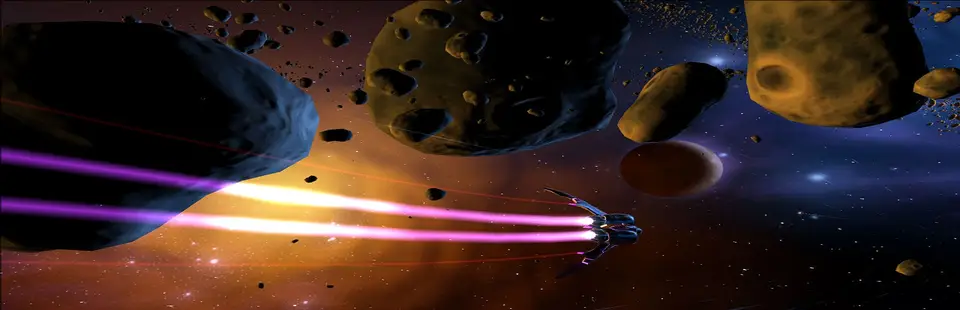

aces of the pacific sdl3
Port nativo de aces of the pacific sdl3 para PC.
aces of the pacific sdl3
Port nativo basado en su ficha de origen.
README del repositorio
Aces of the Pacific — SDL3 port
A faithful C reimplementation of Dynamix's Aces of the Pacific (1992), running natively on SDL3, in the
same way as the Test Drive III port. It is not an emulator:
the three programs of the original (INTRO.EXE, PS.EXE — the shell with its menus, roster and mission
set-up — and AP.EXE, the flight simulator) were reverse-engineered, documented and rewritten in C, and run
in one process. The port reads the original game's files at run time. No game data is included: you need
your own copy of Aces of the Pacific.
Requires the CD-ROM version 1.2 of Aces of the Pacific (it includes WWII: 1946). The floppy releases (1.0, 1.01, 1.2 / Patch B and the 1946 expansion disk) don't run: they are separate builds of the game. The launcher and the game say which version a folder holds. A copy is at the Internet Archive: download
AcesotP.zipand use the files of itsAcesotP\DYNAMIX\AOTPfolder.
How to play (Windows)
You need the files of the installed DOS Aces of the Pacific (INTRO.EXE, PS.EXE, AP.EXE, the .DYN
volumes and the rest of the installed folder). They are not included. It must be the CD-ROM version 1.2
(it includes WWII: 1946; the CD installs to C:\DYNAMIX\AOTP): the floppy releases (1.0, 1.01, 1.2 / Patch B,
the 1946 expansion disk) are separate builds of the game and don't run. The launcher and the game say which
one a folder holds.
-
Download
aotp-…-win64.zipfrom the releases and unzip it into a folder of its own, for exampleC:\Games\Aces of the Pacific. Not under Program Files: the game saves its pilot roster, preferences and films there. -
Get the game's files. If you have the CD, install the game from it: it installs to
C:\DYNAMIX\AOTP, and that folder holds the files. Otherwise, from the Internet Archive:- Download
AcesotP.zip(35 MB) from the Internet Archive's page (under DOWNLOAD OPTIONS), or directly. - Open
AcesotP.zipand go into the folderAcesotP\DYNAMIX\AOTP. It holdsINTRO.EXE,PS.EXE,AP.EXE, the.DYNfiles and the foldersTAPES,mt32andsb16. The zip's other folders (CD, with the disc image, andSIERRA) are not needed.
- Download
-
In the folder from step 1, make a folder named
Gameand copy everything that is insideAOTPinto it: all its files and folders, not theAOTPfolder itself. It should look like this:Aces of the Pacific\ ├── Game\ <- the files from AOTP (INTRO.EXE, PS.EXE, AP.EXE, *.DYN, ...) ├── Aces of the Pacific.exe <- the launcher ├── aotp.exe <- the game └── SDL3.dll and the other DLLs -
Run
Aces of the Pacific.exe, choose your options and press Play (aotp.exealso starts on its own with the defaults). If the launcher shows a warning, it says what is wrong with theGamefolder; clicking the warning sign opens the Internet Archive's page.
Keep the folder somewhere you can save files, such as Documents or the Desktop, not Program Files: the game
writes into the game folder — the pilot roster (ROSTER.DAT), preferences (*.PRF), the hall of fame,
films (TAPES) and the SIM.IN / SIM.OUT hand-over files between the shell and the simulator. Work on a
copy if you want to keep your original folder untouched. If Windows says "Windows protected your PC", click
More info, then Run anyway. Press Alt+Enter for full screen.
Status
- The VGA version (320×200, 256 colours) with AdLib / Sound Blaster music and effects is ported: the intro, the shell (roster, historical missions, careers, training, preferences, the film viewer, the aircraft viewer) and the flight simulator with its cockpit, views, AI, weapons, carrier operations and debriefing. Please report any difference from the original in the issues.
- MT-32, Tandy, PS/1 and PC speaker sound are not ported yet (see Known issues).
The launcher
Aces of the Pacific.exe starts the game with the options chosen in its window (aotpport/launcher/README.md):
- Game files: the game folder and
aotp.exe(by default both beside the launcher). Play stays greyed out until the folder holdsINTRO.EXE,PS.EXE,AP.EXEof the CD-ROM version 1.2 and the.DYNvolumes. - Game speed: timer ticks per simulator frame (default 16, see below).
- Aspect 4:3 or 1:1, window size, full screen, sound on or off.
- Menus: File (Preferences with Always on top, Exit), Settings > Key Bindings (click a key, press the new one; Default, Apply, Cancel) and About.
Settings are remembered in %APPDATA%\Aces of the Pacific\settings.ini.
Game speed
The simulator advances the world each frame by a step computed from the timer ticks that frame took and the
in-game TIME SCALE slider, clamped to a range. On the PCs of 1992 a frame took long enough that the step
matched real time. On a fast PC the original waits only 8 ticks (of 236.7 a second) per frame, the step is
clamped at its minimum, and the world runs about 1.45 times too fast with the TIME SCALE slider having no
effect. The port paces simulator frames at 16 ticks by default, where the step is not clamped: the world
runs in real time at the default TIME SCALE and the slider works. Lower values make the world run faster,
higher values slower; 8 is what the original gives on a fast PC. Choose it in the launcher or with
--frame-ticks.
Requirements
- Your installed game files in a folder (by default
Gamebeside the program), writable. - Windows 10 or 11, x64 (the release). To build: CMake 3.24+, a C11 compiler and SDL 3; for the launcher a C++17 compiler and wxWidgets 3.2.
Build
From aotpport/, in Git Bash or an MSYS2 MinGW64 shell:
export PATH="/c/msys64/mingw64/bin:$PATH"
cmake -S . -B build-release -G Ninja -DCMAKE_C_COMPILER=gcc -DCMAKE_CXX_COMPILER=g++ -DCMAKE_BUILD_TYPE=Release -DAOTP_LAUNCHER=ON
cmake --build build-release
The build copies SDL3.dll and the launcher's wxWidgets DLLs next to the programs. The MSYS2 SDL3.dll also
needs libiconv-2.dll from C:\msys64\mingw64\bin; to run outside the MSYS2 shell, copy it there too.
Leave out -DAOTP_LAUNCHER=ON to build only the game.
Run
./aotpport/build-release/aotp.exe --game-dir Game
| Option | Meaning |
|---|---|
--game-dir DIR | Folder with the original game files (default Game) |
--scale N | Initial window size as a multiple of 320×240 (4:3) or 320×200 (1:1) (default 3) |
--aspect 4:3|1:1 | 4:3 (default) stretches the 200 lines to a 4:3 area as on a VGA monitor; 1:1 square pixels |
--fullscreen | Start in full screen |
--frame-ticks N | Game speed: timer ticks per simulator frame (default 16 ≈ real time; 8 = the original on a fast PC) |
--keys NAME=CODE,... | Changed keys (written by the launcher's Key Bindings) |
--check | Verify that the three executables load, then exit without opening a window |
To run without sound, set the environment variable SDL_AUDIO_DRIVER=dummy (the launcher's Sound box does
this). Alt+Enter toggles full screen.
Controls (from the original)
The keyboard, joystick and mouse work as in the original game; the keys are listed in the game's manual and its key reference card. A connected gamepad acts as the PC joystick (left stick = joystick A, right stick = joystick B, the four face buttons = the joystick buttons). The mouse is emulated for the shell and the simulator. The port adds:
- F lowers the flaps a step and Shift+F raises them (the original's F cycles them).
- The flight keys can be changed in the launcher (Settings > Key Bindings).
- Alt+Enter: full screen.
Changes from the original
- Sound: AdLib through the Nuked-OPL3 emulator, driven like the game's
ADL.DRV, whatever sound device the install chose. MT-32, Tandy, PS/1 and the PC speaker play as AdLib for now. - Game speed: simulator frames are paced at 16 timer ticks instead of the original's minimum of 8, so the world runs in real time and the TIME SCALE slider works (see above).
- Memory: EMS (used by the simulator for sprites, films and caches) is emulated; the VROOMM overlay
manager is not needed (the simulator runs from a flattened image).
GCD.COM's program chain is a loop in one process. - Removed: there is no copy protection in this version; the hardware checks and timer calibration of the original are replaced by the host.
- Graphics: VGA only (the only graphics the game ships).
- Keys: separate flaps down / up keys, and key bindings from the launcher (see Controls).
- Robustness: a few places where the original could read or write past its data, divide by zero, hang on
unknown data or call a null pointer are guarded (marked
PORT:in the source). Text the original prints on DOS exit or fatal paths goes to stderr. - Everything else, including the original's quirks, is kept on purpose.
Known issues
- Black triangles have been reported near the camera on the carrier deck; not confirmed yet.
- The dusk stars drawn over the haze band have not been verified against the original.
- MT-32, Tandy, PS/1 and PC speaker sound are not ported yet (AdLib is used instead).
- VGA only.
Layout
Game/— your game files (not in the repository).tools/,port/— reverse-engineering tools, function index, specs and format documents (FORMATS.md).CHANGELOG.md— changes by version.aotpport/— the SDL3 port (aotpport/PORTING.md: architecture and rules) and its launcher (aotpport/launcher/).PLAN.md— the plan, decisions and what is parked.
License
The port, launcher and tools are MIT licensed (see LICENSE). Nuked-OPL3 (aotpport/third_party/nuked-opl3)
is LGPL 2.1 or later. SDL3 is under the zlib licence. The release's launcher uses wxWidgets (wxWindows Library
Licence) and the MSYS2 libraries it loads; all third-party licences are listed in licenses/THIRD-PARTY.txt
in the release. Aces of the Pacific is © Dynamix / Sierra On-Line. Its files are not part of this
repository or the releases.
Support
Comentarios (0)
Inicia sesión para dejar un comentario.
Sé el primero en comentar sobre este juego.