
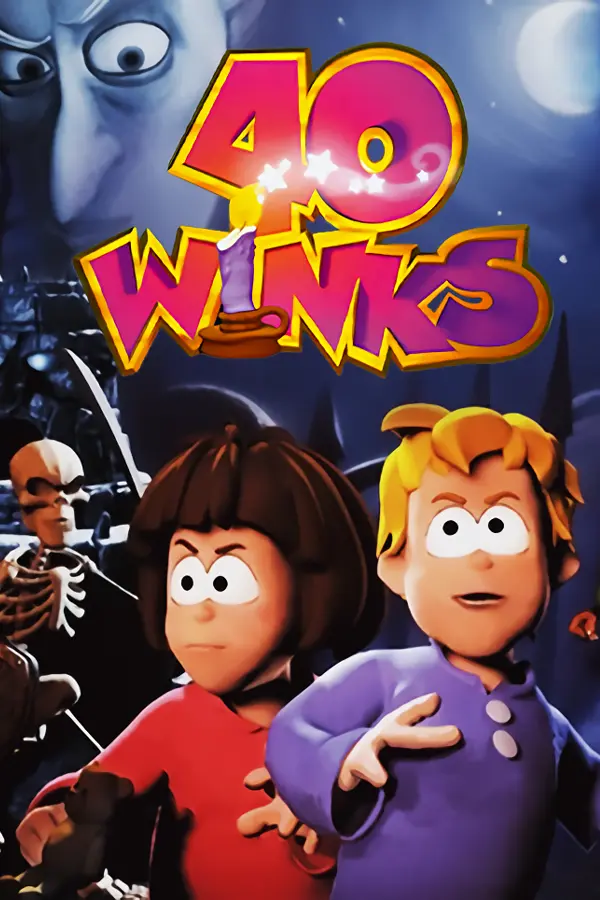
40 Winks (40 Winks PC Port)
Port nativo de 40 Winks (40 Winks PC Port) para PC.
40 Winks (40 Winks PC Port)
Port nativo basado en su ficha de origen.
README del repositorio
40 Winks PC Port
F1 for debug menu and graphical settings
An experimental native Linux and Windows port of the Nintendo 64 version of 40 Winks, built with N64Recomp, N64ModernRuntime, and RT64.
The port currently reaches normal gameplay and supports menus, cutscenes, persistent Controller Pak saves, Xbox/SDL controllers, keyboard input, two-player split screen, widescreen display modes, resolution scaling, and an F1 level/debug menu.
Bring Your Own ROM
This repository contains no ROM, game assets, extracted data, disassembly, or generated recompiled game functions. You must supply your own legally obtained, clean, big-endian USA .z64 ROM when building and running.
Supported clean ROM SHA-256:
057232ef7618e25f5645df50d3cd45f08cb5a2cccb3e2fdf48faa8755c4ddb1a
The build reads the ROM locally to generate the machine-translated CPU sources. Those generated files remain ignored by Git. At runtime, the application reads the original assets directly from the selected ROM; it does not place the ROM in the playable Linux or Windows build.
Downloadable Windows Setup
Download 40-Winks-PC-Port-Windows-x64.exe from the release and run it. On first launch it:
- Asks you to select the supported ROM.
- Verifies the ROM before doing any build work.
- Asks where to put the finished playable Windows build.
- Downloads private, pinned copies of Git, Python, CMake, Ninja, and LLVM-MinGW for itself.
- Downloads pinned open-source dependencies and generates the native game locally.
- Places a launcher, the game executable, and required graphics DLLs in the chosen folder, then starts the game.
The setup performs those steps directly and uses neither PowerShell nor Windows Package Manager. No preinstalled compiler, Windows SDK, Visual Studio, Git, Python, CMake, or Ninja is needed. The verified LLVM-MinGW archive supplies a private compiler, linker, C++ runtime, Windows headers, and import libraries without changing the computer or requesting administrator approval. Interrupted downloads are retried and reused on the next run. The window shows 0-100% progress throughout generation and compilation. Later launches of 40-Winks-PC-Port.exe from the chosen folder start the game immediately. Private tools, source, and generated CPU files stay under %LOCALAPPDATA%\40WinksBuild; saves, settings, and the remembered ROM location stay under %LOCALAPPDATA%\40-winks-pc-port.
The setup executable is currently unsigned, so Windows may show a publisher warning. The release includes a SHA-256 file for verification. Windows 10 or 11 on x64, an internet connection, several gigabytes of free build space, and a Direct3D 12 or Vulkan-capable GPU are required.
Downloadable AppImage
The public release contains one self-building, ROM-free AppImage. On its first run it:
- Asks you to select the supported ROM.
- Verifies the ROM before doing any build work.
- Asks where to put the finished playable AppImage.
- Downloads the pinned open-source dependencies.
- Generates the CPU translation and builds the playable AppImage locally.
- Starts the game with the selected ROM.
The first build displays a 0-100% progress bar with the current download, CPU-generation, compilation, or packaging phase. Later launches of that same downloaded AppImage start the locally built game immediately. It stores private build files under ~/.cache/40-winks-pc-port/ and remembers the chosen location of the playable AppImage. The ROM is never copied or uploaded.
The first Linux build requires the development packages listed in Building and an internet connection. Use --rebuild to rebuild the local game or --select-rom to choose the ROM again.
Build And Run
make build ROM="/path/to/40-winks.z64"
make run ROM="/path/to/40-winks.z64"
Developers can create the generated playable AppImage directly:
make playable-appimage ROM="/path/to/40-winks.z64"
Build the redistributable self-building AppImage:
make appimage
The first build downloads pinned upstream dependencies, applies this port's patches, builds N64Recomp, verifies the ROM, and generates the required local sources. See Building for dependencies and troubleshooting.
Controls
- Controller 1 controls Player 1.
- Keyboard controls Player 2 in co-op.
- A second controller joins as Player 2.
F1opens and closes the debug menu.
The AppImage presents a ROM file chooser when launched without --rom or FORTY_WINKS_ROM.
Repository Boundary
Only independently written host/runtime code, tests, build configuration, and redistributable patches are tracked. A source audit rejects ROMs, generated game code, analysis dumps, binaries, captures, credentials, and machine-specific paths before publication.
Read Legal and redistribution before publishing builds. This project is unofficial and is not affiliated with or endorsed by Eurocom, GT Interactive, Piko Interactive, Nintendo, or any other rights holder. 40 Winks and related game content belong to their respective owners.
License
Original project code is licensed under GPL-3.0-only because it links with N64ModernRuntime. Third-party components and patches retain their own licenses; see Third-party notices.
Comentarios (0)
Inicia sesión para dejar un comentario.
Sé el primero en comentar sobre este juego.